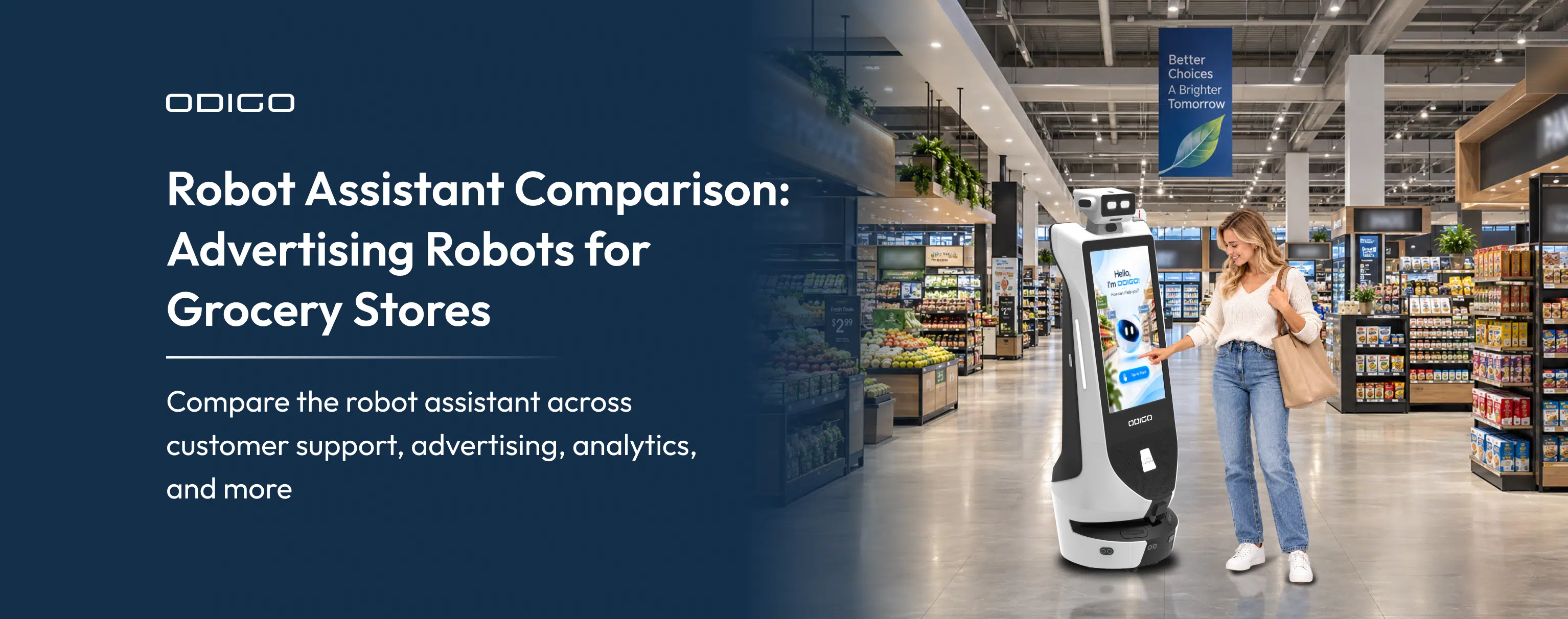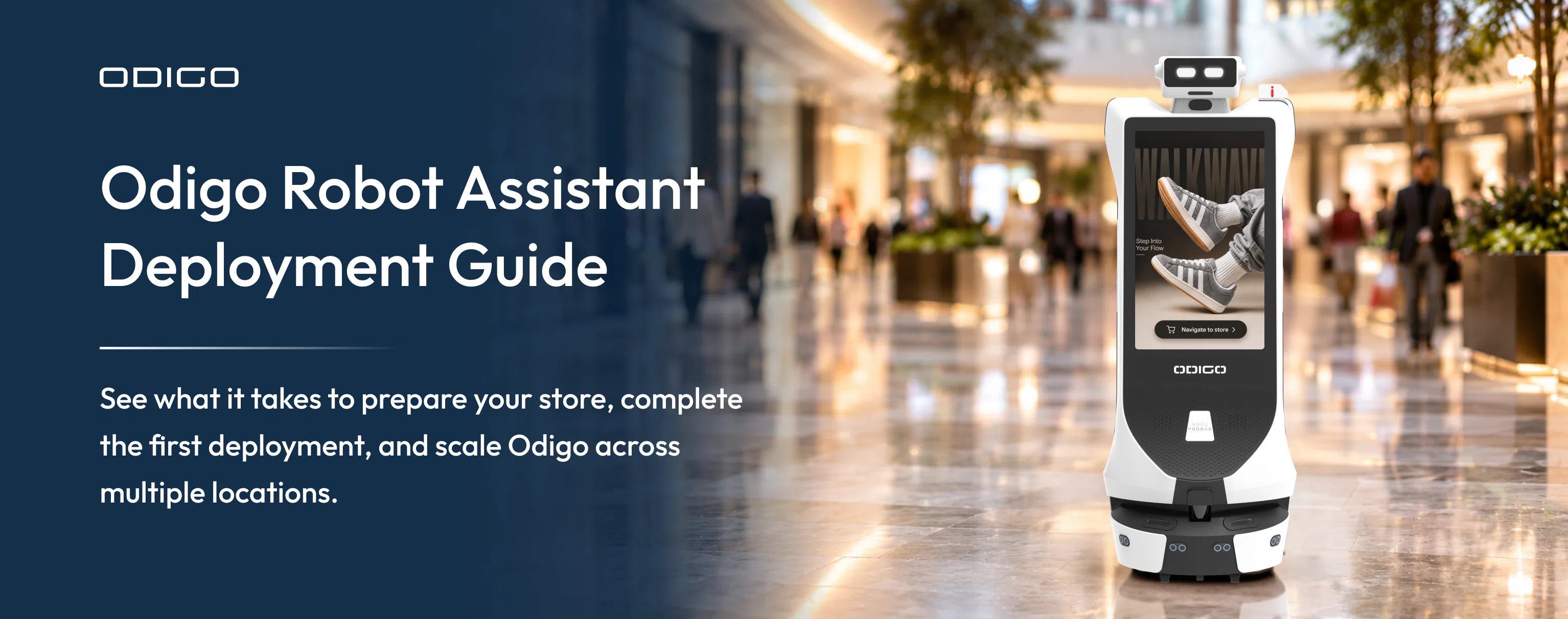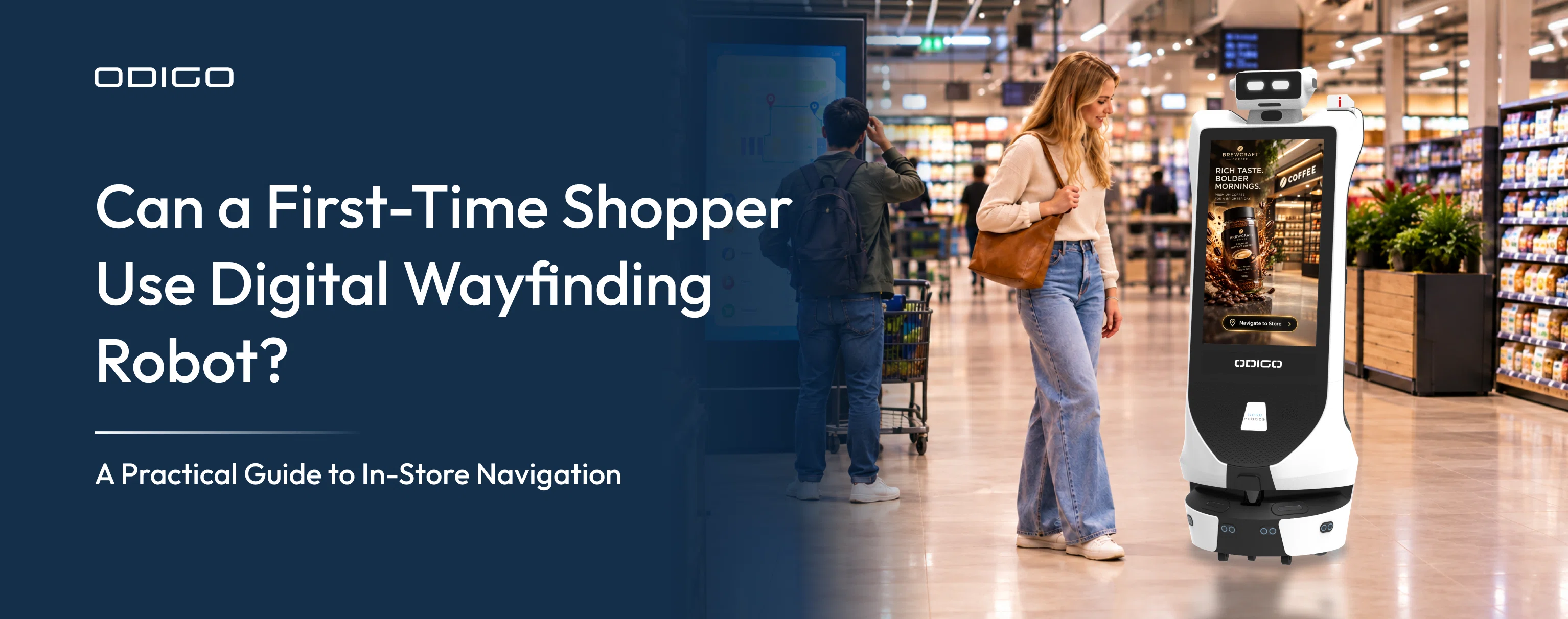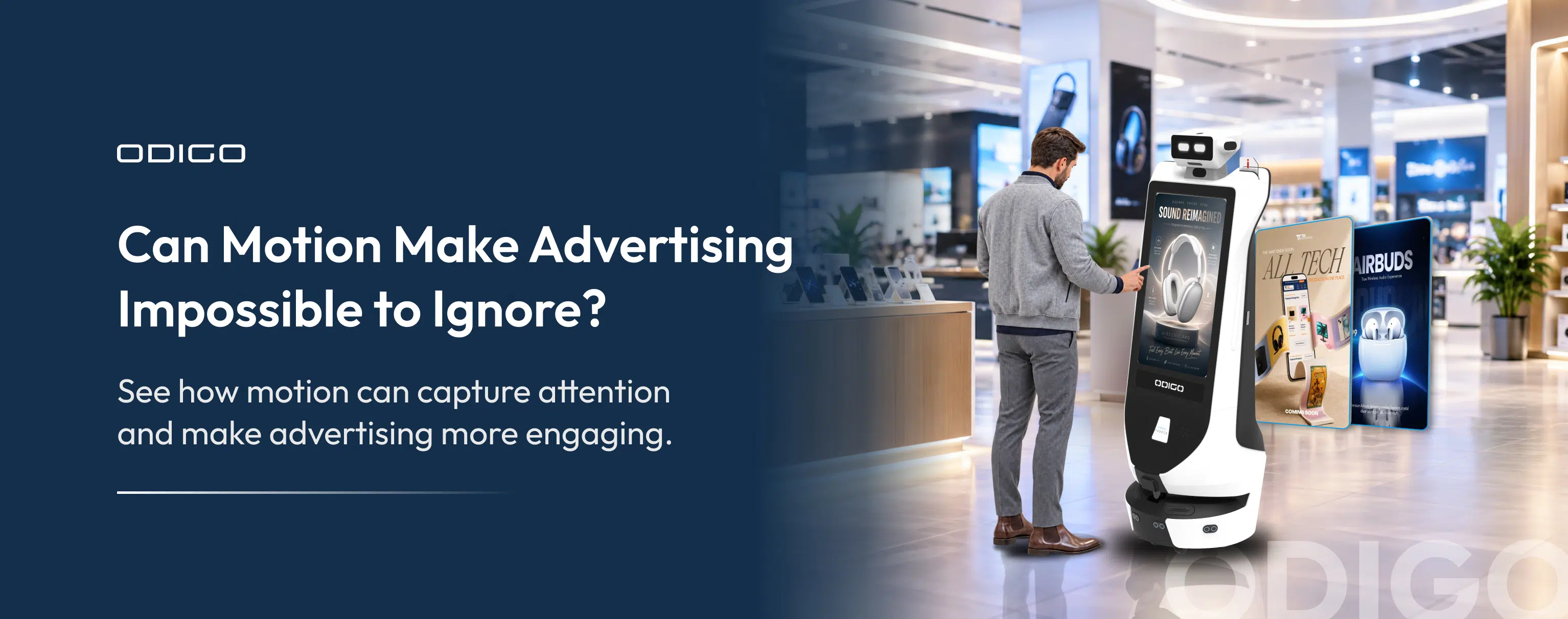

Quick Summary: At Jio World Drive in Mumbai, an AI robot assistant from Kody Robots shows exactly how AI robot assistants work in a live setting. Odigo glides through crowds of shoppers and adjusts its path around anyone walking toward it, without a technician guiding a single step.
Key Takeaways
- AI robot assistants combine LiDAR, computer vision, SLAM, NLP, and sensor fusion to perceive, navigate, and interact.
- Autonomous task execution depends on sensing, decision-making, navigation, and task-control systems working together.
- Robot capabilities should match the specific business environment and operational requirements.
- Businesses should evaluate safety, integration, reliability, support, and ROI before deployment.
- Real-world testing helps decision-makers validate performance before investing.
A decade earlier, the same task needed a fixed track bolted into the floor and a staff member standing by with an emergency stop button in hand.
Malls, hospitals, and hotels worldwide are placing the same bet on this kind of machine. The International Federation of Robotics recorded almost 200,000 professional service robots sold in 2024, a 9% jump from the prior year, with hospitality robots crossing 42,000 units sold worldwide.
Kody Robots has placed its AI robot assistants inside malls across Mumbai, Dubai, and Abu Dhabi, including Jio World Drive, R City Mall, and LuLu Hypermarket. Operating across these markets has made one requirement obvious. A robot performing reliably in a packed mall aisle needs working sensors, capable software, and split-second decision-making that run together without a gap.
The sections ahead break down that engineering for anyone deciding whether to trust a robot inside their own space.
How do AI Robot Assistants Actually Work?
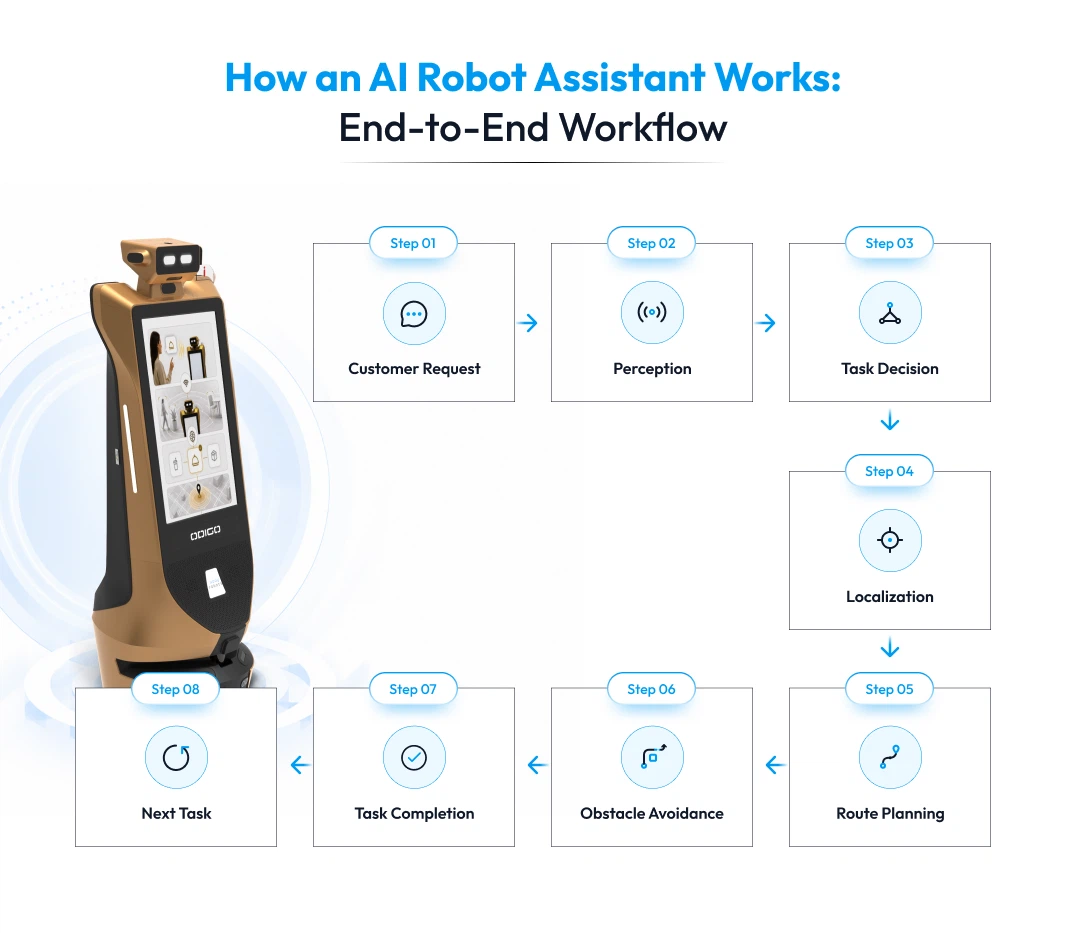
An AI robot assistant scans a room, works out what it’s looking at, and moves accordingly, all within the same second. This entire process runs on a loop: sense, decide, act, then repeat, dozens of times before a person even finishes a sentence.
That loop is the actual answer to how AI robot assistants work, and the clearest way to see it is to follow one situation all the way through, from the moment a sensor detects something to the moment a motor responds. Take a robot moving down a mall corridor when a shopper steps out from a store entrance directly ahead, and follow what happens inside the robot over the next fraction of a second.
Sensing: The AI Robot Detects the Shopper
The robot’s LiDAR sends out laser pulses across a 270° field, covering a 25-meter range on Kody Robots’ units. The moment the shopper enters that field, the returning laser pulses change pattern, registering a new object at a specific distance and angle. At the same time, a depth camera captures the same area and feeds it to a computer vision model trained to classify shapes, so the system does not just detect “something new”; it identifies that new object as a moving person rather than a fixed pillar or parked cart.
- LiDAR supplies exact distance and position.
- The depth camera supplies what the object actually is.
- Both readings arrive within milliseconds of each other, before the robot has moved another step.
Deciding: The Robot Works Out What to do
Once the robot identifies the shopper, it still needs to know where it stands relative to that shopper and the rest of the corridor, and this is where SLAM does its work. SLAM builds a live map of the corridor from the LiDAR data while calculating the robot’s own coordinates inside that map at the same time, comparing each new sensor reading against the map built a fraction of a second earlier to update both together. With the shopper’s position now placed on that map, the onboard AI calculates a new path that keeps a safe distance and continues toward its destination.
- A rail-bound or magnetic-tape robot has no way to run this calculation. It can only follow the fixed path already laid into the floor and would either stop or collide.
- A SLAM-based robot recalculates its route in real time, without needing that fixed path at all.
- Kody Robots runs this entire calculation on-device rather than sending data to a remote server first, so the decision happens instantly even when the corridor has a weak internet signal, a reason its deployed units hold uptime above 97%.
Acting: The Robot Moves on That Decision
The new path calculated in the previous stage gets sent to the robot’s motors as a set of movement instructions, such as adjusted speed, a slight turn, and a wider gap from the shopper. The robot executes that adjustment smoothly rather than stopping abruptly, because the decision was made before the shopper came within collision range, not after.
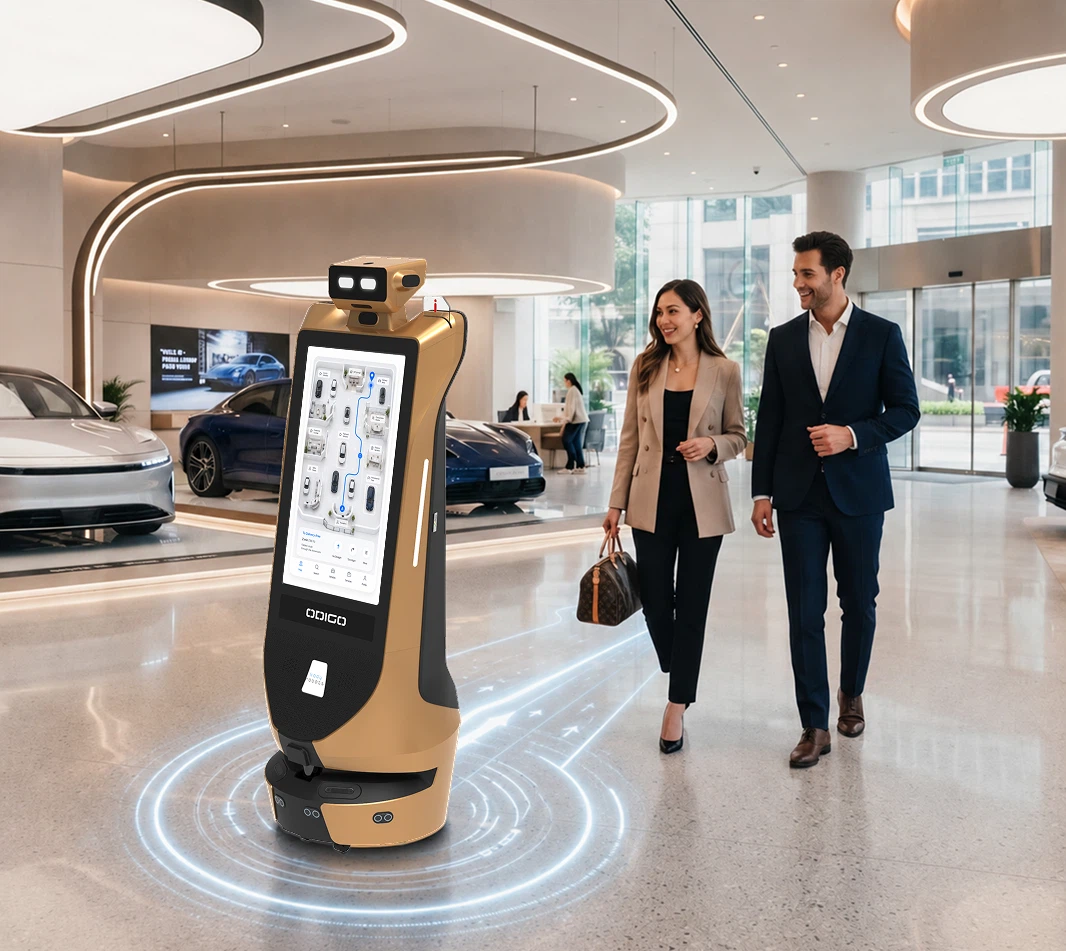
The same sense-decide-act cycle drives Odigo’s autonomous operation. Odigo continuously senses its surroundings, processes environmental information, selects a safe path, and adjusts its movement while navigating busy spaces. At the same time, its interactive display remains available for advertising, visitor information, or engagement.
When people or obstacles enter its path, Odigo can detect the change and adapt its route rather than following a fixed path. The combination of autonomous navigation and interactive communication allows Odigo to move through malls, airports, exhibitions, and other high-footfall environments while supporting visitor engagement.
Core Technologies That Power AI Robot Assistants
An AI robot assistant depends on several technologies working together. Sensors provide information about the surroundings, AI processes relevant data, and navigation systems help the robot determine where and how to move. Understanding how AI robot assistants work requires looking at the technologies behind perception, localization, communication, and decision-making.
The key technologies include LiDAR, computer vision, NLP, SLAM, sensor fusion, and on-device or cloud processing. Each solves a different problem, and the combination determines how effectively a robot can operate in a real environment.
LiDAR and Computer Vision: Giving Robots Environmental Awareness
A robot needs reliable information about its surroundings before making movement or task decisions. LiDAR and computer vision provide two important sources of environmental information, with different strengths.
LiDAR uses laser pulses to measure distances around the robot. The measurements help navigation systems understand nearby surfaces, objects, and available space.
Computer vision processes images or video to identify visual information relevant to the robot’s task. Depending on the application, computer vision can support:
- People and object detection
- Visual recognition
- Navigation
- Sign or text recognition
- Activity monitoring
- Human-robot interaction
LiDAR and cameras can complement each other. LiDAR provides strong spatial information, while cameras provide visual context. A robot operating around customers may need both capabilities to understand its environment effectively.
Kody Robots’ Odigo Advertising Robot combines Laser + Visual SLAM + Obstacle Avoidance and uses LiDAR with a 270° scanning angle and a range of up to 25 meters. Odigo also includes a depth camera for environmental sensing.
SLAM: Helping Robots Know Where They Are
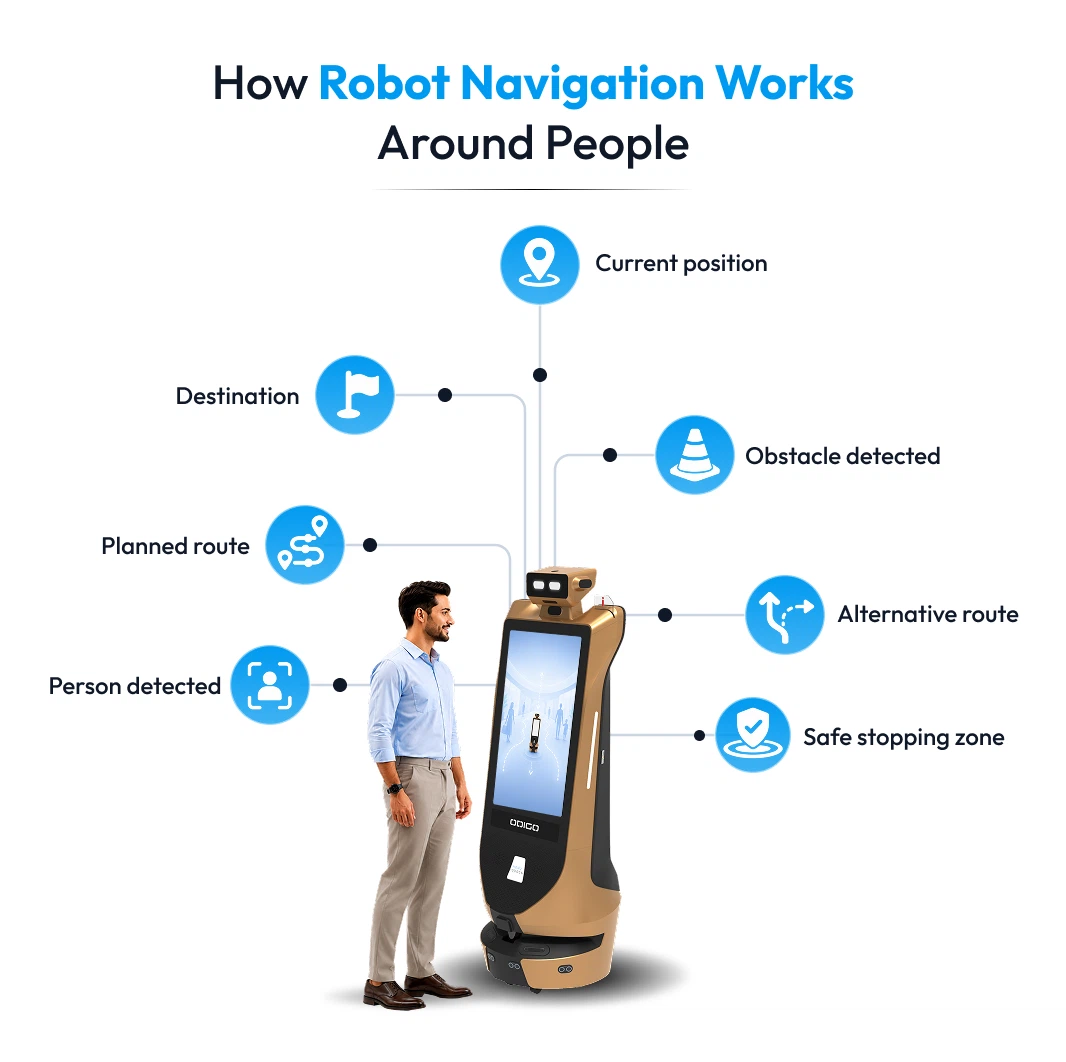
SLAM, or Simultaneous Localization and Mapping, allows a mobile robot to build or update a map while estimating its own position within the environment.
A robot navigating a hotel, mall, or airport needs more than a destination. The navigation system needs to know the robot’s current position and understand the surrounding map.
Depending on the system architecture, SLAM can use LiDAR, cameras, inertial measurements, wheel odometry, or combinations of sensor inputs.
Odigo uses Laser + Visual SLAM as part of its navigation architecture for indoor environments.
Why SLAM matters in commercial environments:
- Supports autonomous indoor navigation
- Helps maintain location awareness during movement
- Supports route planning
- Reduces dependence on manual steering
- Helps robots operate across mapped areas
Site preparation still matters. Commercial deployments may require mapping, configuration, testing, defined operating zones, and consideration of elevators, restricted areas, narrow passages, and layout changes.
Sensor Fusion: Combining Multiple Sources of Information
A single sensor cannot provide every piece of information a robot needs. Sensor fusion combines data from multiple sensors to create a more useful understanding of the robot’s surroundings and movement.
A typical sensing architecture can combine:
- LiDAR: distance and spatial measurements
- Cameras: visual information
- Depth cameras: visual and depth information
- IMU: orientation and movement
- Wheel encoders: wheel rotation and odometry
Consider a robot approaching a group of visitors. LiDAR can provide distance information, while cameras can add visual context. IMU and wheel-encoder data can help estimate movement and orientation.
Odigo’s technical architecture combines LiDAR and depth-camera sensing with Laser + Visual SLAM and obstacle avoidance.
For a buyer, sensor fusion means looking beyond the number of sensors listed on a product sheet. Calibration, synchronization, processing quality, sensor placement, and software integration all influence how useful the combined data becomes.
NLP: Helping Robots Understand Human Requests
Natural Language Processing, or NLP, helps robots process human language when conversational interaction forms part of the application.
A visitor asking, “Where is the food court?” may trigger a sequence such as:
Speech → speech recognition → language understanding → intent identification → information retrieval → response
The robot can then answer through voice, a screen, or another interaction method.
NLP becomes particularly relevant for:
- Visitor assistance
- Wayfinding
- Reception
- Customer service
- Interactive advertising
- Information kiosks
- Voice-controlled workflows
A warehouse transport robot may require little conversational capability, while a museum guide robot or visitor-assistance robot may need a much richer language interface.
On-Device vs Cloud Processing in AI Robot Assistants
AI robot assistants need computing power for perception, navigation, interaction, analytics, and other functions. Processing can happen directly on the robot, through nearby edge hardware, through cloud infrastructure, or through a combination of approaches.
On-device processing can handle functions that require rapid responses, such as:
- Sensor processing
- Perception
- Navigation
- Obstacle detection
- Movement control
Cloud processing can support functions such as:
- Fleet management
- Analytics
- Reporting
- Remote monitoring
- Content management
- Software administration
- Data storage
A hybrid architecture can use local processing for time-sensitive robotic functions while connected systems handle management and analytics.
Odigo includes connectivity features such as dual-band Wi-Fi, Bluetooth, remote monitoring, and OTA updates.
The technology behind an AI robot assistant only has value when the individual systems work together for the intended job. How AI robot assistants work can vary depending on the environment and operational requirements. In customer-facing settings, understanding how robot assistants support sales staff also depends on how effectively navigation, visitor interaction, information delivery, and other systems work together. A mall deployment may place greater importance on navigation, obstacle detection, visitor interaction, and continuous operation, while a warehouse application may prioritize payload, route accuracy, fleet coordination, and integration with existing workflows.
For a business evaluating an AI robot assistant, the right specifications depend on the environment, workload, level of autonomy, and outcome expected from the deployment. Understanding the technology makes it easier to compare solutions on actual operating capability rather than on a list of features alone.
AI Robot Assistant Features and Specifications: What to Evaluate
A specification sheet can contain dozens of numbers, but every number does not tell you whether a robot will perform well in a particular facility. The useful approach is to connect each specification with the robot’s workload, operating environment, required level of autonomy, and expected outcome.
Navigation and Obstacle Avoidance Specifications
Navigation determines how independently a mobile robot can move through its assigned environment. Look beyond the word “autonomous” and examine the technology supporting movement.
Key specifications include:
- Navigation technology: LiDAR, Visual SLAM, Laser + Visual SLAM, or another navigation method
- Obstacle avoidance: How the robot detects and responds to people and objects
- Mapping: How operating areas are mapped and updated
- Movement speed: Maximum and practical operating speed
- Operating environment: Indoor, outdoor, controlled, or high-footfall spaces
- Route management: How destinations and permitted operating areas are configured
Odigo uses Laser + Visual SLAM and obstacle avoidance for autonomous indoor navigation. A specification such as Laser + Visual SLAM gives a buyer more useful information than the word “autonomous” alone because the underlying navigation architecture is clearly identified.
LiDAR, Cameras, and Sensor Specifications
Sensors provide the environmental information required for perception and navigation. The sensor list should always be considered alongside the software responsible for interpreting the collected data.
Important specifications include:
- LiDAR range
- LiDAR scanning angle
- Depth-camera capability
- Camera field of view
- Obstacle detection
- Sensor fusion
- Performance in crowded spaces
- Performance under different lighting conditions
Odigo’s published specifications include up to 25 meters of LiDAR range and a 270° scanning angle, along with a front-facing depth camera.
The number of sensors alone does not indicate navigation quality. Sensor placement, coverage, calibration, software processing, and environmental conditions all influence practical performance.
Battery Runtime and Automatic Charging
Battery performance affects how long a robot can remain available for work. Maximum runtime should therefore be evaluated alongside charging requirements and actual workload.
Check:
- Battery capacity
- Runtime per charge
- Charging duration
- Automatic charging
- Charging-station requirements
- Runtime under expected workload
- Battery maintenance requirements
Odigo specifies 10+ hours of battery life, automatic charging, and a 25.6V / 25Ah lithium iron phosphate battery.
Actual runtime can vary according to movement, display usage, payload, interaction frequency, floor conditions, and other workloads. A venue requiring extended daily operation should evaluate the complete charging cycle rather than relying solely on the maximum runtime stated in a specification sheet.
Operating Footprint and Physical Dimensions
For Odigo, physical dimensions directly affect how comfortably the robot can navigate malls, airports, hotels, car showrooms, museums, and other public spaces. This is an important part of how AI robot assistants work in real-world environments. The robot’s footprint should suit corridors, entrances, walkways, display areas, and high-traffic zones while allowing safe movement around visitors and existing infrastructure.
Evaluate:
- Robot height
- Robot length
- Robot width
- Overall weight
- Turning space
- Doorway and corridor clearance
- Elevator compatibility
- Available operating space
Odigo measures 1,650 mm in height, 630 mm in length, and 535 mm in width, with a listed weight of 65 kg.
The physical footprint matters when Odigo operates around visitors, displays, entrances, corridors, and other fixed infrastructure, which is an important consideration in how car showrooms use AI robot assistants. A venue assessment should confirm that Odigo has sufficient space to navigate comfortably while maintaining appropriate clearance around people and obstacles.
Display, Voice, and Human Interaction Features
Visitor-facing robots need interaction hardware that matches the people and tasks involved. Display and communication specifications can directly affect how easily customers, guests, patients, or employees interact with the robot.
Relevant features include:
- Display size and resolution
- Touchscreen capability
- Microphones
- Speakers
- Camera systems
- Voice interaction
- Language support
- Wayfinding interface
- Content-management capability
Odigo uses dual 32-inch touch displays with 1080 × 1920 resolution, supporting customer-facing applications such as advertising, visitor information, and wayfinding.
Interaction requirements vary significantly by use case. A warehouse transport robot may need minimal public interaction, while a mall, museum, hotel, or airport robot may rely heavily on visual and conversational interfaces.
Connectivity and Remote Management Specifications
Connectivity determines how a robot communicates with external systems, receives software updates, supports remote monitoring, and manages connected services.
Look for:
- Wi-Fi capability
- Bluetooth or other wireless connectivity
- Remote monitoring
- Fleet management
- OTA software updates
- System integration options
- Network dependency
Odigo includes dual-band Wi-Fi, Bluetooth, remote monitoring, and OTA updates in its published specifications.
A buyer should also establish what happens when connectivity is interrupted. Navigation and safety-critical functions may need local processing, while analytics, content management, remote monitoring, and software updates may require network access.
Safety Features and Level of Autonomy
Safety requires careful evaluation when a robot operates around customers, employees, patients, or guests. A business should understand both the safety mechanisms and the actual tasks the robot can perform without human intervention.
Important considerations include:
- Obstacle detection
- Collision avoidance
- Emergency stop
- Speed control
- Human override
- Defined operating zones
- Safety testing
- Maintenance procedures
The term “autonomous” also needs context. Ask what the robot can independently handle during normal operation.
For example:
- Can the robot navigate assigned routes independently?
- Can the robot detect and respond to obstacles?
- Can the robot return to a charging station?
- Can the robot recover from common navigation interruptions?
- Which situations require staff intervention?
- What happens when the robot encounters an unexpected condition?
A clear answer to those questions gives a much more realistic picture of autonomy than a marketing label alone.
AI Robot Assistant Specifications by Application
The right specifications depend on the role assigned to an AI robot assistant. For Odigo, the priority is not heavy material handling or industrial automation. Odigo is designed around visitor interaction, autonomous navigation, wayfinding, advertising, and audience engagement, so specifications should be evaluated against those functions.
| Application | Specifications to prioritize for Odigo |
| Mall | Autonomous navigation, SLAM, LiDAR, obstacle avoidance, display quality, advertising management, analytics |
| Hotel | Navigation, obstacle avoidance, display, voice interaction, wayfinding, connectivity |
| Airport | SLAM, LiDAR, obstacle avoidance, wayfinding, display, voice interaction, connectivity |
| Supermarket | Autonomous navigation, obstacle avoidance, display quality, wayfinding, advertising, content management, analytics |
| Car showroom | Autonomous navigation, display quality, voice interaction, wayfinding, advertising, audience analytics |
| Museum | Navigation, display, voice interaction, multilingual interaction, content management, analytics |
| Advertising | Display quality, content management, autonomous navigation, campaign control, audience analytics |
A useful evaluation connects every specification with a practical requirement. Navigation accuracy matters when Odigo operates around visitors. Display quality matters when the robot carries advertising or informational content. Voice interaction and NLP matter when visitors use the robot for assistance, including how AI robot assistants educate EV buyers about vehicles and related information. Analytics matter when businesses need to measure engagement and campaign performance.
For a business evaluating Odigo, the specification sheet should answer one practical question: Can the robot reliably deliver the intended visitor, advertising, and engagement experience within the operating environment?
Common Myths About AI Robot Assistants: Myth vs Reality
AI robot assistants often attract assumptions that sound convincing until the technology is examined in a real business environment. A short demonstration can make a robot appear completely independent, while the word “AI” can create expectations about unlimited learning or human-like intelligence.
A closer look at how AI robot assistants work separates genuine capabilities from common misconceptions. The following myths and realities address the questions that business owners and decision-makers should consider before deploying a robot in a real facility.
AI Capabilities and Intelligence
| Common Myth | Reality |
| AI robot assistants can do anything without human support. | Autonomy is task-specific. A robot may navigate independently, respond to defined requests, or complete assigned tasks while still requiring people for maintenance, unexpected situations, system changes, or tasks outside its configured capabilities. |
| More sensors automatically mean a smarter robot. | Sensor count does not determine intelligence. LiDAR, cameras, depth sensors, IMUs, and other inputs need accurate calibration, suitable placement, and effective software processing to produce useful information. |
| AI robot assistants understand every human request. | Language capability depends on the conversational system, supported languages, trained models, available information, and application design. Unusual, ambiguous, or unsupported requests may require clarification or human assistance. |
| AI means the robot can learn every task on its own. | AI capability does not provide unlimited learning or unrestricted task execution. New capabilities may require software changes, training, configuration, integrations, or different hardware. |
Navigation, Safety, and Human Roles
| Common Myth | Reality |
| An autonomous robot can navigate anywhere without preparation. | Autonomous navigation depends on the operating environment and deployment configuration. Mapping, route configuration, testing, operating zones, and access planning may be required before regular operation. |
| Robots will replace every human role. | Commercial robots generally handle defined tasks rather than entire job roles. Employees can continue managing exceptions, customer relationships, supervision, maintenance, and decisions requiring human judgement. |
| Robot safety depends only on obstacle detection. | Safe operation involves multiple layers, including movement control, speed limits, emergency stops, collision avoidance, operating zones, human override, maintenance, software behaviour, and deployment procedures. |
Commercial Deployment
| Common Myth | Reality |
| A successful demo means the robot is ready for any business environment. | A demonstration validates a specific scenario under specific conditions. Commercial deployment requires testing against the actual layout, footfall, operating hours, network, charging setup, workflows, safety requirements, and maintenance process. |
The reality of AI robot assistants is more practical than the myths suggest. Reliable performance depends on the robot’s technology, assigned tasks, operating environment, deployment configuration, and human support structure. A business should evaluate an AI robot assistant against measurable requirements rather than assumptions about what AI can do.
AI Robot Assistant Applications Across Different Industries
AI robot assistants deliver the most value when their capabilities align with a specific business objective, such as visitor assistance, wayfinding, digital advertising, information delivery, or audience engagement. For Odigo, priorities can vary by environment. A shopping mall may emphasize advertising and wayfinding, while a hotel may prioritize guest assistance, information access, and interactive engagement.
The same principle applies across industries: the robot should match the job, the environment, and the people interacting with the system.
AI Robot Assistants in Malls and Retail
Malls and retail spaces combine high visitor traffic with frequent movement, changing routes, and multiple points where customers may need assistance.
Common applications include:
- Visitor wayfinding
- Store and facility information
- Interactive advertising
- Promotional campaigns
- Customer engagement
- Product or destination guidance
- Visitor data and interaction analytics
A mobile retail store robot can move through different areas while providing information or promotional content, giving retailers an additional customer-facing channel beyond fixed digital screens.
Navigation and human interaction carry equal importance in retail. A robot needs to move safely around shoppers while presenting information in a clear and accessible way.
AI Robot Assistants in Hotels and Hospitality
Hospitality environments have frequent guest interactions and information needs across lobbies, restaurants, event spaces, and common areas. Odigo can support these touchpoints with autonomous wayfinding, guest assistance, digital advertising, and interactive communication while hotel staff remain focused on personalized service and daily operations.
Common applications include:
- Internal item transportation
- Guest guidance
- Restaurant service
- Lobby information
Odigo can move through hotel lobbies, restaurants, and common areas while providing wayfinding, guest information, promotional content, and interactive assistance. Autonomous navigation manages movement around visitors and obstacles, while hotel staff remain focused on guest service, hospitality, and operational responsibilities.
For hospitality businesses, useful evaluation criteria include navigation reliability, automatic charging, elevator compatibility, operating hours, and interaction capabilities.
AI Robot Assistants for Supermarkets
Supermarkets have constant customer movement, frequent product-related questions, promotional campaigns, and large floor areas where shoppers may need assistance. Robot assistant for supermarket can support these touchpoints through autonomous wayfinding, customer assistance, digital advertising, and interactive communication while supermarket staff remain focused on store operations and customer service.
Common applications include:
- Customer wayfinding
- Product and store information
- Promotional advertising
- Customer engagement
Odigo can navigate supermarket aisles and common areas while guiding shoppers, displaying promotional content, and providing interactive assistance. Autonomous navigation allows Odigo to move around customers and obstacles while its display remains available for product promotions, store information, and other digital content.
For supermarkets, useful evaluation criteria include navigation reliability, obstacle avoidance, display quality, voice interaction, content management, operating hours, connectivity, and audience analytics.
AI Robot Assistants for Car Showrooms
Car showrooms need engaging ways to introduce visitors to vehicles, communicate product information, promote offers, and guide customers across the showroom. Robot assistant for car showroom, can support these touchpoints through autonomous navigation, interactive assistance, digital advertising, and customer engagement while sales teams remain focused on qualified conversations and personalized assistance.
Common applications include:
- Customer engagement
- Product information
- Vehicle and offer promotion
- Showroom wayfinding
Odigo can move through showroom areas while presenting vehicle information, promotional content, and interactive assistance to visitors. Its display provides a visible communication channel, while autonomous navigation allows the robot to move through the showroom and engage visitors across different areas.
For car showrooms, useful evaluation criteria include autonomous navigation, display quality, voice interaction, content management, advertising capabilities, audience analytics, connectivity, and operating hours.
AI Robot Assistants in Airports and Railway Stations
Transportation hubs cover large areas and serve visitors who may be unfamiliar with the surroundings. Wayfinding and information assistance can therefore provide practical value.
Potential applications include:
- Passenger wayfinding
- Terminal information
- Direction assistance
- Interactive information
- Advertising
- Visitor assistance
Navigation needs to become more demanding in high-footfall environments. People change direction without warning, temporary barriers can alter routes, and restricted areas may limit where a robot can travel.
A suitable system needs reliable localization, obstacle detection, route planning, and an interaction interface that allows passengers to request information without depending on staff for every basic question. These capabilities are central to how AI robot assistants work in busy passenger environments.
Odigo can support healthcare facilities where visitors need clear information, directions, and assistance across large, busy spaces. Its autonomous navigation and interactive interface allow hospitals to provide automated guidance without requiring staff to handle every routine visitor query.
Potential applications include:
- Visitor wayfinding: Guide patients and visitors toward departments, wards, pharmacies, reception areas, and other facilities.
- Information assistance: Provide answers to common questions about hospital services, locations, timings, and facilities.
- Interactive communication: Present information through the display and support voice-based visitor interactions.
- Advertising and awareness: Display healthcare campaigns, hospital announcements, preventive-care messages, or relevant promotional content.
- Visitor engagement: Interact with people in reception areas, waiting zones, and other high-footfall spaces.
Odigo’s navigation capabilities are particularly relevant in large hospitals where visitors may need directions across complex layouts. The robot can move through designated areas while detecting people and obstacles, adjusting its route as the environment changes.
For healthcare deployment, hospitals should also evaluate navigation accuracy, interaction capabilities, data handling, operating zones, connectivity, safety controls, and content management against their specific requirements.
AI Robot Assistants in Museums and Exhibitions
Museums and exhibition spaces can use interactive robots to combine visitor assistance with digital information and engagement.
Potential applications include:
- Museum wayfinding
- Exhibit information
- Interactive content
- Multilingual assistance
- Event information
- Promotional communication
- Guided visitor experiences
A mobile robot can position information closer to visitors rather than keeping every interaction at a fixed information desk. Large displays, touch interaction, voice capabilities, and autonomous navigation can work together to support visitor engagement.
Exhibition environments also create opportunities for mobile advertising because a robot can carry promotional content through areas with concentrated visitor traffic.
AI Robot Assistants for Visitor Assistance and Facility Engagement
Odigo is designed for visitor engagement, wayfinding, advertising, and interactive communication in high-footfall environments. It can navigate public spaces autonomously, provide directions and information, display digital advertisements, and interact with visitors through its interactive interface. For malls, airports, railway stations, car showrooms, hotels, museums, and events, Odigo can serve as an always-available digital touchpoint that combines mobility with customer engagement.
Relevant applications include:
- Visitor wayfinding: Guide people toward stores, facilities, entrances, exits, or designated areas.
- Information assistance: Provide location details, venue information, and frequently requested answers.
- Digital advertising: Display promotional campaigns while traveling through high-traffic areas.
- Public announcements: Communicate important messages, event information, or facility updates.
- Visitor engagement: Interact with people through its display and voice-enabled interface.
For facilities considering Odigo, the relevant specifications center on autonomous navigation, obstacle avoidance, display quality, voice interaction, content management, connectivity, and audience analytics. Each capability should be evaluated against the venue’s visitor flow, communication goals, advertising requirements, and expected level of audience engagement.
Odigo can therefore complement facility operations by taking on visitor communication and engagement tasks, allowing staff to focus on operational responsibilities that require direct human involvement.
AI Robot Assistants for Events and Public Venues
Events, exhibitions, conferences, and public venues create short-duration environments where visitor engagement and operational assistance can carry significant value.
Applications can include:
- Visitor guidance
- Registration assistance
- Promotional engagement
- Interactive brand experiences
- Information delivery
- Event-area navigation
Event environments also present unique challenges. Floor layouts can change quickly, visitor density can vary throughout the day, and branding requirements may differ between events.
A suitable robot therefore needs a combination of reliable navigation, easy content management, human interaction, and straightforward deployment procedures.
Matching AI Robot Assistant Capabilities to Business Needs
Different environments require different combinations of robotic capabilities.
| Business environment | Primary requirement | Capabilities to evaluate |
| Malls and retail | Visitor engagement and assistance | Navigation, display, wayfinding, voice interaction, advertising |
| Hotels and restaurants | Guest assistance and engagement | Navigation, display, voice interaction, wayfinding, content management |
| Car showrooms | Customer engagement and product promotion | Autonomous navigation, display, voice interaction, advertising, wayfinding, audience analytics |
| Airports and railway stations | Wayfinding and information | Localization, obstacle avoidance, interaction, route planning, multilingual support |
| Healthcare facilities | Visitor assistance and information | Safety, navigation, interaction, data handling, content management |
| Museums and exhibitions | Visitor information and engagement | Display, navigation, voice interaction, multilingual support, content management |
Odigo’s functionality should align with the specific visitor engagement goals of each environment, which also reflects how AI robot assistants work across different use cases. Hotels may prioritize guest assistance and wayfinding, malls may focus on advertising and visitor engagement, car showrooms can use Odigo for product promotion and customer interaction, while airports may emphasize passenger guidance, information delivery, and advertising.
The strongest Odigo deployment starts with a clear visitor engagement, wayfinding, advertising, or information requirement and identifies the capabilities needed to address that requirement. A strong match between Odigo’s capabilities and the venue’s visitor flow, communication goals, and operating environment determines how effectively the solution can deliver measurable business value.
What to Look for Before Adopting an AI Robot Assistant
A business decision around robotics needs more than a product demonstration and a technical specification sheet. The evaluation should connect the robot’s capabilities with the actual workplace, the people who will interact with it, the tasks it needs to perform, and the results the business expects.
Define the Business Requirement
The first evaluation point is the specific responsibility assigned to Odigo. If the robot is being used as an advertising robot, the business should assess how well its navigation, display, content management, visitor interaction, and analytics capabilities support campaign delivery and engagement.
A useful requirement should answer four questions:
- What task needs automation?
- How frequently does the task occur?
- Who is currently performing the task?
- What measurable improvement should the robot deliver?
A hotel evaluating Odigo may focus on guest wayfinding, service information, promotional communication, and visitor engagement, while a shopping mall may prioritize advertising reach, store navigation, and interactive visitor assistance. A clear objective helps decision-makers evaluate the right capabilities, deployment requirements, and expected business outcomes.
Assess the Operating Environment
The physical environment directly affects autonomous performance. A robot working in a crowded mall faces different conditions than one operating inside a structured warehouse.
Review:
- Floor surfaces and level changes
- Corridor and doorway dimensions
- Elevators and ramps
- Pedestrian density
- Temporary obstacles
- Lighting conditions
- Network coverage
- Operating hours
- Charging locations
- Restricted areas
A site assessment should ideally include real operating conditions. Testing during busy periods can reveal navigation challenges that may not appear during a quiet demonstration.
Verify Autonomous Task Performance
The word “autonomous” needs a clear definition before deployment. Decision-makers should know exactly which tasks the robot can complete independently and where human assistance remains necessary.
Ask the provider to demonstrate how the robot handles:
- Blocked routes
- Unexpected obstacles
- Changes in the operating area
- Interrupted tasks
- Low battery situations
- Connectivity interruptions
- Manual intervention
- Recovery after an operational fault
The evaluation should focus on how AI robot assistants perform automated tasks under normal working conditions as well as common disruptions.
Evaluate Human Interaction Capabilities
Customer-facing robots need interaction capabilities that match the people and situations they encounter.
Important areas include:
- Voice interaction
- Supported languages
- Speech recognition
- Touchscreen interaction
- Camera capabilities
- Information accuracy
- Content customization
- Accessibility
- Human handoff
A practical demonstration should include natural questions rather than only preconfigured commands. Business owners can then see how the system responds when users ask incomplete, unusual, or unexpected questions.
Review Integration Requirements
An AI robot assistant may need to work alongside existing software and physical infrastructure. How AI robot assistants work in practice often depends on how well these systems connect, so integration requirements should be identified before deployment.
Depending on the application, relevant systems can include:
- Ordering and booking platforms
- Content management systems
- Warehouse software
- Elevator controls
- Access-control systems
- Analytics platforms
- Remote monitoring tools
Clarify which integrations are already supported and which require additional development. The provider should also explain who will manage integration, testing, updates, and troubleshooting.
Examine Safety and Data Protection
Safety requirements depend on the robot, task, and environment. A system operating around shoppers requires different considerations than a robot working inside a restricted industrial area.
Evaluate:
- Obstacle detection
- Collision avoidance
- Emergency stopping
- Speed control
- Manual override
- Operating-zone restrictions
- Fault handling
- Maintenance procedures
Data protection also deserves attention when cameras, microphones, analytics, or cloud services are involved. Ask what information the robot collects, where processing occurs, what data gets stored, who can access the information, and how long the data remains available.
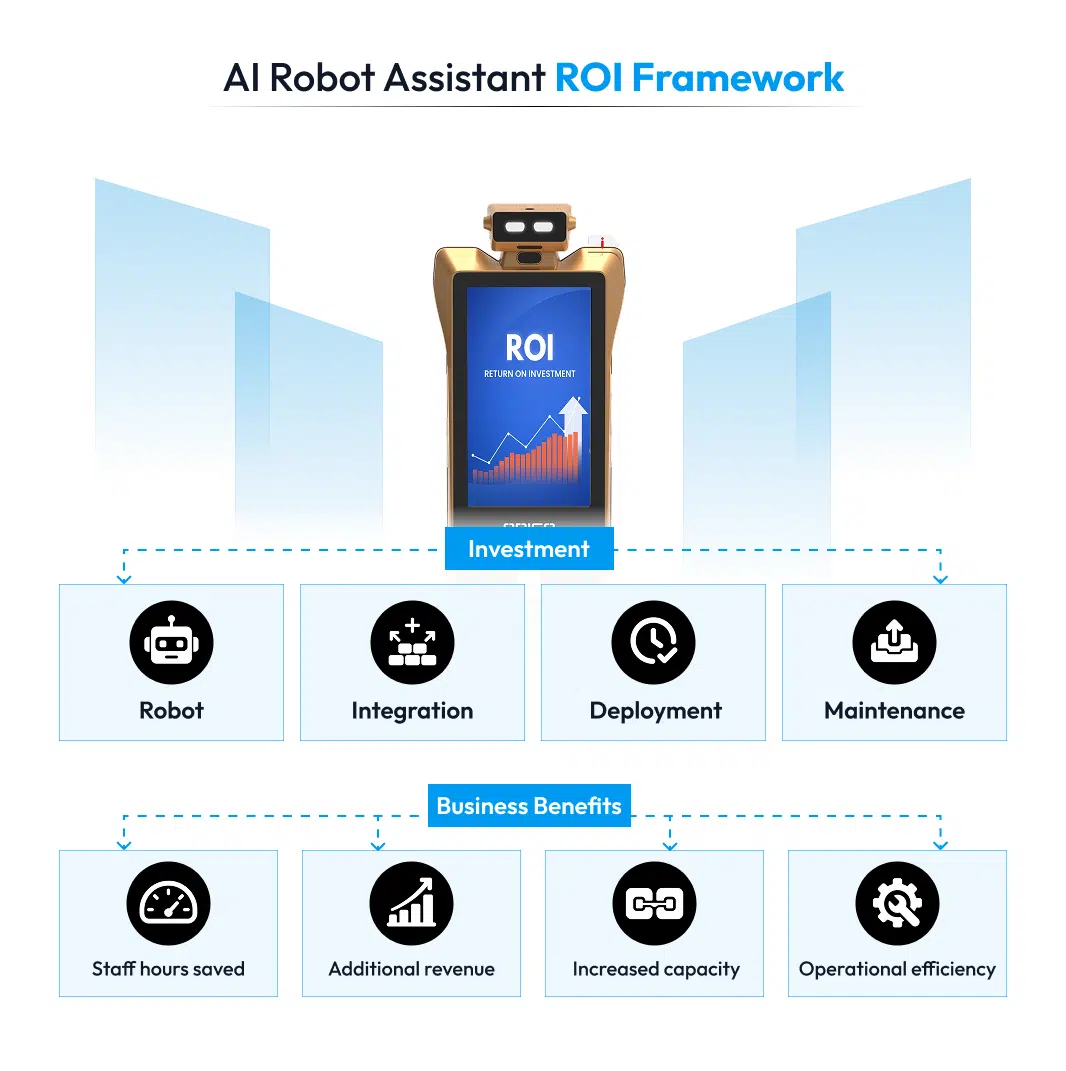
Calculate the Total Cost of Deployment
The initial robot price represents only one part of the investment. A realistic business case should account for deployment, software, integration, infrastructure, maintenance, support, and upgrades.
Compare the total cost with measurable outcomes such as:
- Staff hours saved
- Tasks completed per day
- Visitor interactions
- Advertising revenue
- Service capacity
- Reduction in repetitive manual work
The calculation should use expected performance within the actual facility. A generic ROI figure cannot account for differences in workload, operating hours, staffing, or environmental conditions.
Assess Technical Support and Maintenance
A robot operating every day needs a defined support structure. Before deployment, clarify who handles installation, mapping, configuration, staff training, maintenance, software updates, troubleshooting, and replacement parts.
Important questions include:
- What support is included?
- How quickly are technical issues addressed?
- Can the system be monitored remotely?
- How are software updates delivered?
- What maintenance does the robot require?
- Are spare parts readily available?
- What happens during extended downtime?
Reliable support can directly influence uptime and the long-term operating cost of a robotic system.
AI Robot Assistant Buyer Checklist: How AI Robot Assistants Work and What to Evaluate
| Evaluation area | What to verify before deployment |
| Business requirement | The robot has a clearly defined task and measurable objective. |
| Operating environment | The robot has been tested under conditions similar to the intended workplace. |
| Autonomous operation | Independent capabilities and human intervention points are clearly documented. |
| Human interaction | Communication methods, languages, response capabilities, and escalation options meet user requirements. |
| Integration | Required software, infrastructure, and system connections are identified. |
| Safety | Safety mechanisms, operating limits, and intervention procedures are documented. |
| Data protection | Data collection, processing, storage, access, and retention practices are clear. |
| Total cost | Purchase, deployment, integration, maintenance, support, and upgrades are included in the calculation. |
| Business value | Expected results can be measured against defined operational metrics. |
| Support | Installation, training, maintenance, updates, and technical assistance are covered. |
A strong evaluation should leave decision-makers with clear answers about what the AI robot assistant can perform independently, where human involvement remains necessary, how the system will fit into existing operations, and what measurable outcome the deployment should produce. Those answers provide a practical basis for deciding whether the technology fits the business requirements.
Is an AI Robot Assistant Right for Your Business?
AI robot assistants bring together perception, navigation, artificial intelligence, human interaction, and autonomous task execution within a single system. Understanding how AI robot assistants work helps explain how the technology can support very different business requirements, including visitor assistance, wayfinding, and advertising.
The right solution depends on the environment, workload, level of autonomy required, safety expectations, integration needs, and measurable business objectives. A clear evaluation of those factors helps decision-makers avoid selecting a robot based only on impressive specifications or a short demonstration.
Kody Robots develops AI-powered robotic solutions for real-world business environments, with solutions designed for applications such as advertising, healthcare, and visitor assistance. A live demonstration can give your team a clearer view of navigation, interaction, autonomous task execution, and practical deployment requirements.
Have a specific workflow you want to automate? Book a demo with Kody Robots and see how an AI robot assistant could fit your environment, support your team, and deliver measurable operational value.
How AI Robot Assistants Work – General FAQs
Find quick answers to common questions about how AI robot assistants work, including how they interact with customers, navigate spaces, answer questions, compare products, capture leads, and support sales teams. These FAQs explain the core technology, key capabilities, and practical role of AI robot assistants in modern customer-facing environments.
1. How do AI robot assistants understand human instructions?
AI robot assistants can combine speech recognition, natural language processing, computer vision, and application-specific software to interpret user requests. Spoken input is converted into text, the language system identifies the intent, and the robot connects the request with an available action or information source. The response depends on the robot’s configured capabilities, supported languages, and connected systems.
2. What technologies enable AI robot assistants to work?
The technology stack can include LiDAR, cameras, depth sensors, sensor fusion, SLAM, computer vision, natural language processing, speech recognition, AI models, navigation software, and autonomous control systems. Different robots use different combinations depending on their purpose. A warehouse robot may prioritize navigation and payload handling, while a visitor-assistance robot may require stronger conversational and visual interaction capabilities.
3. How do AI robots recognize people and their surroundings?
Cameras, LiDAR, depth sensors, and other sensing technologies collect information about the surrounding environment. Computer vision can help identify people and objects, while LiDAR can provide spatial information for navigation and obstacle detection. Sensor fusion can combine information from multiple sensors, giving the robot a more useful representation of its surroundings.
4. How do AI robot assistants process questions and provide answers?
A conversational robot typically converts spoken language into text, identifies the user’s intent, retrieves relevant information, and generates or selects an appropriate response. The answer may come from a configured knowledge base, business information system, or AI-powered conversational layer. Response quality depends heavily on the information available to the system and the scope of questions the robot has been designed to handle.
5. How do AI robots navigate safely in public environments?
Public-facing robots can use technologies such as LiDAR, cameras, SLAM, obstacle detection, sensor fusion, and navigation algorithms to determine their position and plan of movement. Obstacle-avoidance systems can detect people and objects and adjust the robot’s path. Safe deployment also requires suitable speed limits, operating zones, emergency controls, testing, and defined procedures for situations requiring human intervention.
6. How do AI robot assistants learn from customer interactions?
Not every AI robot automatically learns from every interaction. Depending on the system architecture, interaction data may be used for analytics, improving content, identifying frequently asked questions, or refining conversational models. Businesses should establish what data gets collected, whether conversations are stored, how the information is processed, and whether customer data is used for model improvement.
7. How do AI-powered robots complete tasks autonomously?
An autonomous robot combines environmental sensing, localization, decision-making, navigation, and task-control software. The robot first gathers information about its surroundings, determines its position and task state, selects an appropriate action, and then executes the action while continuously monitoring the environment. When conditions fall outside its configured capabilities, the system may stop, request assistance, or follow a predefined recovery procedure.
8. How do AI robot assistants integrate with business systems?
Integration depends on the robot’s application and available interfaces. When understanding how AI robot assistants work, a robot may connect with ordering systems, booking platforms, content-management systems, analytics tools, warehouse software, elevator controls, or remote-management platforms. Before deployment, businesses should confirm which integrations are already supported, which require custom development, what data gets exchanged, and who will maintain the connection.
9. How much ROI can an AI robot assistant generate for a business?
ROI varies significantly according to the task, operating hours, staffing model, deployment cost, and measurable business outcome. A useful calculation can compare the total cost of ownership against staff hours saved, additional service capacity, advertising revenue, or customer engagement. A supplier should ideally provide a business case based on the buyer’s actual workload rather than promising a universal ROI percentage.
10. Can an AI robot assistant reduce labor costs?
An AI robot assistant can reduce employee time spent on repetitive visitor-facing activities, although the financial impact depends on the specific workflow. Odigo, built by Kody Robots, can handle tasks such as wayfinding, information assistance, promotional communication, and visitor engagement while staff concentrates on personalized service and operational responsibilities. ROI should account for deployment costs, maintenance, support, content management, and measurable gains such as staff time saved, visitor interactions, advertising revenue, and increased engagement.
11. How can businesses calculate the ROI of an AI robot assistant?
Start with a measurable baseline. Record the current labor hours, task volume, service capacity, revenue, or operating cost associated with the target workflow. Then estimate the same metrics after deployment and subtract the robot’s total operating cost.
A basic calculation is:
ROI = (Financial benefit − Total robot cost) ÷ Total robot cost × 100
Include purchase or rental cost, installation, software, integration, maintenance, support, infrastructure, and upgrades in the total cost.
12. Can an AI robot assistant generate additional revenue?
Yes, depending on the application. When evaluating how AI robot assistants work, advertising robots can create additional commercial inventory by displaying campaigns while moving through high-footfall areas. Visitor-assistance robots can also support promotional campaigns, lead capture, or product discovery. Revenue projections should consider audience volume, interaction rates, available advertising inventory, campaign pricing, and actual conversion performance rather than assuming that robot deployment automatically creates new revenue.
13. How can businesses measure the ROI of a customer-facing AI robot?
Customer-facing deployments need metrics beyond labor savings. Useful measures include visitor interactions, completed conversations, wayfinding requests, campaign impressions, engagement rates, leads generated, conversions, advertising revenue, and changes in customer-service workload. Comparing those metrics before and after deployment can help determine whether the robot is producing measurable commercial or operational value.
14. Does an AI robot assistant save money if it still needs human supervision?
It can. Human supervision does not automatically eliminate the financial benefit of automation. The relevant question is how much employee time the robot requires compared with the manual process it replaces or supports. A robot that performs repetitive work independently while requiring occasional intervention may still reduce the total workload and allow employees to focus on tasks that require human judgment.
15. What should a business evaluate before investing in an AI robot assistant?
Decision-makers should evaluate the robot against the specific task, environment, autonomy requirements, safety conditions, integration needs, operating cost, support model, and expected ROI. A live demonstration in the intended environment can provide valuable evidence of navigation, interaction, task execution, and reliability. Businesses should also ask the provider to define what the robot can handle independently and where human intervention remains necessary.