
Quick Summary: Shoppers now expect more than a static display, and operators face a market where advertising robot often make similar claims about the audience’s reach. The robot assistant comparison breaks the field into categories, applies six evaluation criteria and shows where a dual-screen guide robot built for media, wayfinding and floor data earns its place against delivery-first robots, greeter robots and self-serve platforms.
Grocery store and venue teams that shortlist advertising robots meet the same obstacle. Many vendors highlight a large screen, a battery specification, and a promise of engagement, making competing spec sheets look similar. The real differences surface when a robot meets a live floor, a campaign calendar, and an IT review.
Fortune Business Insights industry research says the global service robotics market is projected to reach $131.9 billion by 2034. The research projects the global service robotics market to grow at a 19.80% CAGR between 2026 and 2034. As more robotic solutions enter commercial environments, buyers need a clear framework for evaluating capabilities, deployment requirements and business fit. With such a growth rate, it becomes crucial for you to understand the comparison amongst the available robot assistants.
The robot assistant comparison below places Odigo beside the wider field of advertising robot competitors. Categories replace brand names, so the focus stays on capability. Each section explains what a type of robot does well, shows where Odigo takes a different route and lists the questions worth answering before purchase. Operations, marketing and IT teams can then defend one shortlist decision together.
Key Takeaways
- Advertising robots fall into three practical categories: delivery-first robots with an added screen, dedicated greeter robots and dual-screen guide robots built for media and wayfinding.
- Six criteria help determine the right fit for a venue: advertising surface, guidance behavior, campaign control, data quality, integration approach and floor fit.
- A moving advertising surface with two full-size touch faces reaches shoppers that a fixed screen cannot.
- Physical escort, not a map on a screen, separates a guide robot from a display on wheels.
- Enterprise buyers judge a robot on site-level privacy controls and on how campaign and operational data gets reported.
- A site survey for floor type, aisle width and network coverage should happen before any purchase decision.
What a Fair Robot Assistant Comparison Actually Weighs
A fair evaluation starts with the job each robot was designed to perform. Screen size and battery hours carry meaning only after the job is clear.
Three Robot Types Share the Same Floor
For this comparison, the market can be grouped into three families. Delivery-first robots carry trays and treat the advertising screen as a second function. Dedicated greeter robots typically focus on short visitor interactions through an onboard display, touchscreen or conversational interface. Dual-screen guide robots combine wayfinding with front and back displays and a content system for campaigns.
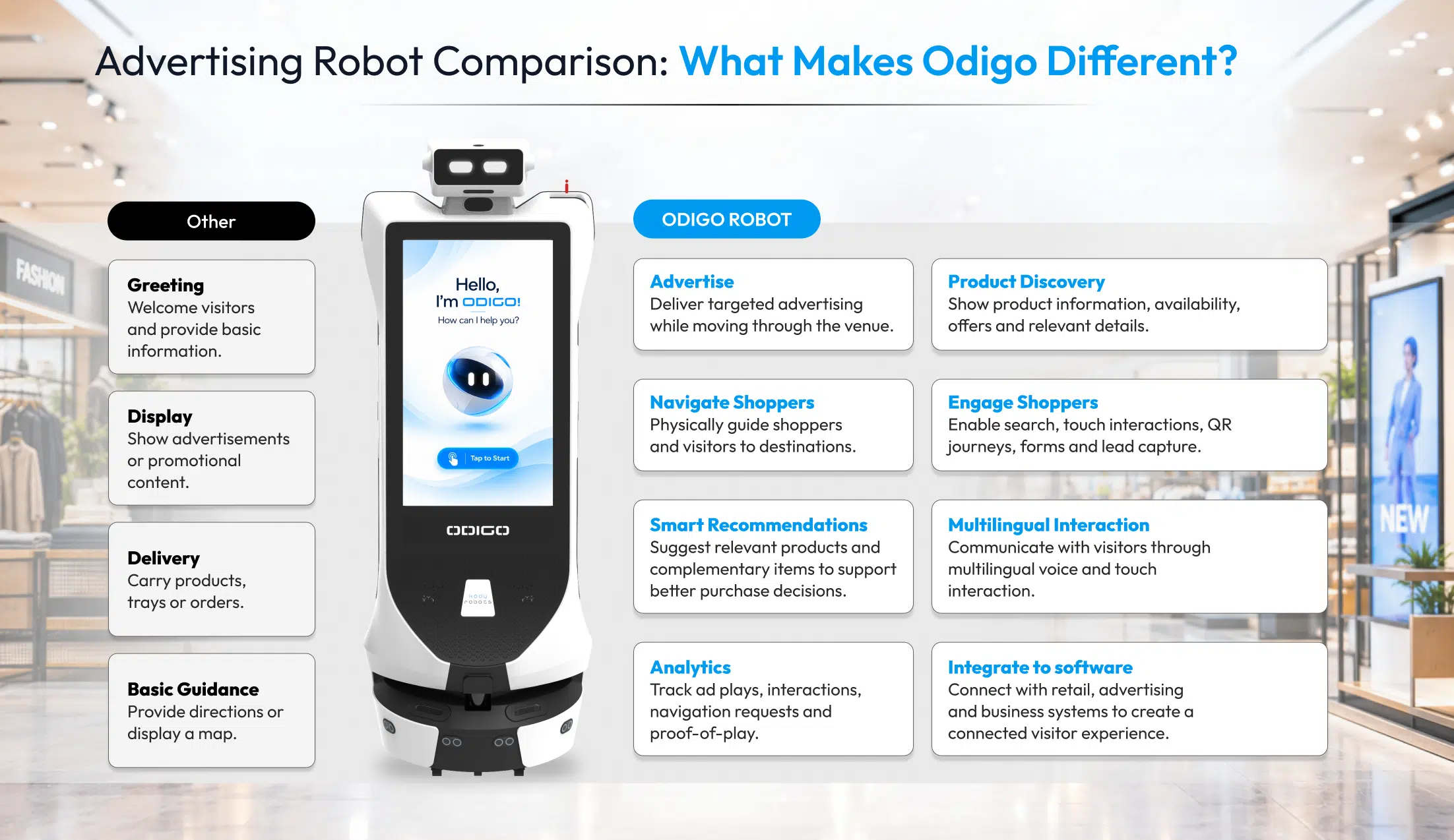
Odigo belongs to the third family, combining wayfinding with media management, fleet controls and operational data for the venue floor. Teams new to the category can start with what is an advertising robot for the fundamentals before comparing individual models.
Six Criteria That Separate the Field
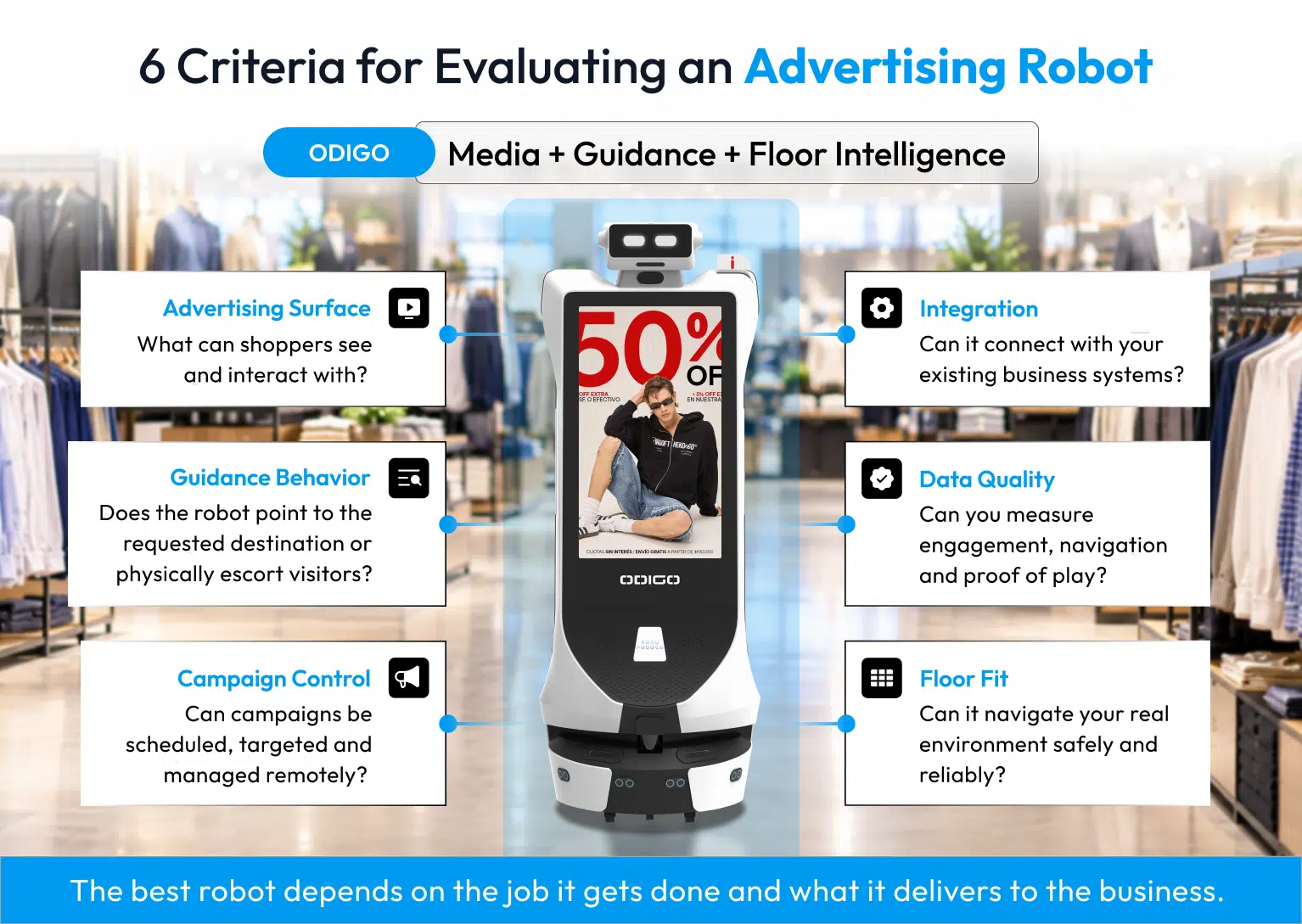
Six criteria carry the most weight: advertising surface, guidance behavior, campaign control, data quality, integration approach and floor fit. Each criterion connects to a business outcome, such as campaign visibility, shopper time saved or rollout speed across sites.
Buyers who still weigh a fixed screen against a moving robot should read advertising robot vs interactive kiosk vs digital signage, because a robot earns its place when mobility adds meaningful value beyond a fixed display. A robot assistant competitor comparison at category level also protects buyers from a familiar trap: paying for delivery hardware when the venue needs media reach, or the reverse. An honest ad robot comparison begins with that question.
Where Other Advertising Robots Earn Their Place
Competing platforms carry real strengths, and a buyer who ignores them risks choosing the wrong machine. Fair credit belongs in any serious evaluation.
Hardware Built for a Second Job
Delivery-first robots carry multi-tray payloads of up to 40 kilograms and handle tray collection, order handoff and table service. Restaurants, hotels and cafeterias gain a robot that moves food and displays a promotion on the same trip. Some compact models are designed for operating widths of roughly 50 to 65 centimeters, making them suitable for narrower layouts. When delivery is the primary job, tray capacity and tight-space agility outweigh a larger media surface.
Endurance, Scale and Self-Serve Access
Swappable battery designs keep a robot working through long service days without a dock stop, while fixed-battery designs rely on charging cycles. Established vendors report large installed bases, and some publish self-serve developer access that lets in-house engineers build their own connections.
An honest read of AI robot assistant competitors gives each strength full weight. Swappable batteries suit operations that require long service windows, while self-serve developer access can benefit organizations with in-house engineering resources.
Odigo robot assistant serves a different buyer: a grocery store operator or venue team that wants a media and guidance platform delivered, configured and integrated to its own scope. The robot assistant comparison therefore turns on buyer profile, not on a single winning specification.
Odigo’s Ad Surface, Guide Behavior and Media Layer
Odigo was built around one idea: advertising inventory that travels to the shopper and reports back on what it did. Three design choices carry the idea.
Two 32-Inch Faces That Take Touch Input
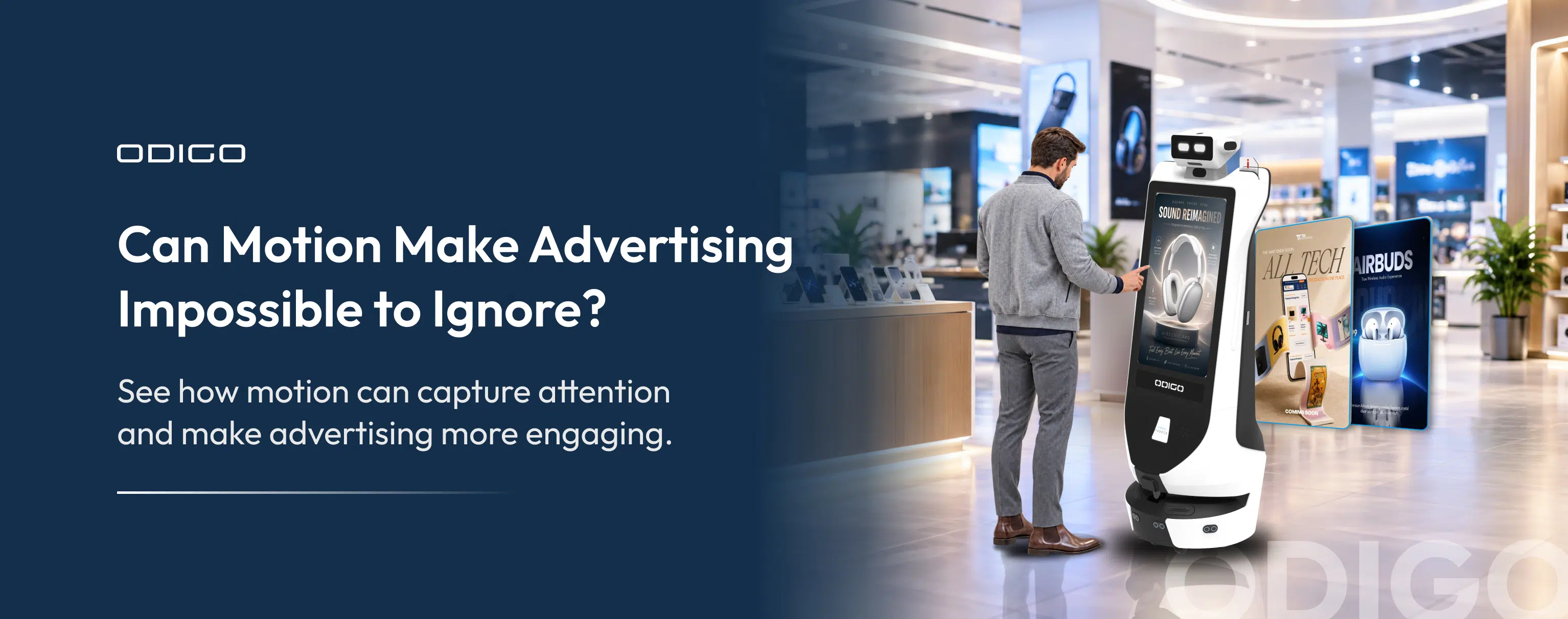
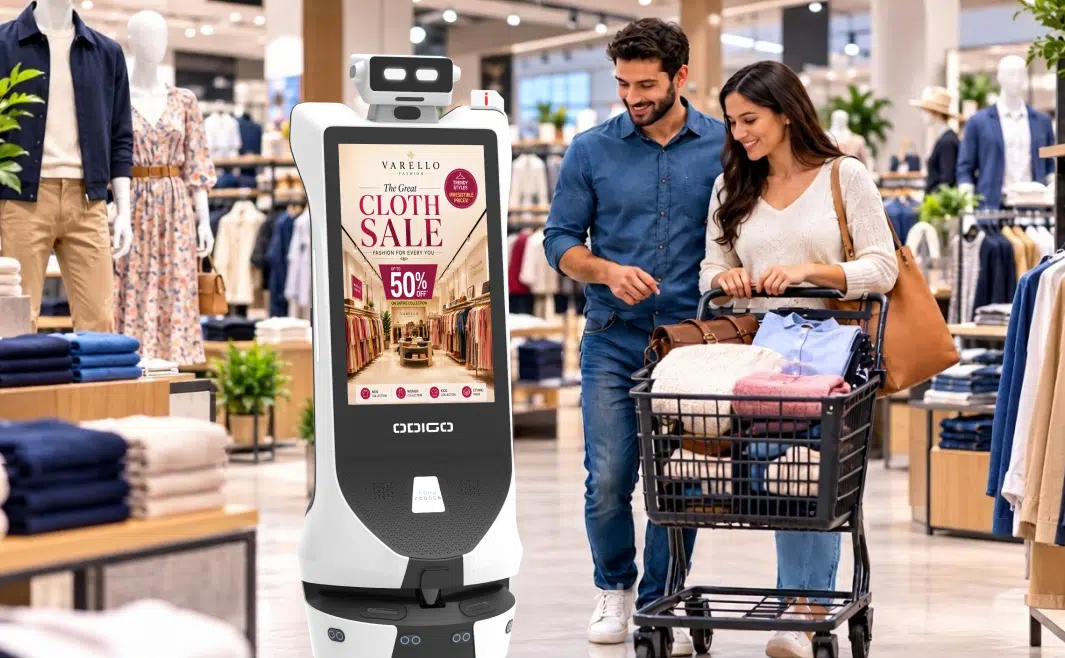
Odigo carries two 32-inch Full HD capacitive touchscreens, one on the front and one on the back. Each face works as an advertising surface and as an interaction point, so a passing shopper sees a campaign and a shopper who stops can browse, search or request directions on the same screen. A 7.9-inch top display handles ambient branding and status, and a customizable body LED carries brand or operational color. Screens across the wider category commonly measure between 18.5 and 27 inches, so Odigo’s 32-inch displays provide a larger canvas on every face.
An Odigo competitor comparison on screen surface alone finds two full-size faces per robot in place of one repurposed panel. For a closer look at how a moving display and a fixed panel differ in reach, read static screens vs advertising robot in supermarkets.
A Robot That Navigates Visitors to the Destination
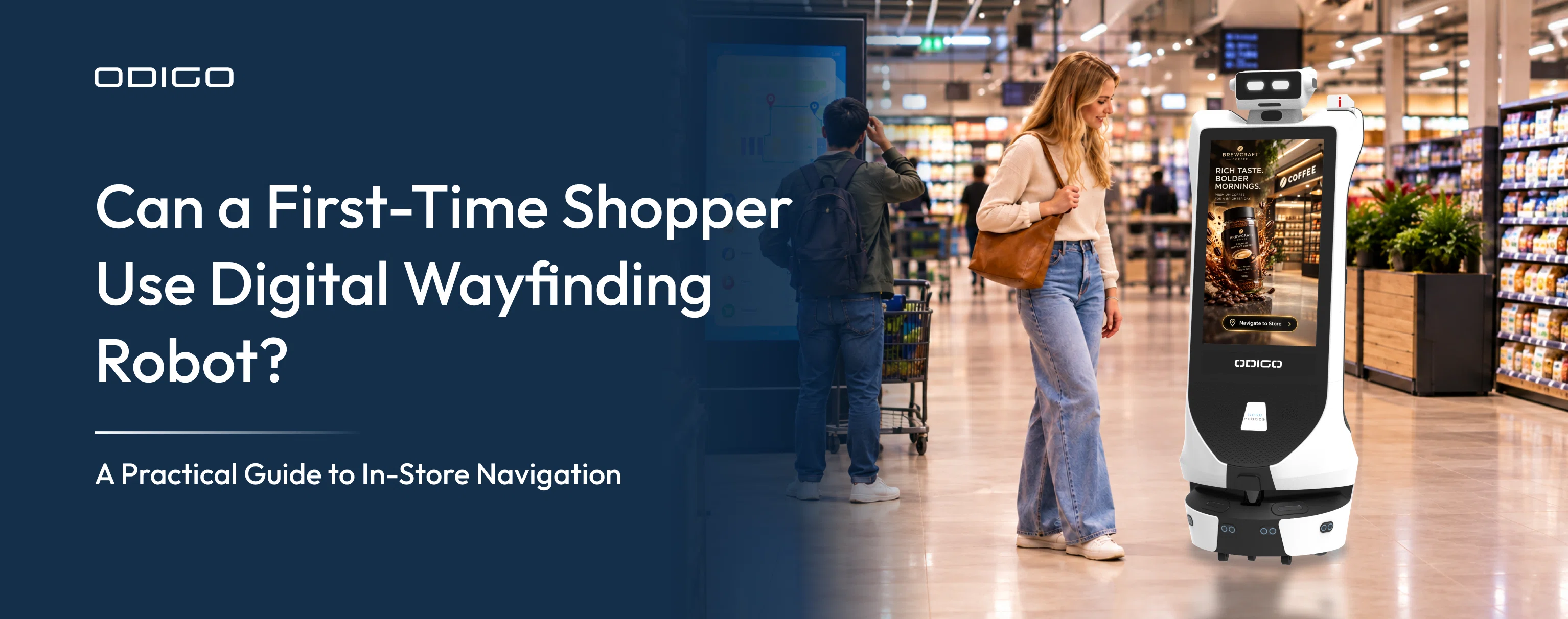
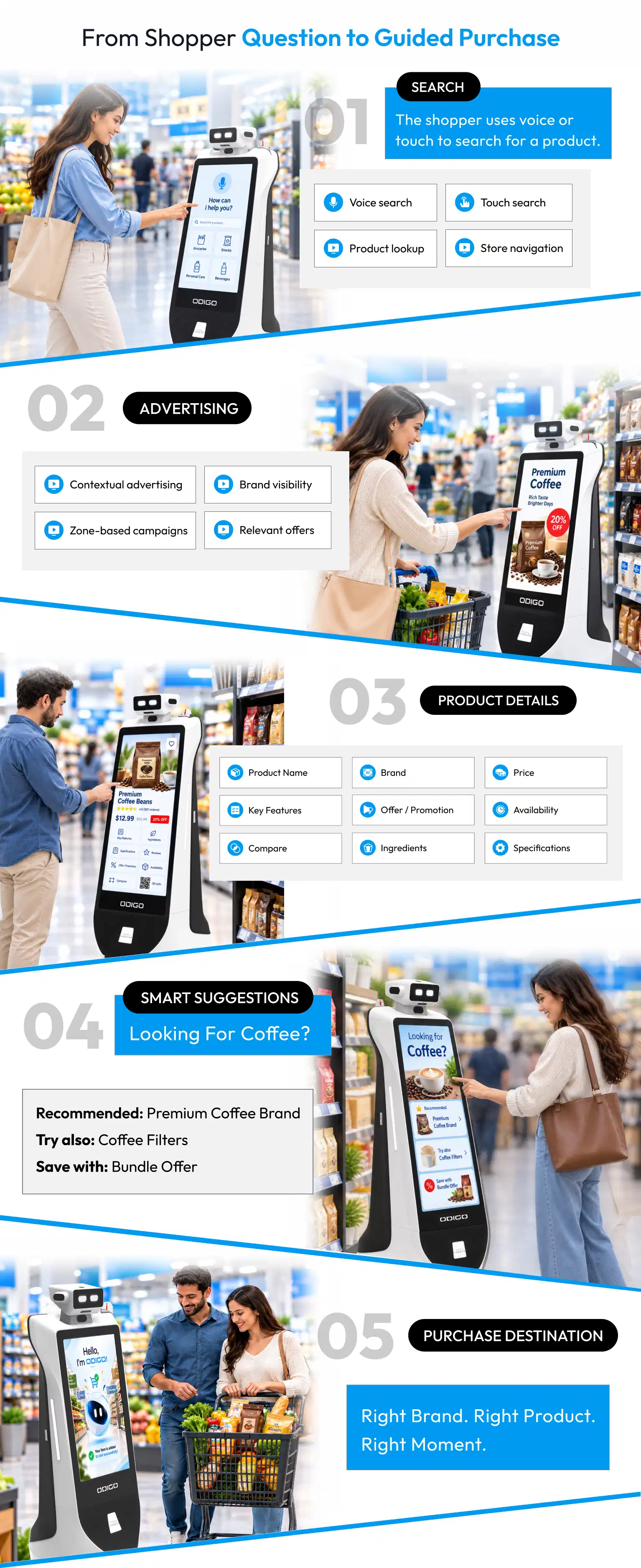
Guidance is where Odigo separates from a screen on a wall or a map in an app. The robot does not point. The robot leads the visitor across mapped zones and floors to the item, the amenity or the service desk. Shopping lists submitted by voice, text or photo become an optimized route across store zones,* with skip and reorder controls.
The combination matters for venue operators because one robot can support two functions at once: helping visitors reach a destination while delivering advertising along the journey.
Smart sequencing places chilled, frozen and heavy items last. Stores choose Efficient Mode for the fastest route or Discovery Mode for a fuller route past sampling and demonstration zones. The underlying digital wayfinding technology is what keeps each route accurate as store layouts and promotions change.
Associates gain time as well. Odigo answers the routine location question, so associates can focus on the customer whose question needs expertise. In any robot assistant comparison, physical escort marks the line between a display and a guide.
Campaign Control With a Proof-of-Play Record
Odigo runs always-on advertising while patrolling and adapts content to location: section-specific offers, targeting by day, time and zone, and scheduling by route or individual point of interest. Operators push content remotely to one robot or an entire fleet with no site visit, and offline playback keeps campaigns running through a network interruption. Proof-of-play logs record what played, where and when. A partner and wallet module tracks campaign performance, exposure and earnings for each advertising partner, and retail media network integration posts campaign telemetry back for attribution against the customer’s own measurement.*
Location adds another layer to campaign measurement. When campaign plays are associated with where and when the robot operated, advertisers can evaluate media delivery with greater operational context.
Teams that plan retail advertising across zones and dayparts gain an auditable record of every play, plus tap and QR signals that a fixed placement cannot produce.
The advantage is not any single feature. The value comes from combining mobile advertising, physical wayfinding, visitor interaction and operational data within one platform.
Robot Assistant Comparison by Feature: Where Odigo Pulls Ahead
A robot assistant features comparison delivers value only when every category faces the same criteria. The table below applies the six criteria to four robot types. Descriptions of other categories reflect typical public specifications, and individual models vary.
| Criterion | Odigo | Delivery-first robot | Dedicated greeter | Dual-screen guide |
| Primary job | Media, guidance and floor intelligence | Delivery with promotion | Greeting and short interactions | Wayfinding and information |
| Advertising surface | Two 32-inch touch faces plus top display | One screen of about 18.5 inches | Chest display up to 21.5 inches plus head screen | Two screens, commonly 27 inches |
| Guidance | Physical escort with multi-stop routes | Guide mode alongside delivery | Directions and map display | Escort with on-screen content |
| Campaign records | Proof-of-play and partner tracking | Playlist scheduling | Remote content push | Playback reporting |
| Fleet governance | Multi-site hierarchy with role permissions | Vendor cloud platforqam | Vendor cloud platform | Cloud content interface |
| Integration | Built around the engagement workflow | Self-serve developer access | Self-serve developer access | Interface connections |
Robot Assistant Comparison: Navigation, Sensing and Uptime
Odigo navigates with dual SLAM that combines laser and visual sensing, so a site needs no floor markers, rails or beacons. A 2D LiDAR scans 270 degrees at up to 25 meters, a depth camera senses the forward environment and ultrasonic sensors catch low, transparent and reflective obstacles. Anti-fall sensing guards stair edges, loading docks and level changes. In crowded areas, the robot can slow down and reroute around obstacles when the navigation environment allows.
Operators define points, routes and cruise paths centrally, and virtual walls keep the robot clear of stockrooms, loading areas and forklift zones. Travel speed ranges between 0.1 and 1.0 meters per second, and a lithium iron phosphate battery supports 10+ hours of operation on a single charge, depending on usage. When charge drops, Odigo can return to its charging dock, recharge and resume operation without requiring manual docking. Readers who want the sensing stack explained step by step can review how AI robot assistants work.
Interactive Service and Floor Insight
An interactive robot assistant comparison should weigh how visitors actually use the robot. Odigo offers multilingual voice and touch interaction with automatic spoken-language detection, an on-screen directory, forms, ratings and QR flows for lead capture, all without an app or account.
Live stock checks, price lookups and service booking can connect to customer systems through supported integrations.* A wider AI robot assistant comparison also covers the store floor: shelf availability, misplaced products and price-label checks arrive as one exception stream for store operations.*
The combination extends the robot’s role beyond shopper assistance. The same platform can support customer-facing wayfinding while surfacing operational exceptions for store teams.
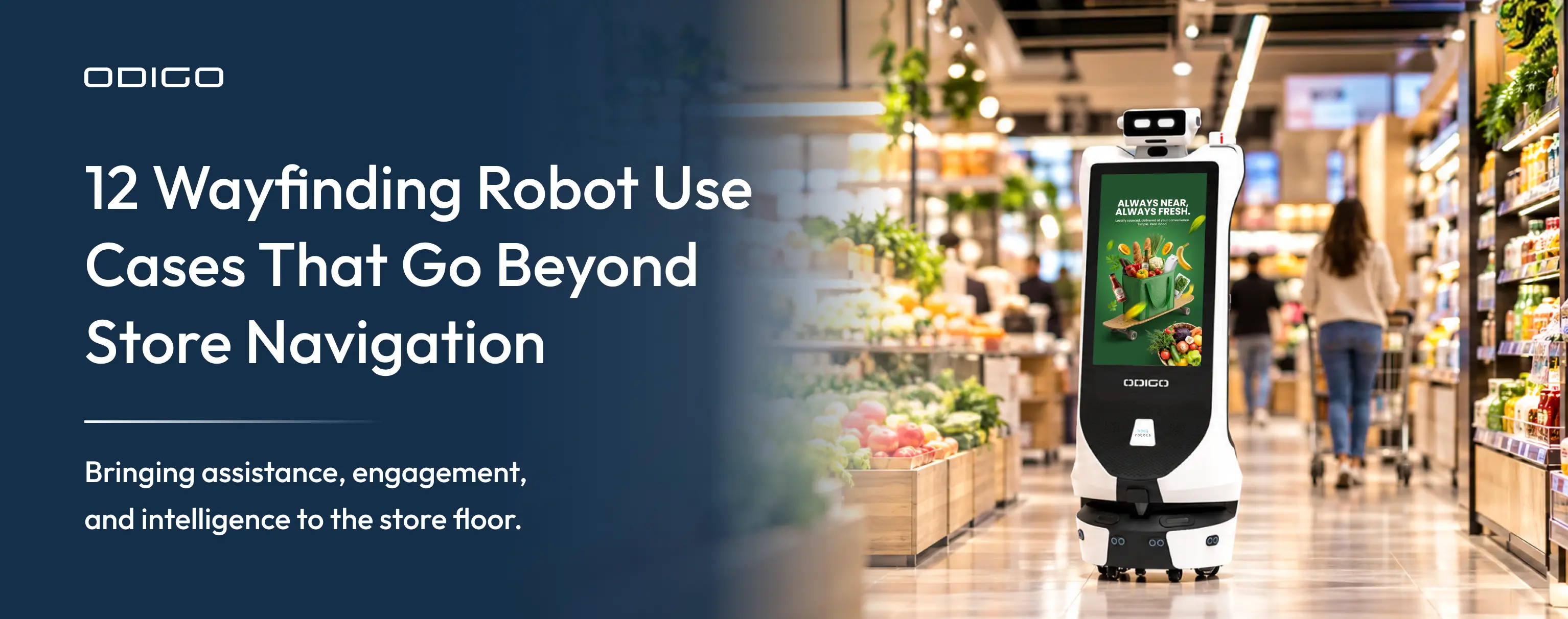
These capabilities allow Odigo to function as a supermarket robot for grocery and hypermarket floors while also serving as a guide for malls and showrooms.
The Enterprise Questions: Data, Privacy and Integration
Enterprise buyers ask four questions before signing: what data returns, who controls access, how systems connect and how the fleet is governed. Odigo answers each inside the platform.
Analytics From Odigo’s Own Logs
Odigo’s core operational and interaction metrics can be generated from its own system logs without requiring customer-system integration. Dashboards filter by robot, site, destination, category, month and year, and exports feed downstream analysis. Visitor metrics cover interactions, searches, navigation requests, popular destinations, language selection and peak usage windows. Campaign metrics cover ad plays by zone, offer-card taps, QR events and proof-of-play exports. Operational metrics cover uptime, route completion and help-ticket volume by issue type and zone.
Site-Level Privacy Controls
Odigo provides site-level controls for privacy and access. Facial recognition and each detection class can be enabled or disabled per site, and retention windows, and access paths are configurable. Role-based permissions govern who can view recordings, recognition data, detection events and the intercom. Recordings and biometric records can sit on customer-controlled infrastructure.* Site settings can account for Illinois BIPA, Texas CUBI and California CCPA/CPRA requirements. Camera functions run in defined modes, and theft or suspicious-activity alerts reach staff as assistive notices, so people make every response decision. Buyers weighing an Odigo competitor comparison on governance should request the same controls in writing from every vendor.
Fleet Governance and Integration Built to the Engagement
A single dashboard governs content, movement, users, devices and detection across the estate. The hierarchy spans country, region, site, agency and vendor, which fits multi-brand, franchise and agency-sold operating models. Over-the-air updates and remote monitoring support multi-site rollout without local technical staff.
Odigo connects to inventory, point-of-sale, pricing, booking, loyalty, ticketing and advertising systems, developed to the engagement scope and the customer’s IT policy.* Advertising robot competitors that publish self-serve developer access hand the work to the customer’s engineers. Odigo scopes, builds and tests each connection with the customer, a route that suits teams without spare engineering capacity.
* Capabilities marked with an asterisk require integration with the customer’s existing systems, or configuration during deployment, and are scoped as part of the implementation. Availability of individual detection, recognition and data-capture functions is configurable per site and is set in line with customer policy and applicable local requirements.
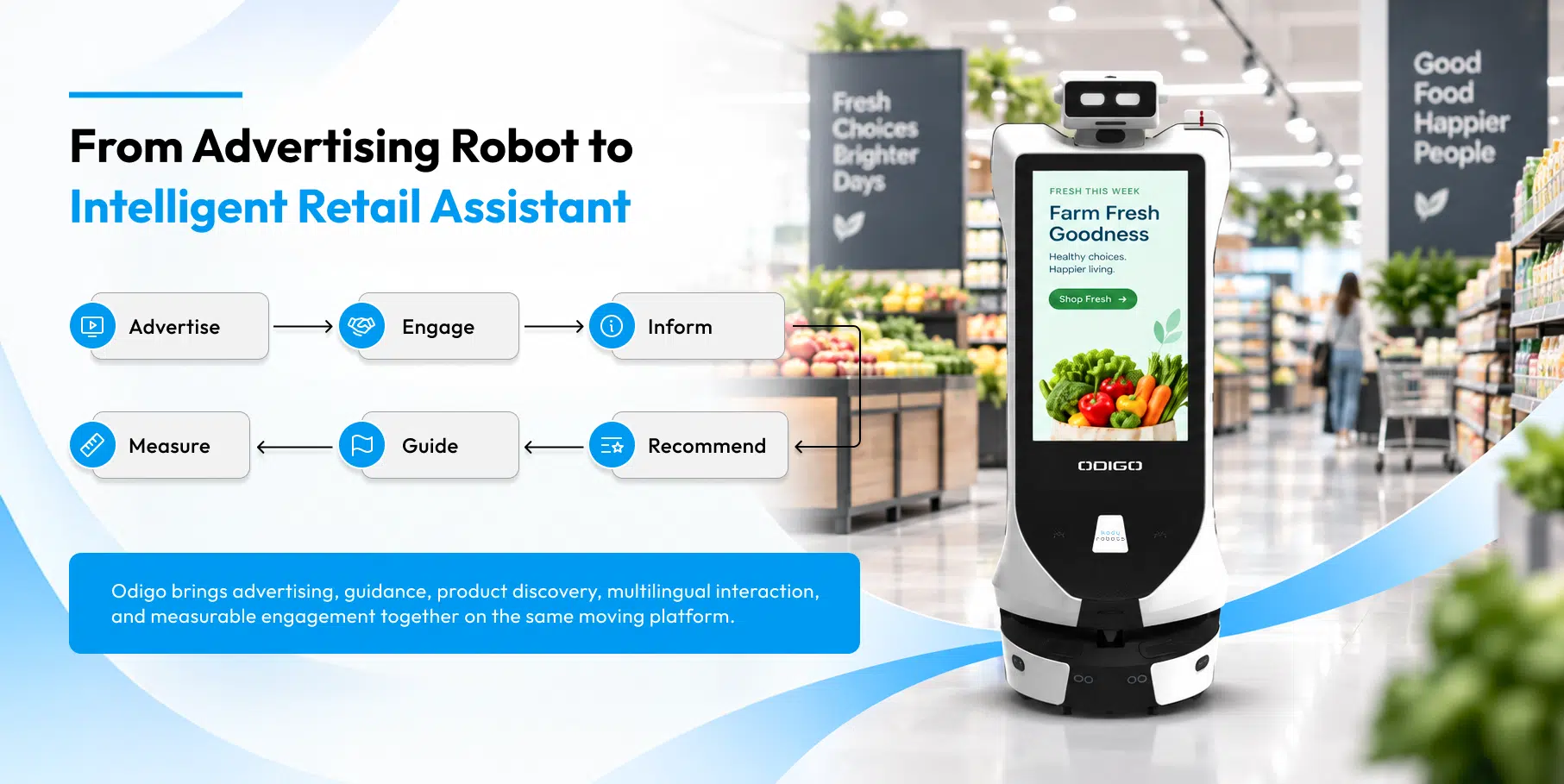
What 250+ Robot Assistant Deployments Show
Odigo by Kody Robots has run in live commercial environments across GCC and Asian markets, and the numbers come from operation, not from a laboratory. Deployments exceed 250, with 30M+ ad plays delivered, 3.7M+ visitor interactions logged and 600K+ store navigation requests handled. The fleet has covered 84K+ kilometers autonomously across 90K+ operating hours. Sites include LuLu hypermarkets in Dubai and Abu Dhabi, R City Mall and Jio World Drive in Mumbai, and Silicon Central Mall in Abu Dhabi.
Operating history at scale shows how a platform behaves across full trading days, crowded corridors and repeated campaign cycles. A robot assistant comparison gains credibility from that evidence, because a robot proves its worth in hours of use, not in brochure claims.
Matching the Robot to Your Floor Plan
Floor conditions decide whether an advertising robot performs on day one or needs rework after installation. Reviewing surface type, aisle width and network coverage before signing a contract prevents a mismatch between the robot assistant comparison on paper and the result on the sales floor.
Floors, Aisles and Network Coverage
Odigo operates on flat, solid indoor surfaces. Carpet, slopes and outdoor areas fall outside the supported operating environment, so a site survey should confirm the floor type along every planned route before purchase.
Hard-floored zones such as supermarket aisles, mall corridors and exhibition halls suit the platform well. Core navigation and on-site functions run locally, while remote dashboard access and connected services need network connectivity, and offline playback keeps campaigns running through interruptions.
Questions to Ask Every Vendor
- Which floor types does the robot support along every planned route?
- Which reports come from the robot’s own logs, and which need customer systems?
- Which detection and recognition functions can be disabled per site?
- Which integrations sit inside the quoted scope, and which need separate work?
- How do updates reach the fleet, and does each site need local technical staff?
Grocery teams can pair the questions with Best advertising robots for US supermarket, which profiles what supermarket operators should expect from a robot. A careful ad robot comparison ends with a pilot on the real floor, and a disciplined robot assistant comparison scores the pilot against the same questions.
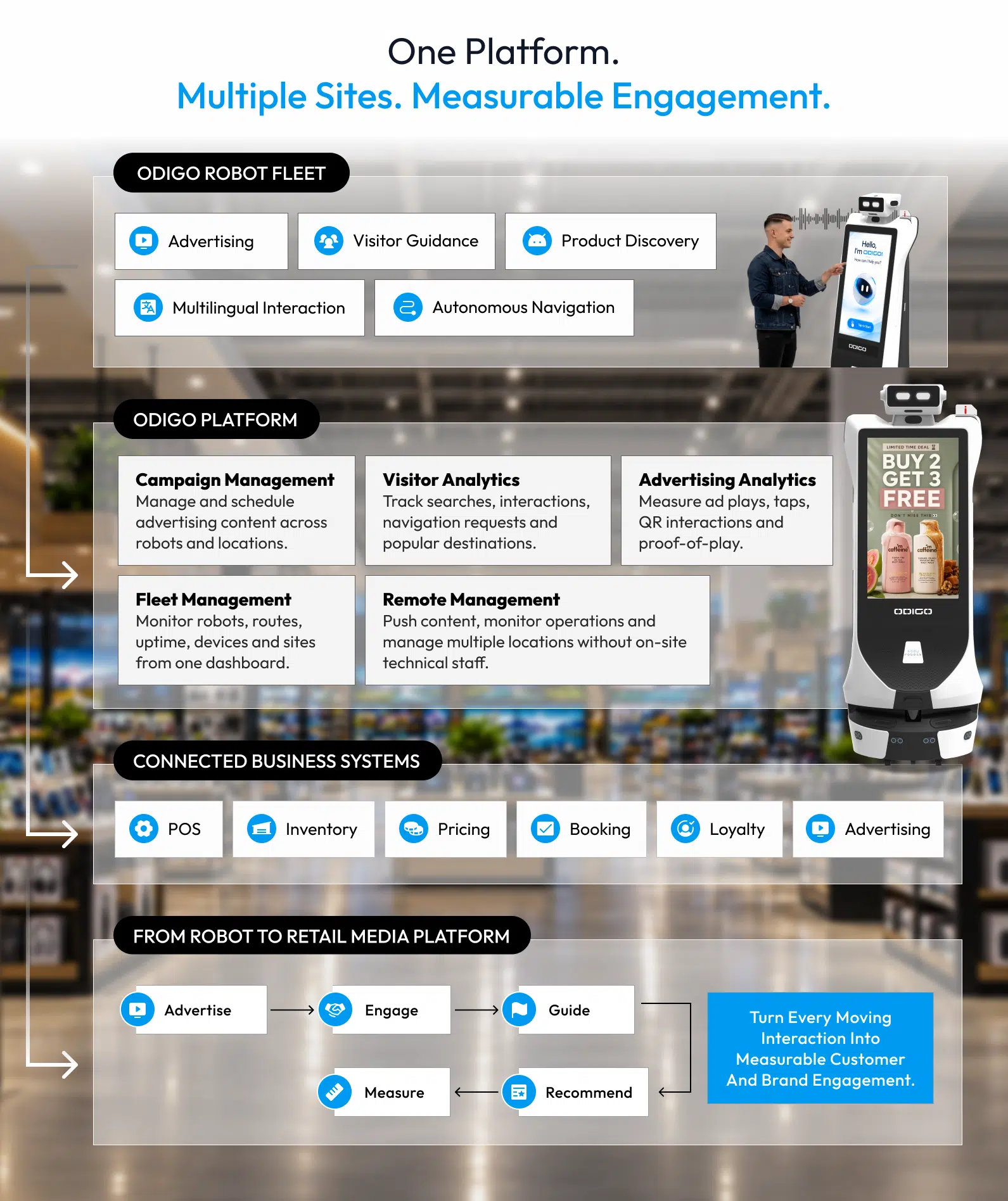
Choose the Platform That Fits Your Floor
Advertising robots differ in what they were built to do. Delivery-first robots suit venues that need trays and table service, and self-serve platforms suit teams with engineering depth. Odigo suits grocery store and venue operators who want media reach, physical guidance and floor data in one governed platform, integrated to their own scope. The final robot assistant comparison belongs on your own floor.
Ready to test Odigo on your floor? Book a demo to review routes, screens and dashboards with the team.
Robot Assistant Comparison – General FAQs
If you are evaluating an advertising robot, the FAQs below address the cost, deployment and capability questions that often shape a buying decision. The answers below address the cost, deployment and capability questions related to the business and the robot assistant that come up most often in a robot assistant comparison.
1: How much does an advertising robot like Odigo cost?
Pricing depends on the deployment, the number of robots and the connected capabilities. Odigo is available through purchase, lease and robot-as-a-service models, so teams can begin with a managed monthly pilot and expand across locations. A robot assistant features comparison should list which capabilities each quote includes, since connected features add to the scope.
2: How do we measure ROI from an advertising robot?
Measurement relies on deployment-specific data: ad plays, tap and QR engagement, proof-of-play records, search and navigation requests, footfall patterns and uptime. Odigo publishes no fixed public return figure, because value depends on the venue, the campaign mix and the connected capabilities. A pilot against a defined baseline gives the clearest answer.
3: How should we structure a comparison across vendors?
An AI robot assistant comparison works best when every vendor answers the same six criteria: advertising surface, guidance behavior, campaign control, data, integration and floor fit. The strongest robot assistant comparison then tests each written answer during a pilot on your own floor.
4: Where do other AI robot assistant competitors fit better than Odigo?
Delivery-first robots suit venues where tray service is the main job. Swappable-battery designs suit around-the-clock hospitality. Self-serve developer platforms suit companies with engineering capacity. Odigo suits grocery store and venue teams that want advertising reach, physical guidance and floor data in one governed platform.
5: How does Odigo differ from a delivery robot with an advertising screen?
A delivery-first robot is built around trays and table service, with a screen added for promotion. Odigo is built around media, guidance and floor intelligence: two 32-inch faces, physical escort, proof-of-play records and fleet governance. A robot assistant competitor comparison at category level makes the difference plain.
6: How long does deployment take, and what does it involve?
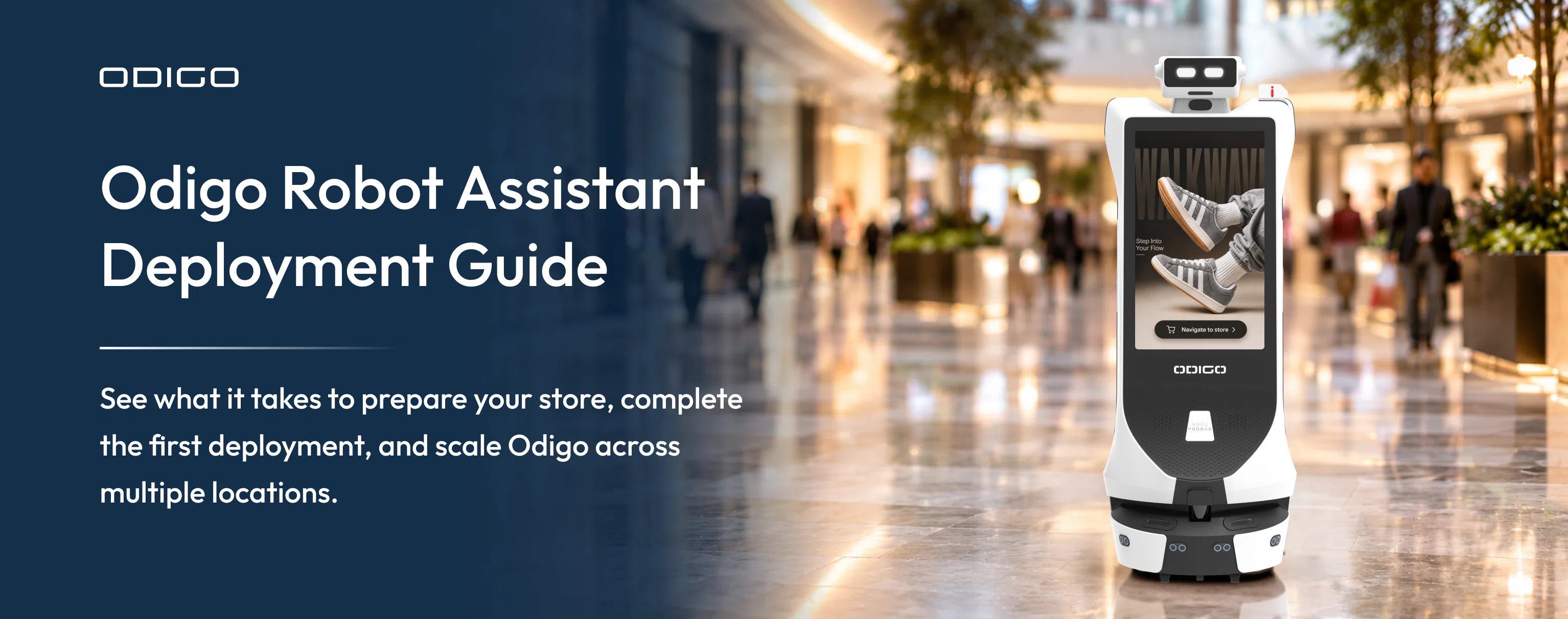
Deployment follows six steps: environment mapping, navigation configuration, integration of connected systems, access and policy setup, fleet and device setup, and remote rollout. Timelines depend on site size, floor count and integration scope. Remote monitoring and over-the-air updates can reduce the need for local technical intervention across multi-site rollouts. For further details you can read the robot assistant deployment guide.
7: Can Odigo connect to our existing systems?
Odigo connects to inventory, point-of-sale, booking, loyalty, ticketing and advertising systems, developed to the engagement scope and the customer’s IT policy.* File-feed integration serves teams that prefer another route. Each connection is scoped with the deployment.
8: Does Odigo replace store staff?
No. Odigo answers routine questions about locations, hours, policies and stock, and escorts visitors to their destination. Associates gain time for the customer whose question needs expertise, and staff keep control of every response, including alerts.
9: How does Odigo handle privacy and data control?
Recognition and detection functions are enabled or disabled per site, retention windows are configurable and permissions govern who sees recordings and events. Buyers reviewing any robot assistant comparison should request the same controls in writing from every vendor.
10: What does an interactive robot assistant comparison reveal about the visitor experience?
A visitor-experience comparison should test language support, touch and voice response, escort behavior and how quickly a visitor reaches the destination. Odigo offers multilingual voice and touch with automatic language detection, no app or account, and a physical escort. A robot assistant comparison of the visitor journey should include all four tests.