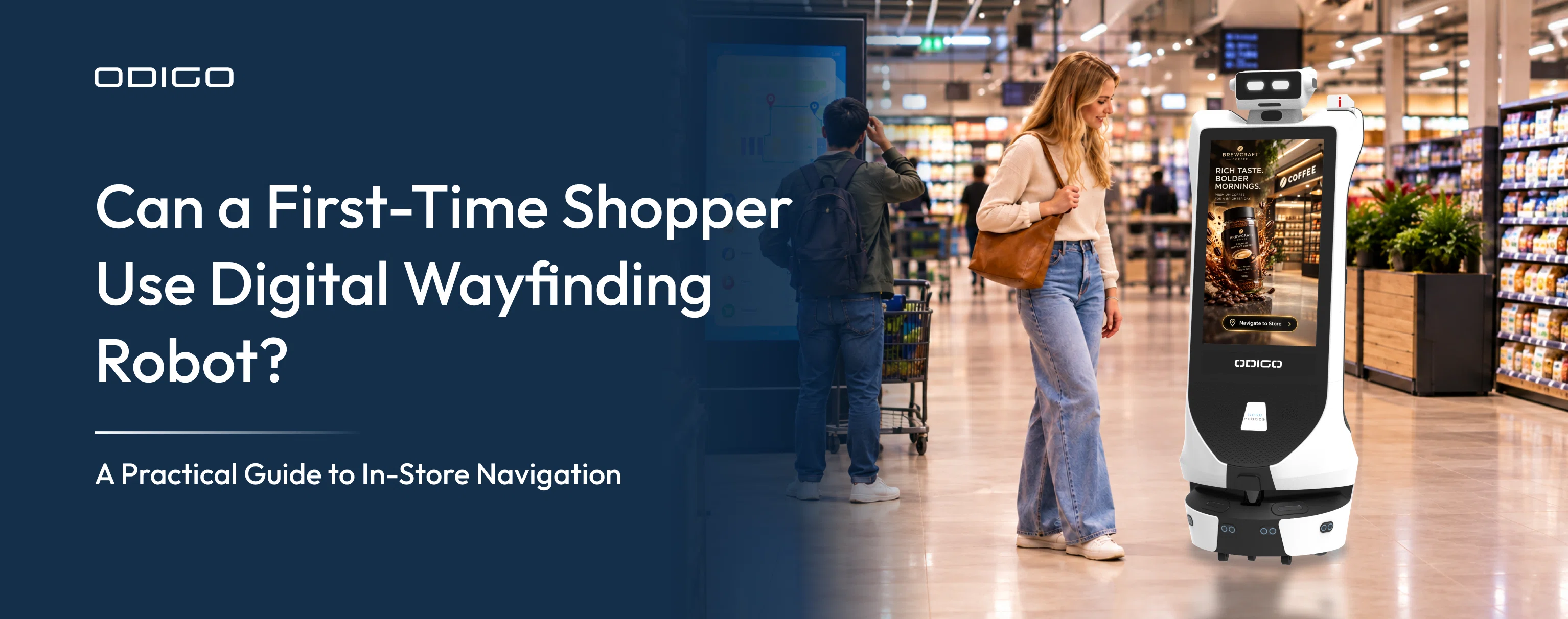

Blog Summary: Digital wayfinding can help shoppers find products, departments, stores, and services without asking an associate for directions. But retailers who have seen interactive directories go unused may question whether shoppers will engage with another screen-based solution. Can a first-time shopper actually use a wayfinding robot? Here’s what usability, interaction design, and deployment data reveal.
Key Takeaways
- First-time shoppers need more than a map. They need clear search, directions, and destination information.
- A store directory helps shoppers identify locations, while navigation helps them understand how to reach them.
- Accurate maps and destination data are essential for reliable indoor navigation.
- A wayfinding robot can bring navigation assistance beyond a fixed information point.
- Retailers should evaluate usability, coverage, accuracy, accessibility, and ongoing map updates before deployment.
- Usage data can help retailers understand what shoppers search for and where navigation support is most needed.
How Digital Wayfinding Robot Helps First-Time Shoppers
A shopper walks into a large retail store for the first time and needs to find a product in an unfamiliar layout. The shopper knows what to buy but does not know which department carries the product or how to reach the right aisle. A store directory may show department locations, yet a map alone may not explain the best route to a specific destination.
Retailers have seen a similar problem with interactive directories and touchscreen kiosks. A screen can display store information, but shoppers may walk past the kiosk, ask an associate for directions, or continue searching independently. This is why wayfinding robots vs wayfinding kiosks becomes an important comparison. Limited interaction with fixed navigation points raises a practical concern when retailers evaluate another digital wayfinding solution: will shoppers actually use it?
This is where digital wayfinding becomes more than a digital map. For a first-time shopper, the experience needs to answer three simple questions: What am I looking for? Where is it? How do I get there?
A useful navigation system should make those answers easy to understand. It should reduce uncertainty without making the shopper learn the store layout first.
For retailers, that creates a practical question: Can a first-time shopper use digital wayfinding without assistance?
The answer depends less on the technology label and more on how the entire navigation experience is designed.
What Makes a Digital Wayfinding Robot Easy for a First-Time Shopper?
A first-time shopper does not have a mental map of the store. They may not know which entrance is closest to a department or whether two aisles connect.
That changes what a navigation system needs to provide.
A useful system should reduce decisions at every stage of the journey. The shopper should not need to interpret a complicated floor plan or understand the retailer’s internal naming system.
The basic experience should be simple:
Search → Understand → Navigate → Arrive
If any stage creates confusion, the shopper may still need an employee to complete the journey.
For example, a shopper searching for “baby food” may not know that the store categorizes it under “Baby Care.” A useful interface can connect common search terms with the correct destination instead of requiring shoppers to know the store’s terminology.
A wayfinding robot adds another layer to the experience by combining navigation software with a physical system that can provide assistance within the store. For a closer look at how the technology works, see what Is a wayfinding robot.
A First-Time Shopper Should Be Able to Search, Understand, Navigate, and Arrive
For first-time shoppers, digital wayfinding should feel simple from the first interaction. They should be able to search for what they need, understand where it is, follow clear guidance, and reach the destination without confusion.
What shopper searches
The shopper identifies a product, department, service, store, or other destination.
The Robot Understands
The Robot assistant shows where the destination is and explains the route from the current location.
Wayfinding Robot Moves
The shopper follows clear instructions until they reach the destination.
A digital map that only displays a location may solve the first part of the problem. A navigation experience needs to make the next two steps clear as well.
For first-time visitors, recognizable landmarks can also matter. Directions such as “turn left after the customer service desk” may be easier to follow than instructions based only on map coordinates.
The goal is simple: the shopper should spend less time figuring out the system and more time following it.
How Does Digital Wayfinding Work Inside a Store?
The technology behind indoor navigation can vary by solution. The shopper, however, usually experiences a much simpler process.
A typical journey looks like this:
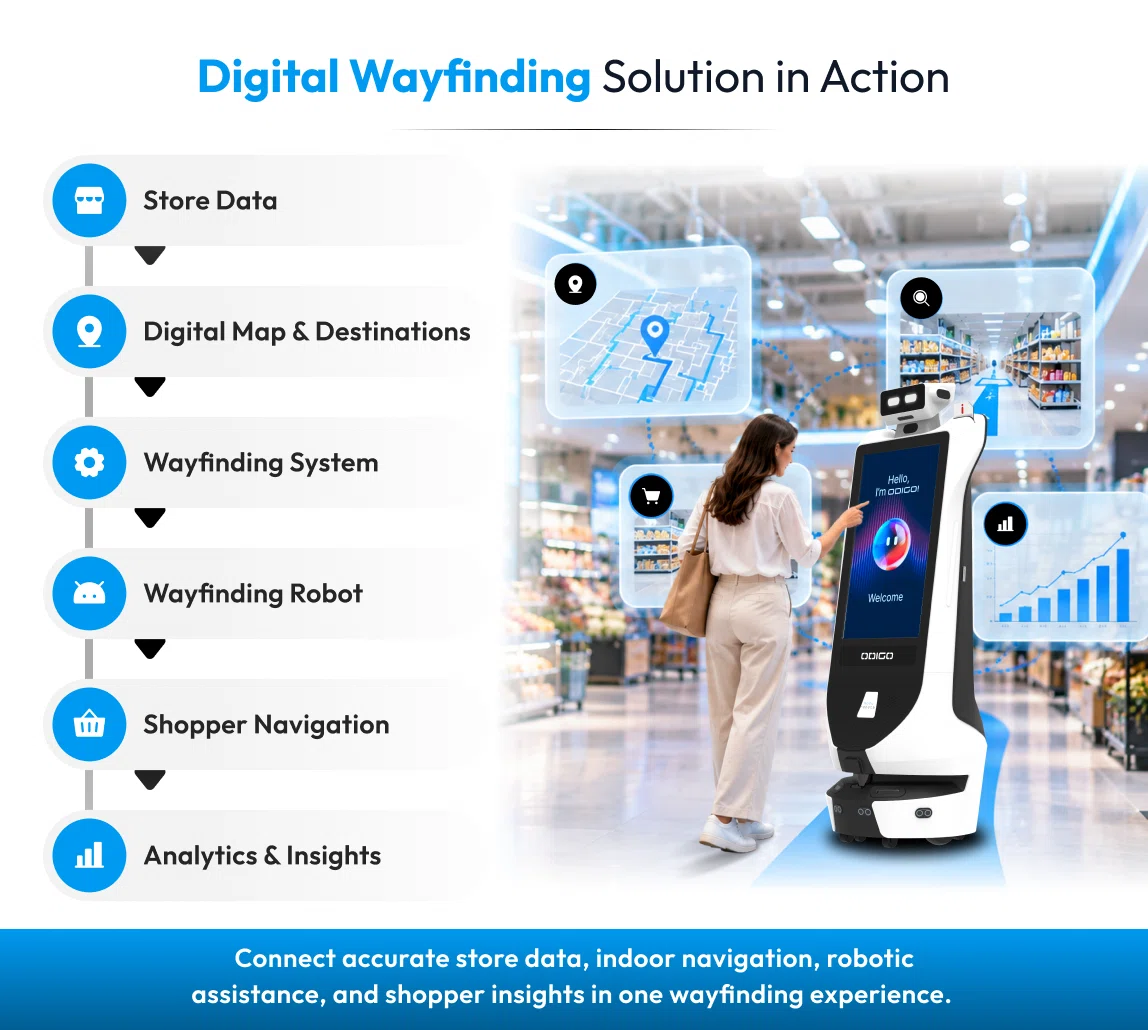
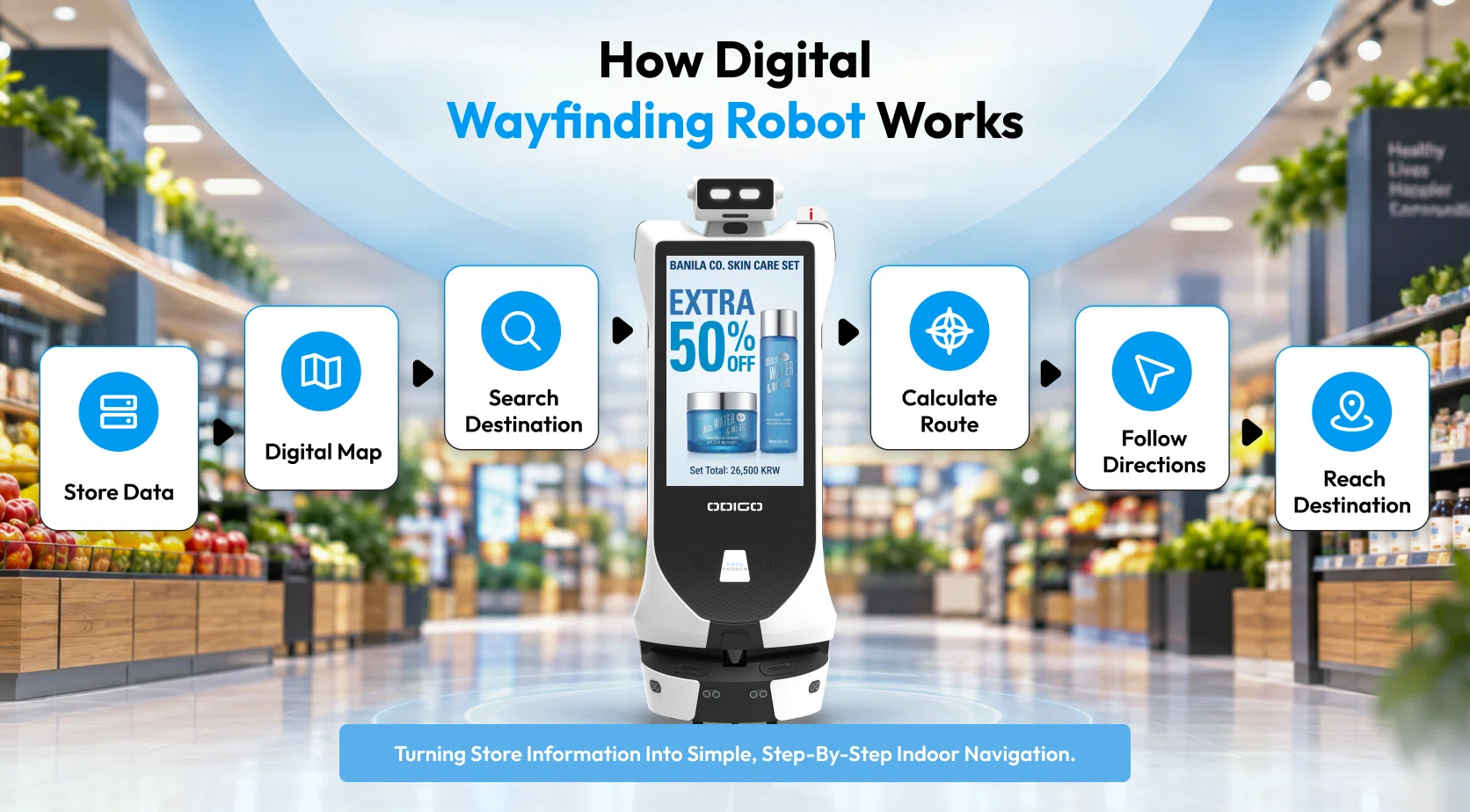
Store data → Digital map → Destination search → Route calculation → Direction display → Destination
The quality of that experience depends on every layer working together.
A digital map needs accurate information about the environment. The destination database needs to match the actual store. The route needs to start from the shopper’s current location. The interface needs to present the result in a way that is easy to follow.
Digital wayfinding platforms can combine searchable store information with interactive maps and routes, allowing shoppers to select a destination and receive directions rather than simply viewing a static floor plan.
How Digital Wayfinding Robot Turns a Store Directory into Indoor Navigation
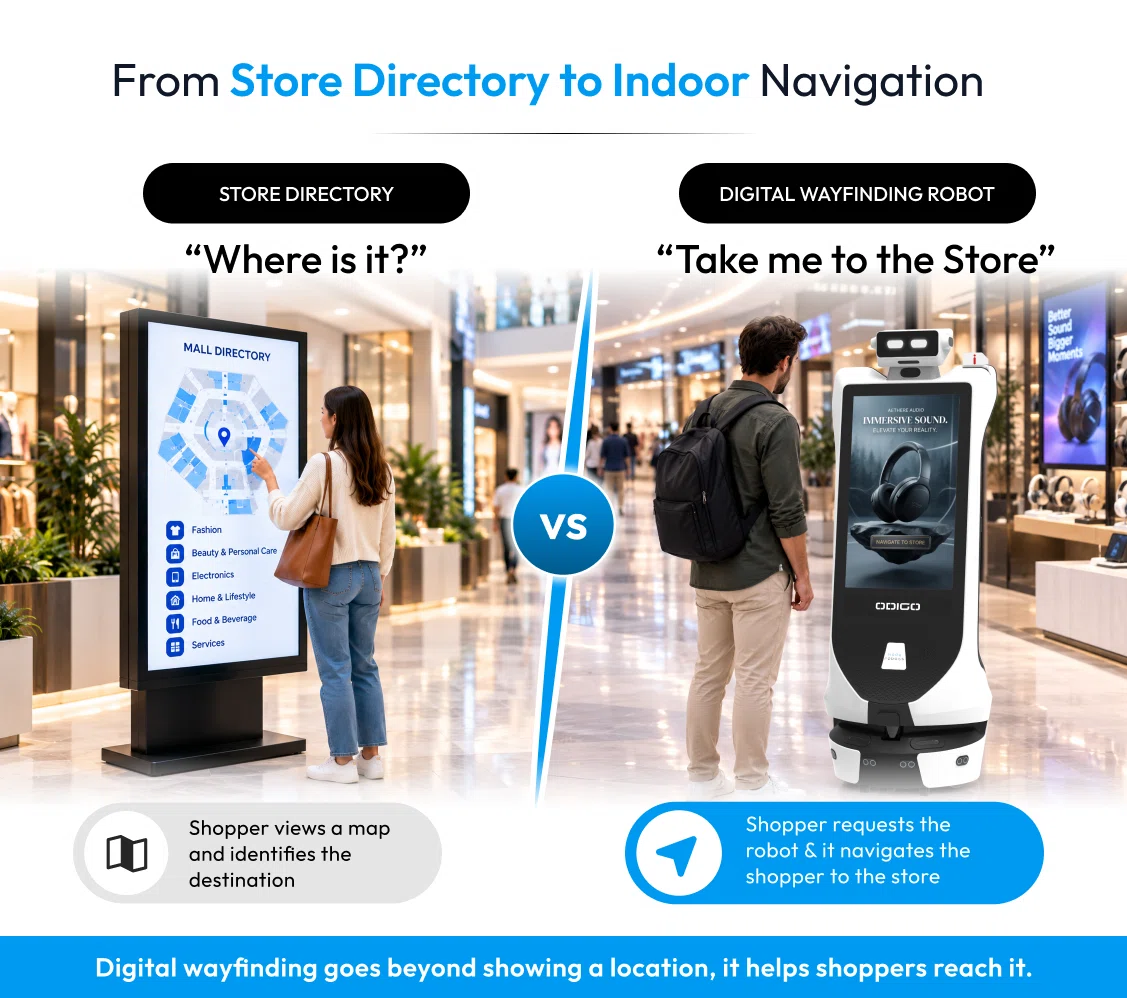
A store directory answers a basic question:
“Where is this destination?”
Indoor navigation answers a more practical question:
“How do I reach this destination from here?”
That distinction matters for first-time shoppers.
Consider a large store with ten department stores. A directory may show that the electronics department is at the rear of the building. A navigation system can go further by showing the route from the shopper’s current position.
The same principle applies to malls, airports, hospitals, campuses, and other complex indoor environments.
The system may need to account for:
- Store entrances and exits
- Departments and aisles
- Services and facilities
- Floor changes
- Restricted areas
- Available routes
- Destination names
- Map updates
For retailers, maintaining this information is an ongoing responsibility. A route cannot remain useful if a department moves, but the map does not.
This makes data maintenance just as important as the visible interface. Current indoor mapping solutions increasingly focus on searchable maps and route information that can be updated as physical environments change.
What Does a First-Time Shopper Need from a Digital Wayfinding Robot?
The best navigation experience is not necessarily the one with the most features. It is the one that removes the most friction from the shopper’s journey.
For a first-time visitor, six factors deserve attention.
Six Usability Factors That Matter
For first-time shoppers, a useful digital wayfinding experience should be simple, intuitive, and easy to follow. The following six factors can help retailers evaluate whether their wayfinding solution makes in-store navigation easier for unfamiliar shoppers.
1. Simple destination search
Shoppers should be able to search using familiar words. They should not need to understand the retailer’s internal category structure.
2. A clear starting point
Directions should make sense while someone is moving. Visual routes, turns, landmarks, aisles, and departments can make the journey easier to understand.
3. Easy-to-follow directions
The shopper needs to know where the route begins. “You are here” should have a clear relationship with the physical environment.
4. Accurate destination information
A perfect route is useless if it leads to an outdated location. Store information needs regular maintenance.
5. Minimal interaction
The shopper should not have to repeatedly stop, restart a search, or interpret complicated controls.
6. Support for unfamiliar environments
A first-time shopper may need more guidance than a regular customer, making digital wayfinding an important consideration.
A fixed screen can provide directions from a fixed location. A mobile navigation assistant can provide guidance as the shopper moves through the store.
The important point is that usability starts with the shopper’s situation, and the situation is a perfect opportunity to offer the navigation solution.
Can a Wayfinding Robot Make In-Store Navigation Easier?
A wayfinding robot changes how navigation assistance reaches the shopper.
With a fixed navigation point, the shopper must find the interface, search for the destination, understand the route, and continue independently.
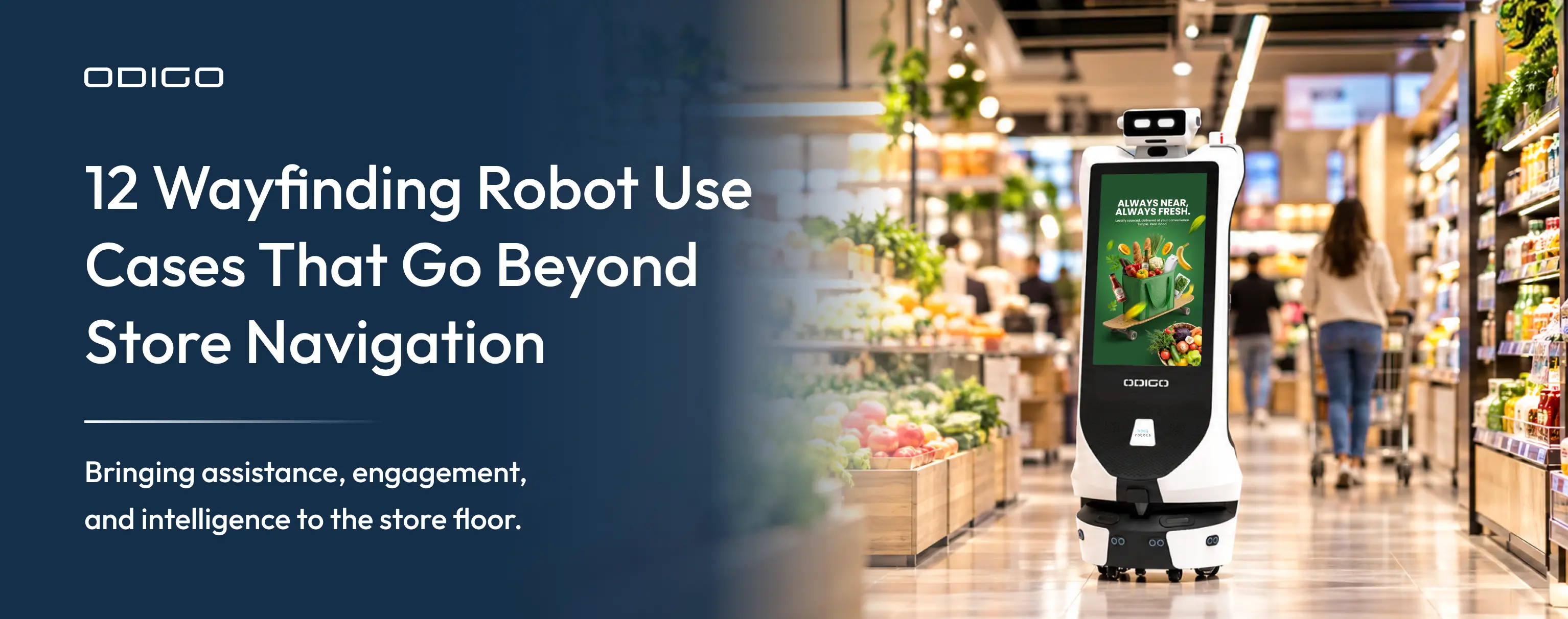
A mobile robot can bring an interactive navigation point into the store environment. Depending on its configuration, it can receive a destination request, calculate a route, navigate through the mapped area, and guide the shopper toward the requested location.
Odigo is designed around this type of mobile assistance. Kody Robots describes Odigo as combining autonomous navigation, visitor assistance, wayfinding, multilingual interaction, advertising, and analytics. Its published specifications include Laser + Visual SLAM and obstacle avoidance.
Digital Wayfinding on a Moving Navigation Assistant
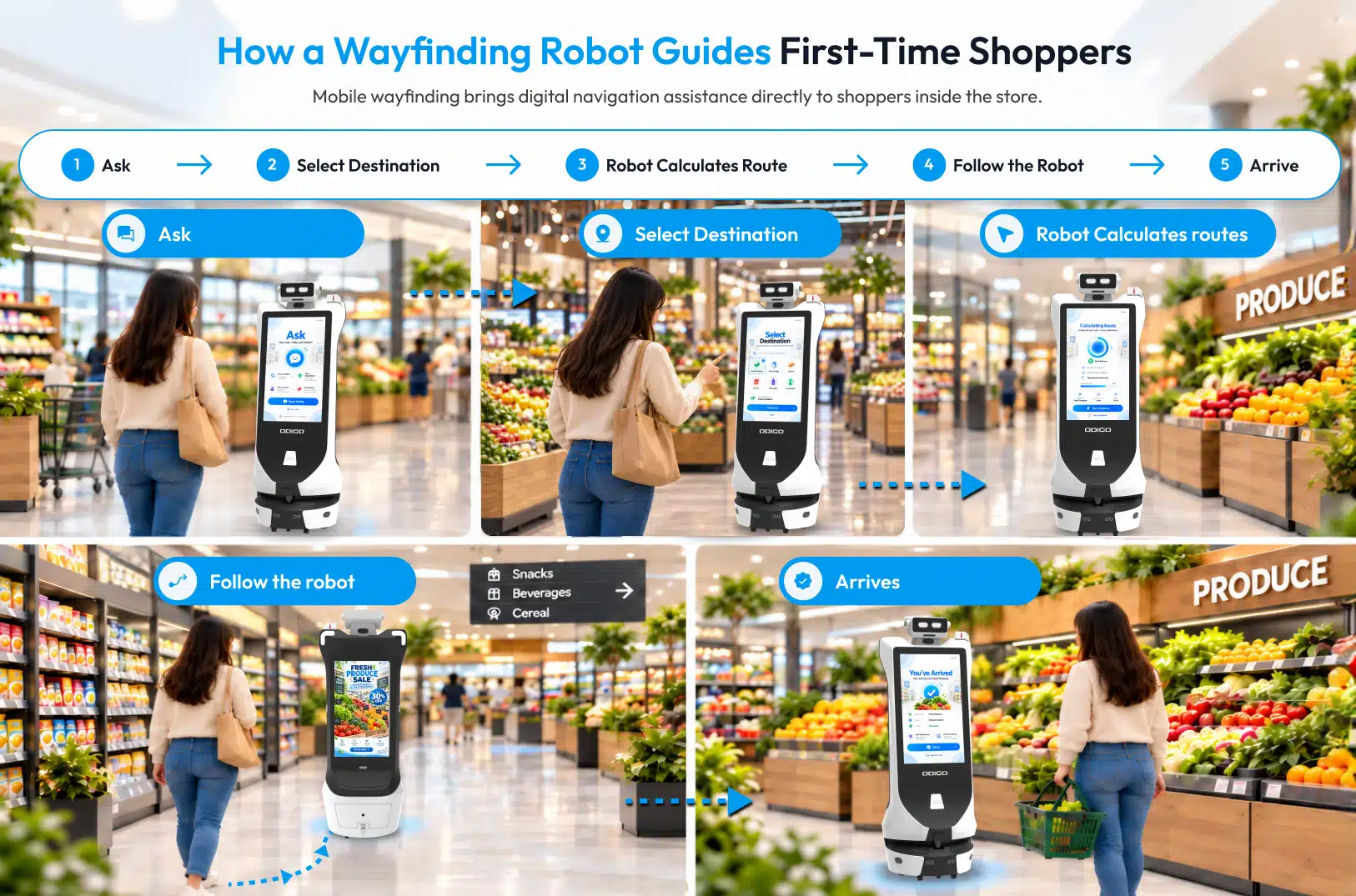
A moving navigation assistant can bring digital wayfinding directly to shoppers instead of limiting assistance to a fixed screen or kiosk. The steps below explain how a wayfinding robot can interact with shoppers, calculate a route, and guide them toward their destination.
The shopper journey can be straightforward:
1. Shopper approaches Odigo
The robot can provide an interactive point where the shopper can begin a navigation request.
2. Shopper selects a destination
The shopper can use the available interface to request a supported product, department, service, or other destination.
3. Odigo identifies the route
The navigation system uses its mapped environment to determine the route.
4. Odigo moves through the store
The robot navigates through its designated operating area while using its navigation and obstacle-avoidance capabilities.
5. Shopper follows the robot
Instead of remembering a series of instructions from a fixed screen, the shopper can follow the moving navigation assistant.
This model can be useful in large retail environments where shoppers move across multiple departments and may need assistance beyond a single information point.
It also shows why understanding how AI robot assistants work can help a retailer evaluate a robotic navigation solution. The experience depends on sensing, localization, mapping, route planning, movement, and human interaction working together.
How Digital Wayfinding Robot Changes the Shopper Journey?
A wayfinding robot can bring a digital wayfinding experience directly into the store environment. Instead of treating digital navigation and the robot as separate solutions, they work together to help shoppers search for a destination, understand the route, and navigate to it.
This creates a simple in-store navigation journey:
| Shopper Need | Digital Wayfinding Robot |
| Find a destination | The shopper searches for a product, department, service, or other supported destination through the robot’s interface. |
| Understand where it is | The digital wayfinding system identifies the destination and provides relevant location information. |
| Get directions | The system calculates a route from the robot’s current location to the selected destination. |
| Navigate the store | The robot moves along the mapped route while the shopper follows it. |
| Reach the destination | The robot guides the shopper to the requested location, reducing the need to interpret a store map independently. |
Ask → Select Destination → Calculate Route → Follow → Arrive
The important distinction is that the robot does not replace digital wayfinding. The robot delivers digital wayfinding in a mobile, interactive format. The digital wayfinding system provides the map, destination information, and route, while the robot provides a physical point of interaction and can guide the shopper through the store.
This can be particularly useful in large or unfamiliar retail environments. A shopper does not necessarily need to find a fixed information point, interpret a floor plan, or remember a series of written directions. Instead, they can interact with the wayfinding robot and follow it toward the requested destination.
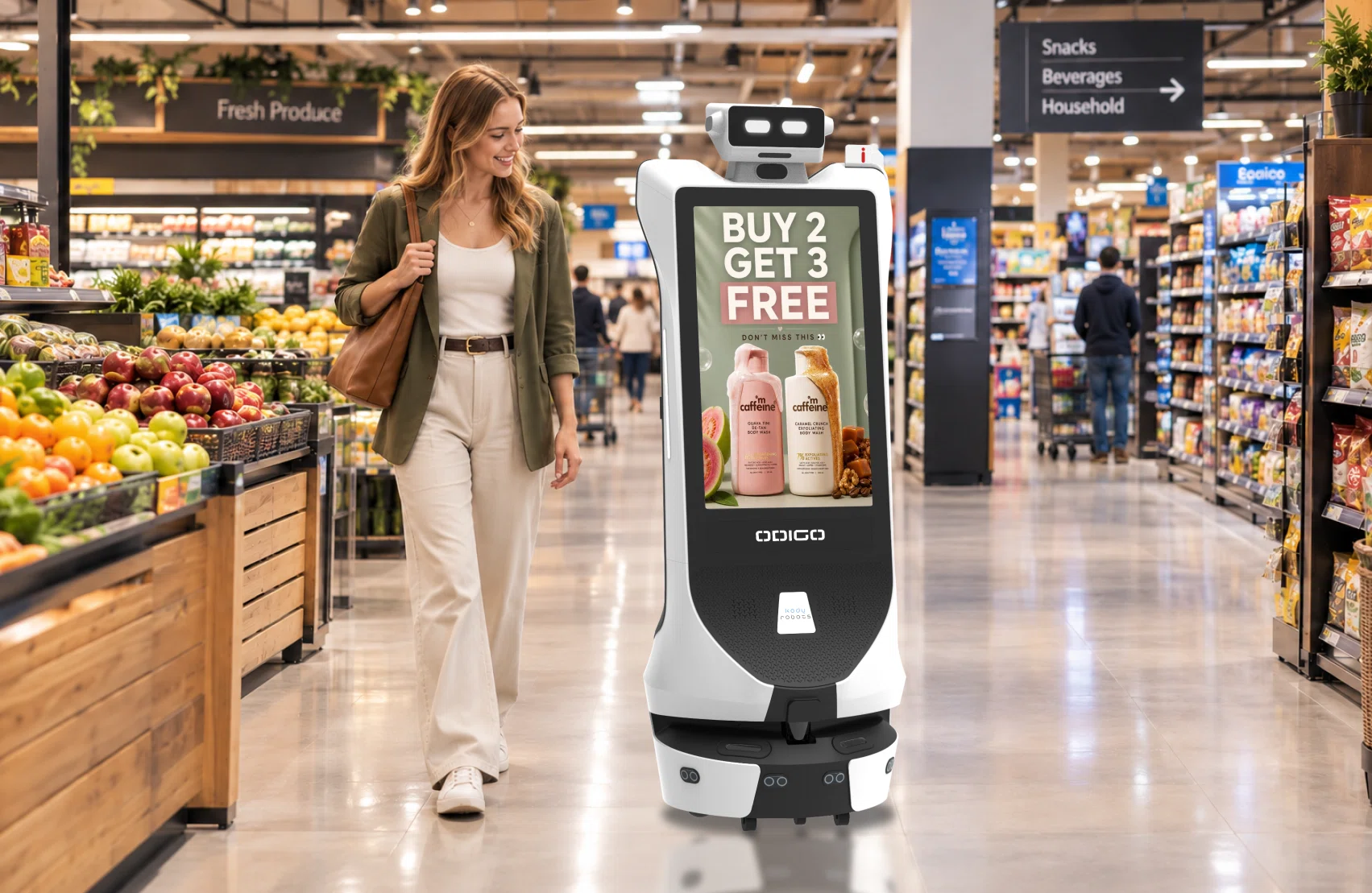
For retailers, this means digital wayfinding can become part of a broader in-store experience. Depending on the deployment, the same robot can support navigation, shopper assistance, engagement, advertising, and analytics.
The effectiveness of the experience still depends on factors such as accurate store maps, up-to-date destination data, route planning, obstacle avoidance, interface usability, and the robot’s designated operating area.
What Changes for the Store Owner?
For store owners and retailers, a digital wayfinding robot can provide another way for shoppers to find products, departments, services, and other destinations without relying only on fixed directories or employees for routine directions. The robot brings the digital wayfinding experience into the store and can operate across designated areas.
Retailers also need to manage the system behind the experience. Accurate store maps, destination data, operating areas, and regular updates are essential for reliable navigation. Usage data such as navigation requests, frequently searched destinations, and interaction patterns can also help retailers understand where shoppers need assistance and how they use the wayfinding system.
What Should Retailers Check Before Deploying Digital Wayfinding?
A retailer should evaluate the complete shopper journey before selecting a navigation solution.
The first step is to understand where navigation problems occur.
A compact store with a simple layout may need only a clear information point. A large-format retailer with multiple departments may need navigation support across a much larger area.
Retailers should also examine how often layouts change. Seasonal displays, department moves, temporary closures, and construction can affect routes.
Seven Questions to Ask Before Choosing a Wayfinding Solution
Choosing a wayfinding solution requires more than simply evaluating its navigation features. Retailers should consider their store layout, shopper needs, deployment environment, interaction methods, and measurement requirements before selecting a solution for their stores.
1. How large and complex is the store?
Consider floor area, number of departments, entrances, aisles, levels, and major decision points.
2. How often does the layout change?
A system should have a clear process for updating maps and destinations when the physical environment changes.
3. What should shoppers be able to search?
Decide whether the system should support products, aisles, departments, services, amenities, stores, or other destinations.
4. How will multiple floors or zones work?
If the store has multiple levels, shoppers need clear guidance for stairs, elevators, ramps, and other transitions.
5. Where should navigation assistance be available?
A fixed solution depends heavily on placement. A mobile solution may provide coverage across designated operating areas.
6. How will shoppers interact with the system?
Touch, voice, multilingual interaction, screen design, and accessibility can all affect usability.
7. How will success be measured?
Defining the metrics before deployment makes it easier to determine whether shoppers are actually using the solution.
Answering the seven questions helps retailers separate a technology demonstration from a practical deployment plan.
How Can Retailers Measure Whether a Digital Wayfinding Robot Is Working?
Retailers should not measure navigation only by whether the system can produce a route.
Usage can reveal what shoppers actually need.
Useful measures include:
- Number of navigation requests
- Most-requested destinations
- Product or department searches
- Interaction volume
- Peak usage periods
- Frequently repeated searches
- Navigation completion
- Employee time associated with routine directions
The listed measures can help retailers identify demand patterns.
For example, if one department receives unusually high navigation requests, the retailer may have an opportunity to improve signs, product placement, or digital guidance in that area.
Odigo’s published analytics capabilities include interaction and navigation-request data, along with performance reporting and fleet monitoring.
The value of these metrics is not simply reporting activity. They can help retailers understand where shoppers need assistance and whether shoppers are actually using the navigation system.
That makes analytics an important part of evaluating wayfinding technology, rather than treating navigation as a standalone screen or robot feature.
Is Digital Wayfinding Robot Enough for a First-Time Shopper?
Yes, a digital wayfinding robot is enough for a first-time shopper as it helps shoppers navigate across the store. Whereas a simple navigation directory or map can be enough only when the system makes the complete journey easy to understand for the shopper.
A first-time shopper does not need to know how the map was created or which navigation technology powers it. They need to find a destination, understand the route, and reach it without unnecessary confusion.
That means retailers should evaluate three layers:
Find → Understand → Navigate
A fixed map or directory can support these steps when its placement, interface, data, and directions fit the store environment.
A mobile robot can extend that experience by bringing navigation assistance into different areas of the store.
For retailers, the decision should start with the shopper journey. Ask where customers struggle, how often they need help, what destinations generate the most requests, and how much support the store team currently provides.
Kody Robots develops autonomous robotic solutions for real-world environments, including customer assistance, navigation, and engagement applications. Its broader platform covers robots designed for environments such as malls, airports, and superstores.
Building a More Navigable Store Experience
A first-time shopper should not need to understand a store before they can navigate it.
The purpose of digital wayfinding is to make that first interaction easier. A shopper should be able to search for a destination, understand the route, and reach the right place with minimal confusion.
For retailers, that requires more than putting a map on a screen. Destination data must stay accurate. Routes must reflect the physical environment. Interfaces must be easy to use. Navigation support should also match the store’s size, layout, traffic, and shopper needs.
A wayfinding robot adds another option by making navigation assistance mobile. Instead of asking shoppers to find a fixed information point, it can bring an interactive navigation experience into designated areas of the store.
The right approach depends on the environment and the experience the retailer wants to create.
If you are evaluating a mobile navigation solution for your store, Kody Robots can help you explore how Odigo fits into your shopper journey.
Book an Odigo demo to see how mobile wayfinding can work in your retail environment.
Digital Wayfinding – General FAQs
You can find answers to your common questions about features, navigation, deployment, analytics, business impact, and how Odigo can support shoppers inside your store below.
1. What can Odigo help shoppers find inside a store?
Odigo can assist shoppers with wayfinding to supported destinations such as departments, aisles, products, services, or other mapped locations. The exact destinations depend on the store environment and deployment setup.
2. How does Odigo navigate around shoppers and obstacles?
Odigo uses its navigation system, including Laser + Visual SLAM and obstacle avoidance, to navigate through its designated operating environment while avoiding obstacles.
3. Can Odigo support more than wayfinding?
Yes. Odigo combines wayfinding with an interactive advertising and engagement platform. Its capabilities can support shopper assistance, interactive content, advertising, and analytics within the same deployment.
4. Is Odigo suitable for large stores with complex layouts?
Odigo can be considered for large retail environments where shoppers may need assistance navigating departments, aisles, and other mapped destinations. Deployment should be planned around the store layout, operating area, traffic patterns, and navigation requirements.
5. Can retailers purchase Odigo or use it through RaaS?
Yes. Businesses can explore different deployment models, including purchase and Robot-as-a-Service (RaaS), depending on their operational and investment requirements. The appropriate model can be discussed during an inquiry.
6. What information should I provide when booking an inquiry for Odigo?
A retailer can provide details such as the store type, approximate floor area, layout complexity, number of locations, intended use case, and desired deployment area. These details help determine how Odigo could fit the environment.
7. How long does it take to deploy a wayfinding robot in a store?
Deployment time depends on factors such as store size, layout complexity, mapping requirements, operating areas, and integration needs. A deployment assessment is required to provide a project-specific timeline.
8. How can a wayfinding robot improve the in-store shopper experience?
A wayfinding robot can reduce the effort shoppers spend searching for destinations. It can provide interactive navigation assistance and help first-time shoppers move through unfamiliar store environments.
9. How can retailers measure the business impact of Odigo?
Retailers can evaluate metrics such as navigation requests, frequently searched destinations, shopper interactions, engagement, and usage patterns. These insights can help identify where shoppers need assistance and how they interact with the store.
10. Can a wayfinding robot help retailers reduce the workload associated with routine directions?
It can assist with routine navigation requests, giving shoppers another way to find destinations without requiring an employee for every basic direction. This can allow store teams to focus on tasks that require direct human assistance while the robot handles supported navigation interactions.