


Quick Summary: Robot assistants in retail industry settings answer shopper questions, escort customers to products, and flag shelf exceptions. Each task returns time to your associates, so your team can focus on shoppers who need expertise. The guide below explains how U.S. retailers use the technology, which benefits to expect, and how to measure return. You will find live deployment data, adoption checkpoints, and the questions worth asking before your first pilot.
Key Takeaways
- Robot assistants take routine questions and walks, so associates spend more time on shoppers who need expertise.
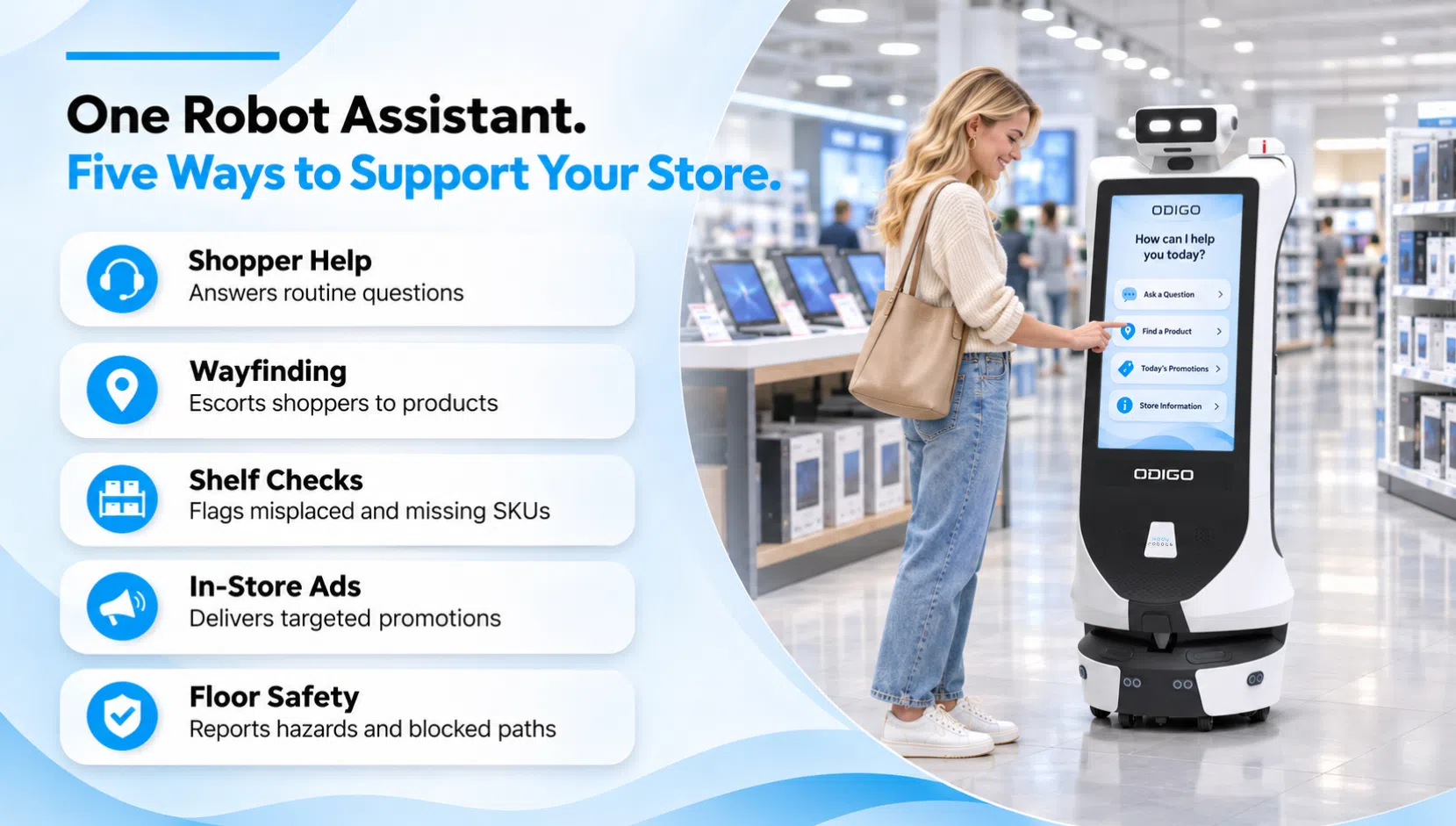
- Five jobs define the category: answering questions, wayfinding, shelf exceptions, in-store advertising, and floor safety.
- Pilots succeed when you pick one measurable problem and compare results against a baseline period.
- Floor surface, aisle width, Wi-Fi, integrations, and privacy settings decide readiness more than robot features do.
- Every Odigo metric comes from Odigo’s own logs, so reporting starts without touching your systems.
- Live data from LuLu Mall shows 12.8% of shopper interactions became store navigations.
Where Your Store’s Staffing Plan Meets a Busy Noon
Your store opens with a staffing plan built for an average Tuesday. By noon, shoppers queue at the service desk, asking where the pet food moved. Your associates cannot answer every question and restock every shelf at the same time. The Bureau of Labor Statistics reports a 4.4% total separations rate for retail trade in August 2026. In plain terms, 4.4% of retail employees left a job within one month. Each departure takes product knowledge and floor experience off your sales floor. Robot assistants in retail industry stores now cover routine questions and floor checks. Your associates focus on shoppers who need real expertise and personal attention. The sections below show how U.S. retailers put the technology to work. (Source: U.S. Bureau of Labor Statistics)
What Are Robot Assistants in Retail Industry Settings?
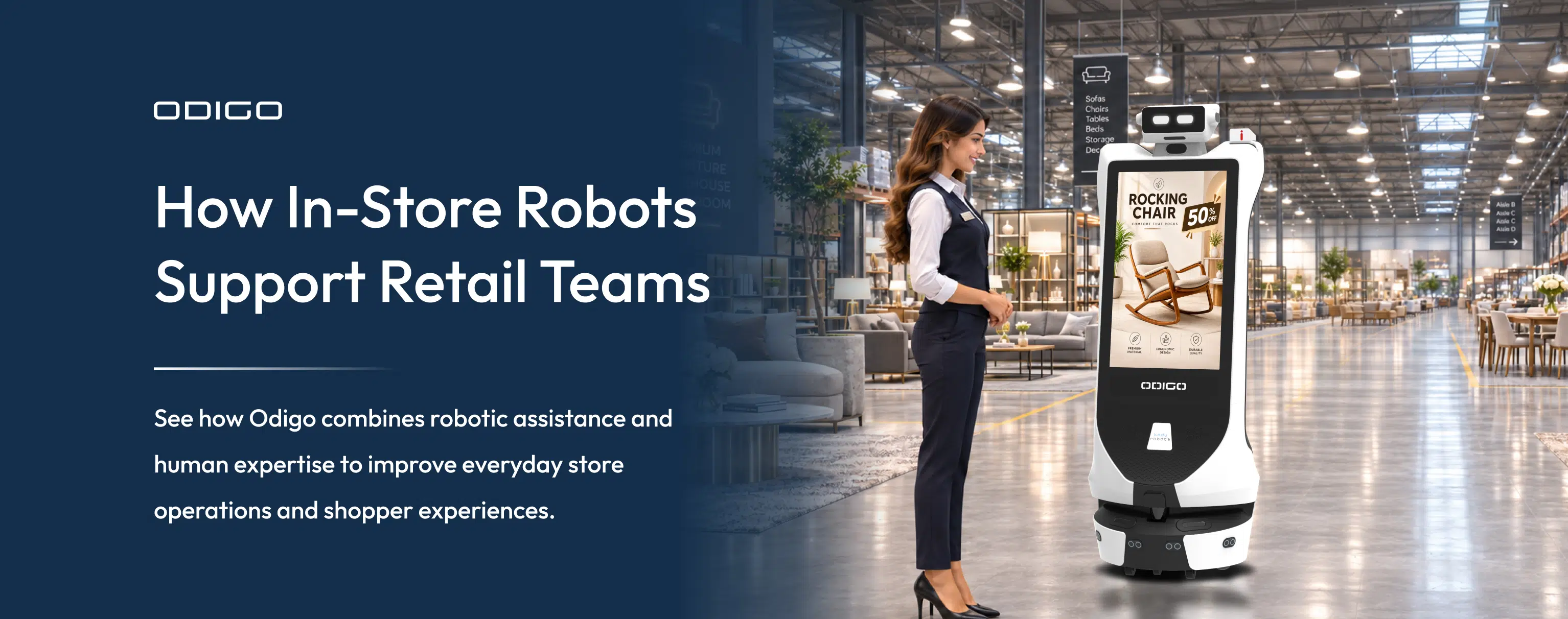
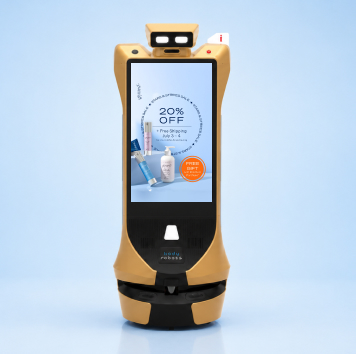
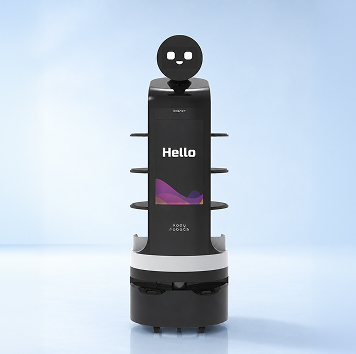
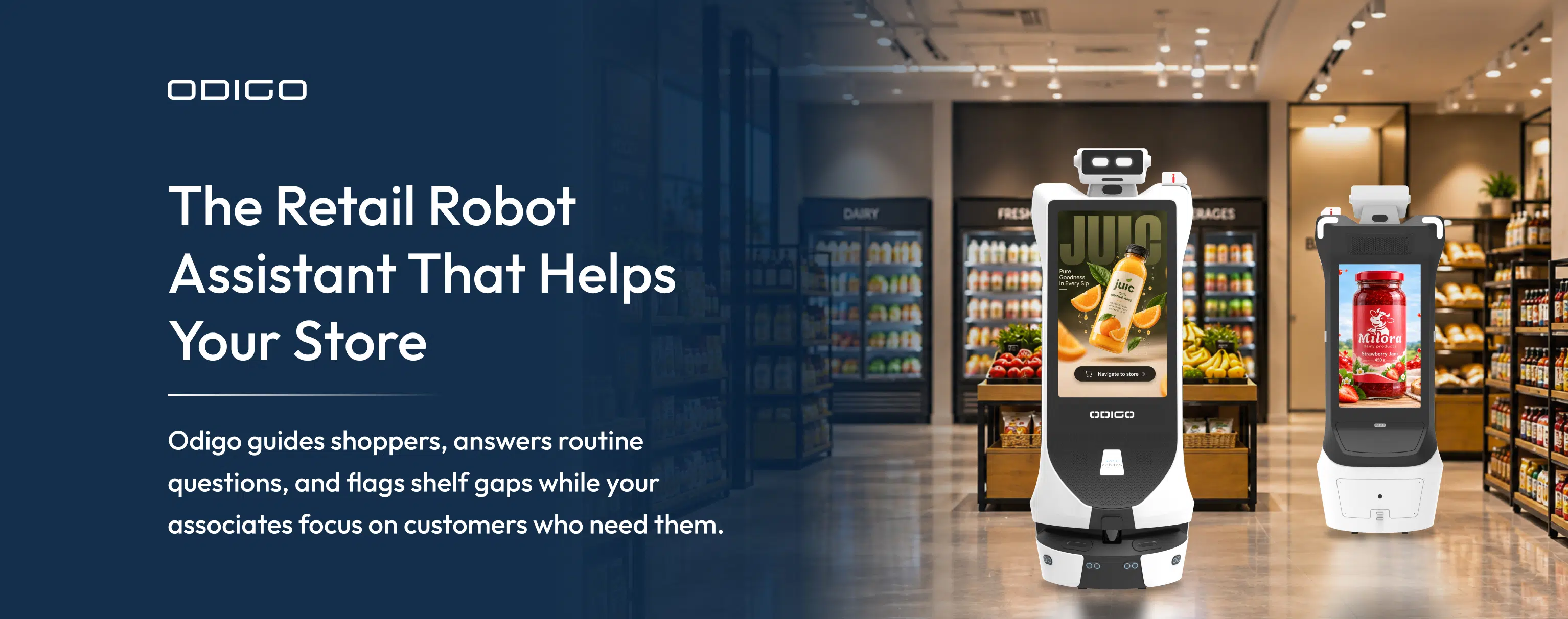
Robot assistants are autonomous machines which roam your store, answer shoppers, and report floor activity. Odigo carries two 32-inch touchscreens, so each face works as help desk and ad surface.
Odigo navigates by laser and visual sensing, so your floors need no markers, rails, or beacons. Unlike a wall kiosk, AI robot assistants in retail walk shoppers to the shelf. Your associates keep every conversation needing judgment, product expertise, or a personal touch. Kody Robots builds the Odigo hardware, navigation stack, and fleet software entirely in-house.
Why Are U.S. Retailers Exploring Robot Assistants Now?
Labor turnover, rising shopper expectations, and retail media ambitions all press on the same sales floor. Robot assistants now run a full trading day on live floors without constant supervision.
Each unanswered question risks a lost basket, since shoppers who cannot find an item wait, search elsewhere, or leave. Margins stay thin, so every labor hour spent walking shoppers to aisles is an hour not spent selling.
Three pressures explain why U.S. retail leaders are testing the technology now. Staffing comes first, because turnover keeps pulling aisle knowledge off your sales floor. Odigo holds the full store map and answers shoppers in the shopper’s own language.
Expectations come second, since shoppers want instant answers without hunting for an associate. Revenue comes third, because retail media networks keep pushing owners to monetize physical space. Technology readiness matters too, since Odigo runs 10+ hours per charge, depending on use, and docks itself to recharge.
Smart retailers treat robots in retail industry projects as operations investments, not showpieces. Robot assistants in retail industry operations deserve the same scrutiny as any store system. Leaders wanting proof first can read before vs after advertising robot in retail for measured footfall, dwell, and revenue.
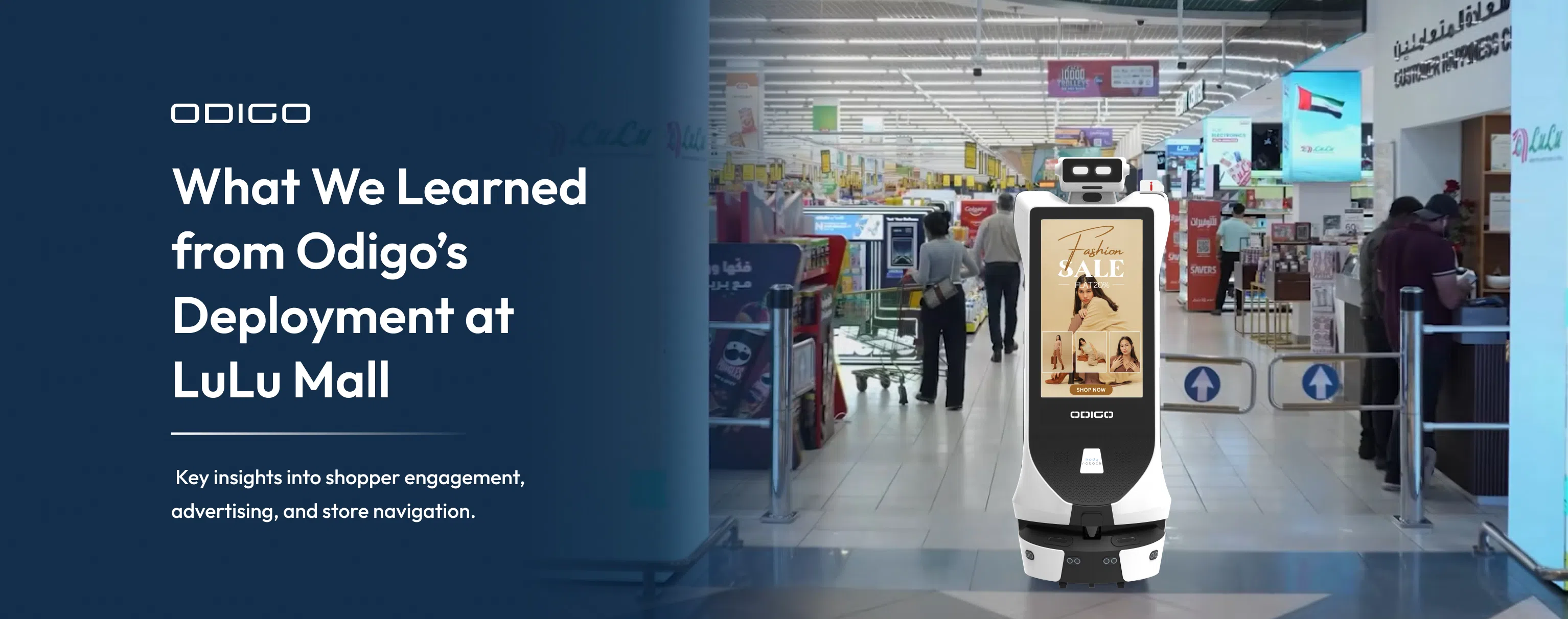
Odigo Guiding Shoppers at LuLu Mall
Odigo escorts shoppers to destination stores across two floors of Lulu Mall. Shoppers request a destination by voice or touch, and Odigo escorts each shopper along the route. Across 61 days, the same five units also played ads, so wayfinding and media shared one fleet.
How Are Robot Assistants Used in Retail Stores?
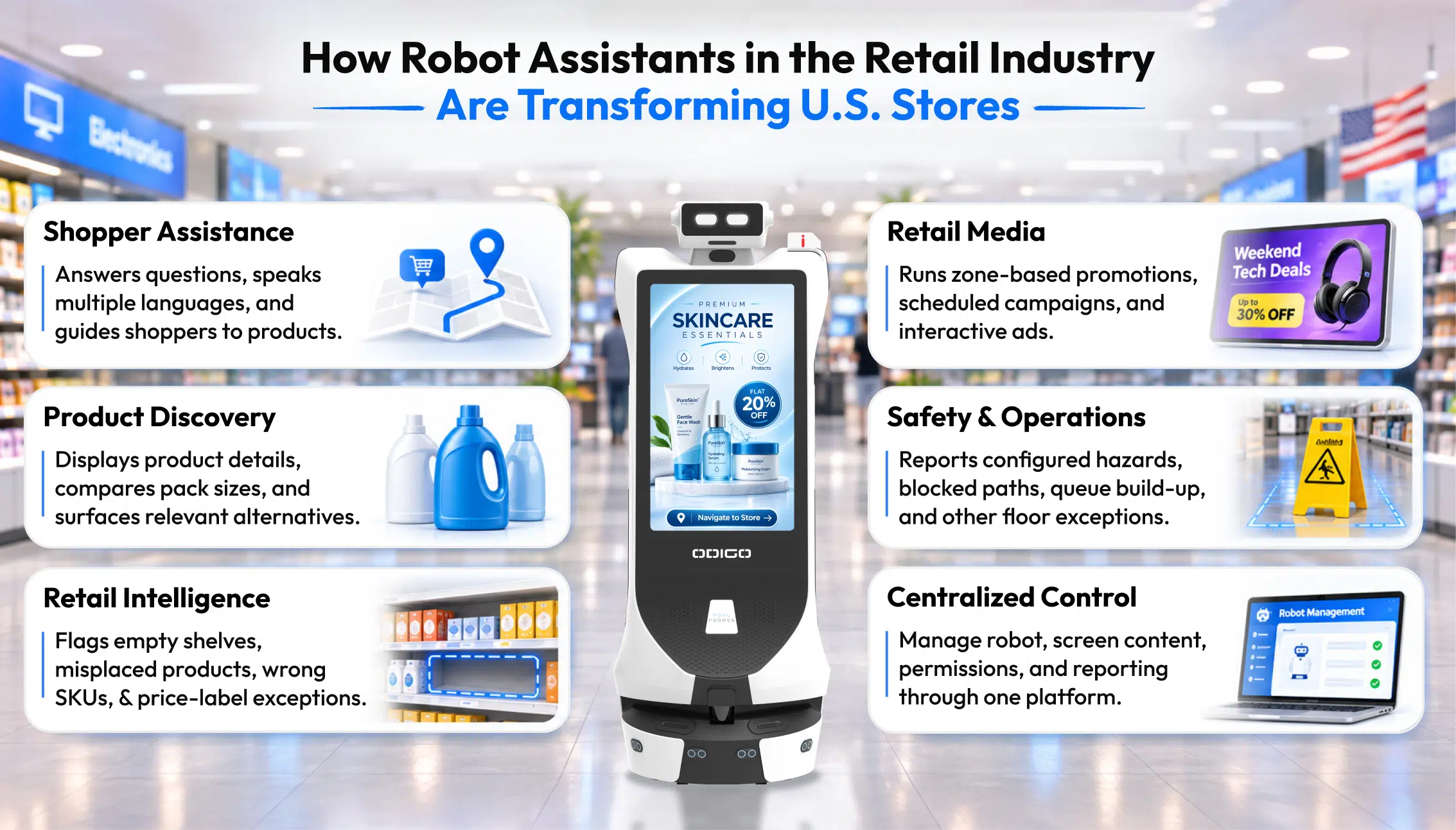
Five jobs show how robot assistants are used in retail today. Odigo answers questions, escorts shoppers, flags shelf exceptions, carries ads, and checks floor safety for your team.
Answering Shopper Questions and Sharing Store Information
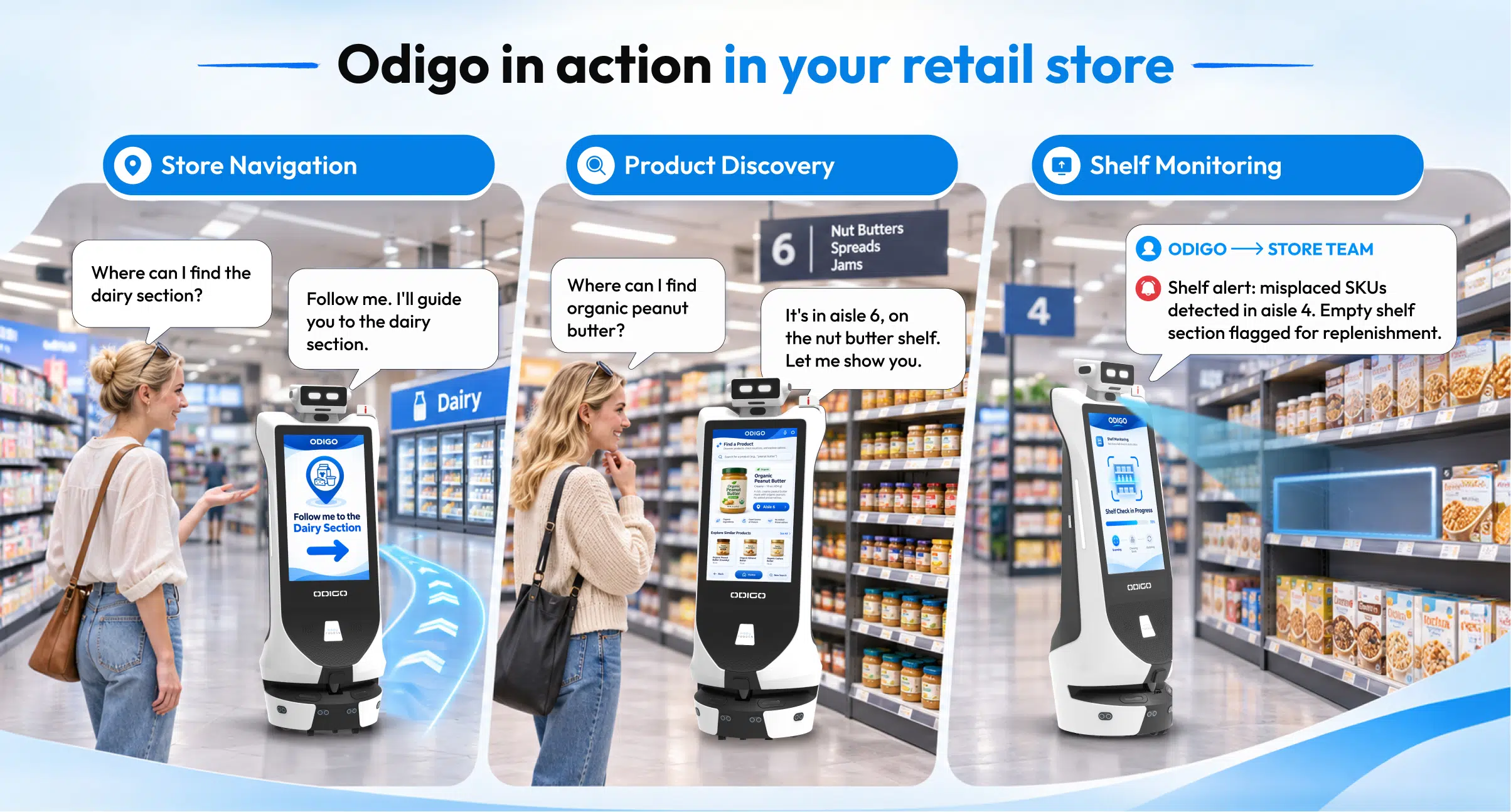
Odigo greets shoppers on approach and answers by voice or touch in multiple languages. Automatic spoken-language detection removes the need for a language menu at the screen. Shoppers resolve opening hours, return policies, and aisle locations without an app, account, or sign-in. Routine questions end at the screen, so associates handle the cases needing expertise.
When a shopper needs a person, Odigo raises a Help Ticket with issue type, zone, location context, and timestamp. Tickets reach the channel you choose, whether WhatsApp, email, or an existing ticketing tool.* Connected to your inventory and point-of-sale systems, Odigo also checks live stock, prices, and promotions.* Kody Robots scopes each integration during deployment around your tech stack.
Guiding Shoppers to Products Across Large Stores
Odigo escorts the shopper to the aisle instead of pointing toward a distant sign. Shoppers speak or tap a destination, and Odigo leads the way. Amenity requests such as restrooms, pharmacy counters, and order pickup get the same escort treatment.
Shoppers can also submit a list by voice, text, or photo, and Odigo builds an optimized route.* Smart sequencing places chilled, frozen, and heavy items last in the run. Your store picks Efficient Mode for the fastest route or Discovery Mode for the fuller walk. Discovery Mode passes active sampling and demonstration zones along the way.
Spotting Shelf Availability Gaps and Merchandising Exceptions
Odigo patrols your aisles during normal operation and returns one exception stream for store ops.* Alerts flag out-of-stock gaps, misplaced products, wrong stock keeping unit (SKU) or facing indicators, and missing labels.* Calibration happens per store across aisles and categories you scope, including price and promotional label checks.
Every patrol builds footfall, dwell, and demand hotspot maps, even when no shopper interacts. Queue depth at checkout signals a manager to open another lane. Top searches by time of day show which products shoppers hunt for most.
Delivering Contextual In-Store Advertising
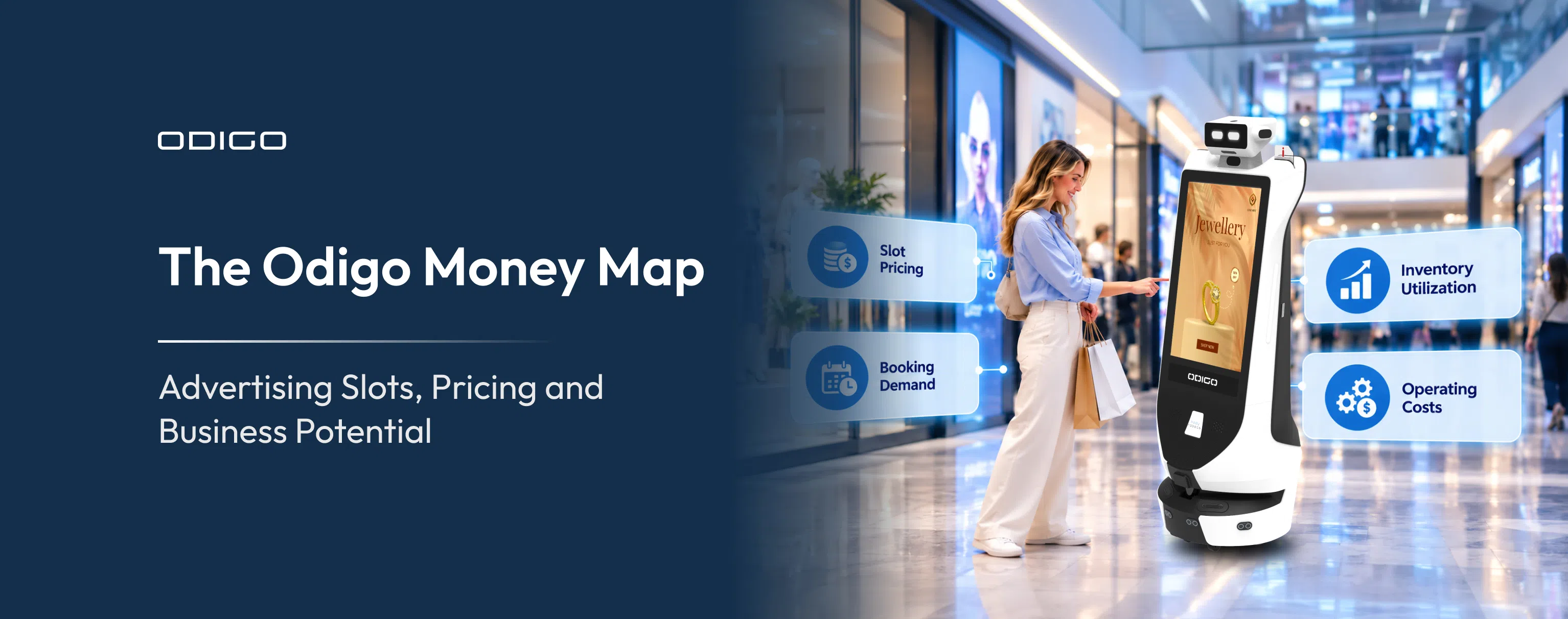
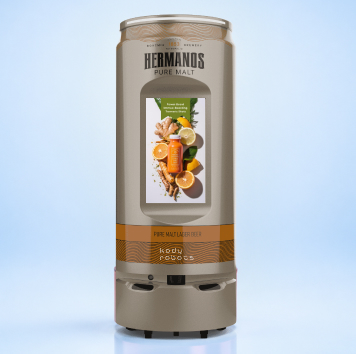
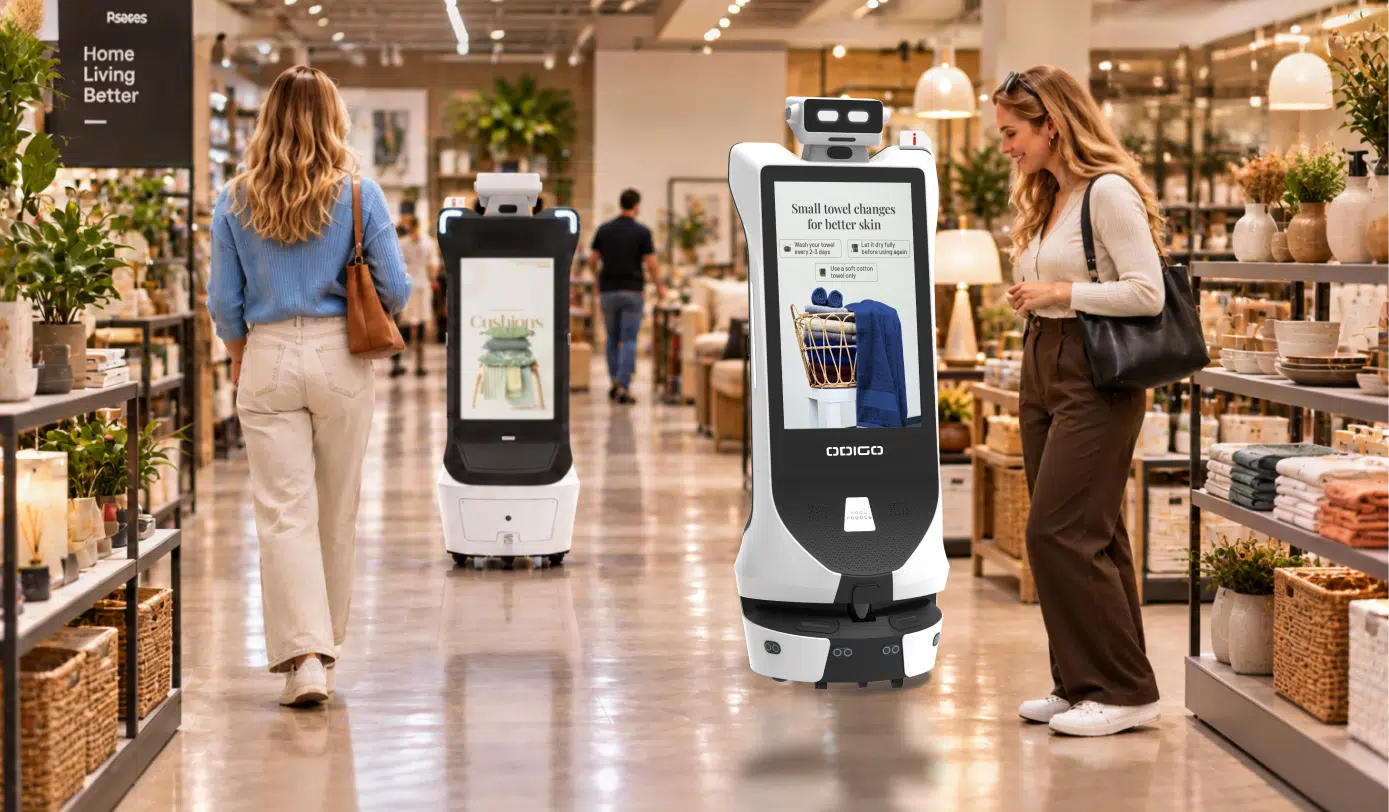
Two 32-inch Full HD touchscreens give each Odigo two advertising faces, front and back. Every screen face becomes retail media inventory your brand partners can book by zone and daypart. Deals Near You shows section-specific offers based on where Odigo is patrolling.
Dynamic targeting changes the message by day, time, and zone across the same screen. You push new creative remotely, with no site visit and no on-site reprogramming. Offline playback keeps campaigns running through network interruptions, because content syncs locally.
Proof-of-play logs record what played, where, and when, giving partners an auditable record. Retail media network integration posts campaign telemetry back for attribution against your own measurement.*
Picture a supermarket selling ad inventory around the shopper’s day, one daypart at a time:
- Morning: breakfast and coffee promotions near entrances, where shoppers make quick stops.
- Afternoon: household and personal care campaigns in center-store aisles, where shoppers stock up.
- Evening: ready-to-eat meals and grocery offers near the deli, where shoppers want dinner solved.
- Weekend: family products and promotional campaigns across the sales floor, where shoppers browse longer.
Zone shows where the shopper stands, daypart suggests why the shopper came, and intent shapes the message. A breakfast offer at 8 a.m. in the coffee aisle matches intent, while evening slots suit meal offers. Section-level placement lets different Odigo units run different brands in different zones of the same store.
Robot Assistants in Retail Industry Floor Operations and Safety
Every patrol doubles as a hazard round for spills, fallen products, blocked paths, and obstructed exits. Odigo generates a help ticket automatically when a hazard appears on the route. Compliance rounds log blocked exits, missing signage, and obstructed accessible paths with timestamped photos.
Theft and suspicious-activity alerts reach associates as assistive notices, never automated enforcement. You set the scope and rules for every alert type at each site. You can switch each detection class on or off per site. Retention windows, access paths, and viewing permissions are configurable, so privacy and legal teams stay in control. Recordings and biometric records stay on infrastructure your own team controls.*
What Benefits Can Robot Assistants Bring to Retail Stores?
Robot assistants for retail stores return associate hours, protect on-shelf availability, and add measurable in-store media reach. Operational gains show up first, with media and insight gains following as data builds.
| Benefit | What changes on your floor | Source capability |
| Labor productivity | Associates field fewer repeat questions | Concierge and Help Ticket handoff |
| Shopper experience | Answers arrive in the shopper’s language | Voice and touch concierge |
| On-shelf availability | Managers see gaps and misplaced items sooner | Retail intelligence alerts* |
| In-store media | Zone-specific campaigns carry play records | Advertising platform |
| Store insight | Foot traffic and searches reveal demand hotspots | Analytics and reporting |
Benefits depend on your store format, foot traffic, and the integrations you scope with us. A 60,000-square-foot grocery store and a big-box format will weigh the five benefits differently. Robot assistants in retail industry deployments reward stores with steady shopper traffic and frequent repeat questions.
Picture a random morning, when Odigo’s patrol finds an empty facing in the cereal aisle. The exception lands in your store ops alert stream while the patrol continues.* A manager sends an associate to the stockroom to pull stock for the facing. Odigo’s next pass through the aisle confirms whether the gap closed. The gap reaches an associate during the patrol, not at the next manual shelf walk. Log the alert time and the restock time during your pilot, and the gap-closing time becomes your before-and-after number.
How Do Robot Assistants Work Alongside Retail Employees?
Odigo takes routine questions, walks, and floor checks, then hands complex needs to your associates. Your team keeps the work requiring judgment, product expertise, and a personal touch.
The role of robot assistants in retail is extension, never replacement. Odigo answers the routine question so your associate stays free for the one needing expertise. Handoff works through the Help Ticket, which carries issue type, zone, location context, and timestamp.
Picture a Saturday at 2 p.m., when a shopper asks Odigo where to return an online order. Odigo escorts the shopper to the returns counter without pulling an associate off the floor. A second question about a damaged item needs judgment, so Odigo raises a Help Ticket. The associate arrives already knowing the zone, issue type, and time.
Robot assistants in retail industry teams work best with clear ownership. Associates need only basic training to upload content, set routes, and monitor performance. The PIN-protected operator panel lets an associate send Odigo home, adjust speed or volume, and cancel navigation. We recommend naming one associate per shift as the daily owner, usually a front-end or customer service lead.
Associates follow a short daily routine to keep Odigo reliable on the floor:
- Confirm the battery sits at 60% or above before peak hours.
- Wipe the LiDAR (light detection and ranging) sensors with a microfiber cloth each day.
- Check the wheels for hair and debris before the first patrol.
- Confirm the screen is on and showing the correct campaign content.
What Should U.S. Retailers Consider Before Adopting Robot Assistants?
Confirm floor surface, aisle width, network access, integrations, privacy rules, and ownership before you buy. Honest answers on all six points decide whether your pilot succeeds or stalls.
| Checkpoint | What to confirm |
| Floor surface | Flat, solid, indoor floors only; no carpet, slopes, steps, or outdoor areas |
| Aisle width | At least 1.3 meters (about 4 feet) of clear aisle |
| Temperature | Ambient indoor climate; chilled and freezer aisles stay off the route |
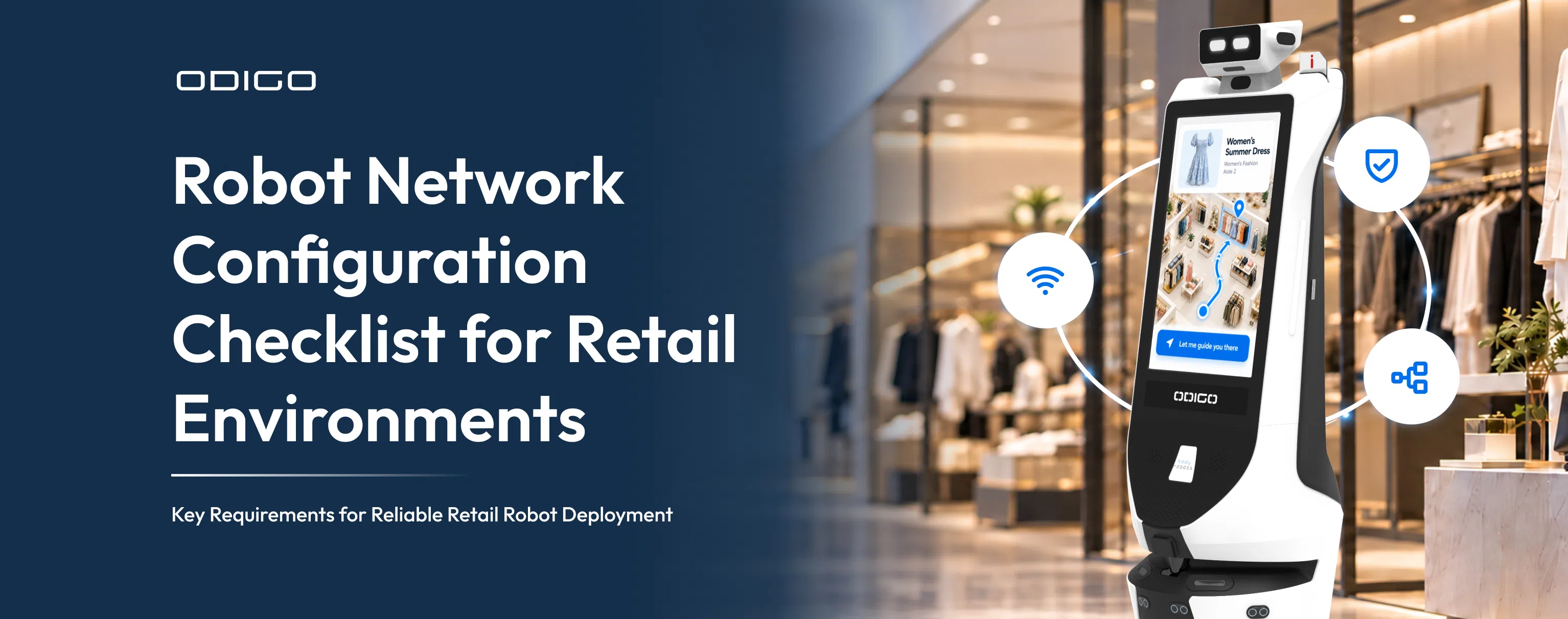
| Network | Basic Wi-Fi, plus guest network or device registration with your IT team |
| Equipment hazards | Low-profile items under 25 centimeters may escape detection |
| Privacy | State biometric and video consent rules; per-site detection settings |
| Layout resets | Incremental mapping refreshes a floor in 30 to 45 minutes |
Your IT team can review robot network configuration before the pilot starts. Moving equipment such as forklifts, pallet jacks, and carts always keeps right of way. Virtual walls block off the backroom, receiving area, and freight corridors. Your facilities team will check accessible path clearance, so confirm Odigo’s route keeps the required width.
Most stalled pilots share avoidable causes, which we cover in why retail robots fail. Timing matters as well, since a typical first store goes live roughly 20 to 24 days after order confirmation. Mapping runs while your store stays open, so Kody Robots schedules sessions outside peak hours where possible.
Support continues after go-live, with virtual software help available at all times. Preventive maintenance happens every three weeks to keep the fleet in working order. Kody Robots targets five to seven working days to resolve hardware issues.
How Can Retailers Measure the ROI of Robot Assistants?
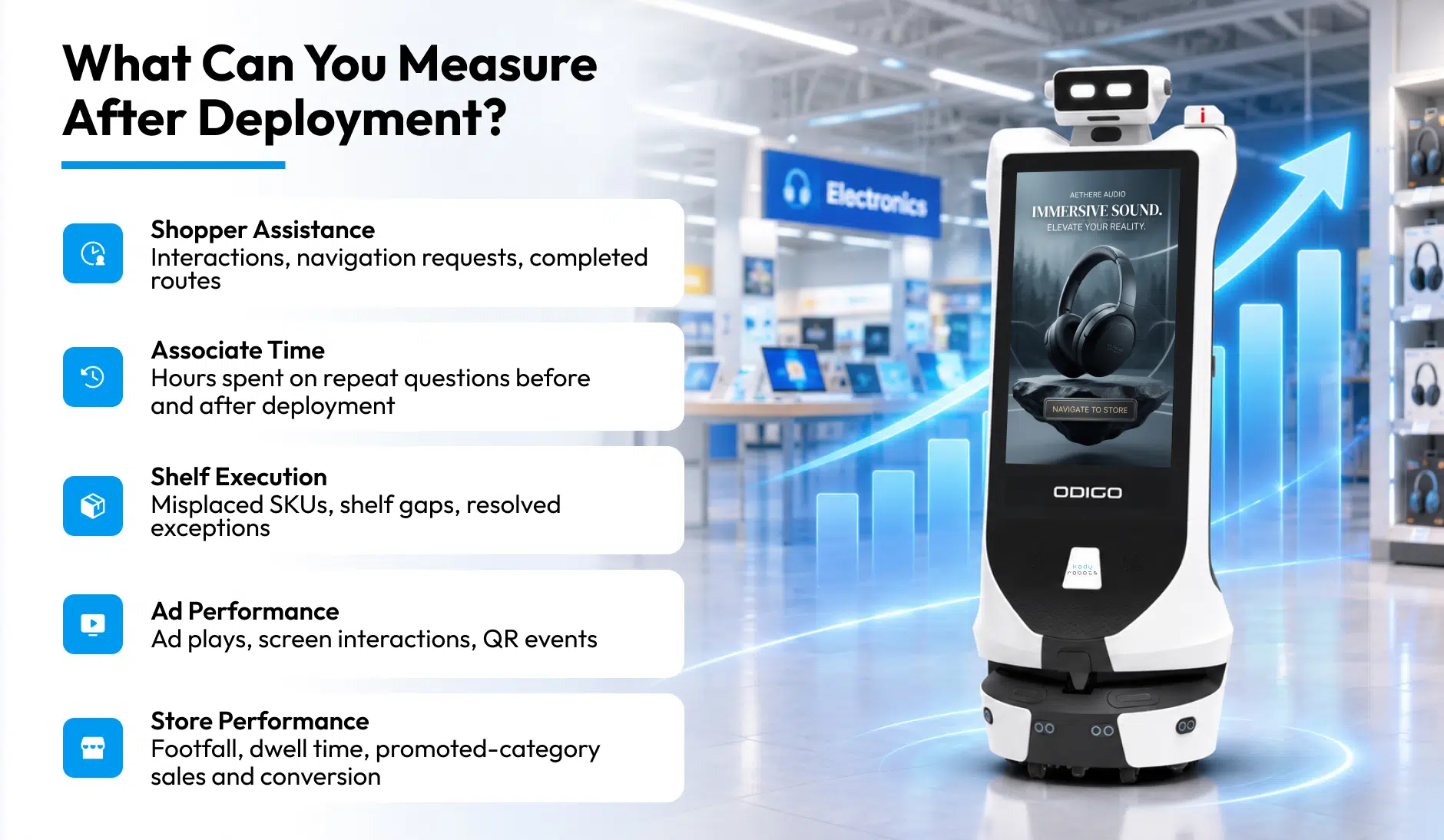
Separate what Odigo reports from what your systems record, then convert results into dollars. Return on investment (ROI) weighs verified financial benefits against deployment, integration, maintenance, and operating costs.
Three Kinds of Numbers, Kept Apart
Three kinds of numbers feed the calculation, and mixing the three weakens your credibility.
| Type | Source | Examples |
| Robot-generated metrics | Odigo’s own logs | Interactions, navigation requests, completed routes, ad plays, Help Tickets |
| Retailer-generated metrics | Your store systems | Footfall, labor hours, POS sales, conversion rate, replenishment outcomes |
| Calculated business outcomes | Your finance team | Labor savings, incremental revenue, payback period, total ROI |
Odigo’s logs need nothing from your systems, while labor savings and sales impact need your store data. Dashboards filter by unit, site, destination, category, month, and year, then export for analysis. Navigation requests and ad engagement are signals, not dollars, until your store data attaches sales or revenue. Record baselines before launch: associate hours on repeat questions, shelf exception counts, and point-of-sale (POS) sales in promoted categories. Clear rules for in-store robot data collection keep reports trusted and privacy teams comfortable.
Which Numbers Belong in the Formula
Use one formula: ROI (%) equals financial benefits minus total costs, divided by total costs, times 100.
ROI (%) = (Financial benefits − Total costs) ÷ Total costs × 100
Four benefit lines belong in the numerator, and each needs verification:
- Verified labor hours saved, valued at your fully loaded hourly cost.
- Incremental gross profit from attributable sales, measured against a baseline or comparison store.
- Additional advertising revenue from campaigns your brand partners actually book and run.
- Reduced operational losses, such as lost sales from shelf gaps, where measurable.
Count only hours your team verifiably redirected to customer-facing work, not hours merely estimated. Total costs include deployment, integration, maintenance, and operating costs across the full period.
A Worked Example with Illustrative Numbers
The figures below are hypothetical round numbers for one store, not Odigo performance or pricing. Replace every input with your own verified store data before drawing conclusions.
| Step | Illustrative calculation | Result |
| One-time setup cost | Deployment, mapping, and integration | $9,000 |
| Monthly running cost | Maintenance and operating costs | $2,500 |
| Labor value | 120 verified hours × $25 loaded hourly cost | $3,000 per month |
| Gross profit | $4,000 attributable sales × 25% gross margin | $1,000 per month |
| Advertising revenue | Booked partner campaigns, hypothetical | $1,500 per month |
| Loss reduction | Excluded, not measured | $0 |
| Monthly net benefit | $5,500 benefits − $2,500 running cost | $3,000 |
| Payback period | $9,000 setup cost ÷ $3,000 monthly net benefit | 3 months |
| 12-month ROI | ($66,000 benefits − $39,000 costs) ÷ $39,000 × 100 | 69.2% |
Over 12 months, benefits total $66,000 while costs total $39,000, including the setup cost. Advertising revenue enters as a separate line, so count only campaigns your brand partners booked and paid for. Without advertising revenue, the same store pays back in 6 months, with a 12-month ROI of 23.1%. Use retail terms your CFO knows: labor productivity, payback period, and total cost of ownership (TCO). Review pilot results weekly, so you can adjust routes and content.
Robot assistants in retail industry programs earn budget approval when reports tie directly to store key performance indicators (KPIs). Revenue outcomes vary by store, format, and campaign mix, so we scope projections with you directly.
What Can Retailers Learn from Real-World Robot Deployments?
Robots earn floor space when the job is clear, measurable, and shared with your store associates. Public rollouts and live Odigo sites both support the same rule across formats.
Lessons from U.S. Retail Rollouts
Walmart ended a shelf-scanning robot contract in 2020, saying the retailer would try other ideas for inventory. The episode shows the risk: a single-purpose robot must justify the floor space alone. Sam’s Club took the opposite path, adding inventory scan towers to robotic scrubbers chainwide in 2022. Sam’s Club said the goal was freeing associate time for more member-focused activities.
Executives planning robots in retail industry rollouts should ask every machine to earn space across several jobs. Odigo covers five customer-facing jobs on one platform: concierge, wayfinding, advertising, safety, and retail intelligence. Grocers weighing the same question can start with why supermarkets deploy robots.
Live Odigo Deployment at Lulu Mall
At LuLu Mall in Thiruvananthapuram, five Odigo units ran across two floors for 61 days in 2026. Odigo logged 47,350 shopper interactions and 6,050 store navigations, a 12.8% navigation conversion. Weekends made up 33% of floor-days but delivered 58% of successful navigations. Engagement concentrates in evenings and weekends, so plan campaigns and associate coverage around peak windows. LuLu Hypermarket alone drew 42% of all navigation requests across the two floors. The same five units also played 313,875 ads, so wayfinding and media shared one fleet.
Live Odigo Deployment at the Jio World Drive
At Jio World Drive in August 2026, three Odigo units logged 18,457 interactions and a 13.59% navigation conversion. Washroom requests ranked among the top 10 destinations on every floor, so basic amenity wayfinding drives real demand. Both sites are malls, not supermarkets, yet large-format stores share the same navigation challenge. Dashboard logs from both sites appear side by side in the table below.
| Site | Period | Units | Interactions | Navigations | Conversion | Ads played |
| LuLu Mall | 61 days, 2026 | 5 | 47,350 | 6,050 | 12.8% | 313,875 |
| Jio World Drive | 31 days, Aug 2026 | 3 | 18,457 | 2,509 | 13.59% | 295,419 |
For a detailed walkthrough of results, read the robot in Lulu Mall case study in detail.
What Is the Future of Robot Assistants in the U.S. Retail Industry?
Expect tighter links with retail media networks, inventory systems, and loyalty programs, as single pilots grow into multi-store fleets. Measurement and privacy controls will decide which vendors earn long-term store partnerships.
The role of robot assistants in retail will widen as integrations deepen. Odigo already hosts a retailer’s own conversational assistant on the unit* and connects to retail media stacks.* AI robot assistants in retail already run as fleets, with one console governing content, movement, and permissions across sites.
Over-the-air updates reach multi-site rollouts with no local technical staff required. Retail media buyers will keep demanding proof of play, and Odigo already logs every ad played. Retailers will ask harder questions on privacy, so per-site detection controls and retention windows will matter more. Buyers of robot assistants in retail industry deployments will compare vendors on proof, privacy, and integration depth. We expect the winners to be retailers who start small, measure honestly, and scale on evidence.
Odigo Guiding Shoppers at Jio World Drive
Odigo guides shoppers to stores and amenities across the floors of Jio World Drive BKC. In August 2026, Odigo logged 18,457 shopper interactions, and 13.59% became store navigations across the three units. Wayfinding requests ranked among the top other use cases on every floor, showing steady demand for basic wayfinding.
How Should Retailers Decide Whether Robot Assistants Are Right for Your Stores?
Name one measurable problem, such as unanswered shopper questions or weak shelf visibility. Pilot in one store, compare against your baseline, and expand only after the numbers hold.
Robot assistants for retail stores fit best where shoppers ask repeat questions and walk long distances. Knowing how robot assistants are used in retail helps you scope the pilot around one clear job. Starting points differ by store format, as the table below shows.
| Store format | Common floor pressure | First job to pilot |
| Grocery and supermarket | Repeat “where is” questions and shelf gaps | Wayfinding and shelf exceptions* |
| Big-box and home improvement | Long walks and specialist questions | Escort and concierge |
| Warehouse club | Wide floors and member service queues | Concierge and wayfinding |
| Specialty and department store | Service desk queues and promotions | Concierge and in-store media |
| Shopping center | Tenant discovery and amenity requests | Wayfinding and in-store media |
Readiness signals matter as much as format, so compare your stores against the table below.
| Ready signals | Wait signals |
| Flat indoor floors with 1.3-meter aisles | Carpeted sales floors or steep slopes |
| Repeat shopper questions or long walks | Routes through chilled or outdoor areas |
| A named owner for each shift | No clear owner or baseline |
| An IT contact for Wi-Fi and integrations | A locked network with no review path |
A simple five-step pilot plan keeps the decision grounded in evidence:
- Choose one store and one measurable problem, such as repeat questions or shelf gaps.
- Record a baseline for associate hours, navigation demand, and shelf exceptions before launch.
- Agree integrations, privacy settings, and the named owner for each shift.
- Run the pilot for several weeks, then compare like-for-like weeks against your baseline.
- Expand to more stores only after results meet the targets you set at the start.
Your Next Step Starts with One Store
Your retail business already spends labor hours on repeat questions, long walks, and routine checks. Robot assistants in retail industry stores hand repeatable work to Odigo, so associates handle the rest. The open question is whether you decide where the freed hours go or let turnover decide for you. Begin with one store, one clear problem, and honest, like-for-like measurement. To size the advertising side, read how advertising robot boost sales, then book an Odigo walkthrough with Kody Robots.
Robot Assistants in the Retail Industry – General FAQs
Weighing robot assistants in retail industry stores for your own business? Here are our straight answers to the questions retail leaders ask us before a first pilot.
1: What Are Robot Assistants in the Retail Industry?
Robot assistants in retail industry stores are autonomous machines which answer shoppers, escort customers, and report floor data. Odigo from Kody Robots adds advertising screens, hazard rounds, and shelf exception alerts. Associates stay in charge of every service decision which needs human judgment.
2: How Are Robot Assistants Used in Retail Stores?
Odigo handles five jobs: answering questions, escorting shoppers, flagging shelf exceptions, running in-store media, and spotting floor hazards. Each site configures which functions run, in line with your policy.
3: What Tasks Can Robot Assistants Perform in Retail?
Our AI Robot Assistant, Odigo, greets shoppers, answers questions in multiple languages, and escorts customers to destinations. Odigo plays campaigns, logs proof of play, and raises Help Tickets for staff. Shelf exception alerts need integration and store calibration, scoped during deployment.*
4: How Do Robot Assistants Improve the Retail Customer Experience?
Shoppers get answers in the shopper’s own language, with no app and no sign-in. Odigo walks shoppers to the shelf and shows offers matched to the aisle. Associates then have more time for the shoppers who need personal help.
5: Can Robot Assistants Help Retail Staff and Store Operations?
Yes, Odigo answers repeat questions, raises Help Tickets with zone and timestamp, and reports hazards, so associates respond faster. Managers see queue depth and demand hotspots without walking the floor. Our blog covers robots in stores in more depth for operations teams.
6: What Are the Benefits of Using Robot Assistants in the Retail Industry?
Robot assistants in retail industry programs return associate hours, support shelf execution, and give brand partners measurable in-store reach. Odigo supplies footfall, dwell, and search data from Odigo’s own logs.
7: Who manufactures and develops Odigo?
Kody Robots, a Robotics Company in India, builds Odigo’s hardware, navigation software, and fleet platform in-house. In-house design means we can diagnose and fix whatever we build, without third-party dependency. Ownership of every layer shortens the support chain whenever something goes wrong on your floor.
8: Are Robot Assistants Safe Around Shoppers and Associates?
Odigo combines 2D LiDAR, depth cameras, and ultrasonic sensors to slow and re-route in crowds. A red emergency stop halts every Odigo function the moment someone presses the button. Virtual walls keep Odigo clear of stockrooms, loading docks, and forklift operations.
9: How Long Does Odigo Run on One Charge?
Odigo runs 10+ hours of continuous operation per charge, depending on use. Odigo docks itself when the battery falls below a configurable threshold, 20% by default. A full recharge takes four to eight hours, depending on the adapter.
10: How Do I Start with One Store?
Begin with one store, one clear problem, and one named owner for each shift. Our Retail Store Robot page outlines the product, floor requirements, and deployment path. A first store typically goes live 20 to 24 days after order confirmation.
11: What day to day tasks can a retail store robot take over from staff?
Odigo by Kody Robots is a retail store robot that can support routine tasks such as answering product and location questions, guiding shoppers to specific items and displaying in-store advertising. These tasks can otherwise pull staff away from other responsibilities throughout the day. Work that requires human judgement, physical handling or direct decision-making, such as resolving a complaint or approving a return, generally remains with staff.