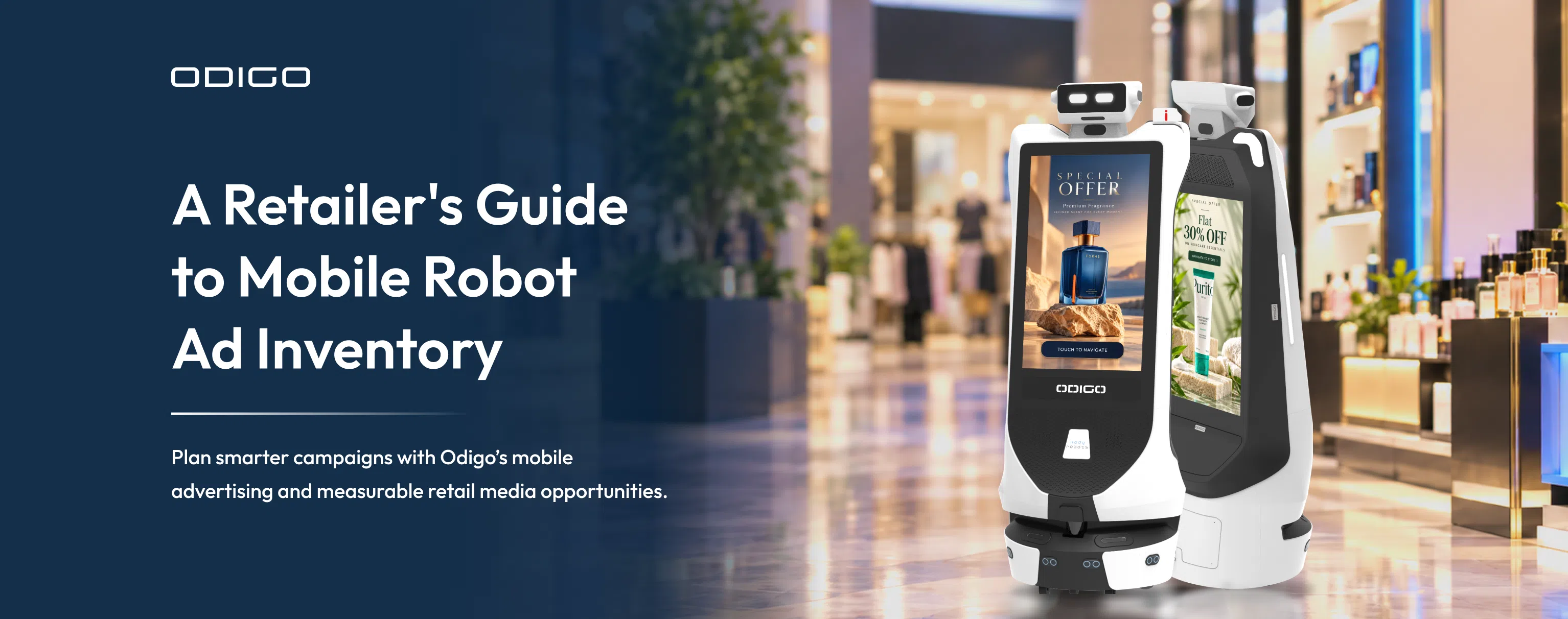

Quick Summary: Retail media inventory gives retailers new opportunities to sell in-store advertising to brands. Odigo adds a mobile advertising channel that can deliver campaigns across store zones and dayparts, creating inventory beyond fixed digital screens. This guide explains how to define robot ad inventory, package placements for advertisers, measure campaign delivery and shopper interactions, and evaluate inventory utilization and revenue potential. It also shows how to distinguish ad plays from verified impressions and sales outcomes, helping retailers build credible campaign reports, price advertising opportunities, and assess ROI using measurable results.
Key Takeaways
- Retailers can package robot ad inventory by store zone, available ad slots, and dayparts, giving brands clearly defined advertising opportunities with measurable delivery.
- Share of voice, category exclusivity, and daypart packages help retailers create distinct advertising offers for different brand objectives.
- Ad plays, impressions, shopper interactions, and sales outcomes measure different things. Understanding these differences helps advertisers evaluate campaign reports more accurately.
- Odigo can connect advertising with interactive shopper assistance and navigation, creating opportunities to link promotional messaging with relevant in-store actions.
- Retailers need to define inventory availability, delivery expectations, and measurement methods before pricing campaigns or promising returns. These foundations help media buyers assess the commercial value of mobile inventory.
How Retail Media Growth Is Creating New In-Store Advertising Opportunities
Retail media networks are competing for a larger share of brand advertising budgets, but growth brings a commercial challenge: retailers need retail media inventory that gives advertisers meaningful access to shoppers and offers a credible way to measure campaign delivery.
US retail media ad spending is forecast to reach $69.33 billion in 2026, up from $58.79 billion in 2025, according to emarketer’s retail media forecast. As retail media investment expands, retailers have an opportunity to develop differentiated in-store advertising formats that address specific brand objectives. (Source: Emarketer)
Physical stores have an important advantage: they bring shoppers and products together in the same environment. Yet the value of an in-store campaign depends on more than placing an advertisement on a screen. Location, timing, visibility, relevance, and the shopper’s next action all influence what an advertiser can achieve.
Odigo gives retailers a mobile advertising channel they can package around store zones, dayparts, and available ad slots. Unlike fixed screens tied to one location, robot placements can reach different store areas along approved routes, subject to operating hours and campaign schedules. Its mobile platform combines advertising screens, interactive touchpoints, autonomous navigation, and shopper assistance. For retailers, this creates opportunities to offer campaigns around store zones, dayparts, share of voice, and shopper actions.
For media buyers, the important question is how to plan, buy, and measure this inventory alongside existing retail media formats.
Robot operating hours, approved navigation routes, and store activity all influence available advertising inventory. Read why supermarkets deploy robots to understand the operational considerations behind autonomous in-store deployments.
What Is Retail Media Inventory?
Retail media inventory is the set of advertising opportunities a retailer makes available to brands across its physical and digital properties. It can include sponsored product placements, website ads, in-store screens, digital endcaps, audio, and other placements within a retail environment.
Each inventory type offers a different combination of audience access, context, timing, and measurement. Retailers need consistent definitions for formats, store zones, and campaign delivery to make inventory easier to compare and buy.
Retail media inventory in advertising robot
Retail media inventory for an advertising robot can be defined by store zone, daypart, available ad slots, and approved robot routes, determining which placements retailers can offer advertisers and when those placements are available. With Odigo, retailers can plan which creative runs, where the robot operates, when campaigns are scheduled, and how each placement fits into the wider in-store media plan.
This matters because a media buyer does not purchase mobility for its own sake. They purchase access to a relevant audience, a suitable advertising context, and a delivery plan they can evaluate.
Odigo can support several campaign objectives:
- Brand awareness: Present creative in selected store areas during scheduled periods.
- Product promotion: Connect product messaging with relevant departments or shopping occasions.
- Shopper assistance: Combine advertising with interactive information and digital wayfinding.
- Store-direct action: Help shoppers locate a promoted product, department, or destination.
- Retailer monetization: Package inventory for brand-funded campaigns, subject to the retailer’s commercial model.
For example, a retailer could package a weekend campaign for a grocery brand across selected high-traffic store zones, with a defined number of ad slots per day and reporting on ad plays, campaign delivery, and shopper interactions. This gives media buyers a specific inventory offer with clear placement details, scheduled delivery, and measurable metrics to evaluate before committing their budget.
How Mobile Robot Ad Inventory Differs from Fixed Screens
Fixed screens provide predictable placements in established locations. Their value often depends on the surrounding foot traffic, viewing conditions, screen position, and duration of exposure.
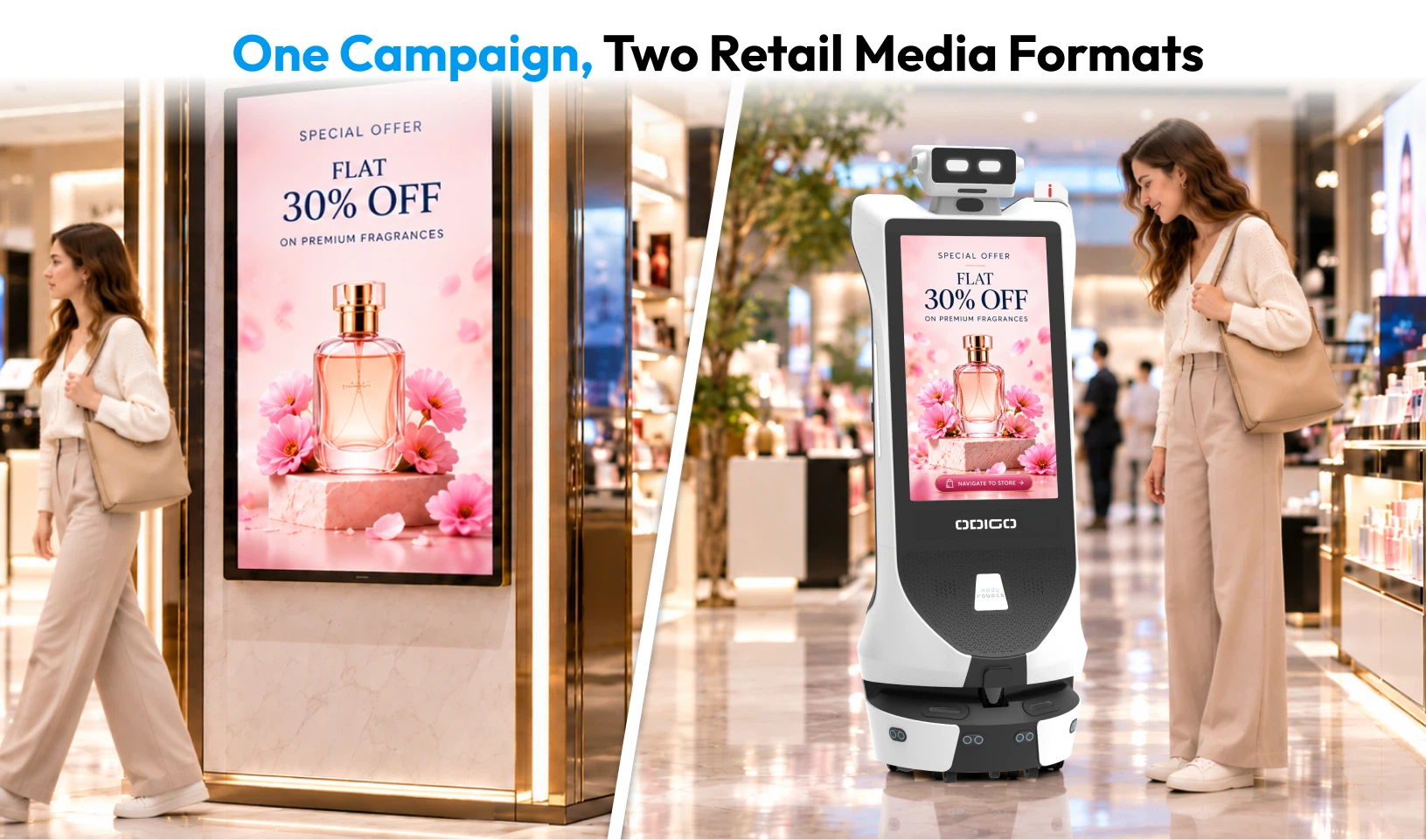
Odigo adds mobility to this media mix. Its route and operating schedule can create opportunities to present advertising in more than one store zone. The screen can also support interactive content and navigation, connecting a media placement with a useful shopper action.
A fixed-screen package might sell a 15-second slot on a specific screen. A mobile inventory package could define a set number of ad plays during agreed operating hours, with reporting on actual delivery and supported engagement metrics.
| Planning factor | Fixed in-store screens | Odigo mobile inventory |
| Placement | A defined screen location | Planned operating areas and routes |
| Scheduling | Screen-specific time slots | Campaigns planned by time and operating zone |
| Creative | Video or static screen content, depending on format | Advertising content with potential interactive touchpoints |
| Shopper action | Depends on the placement and campaign | Can connect advertising with supported navigation or information requests |
| Delivery considerations | Screen uptime and playback | Screen playback, operating availability, route coverage, and playback location |
| Measurement needs | Proof of play and suitable audience metrics | Proof of play, location and operating data, engagement, and validated audience metrics |
These differences shape the inventory retailers can sell and the evidence they can provide to media buyers. Fixed screens offer defined placements and playback schedules, while Odigo can support packages that combine eligible routes, operating windows, ad slots, and supported interactive features. Retailers should specify delivery commitments and reporting metrics in each package so advertisers can evaluate what they are buying.
Mobility does not automatically guarantee greater reach or attention. Retailers should validate route performance, screen visibility, operating availability, and campaign reporting during a pilot before assigning a premium to mobile placements.
What Can Advertisers Buy?
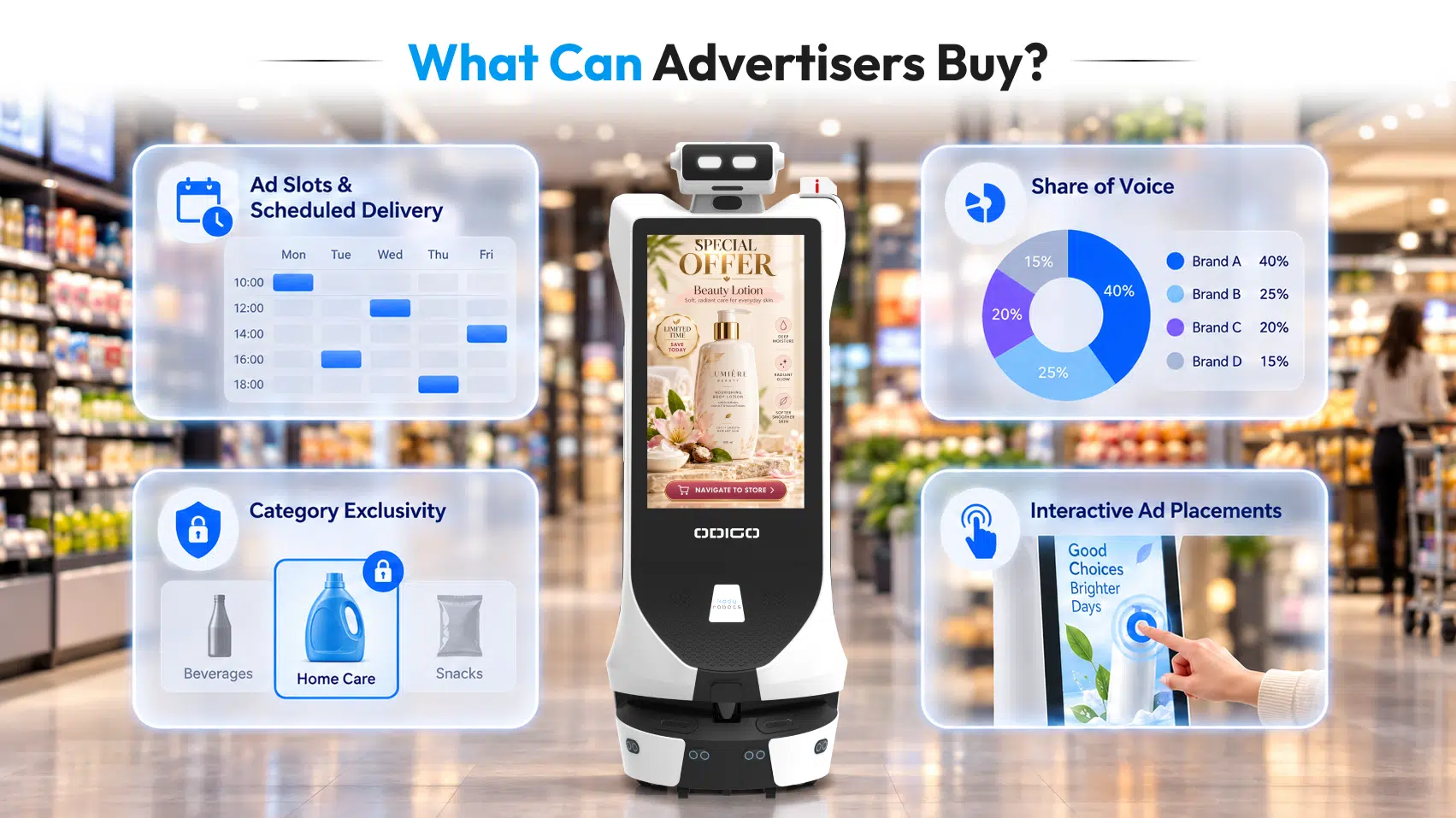
A retailer needs a clear inventory catalogue before selling mobile advertising at scale. Odigo robot assistant can be incorporated into packages built around four commercial dimensions. Each gives advertisers a distinct buying option: guaranteed delivery, greater presence, protection from competitors, or a measurable shopper action.
1. Ad slots and scheduled delivery
What the advertiser buys: a committed volume of plays.
The advertiser pays for scheduled plays within a limited campaign, which makes this the most predictable entry point. A personal-care brand, for example, might book afternoon and evening placements in selected stores. The media plan should specify the expected number of plays, the operating window, and how missed delivery will be reported.
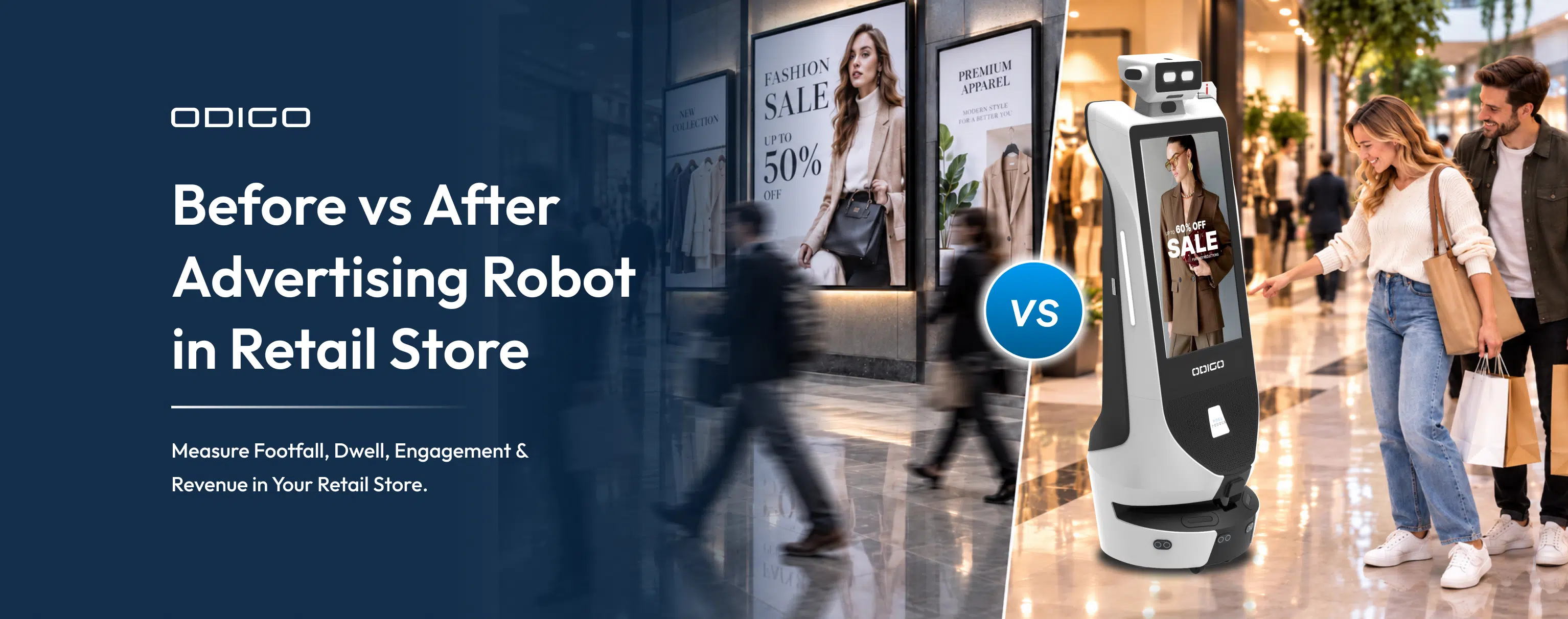
A booked slot confirms when an advertisement is scheduled to play, not whether shoppers viewed it. A before vs after advertising robot in retail comparison can help retailers evaluate how mobile and fixed-screen formats differ in campaign delivery and shopper engagement.
2. Share of voice
What the advertiser buys: weight within the rotation.
A scheduled slot secures plays, while share of voice secures a larger proportion of them. A brand that negotiates a higher share of eligible plays gains greater presence than competitors in the same inventory pool. Packages are comparable only if the seller defines the denominator: all eligible plays, all scheduled plays, or another specified set. Share should also be scoped by location and time, since a brand’s share on one floor during the evening may differ from its share across the full store day.
3. Category exclusivity
What the advertiser buys: the absence of competitors.
Instead of more plays, the advertiser pays to keep rival brands out of an agreed scope. A beverage brand, for example, could hold exclusive category presence during a weekend campaign. The agreement should define the category, locations, dates, dayparts, and whether exclusivity covers all eligible inventory or only specified placements. This prevents conflict with other campaign packages.
4. Interactive ad placements
What the advertiser buys: a shopper action, not just playback.
The advertiser pays for a placement that invites a response, such as requesting directions to a product area, where the deployed configuration supports it. Because the value lies in the action, each placement needs its own specification of the shopper action and how the retailer reports it. The retailer should report the interaction separately from the ad play and distinguish a tap or navigation request from a completed visit or purchase.
Where Can Mobile Robot Ads Run?
Mobile robot advertising inventory should be defined by placements that meet clear operational and campaign-delivery requirements. Before including a location in a paid campaign, retailers should assess route access, screen visibility, operating availability, and whether ad delivery can be verified. These checks determine which placements can be sold as part of a reliable advertising package.
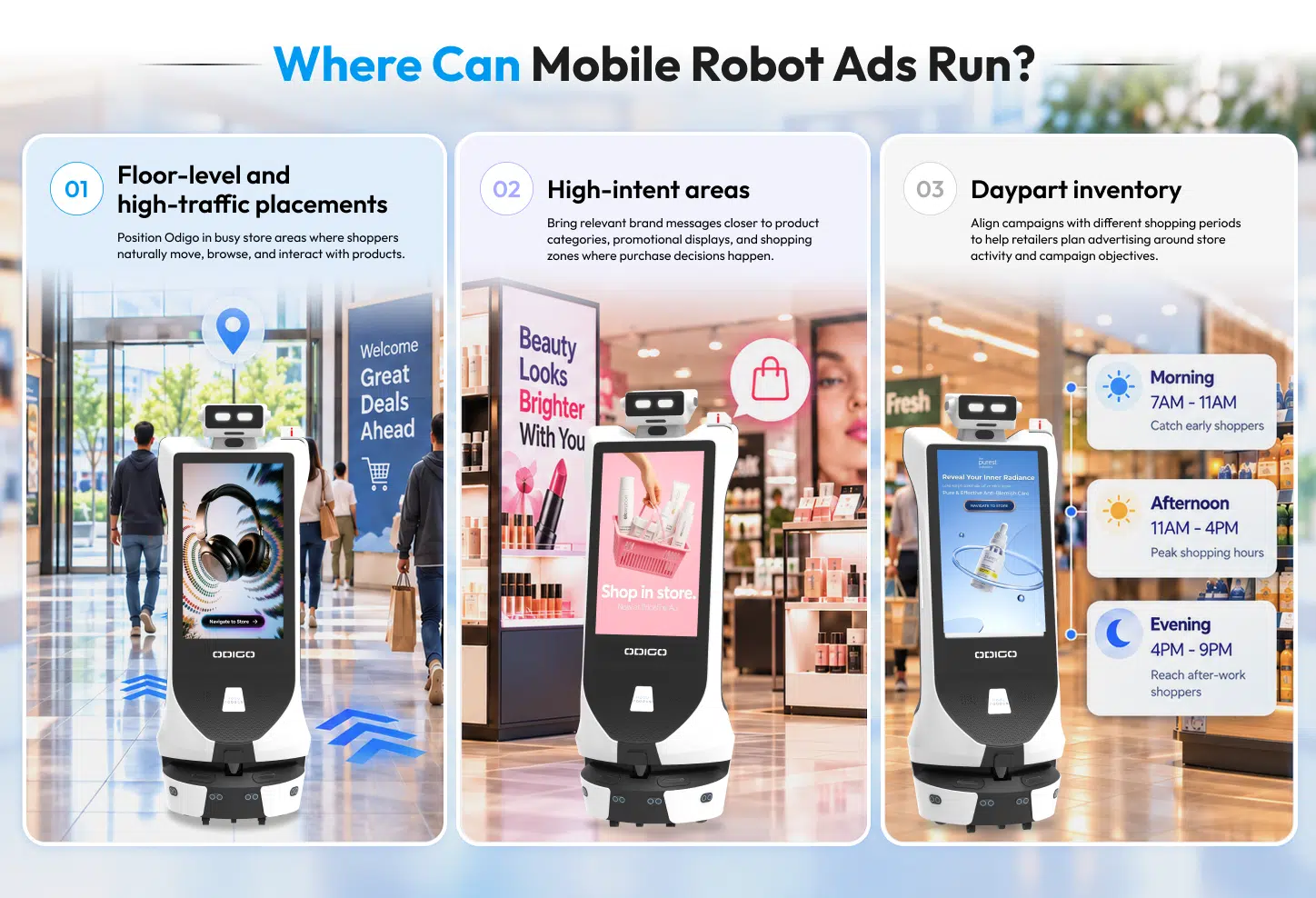
Floor-Level and High-Traffic Placements
Entrances, main walkways, and connecting routes can offer broad campaign visibility when the robot can navigate these areas safely and the screen remains visible under normal store conditions. Retailers should check for aisle obstructions, congestion, and route restrictions before approving a placement. Locations that fail these checks should be excluded from guaranteed inventory until the issues are resolved.
High-Intent Areas
Product departments and shopping zones can support contextually relevant promotions when the robot can access the area safely and shoppers have a clear view of the screen. Retailers should confirm that the approved route covers the intended zone and that campaign delivery can be verified there. Only placements that meet these requirements should be included in a paid package for that location.
Daypart Inventory
Retailers can define advertising inventory by time window, such as lunch periods, evenings, or weekends. Each daypart should reflect the robot’s actual operating schedule, route availability, and the retailer’s ability to verify campaign delivery during that period. If a route becomes unavailable or a placement cannot be verified, it should not be sold as guaranteed inventory for that time slot.
Qualifying Inventory for Sale
A placement should be included in an advertising package only when it meets all four criteria:
- Route access: The robot can safely and reliably operate in the intended area.
- Screen visibility: Shoppers can see the display under normal store conditions.
- Operating availability: The robot and approved route are available during the contracted campaign window.
- Verifiable delivery: The retailer can confirm campaign delivery using the available reporting data.
These criteria help retailers distinguish between a potential advertising location and a saleable placement. They can then package qualified inventory by store zone and daypart, define available ad slots, and specify the delivery metrics advertisers will receive. Locations that cannot meet the agreed requirements should remain outside guaranteed inventory until they qualify.
How Advertisers Can Target Mobile Robot Inventory
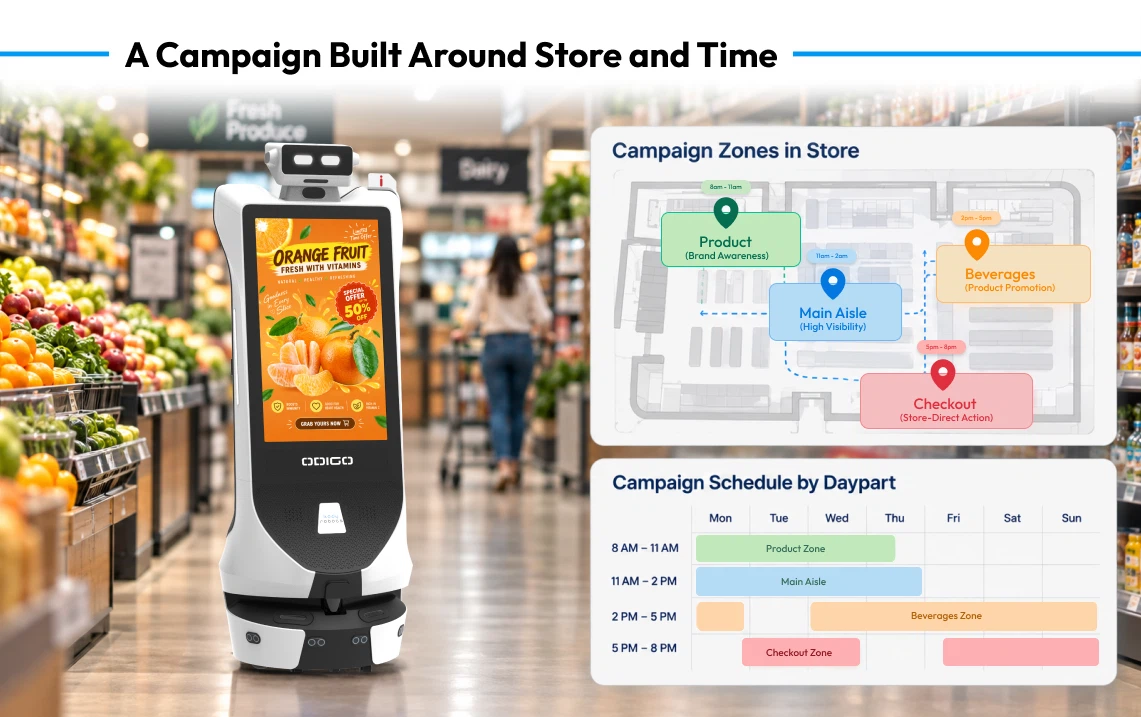
Retailers can make mobile robot inventory easier to buy by allowing advertisers to select placements across three dimensions: location, timing, and campaign objective.
By location: Advertisers can select participating stores, floors, or eligible zones. These options support regional promotions, store-specific launches, and campaigns focused on relevant shopping environments.
By time: Advertisers can select dayparts, campaign dates, and durations. Each option should specify the robot’s operating window, available ad slots, and any restrictions that could affect delivery.
By campaign objective: Retailers can build packages around brand awareness, product promotion, category presence, or shopper action. Each objective needs a corresponding reporting plan. Awareness campaigns may focus on verified ad delivery and audience estimates where available, while navigation campaigns may also include interaction and navigation completion data when supported.
Example: Building a Campaign Package
Consider a consumer packaged goods (CPG) brand launching a new body wash. The media buyer could select participating supermarkets, choose approved routes near personal care departments, and schedule the campaign for weekend shopping hours. The retailer could then offer a defined number of ad slots within those locations and time windows, with a specified campaign duration and agreed delivery targets.
The reporting plan would outline how scheduled ad plays and delivered ads are verified, alongside available shopper interaction metrics. If supported by the robot’s configuration, the package could also include interactive navigation to help shoppers locate the product. This gives the media buyer a concrete offer to evaluate against the campaign objective, available inventory, and reporting requirements.
By connecting location, timing, and campaign objective, retailers can turn available robot placements into defined media packages with clear delivery expectations. Placements that cannot meet the required route, visibility, availability, or reporting conditions should be excluded from guaranteed inventory.
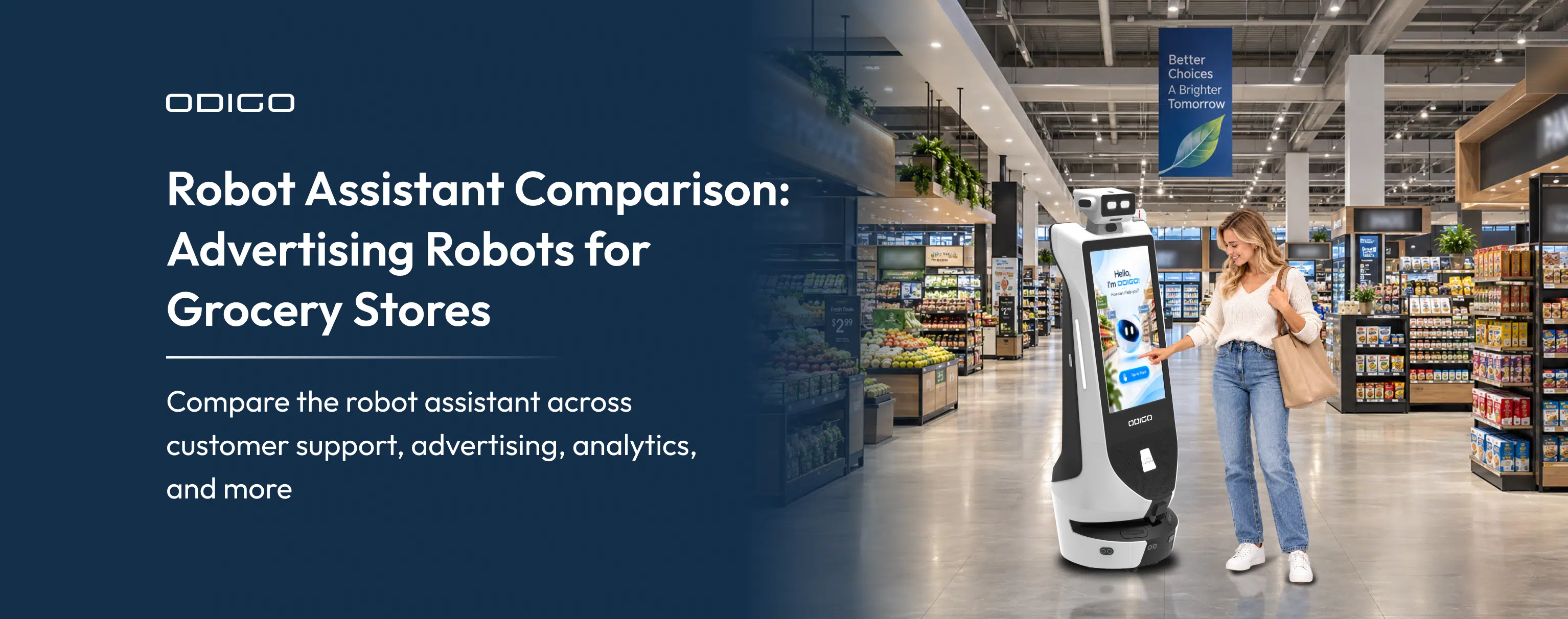
Retailers evaluating different in-store robot applications can also refer to the Robot Assistant Comparison to understand how advertising and shopper-assistance capabilities serve different business objectives.
How Mobile Robot Ad Inventory Is Measured
Measurement is central to making mobile inventory credible to retail media buyers. Retailers need consistent reporting that distinguishes campaign delivery, audience exposure, shopper engagement, and operational availability.
For Odigo, a useful reporting framework separates four layers.
Ad delivery
Report scheduled plays, delivered plays, campaign duration, participating units, operating availability, and delivery by location or daypart. Proof-of-play records can confirm that creative ran according to the system’s reporting capabilities.
Audience exposure
An ad play is evidence of playback, not proof of an impression. An impression requires a defined methodology for estimating or verifying that an advertisement had an opportunity to be seen.
Retailers should disclose whether audience estimates come from footfall data, a third-party measurement provider, an approved audience model, or another source. They should also document assumptions and avoid presenting estimated exposure as verified viewing.
Shopper engagement and actions
Interactive metrics may include screen taps, information requests, navigation requests, and completed navigation sessions, where available. QR scans or redemptions can be included when the campaign supports them.
Each measure answers a different question. A tap indicates an interaction. A navigation request indicates intent to find a destination. A completed navigation session indicates that the supported journey reached its recorded endpoint. None of these alone proves an incremental sale.
Operating coverage
Mobile inventory also needs operational reporting. Runtime, active hours, route coverage, location availability, and downtime help media buyers understand how much inventory could be delivered.
A campaign report should therefore show both media delivery and operating context. If a unit was unavailable during a booked period, the report should explain the effect on delivery and any agreed make-good.
Odigo in Practice: Turning Operational Data into Media Insights
A deployment report can demonstrate how a mobile platform operates and how retailers might develop an inventory strategy. It should not be treated as proof of advertising impressions or sales impact unless the relevant measurement has been completed.
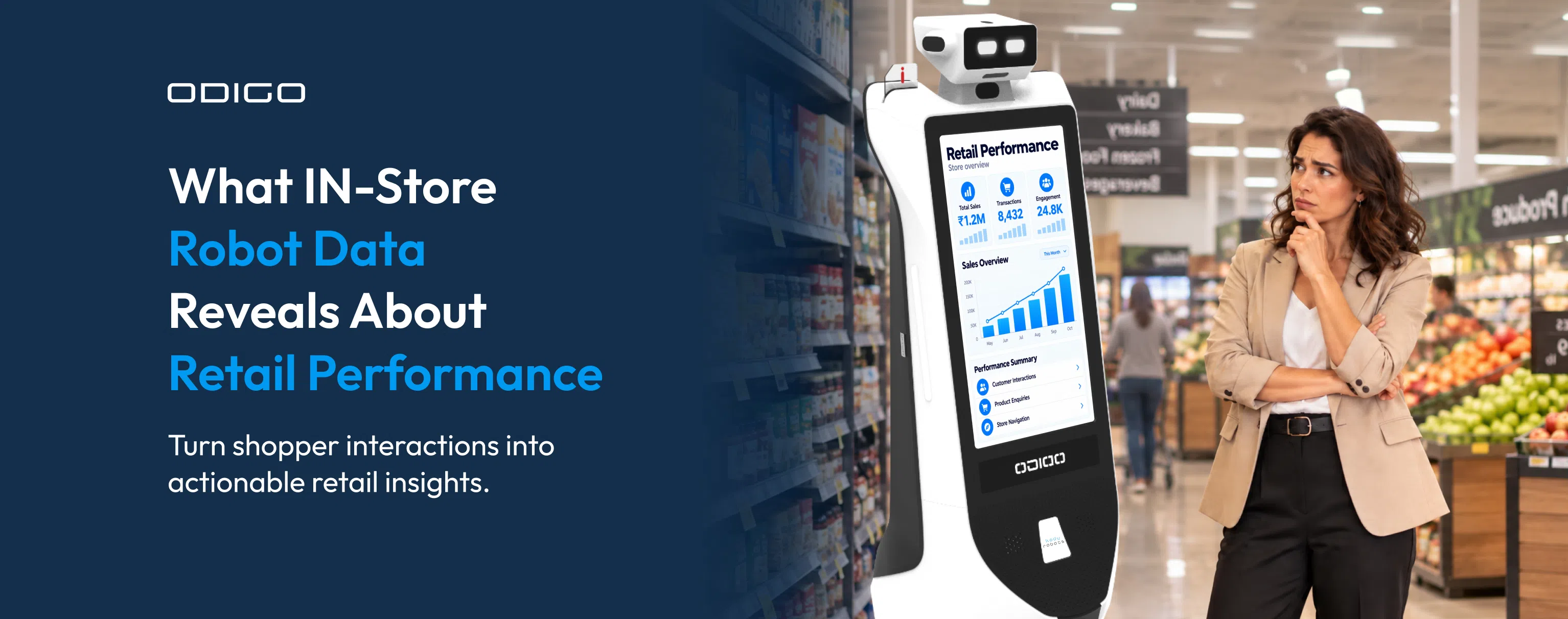
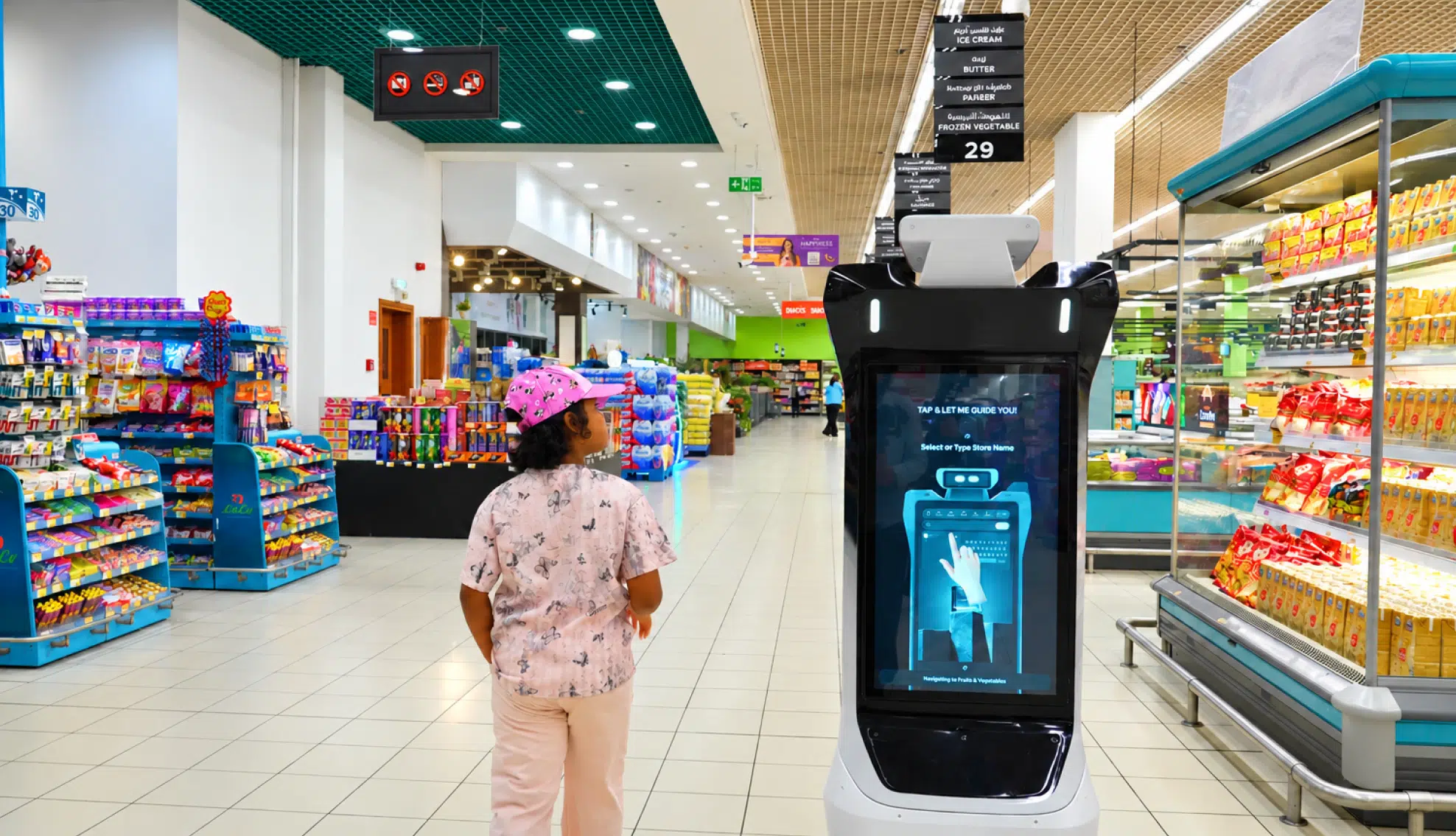
For example, operational reporting from an Odigo deployment at a LuLu mall Thiruvananthapuram recorded 313,875 ad plays and 47,350 shopper interactions over a 61-day period, alongside 6,050 navigation requests. The report also tracked activity by floor and differences between weekday and weekend performance.
How Retailers Can Use Operational Data for Media Planning
First, delivery and engagement should remain separate. Ad plays show creative playback, while interactions show recorded shopper activity. Their relationship can inform further analysis, but dividing interactions by ad plays does not automatically produce an advertising engagement rate because the two measures may not represent the same population or exposure opportunity.
Second, location and timing can inform inventory design. Floor-level and daypart reporting can help a retailer identify where activity concentrates and test whether particular packages merit different pricing. The retailer should validate these patterns across suitable periods before treating them as stable demand.
Third, operational data can improve campaign planning. Runtime and route information help sellers understand the conditions under which inventory is available. Combining these records with a clear playback log gives advertisers a more useful account of campaign delivery.
The figures above are operational deployment data, not verified impressions, audience reach, or incremental sales.
How Retailers Can Monetize Robot Ad Inventory
Once inventory is defined and reporting is consistent, retailers can test commercial packages that reflect different advertiser needs.
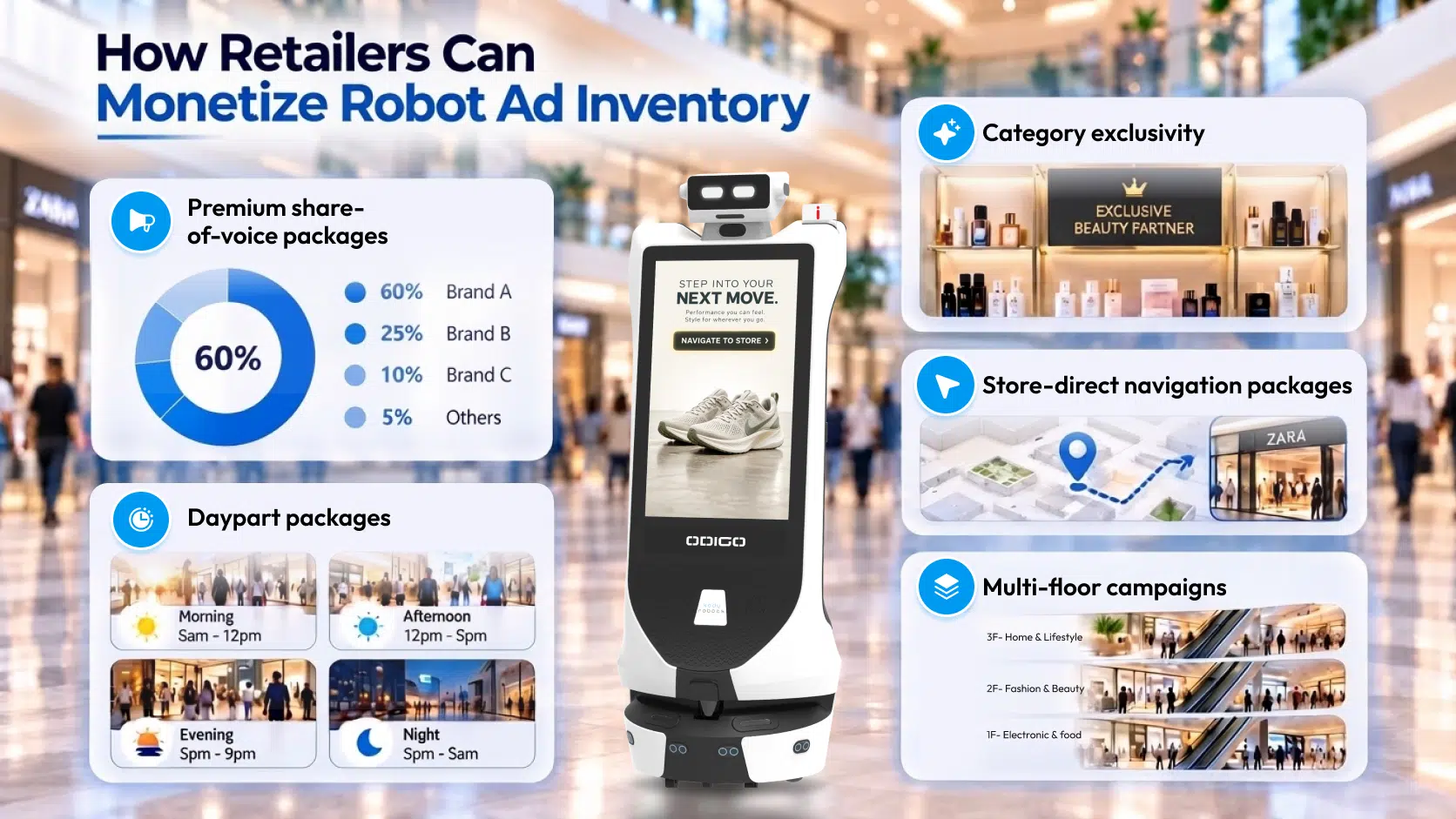
Premium share-of-voice packages
Reserve a larger proportion of eligible plays for a brand during a specified period.
Category exclusivity
Offer a defined product category to one advertiser within agreed locations and dates.
Daypart packages
Build campaigns around selected shopping periods, with delivery expectations tied to operating hours.
Store-direct navigation packages
Pair promotional content with supported navigation to a relevant department or destination.
Multi-floor campaigns
Coordinate campaign delivery across approved floors or zones, with reporting broken out by location.
The retailer should document what each package includes, what counts as delivery, which metrics appear in the campaign report, and what happens when scheduled inventory is unavailable. Pricing can then reflect the value of the defined package rather than an unsupported promise of impressions.
How to Calculate ROI From Robot Ad Inventory
Retailers should separate inventory revenue from advertiser campaign return. They answer different commercial questions.
Calculate available inventory
Start with the eligible operating time, planned ad duration, rotation rules, and expected operational availability. Estimate the number of schedulable plays, then apply a realistic allowance for maintenance, downtime, route restrictions, and other delivery constraints.
Calculate revenue from sold inventory
Multiply the number of sellable packages by the price of each package. Deduct discounts, agency fees, operating costs, and any revenue share due under the retailer’s commercial agreement to estimate the retailer’s contribution.
Measure advertiser ROI
Advertiser ROI requires campaign costs and a defensible measure of incremental value. Depending on the campaign objective, this may involve controlled sales analysis, redemption data, or another agreed attribution method.
Playback volume and interaction counts can inform evaluation, but neither establishes incremental sales on its own. A sound pilot should agree on the measurement method before launch, define success criteria, and report limitations alongside results.
Where Mobile Inventory Fits in Retail Media
Odigo should sit within a retailer’s wider in-store media strategy. Fixed screens can provide dependable placements in specific locations, while mobile inventory can add planned movement, interactive touchpoints, and opportunities to connect advertising with shopper assistance.
Retailers can test the formats against different objectives, then assess which combinations deliver the strongest evidence for advertisers. The key is to standardize campaign definitions, make inventory availability transparent, and use comparable reporting wherever possible.
For media buyers, this creates a clearer way to evaluate mobile inventory alongside other retail advertising formats. For retailers, it provides a practical foundation for packaging and selling a new media opportunity.
Build a More Measurable In-Store Media Offering
Retail media inventory becomes commercially valuable when advertisers understand what they are buying, where campaigns can run, how delivery is verified, and which outcomes can be measured.
Odigo gives retailers another format to consider: mobile, screen-based advertising that can combine scheduled creative with interactive shopper assistance and navigation. Its value will depend on the quality of the inventory plan, the operating conditions, and the measurement standard behind each campaign.
For retailers evaluating an advertising robot for retail industry, the next step is to define a pilot around a specific campaign objective, establish delivery and measurement rules, and use the results to determine how mobile inventory fits the broader media network.
Explore how Kody Robots approaches retail automation and see how the retail store robot can support in-store advertising and shopper assistance.
Retail Media Inventory: General FAQs
Find answers to common questions about retail media inventory, mobile robot advertising, and Odigo’s in-store capabilities. Learn how retailers can plan campaigns, structure ad placements, measure delivery, and evaluate ROI.
1. What is retail media inventory?
Retail media inventory refers to advertising opportunities retailers offer brands across physical stores and digital channels, including in-store screens, sponsored placements, and mobile advertising. For a related overview, see what is an advertising robot.
2. What is a robot ad inventory?
Robot ad inventory refers to advertising placements delivered through mobile platforms that can display campaign content across planned store locations and operating periods.
3. How does mobile advertising differ from fixed in-store screens?
Fixed screens advertise from established locations, while mobile platforms such as Odigo can operate across planned routes and store zones, creating additional placement opportunities. See this robot assistant comparison for a format comparison.
4. What is the difference between ad plays and impressions?
An ad play records that advertising content ran. An impression requires a defined methodology to estimate or verify an advertising exposure opportunity.
5. How can retailers use in-store media inventory to promote products?
Retailers can use in-store media inventory for product launches, seasonal promotions, brand awareness, and location-specific campaigns aligned with shopping occasions.
6. How does Odigo support retail media advertising?
Odigo combines advertising screens, interactive touchpoints, autonomous navigation, and shopper assistance to support campaigns across planned store areas and operating periods. Retailers can also review best advertising robots for US supermarket for related context.
7. Can Odigo connect advertising with shopper navigation?
Yes. Depending on the deployment, Odigo can pair promotional content with interactive navigation that helps shoppers locate relevant store areas or destinations.
8. What types of campaigns can be run on Odigo?
Odigo built by Kody Robots can support brand promotions, scheduled advertising, share-of-voice campaigns, and interactive experiences, depending on the campaign setup and deployed capabilities.
9. How can retailers generate revenue from robot ad inventory?
Retailers can package robot ad inventory into scheduled ad slots, share-of-voice packages, category exclusivity, daypart campaigns, and multi-location placements.
10. How is retail advertising inventory priced?
Pricing can depend on campaign duration, location, scheduled delivery, share of voice, category exclusivity, and inventory availability. Each package should have clear delivery terms.
11. How can advertisers measure ROI from mobile retail media inventory?
Advertisers should compare campaign costs with measurable outcomes tied to their objectives. Ad plays and interactions help assess delivery and engagement, while incremental sales require an appropriate measurement method.