
Quick Summary: In-store robot data collection helps retailers understand advertising delivery, shopper assistance demand, and store operations. However, operational metrics alone cannot prove unique audience reach or incremental sales. Learn how to interpret Odigo’s data, identify meaningful usage patterns, and combine robot reports with audience measurements, POS transactions, and pre-deployment baselines to assess advertising effectiveness and ROI. The guide also explains key retail data privacy considerations and how to distinguish measurable activity from verified business outcomes.
Key Takeaways
- Advertising plays and verified impressions measure different things, and confusing them can undermine retail media reporting.
- Navigation requests can reveal shopper assistance demand across store locations and shopping periods, helping you identify where further investigation is needed.
- Operational data can highlight usage patterns, but it cannot independently establish unique audience reach, completed shopping journeys, or incremental sales.
- Retailers should verify data processing, storage, access, and privacy controls against the actual robot configuration and applicable requirements.
- Floor-level and time-based reporting can help teams assess placement, operating schedules, and deployment coverage.
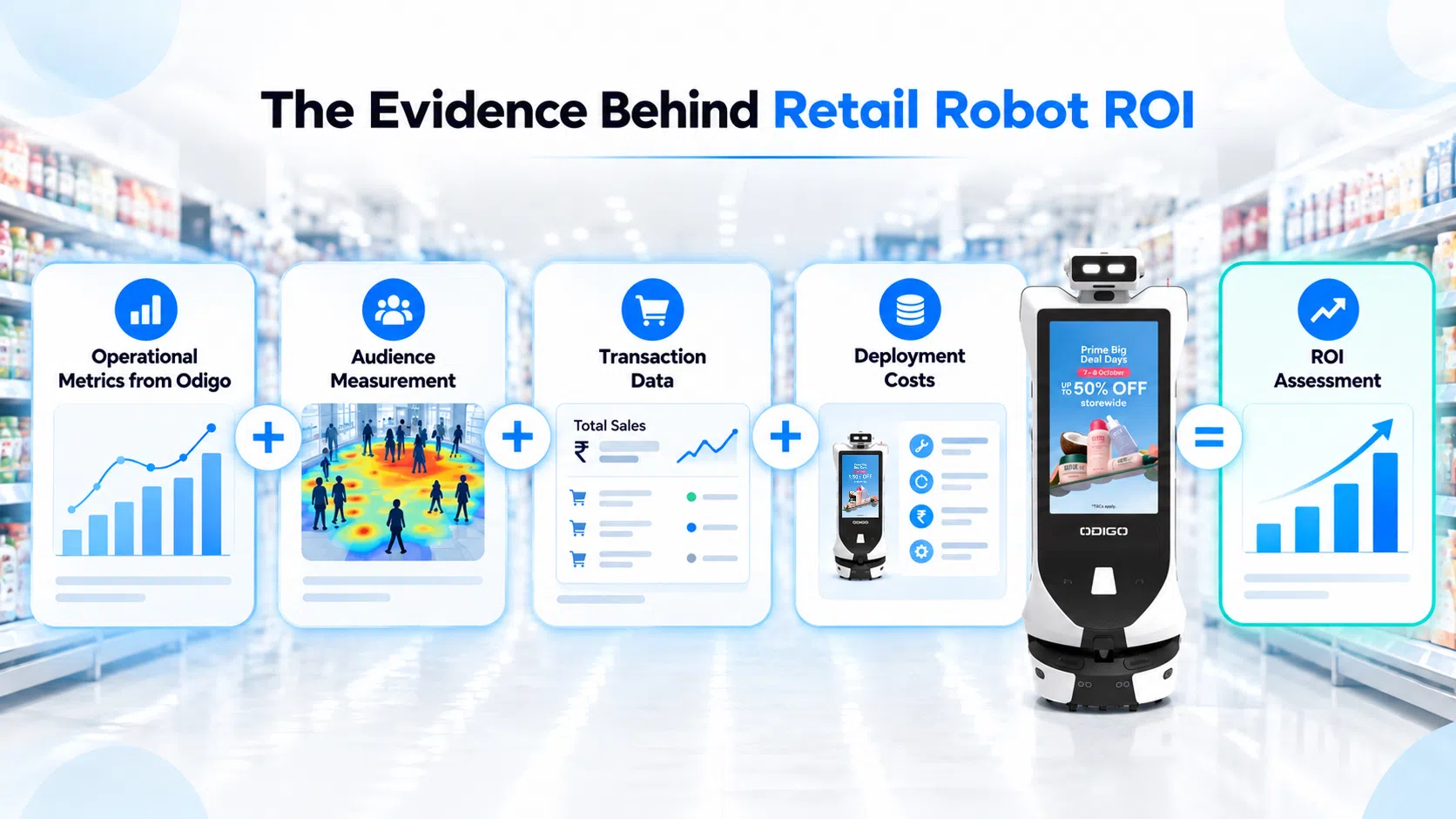
- A credible ROI assessment requires operational metrics, appropriate audience measurement, transaction data, a baseline, and total deployment costs.
- Defining business objectives and measurement methods before deployment helps you evaluate performance against meaningful outcomes.
In-store robot data collection can help retailers understand how shoppers interact with digital displays, request assistance, and use in-store navigation. For retail operations and media teams, the value lies in knowing what these numbers reveal, how they can guide decisions, and where further measurement is needed.
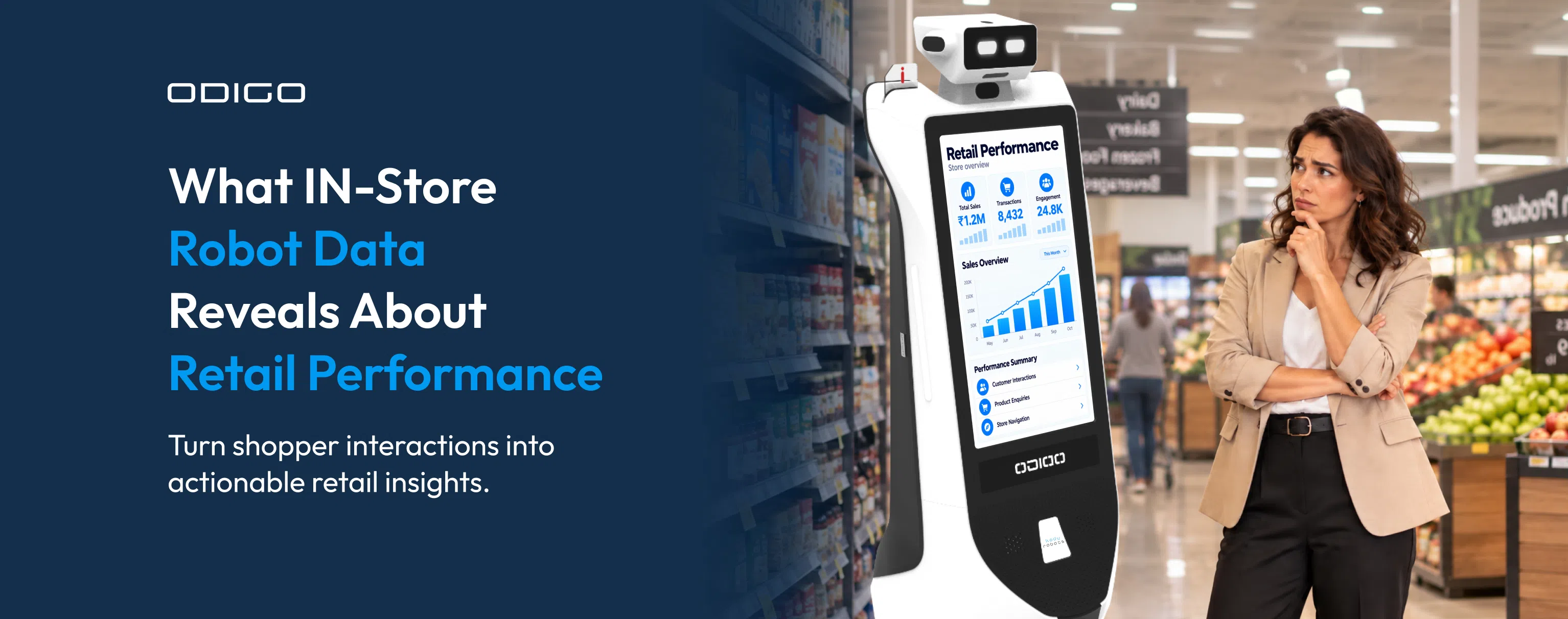
Odigo, an robot assistant from Kody Robots, combines mobile advertising with interactive shopper assistance. Its operational data can help retailers examine advertising playback, screen interactions, navigation requests, operating time, and activity across different store areas.
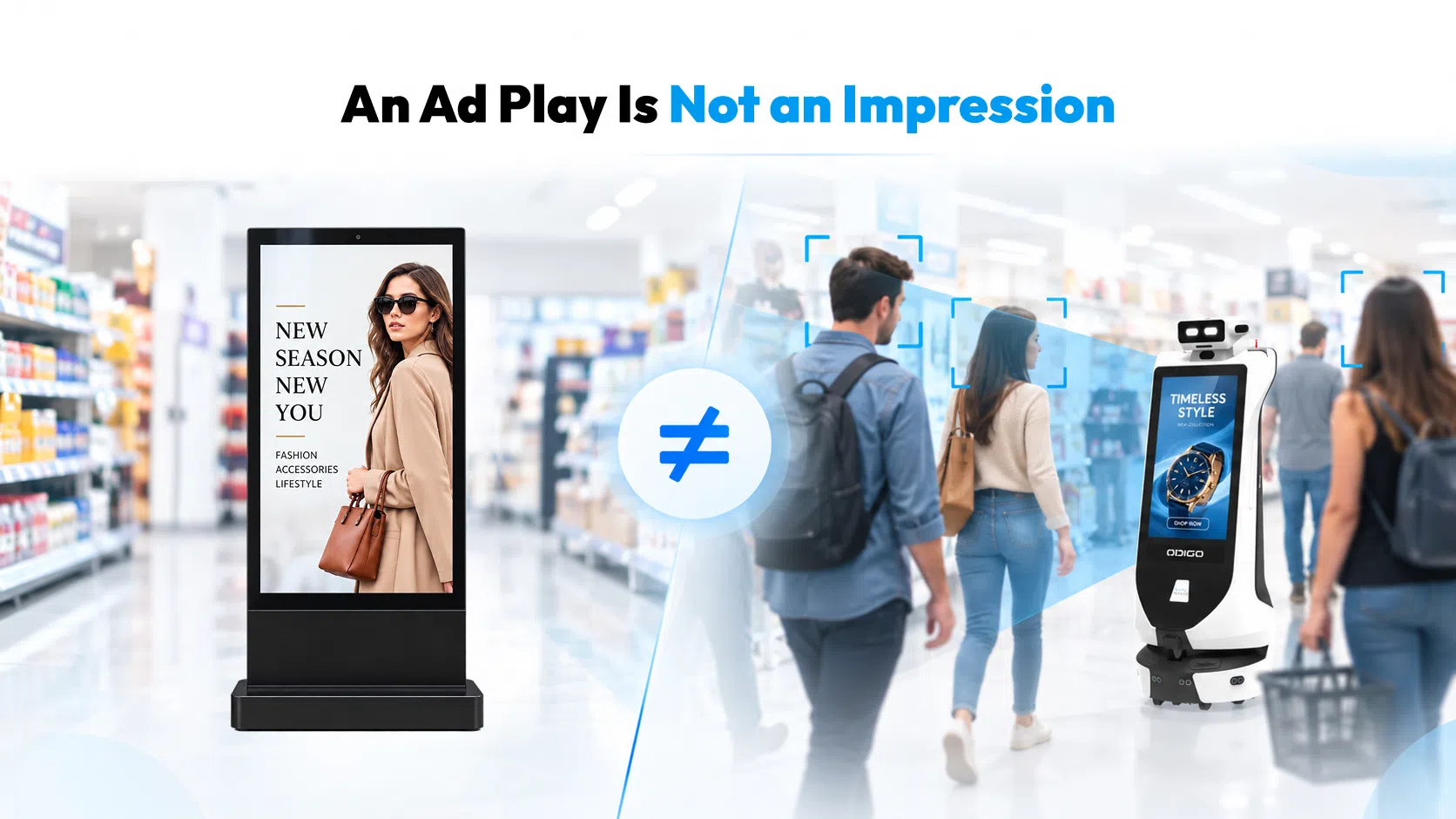
Measurement matters as much as data collection. The Interactive Advertising Bureau’s Digital Out-of-Home (DOOH) Measurement Guide highlights the importance of consistent measurement methods across digital out-of-home advertising. The same principle applies when retailers evaluate mobile advertising: an ad play, a shopper interaction, and a verified advertising impression represent different things. (Source: IAB)
Understanding that distinction helps retailers make better use of in-store analytics, set realistic expectations, and build a measurement plan around their business goals.
What Is In-Store Robot Data Collection?
In-store robot data collection refers to information recorded or generated through a robot’s operation in a retail environment. The specific information depends on the robot’s functions, software, configuration, and reporting capabilities.
For Odigo, the available deployment reports document several operational measures:
- Advertising plays
- Shopper interactions
- Navigation requests
- Runtime and distance traveled
- Activity by floor and reporting period, where available
Each measure serves a different purpose. Advertising plays document reported content-delivery activity. Shopper interactions indicate recorded engagement with the robot’s functions. Navigation requests show demand for directions. Runtime and distance traveled help teams review deployment activities.
These measures can support operational analysis, but they should not automatically be treated as storewide audience analytics. In particular, store traffic counting requires a defined counting method and appropriate evidence of what is being counted. Robot interaction totals alone do not establish total store foot traffic, or the number of unique shoppers encountered.
Retailers should begin by requesting a data dictionary that explains every reported field, its definition, and the method used to record it.
What Data Does the Odigo Robot Collect?
The Odigo deployment reports reviewed for this article provide evidence of operational activity across advertising, shopper interactions, navigation, and robot movement. The exact fields available may vary by deployment and reporting configuration.
1. Shopper interactions and screen activity
Shopper interaction figures record activity involving the robot’s interactive functions, as defined by the reporting system. These figures can help teams understand how frequently shoppers engage with available experiences.
Screen activity provides a separate view of advertising delivery. Campaign reports may record how often content plays during a reporting period.
Retailers should confirm which actions count as an interaction, whether repeat actions are counted separately, and how the system handles incomplete or interrupted activity. Those definitions affect how results should be interpreted and compared.
2. Navigation requests and destination demand
Navigation requests indicate recorded demand for directions or guided assistance. Where destination-level reporting is available, retailers may be able to identify frequently requested locations.
For a supermarket, this information could help teams investigate demand for departments, service counters, or other destinations. A big-box retailer might use destination patterns to review wayfinding information or assess whether certain areas need clearer directions.
A request does not necessarily confirm that the shopper reached the destination. Retailers should verify whether the report records a request, a navigation session, or a completed journey before using the figure as a performance measure.
3. Advertising plays and campaign delivery
Advertising-play data helps document how often campaign content is played according to the reporting system. Retail media teams can use these records to review campaign activity and check delivery against the agreed schedule.
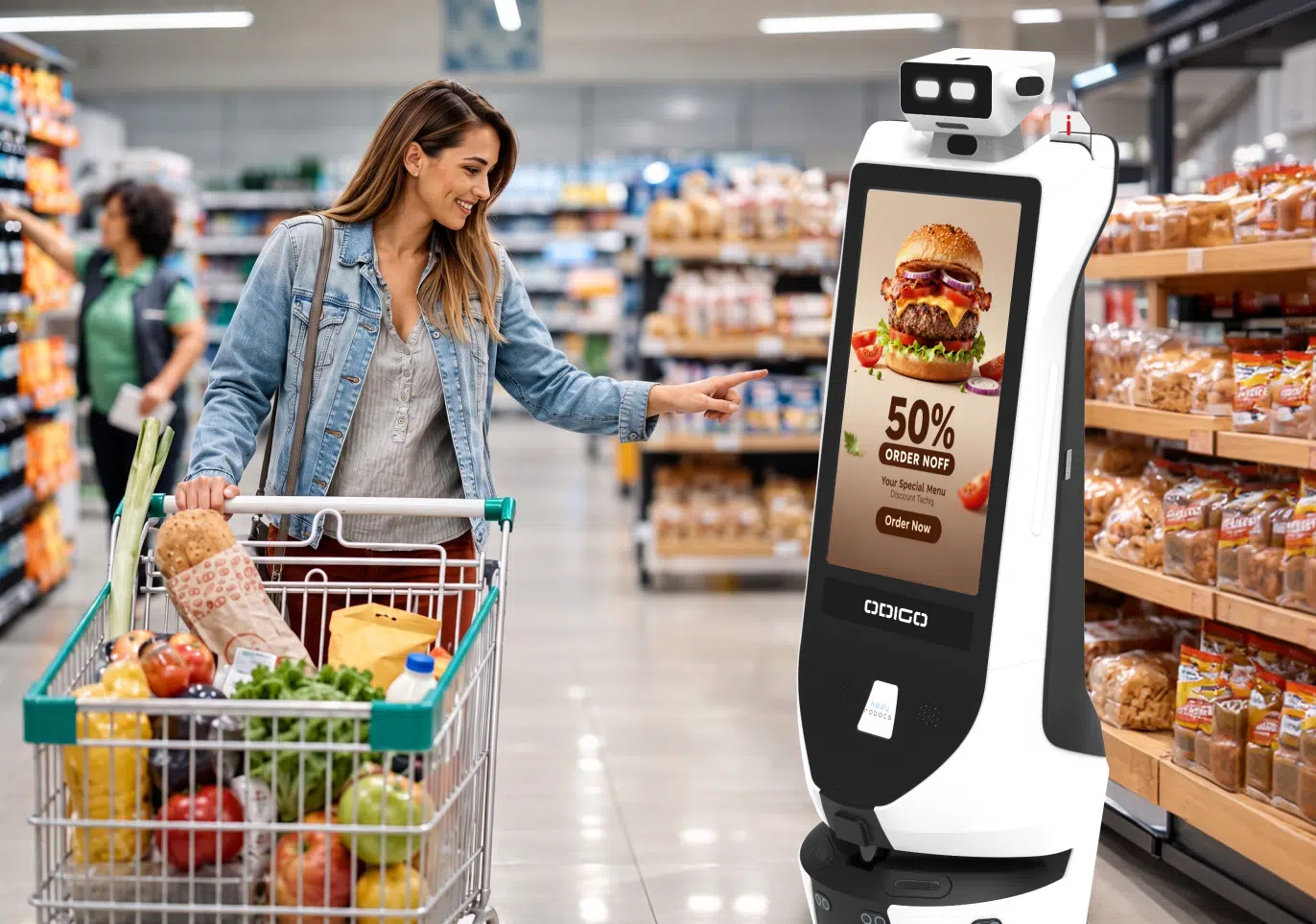
Understanding what is an advertising robot helps retailers assess the role of mobile advertising platforms in physical retail environments, where shoppers move, browse, and seek assistance. A mobile advertising platform introduces screen-based messaging into areas where shoppers move, browse, and seek assistance.
However, advertising plays, estimated impressions, verified impressions, and unique audience reach are different measures. Retailers should confirm which measures a report supports and which require an additional methodology. This distinction matters when reporting campaign performance to advertisers or using operational figures in media proposals.
4. Runtime, movement, and deployment coverage
Runtime records describe how long the robot operated during the reporting period. Distance traveled indicates recorded movement. When reports include floor or time-based breakdowns, teams can review where and when activity occurred.
These figures help operations teams assess deployment coverage and identify patterns that may warrant further investigation. For example, if robot usage consistently differs by floor, teams can compare operating schedules, placement, and shopper demand before adjusting deployment. The data highlights a pattern, but further investigation is needed to identify its cause.
Runtime and distance do not establish how many shoppers encountered the robot, how long they viewed its screen, or whether they noticed a campaign. Those questions require separate evidence.
What Data Does Odigo Not Collect or Measure?
The available deployment reports establish certain operational measures. They do not, on their own, demonstrate every audience, behavioral, or commercial outcome a retailer may want to measure.
The reviewed figures do not independently establish:
- The number of unique shoppers who saw an advertisement
- Verified advertising impressions or unique audience reach
- Total store foot traffic
- Individual shopper identities or personal profiles
- Individual shopper dwell time
- Completed store journeys following navigation requests
- Purchases or sales attributable to an advertisement
- Incremental revenue generated by a deployment
These are limitations of the available operational evidence, not a universal claim that every Odigo, Grocery Store Robot configuration lacks other capabilities. Retailers should obtain product-specific confirmation before making statements about additional functions or data practices.
The same principle applies to why retail robots fail. A deployment may produce useful operational records and still fall short of its business objectives if the retailer has not defined success, established a baseline, or agreed on how results will be measured.
How Should Retailers Interpret Odigo’s Data?
A metric is useful when its definition matches the question a retailer wants to answer. Before comparing stores, floors, or campaigns, teams should establish what each number represents.
| Reported metric | What it can indicate | What it cannot establish alone |
| Advertising plays | Recorded content-delivery activity | Verified impressions or sales |
| Shopper interactions | Recorded engagement with robot functions | Purchase intent or customer satisfaction |
| Navigation requests | Demand for directions | Completed journeys or store visits |
| Runtime | Recorded operating time | Audience exposure throughout that time |
| Distance traveled | Robot movement | Number of shoppers encountered |
| Floor-level activity | Differences in robot runtime, shopper interactions, or navigation requests between floors, based on the metrics reported | The cause of those differences |
A change in one metric may have several explanations. More interactions could reflect a change in placement, operating hours, store traffic, campaign content, or the availability of a particular function. The metric identifies a change in recorded activity, while additional evidence helps explain why it happened.
Consistent definitions are also important when comparing results across reporting periods. Retailers should document the measurement method, reporting window, deployment configuration, and any changes that could affect the figures.
What Should Retailers Know About Retail Data Privacy?
Retail data privacy requires a clear understanding of what a system processes, why the information is needed, how it is handled, and who can access it. Operational counts and privacy-sensitive information are separate categories.
The reviewed Odigo reports document activity metrics. They do not, by themselves, confirm whether a particular deployment processes images, audio, device identifiers, or other information associated with individuals. Those details must be verified against the actual product configuration and deployment documentation.
Retailers should ask the product team and relevant privacy, legal, and IT stakeholders to review the following:
Sensors and inputs
Which cameras, microphones, or other sensors are present, enabled, and used by the proposed configuration?
Purpose
What function does each input support, and what information is processed to provide that function?
Storage and retention
Is information stored, where is it stored, and how long is it retained?
Access and security
Which parties can access the information, and what safeguards apply?
Integrations
Does information pass to retailer systems or third-party service providers?
Notices and controls
What notices, permissions, or other controls may be required for the deployment?
Applicable requirements can vary by state, the type of information involved, the parties’ roles, and how the system is used. Retailers should assess relevant federal and state requirements with qualified counsel rather than assume one privacy rule covers every deployment.
A privacy review should distinguish between what a system can technically process, what it actually processes in a specific configuration, and what it retains. Each question needs a clear, documented answer.
How Can Retailers Use Odigo Data for In-Store Analytics?
In-store analytics is most useful when it helps a retailer answer a specific operational or commercial question. Odigo’s recorded activity can help teams identify patterns, review deployment performance, and determine where further investigation is needed.
Identify demand for shopper assistance
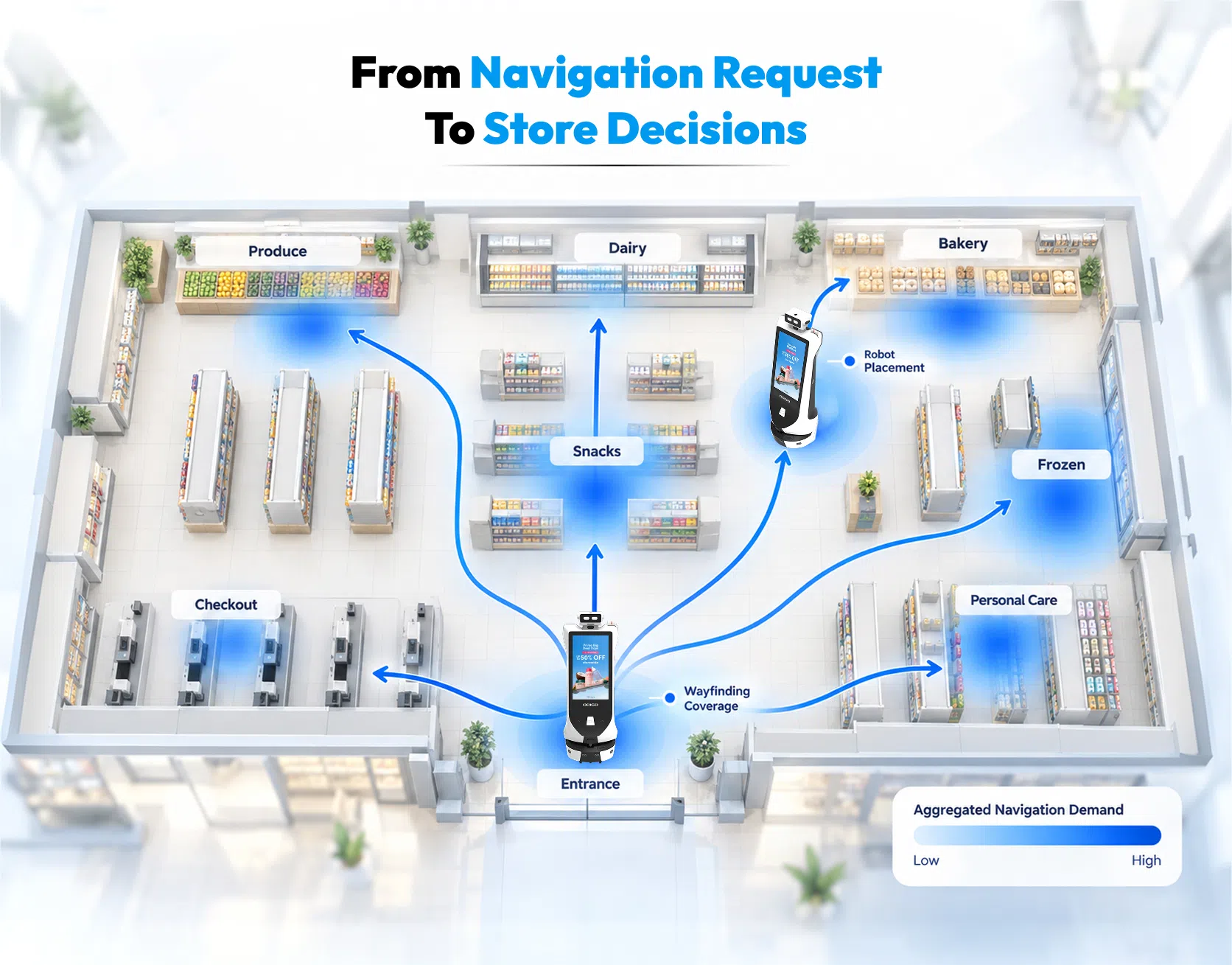
Navigation requests can reveal which destinations receive frequent requests for directions, where destination-level reporting is available. Store teams can use these patterns to review directional signage, assistance placement, or the visibility of particular departments.
Compare activity across locations and periods
Floor-level or time-based reports can help teams identify where navigation requests differ and decide whether to review signage or assistance placement. For example, if one floor consistently receives more navigation requests than another, teams can assess wayfinding signage, robot placement, and shopper traffic before deciding whether an adjustment is needed. Reviewing these patterns alongside store schedules, promotions, events, and suitable foot traffic data can help teams investigate the reasons behind the difference.
Review advertising delivery
Advertising-play reports can help retail media teams check campaign delivery during an agreed period. They can also support operational reporting and investigation of delivery discrepancies.
For broader retail media inventory planning, teams need clear information about available placements, campaign schedules, measurement definitions, and the audience metrics supported by the reporting methodology. Operational play counts should not be presented as verified audience figures unless a suitable measurement method supports that claim.
Assess deployment operations
Runtime, movement, and usage patterns can help teams review operating schedules, placement, and deployment coverage. These findings may inform operational adjustments, but teams should define the outcome they want to improve before changing the setup.
What Do Real Odigo Deployments Reveal About Operational Data?
Real-world deployment reports show how Odigo an advertising robot data can help retailers examine advertising activity, shopper interactions, navigation demand, and differences in usage across locations and time periods. For retailers evaluating in-store robots, these examples demonstrate how operational reporting can inform deployment decisions.
Deployment 1: Mall
This deployment highlights how shopper interactions and navigation activity can vary across weekdays and weekends, helping teams identify patterns for further operational review.
| Deployment detail | Reported result |
| Reporting period | June 1 to July 31, 2026 |
| Robots deployed | 5 |
| Floors covered | 2 |
| Operating hours | 10 AM to 10 PM |
| Runtime | 868 hours |
| Distance traveled | 1,317.5 km |
| Advertising plays | 313,875 |
| Shopper interactions | 47,350 |
| Navigation requests | 6,050 |
What the data reveals
The deployment recorded 313,875 advertising plays alongside 47,350 shopper interactions and 6,050 navigation requests. The weekday and weekend breakdown revealed another useful pattern: weekends accounted for 58% of successful navigation requests despite representing 33% of reported floor-days. Interactions per floor day were approximately 2.8 times higher on weekends.
For retail operations teams, this pattern creates an opportunity to investigate how demand for assistance changes across shopping periods. Retailers could compare navigation activity with store schedules, destination demand, and placement decisions to determine whether operating hours or robot positioning need adjustment. The figures alone do not establish why weekend activity was higher.
Deployment 2: Jio World Drive
This deployment provides a view of advertising delivery, shopper interactions, and robot activity across multiple floors, supporting comparisons of usage across store areas.
| Deployment detail | Reported result |
| Reporting period | August 1 to August 31, 2026 |
| Robots deployed | 3 |
| Floors covered | 3 |
| Operating hours | 10 AM to 10 PM |
| Runtime | 542.7 hours |
| Distance traveled | 929 km |
| Advertising plays | 295,419 |
| Shopper interactions | 18,457 |
| Navigation requests | 2,509 |
What the data reveals
Activity varied across floors. The first floor recorded 7,689 shopper interactions and 1,079 navigation requests, the highest totals among the three floors. It also accounted for 41.2% of reported advertising plays.
For retail media teams, this breakdown provides a starting point for reviewing campaign delivery by location. Operations teams can investigate whether store layout, destination demand, robot placement, or other site conditions help explain the differences. Further evidence would be needed to determine whether higher activity translated into greater audience reach or sales.
How Retailers Can Apply These Insights
The value of deployment reporting lies in connecting recorded activity to a specific business question.
| Retail priority | How the data can help |
| Shopper assistance | Identify periods or locations with higher navigation demand and investigate wayfinding needs. |
| Robot placement | Compare activity across floors to identify locations that warrant a closer review. |
| Retail media | Review recorded advertising delivery across locations and reporting periods. |
| Deployment planning | Use runtime, distance, and activity patterns to assess operating schedules and coverage. |
| ROI measurement | Combine operational data with suitable audience measurement, transaction data, baselines, and deployment costs. |
These reports help retailers identify patterns and determine what to investigate next. They do not independently establish unique audience reach, verified advertising impressions, or incremental sales. Those outcomes require appropriate measurement methods and additional evidence.
The deployments should not be compared directly because their locations, reporting periods, and configurations differ. For retailers, the practical takeaway is to define the business objective first, select the relevant operational metrics, and establish what additional evidence is needed to evaluate the outcome.
What Additional Data Do Retailers Need to Calculate ROI?
Operational reporting can help explain how a robot is used. Return on investment requires a separate financial assessment based on defined benefits, costs, and an appropriate measurement period.
1. Establish advertising measurement
Retailers should determine how audience exposure will be estimated or verified. Depending on the campaign and measurement design, additional sources may be required to estimate impressions or assess audience exposure.
The methodology should be documented before figures are used to support media pricing, campaign delivery claims, or advertiser reporting.
2. Connect engagement to commercial outcomes
Interaction and navigation data can describe recorded activity. Measuring store visits, transactions, or sales requires appropriate additional evidence.
Retailers may use point-of-sale reporting, campaign records, or a structured test with a comparison period or group, where practical. Any attribution method should account for other factors that could affect results, including promotions, seasonal demand, and changes in store traffic.
3. Calculate the full financial picture
The assessment should include the benefits relevant to the deployment and the total cost of operating it. Depending on the business model, this could include advertising revenue, incremental gross profit, hardware or service costs, deployment expenses, integration of work, and ongoing operating costs.
A common ROI formula is:
ROI = (Incremental benefit − Total cost) / Total cost × 100
The formula only produces a meaningful result when both the benefit and cost figures are properly defined and measured.
4. Establish a baseline
Retailers need a reference point to assess whether performance changed after deployment. This may involve pre-deployment data, comparable stores, matched time periods, or a controlled test where practical.
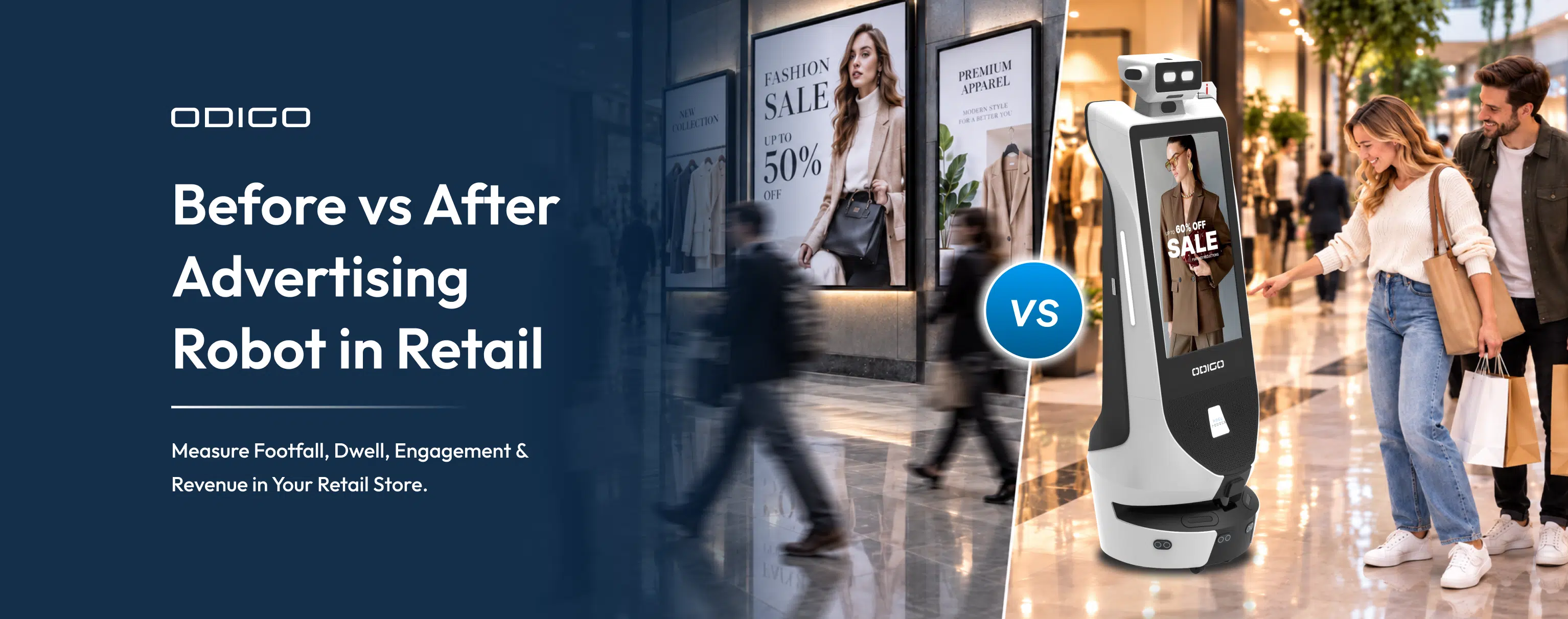
A before vs after advertising robot in retail assessment can help organize the comparison, but a change after deployment does not automatically prove that the robot caused it. The analysis should account for other relevant changes and clearly state the limits of the evidence.
How Should Retailers Evaluate an In-Store Robot’s Data Practices?
Before deployment, retailers should agree on the intended business outcomes, reporting definitions, privacy responsibilities, and technical requirements.
Use this checklist during evaluation:
Define the objective
Identify whether the priority is shopper assistance, advertising delivery, operational analysis, or a combination of goals.
Request a data dictionary
Obtain definitions, sources, and reporting frequencies for the available metrics.
Verify product capabilities
Confirm which functions and data-processing capabilities are enabled in the proposed configuration.
Review privacy practices
Document processing purposes, retention, access, security, and applicable privacy responsibilities.
Confirm integrations
Identify the systems and third parties involved and the information exchanged.
Agree on reporting
Establish reporting periods, available breakdowns, ownership, and discrepancy-resolution procedures.
Define success measures
Set baselines, target outcomes, costs, and the additional evidence needed for ROI.
Assign accountability
Decide who reviews performance and who handles technical, operational, and privacy questions.
Retailers should also review the proposed robot network configuration with their IT and security teams. The goal is to confirm that connectivity, system access, integrations, and deployment requirements align with the retailer’s technical and security policies.
Turn In-Store Robot Data into Smarter Retail Decisions
For retailers, the value of in-store robot data lies in how effectively it informs business decisions. Retail advertising plays, shopper interactions, and navigation requests can reveal how a robot is being used, where activity varies, and which areas deserve closer attention.
The next step is connecting these operational insights to measurable retail outcomes. By defining success metrics, establishing performance baselines, and combining robot reports with appropriate audience, transaction, and cost data, retailers can build a more reliable picture of deployment performance and commercial value.
Turn in-store data into actionable retail insights with Odigo. Book a demo with Kody Robots to see how Odigo can support shopper assistance, in-store advertising, and operational insights in your retail environment.
In-store Robot Data Collection – General FAQs
In-store robot data collection raises important questions about shopper activity, advertising measurement, data privacy, and business performance. Find answers to common questions about Odigo’s data capabilities, in-store analytics, and measuring ROI in retail environments.
1. What data does an in-store robot collect from shoppers?
In-store robot data collection can include recorded shopper interactions, navigation requests, advertising plays, and operational activity, depending on the robot’s configuration. These metrics help retailers understand how the robot is used. They do not automatically identify individual shoppers or establish unique audience reach.
2. How does Odigo Robot data collection support in-store analytics?
Odigo Robot data collection can help retailers review advertising activity, shopper interactions, navigation demand, and usage patterns across locations or reporting periods. Retail teams can use these insights to investigate shopper assistance needs, review deployment performance, and inform operational decisions.
3. How do in-store robots measure store traffic and visitor activity?
In-store robots may record interactions and navigation requests, but these figures are not equivalent to total store foot traffic. Store traffic counting requires a defined measurement method, such as an appropriate people-counting system. Retailers should combine relevant data sources when assessing visitor activity across a store.
4. How can retailers use in-store data collection without compromising customer privacy?
Retailers should identify what information the system processes, why it is needed, how long it is retained, and who can access it. They should also review security controls, third-party integrations, applicable federal and state requirements, and any necessary customer notices with their privacy and legal teams.
5. Does Odigo collect personal customer data?
The available Odigo deployment reports document operational metrics, including advertising plays, shopper interactions, and navigation requests. These reports alone do not establish whether personal data is collected or processed in every configuration. Retailers should request product-specific documentation covering enabled sensors, processing purposes, storage, retention, and access controls.
6. What information is included in in-store robot data collection?
Depending on the system and reporting configuration, in-store robot data collection may include advertising plays, shopper interactions, navigation requests, runtime, distance traveled, and activity by floor or time period. Retailers should request a data dictionary to confirm the exact metrics available and how each is defined.
7. Can Odigo be used for store traffic counting and visitor analytics?
Odigo’s reported interactions and navigation requests can help retailers analyze robot usage and demand for shopper assistance. However, these metrics alone do not establish total store traffic, unique visitors, or individual shopper journeys. Storewide visitor analytics requires an appropriate measurement method and clearly defined reporting scope.
8. How does Odigo protect retail data privacy while collecting in-store analytics?
Retailers should verify Odigo’s privacy and security practices for the specific deployment, including data processing, retention, access permissions, system integrations, and applicable safeguards. The exact practices should be confirmed through product documentation and the relevant technical and privacy teams before deployment.
9. How can retailers use in-store robot data to improve shopper engagement?
Retailers can review interaction and navigation patterns to identify frequently requested destinations, periods of higher assistance demand, and differences in usage across store locations. These findings can inform decisions about robot placement, wayfinding, and shopper-assistance experiences. Additional research is needed to measure customer satisfaction or purchase intent.
10. How can retailers use in-store robot data to evaluate advertising performance?
Retail media teams can use advertising-play reports to review recorded campaign delivery across locations and reporting periods. To assess audience reach or verified impressions, they need an appropriate measurement methodology. Advertising plays alone do not prove that unique shoppers saw an advertisement or that it influenced a purchase.
11. How can retailers calculate the ROI of an in-store robot?
Retailers need to define the financial benefits and total costs of the deployment. Depending on the business objective, this may include incremental gross profit, advertising revenue, hardware and service costs, integration expenses, and ongoing operating costs.
ROI = (Incremental benefit − Total cost) / Total cost × 100
Reliable results require measured benefits, a suitable baseline, and a clearly defined reporting period.
12. What data is needed to measure the ROI of in-store robot advertising?
In-store robot data collection can provide operational evidence, but calculating advertising ROI may also require audience measurement, campaign costs, advertising revenue, transaction data, and a baseline or comparison group. The appropriate data depends on whether the objective is media monetization, shopper engagement, or incremental sales.
13. Can Odigo data show whether advertising generates additional sales?
Advertising plays and shopper interactions do not independently establish incremental sales. Retailers need suitable transaction data and a measurement approach that considers other influences, such as promotions, seasonal demand, and changes in store traffic. A controlled test or appropriate comparison can help assess whether observed changes are attributable to a campaign.
14. How can retailers evaluate an in-store robot before deployment?
Retailers should confirm available metrics, reporting definitions, privacy practices, system integrations, security requirements, and ongoing costs. They should also define success measures before deployment and establish how performance will be evaluated. Requesting a demonstration and reviewing a proposed deployment plan can help teams determine whether Odigo built by Kody Robots aligns with their operational and retail media objectives.