
Blog Summary: Wayfinding robot use cases go beyond helping shoppers find products and stores. Odigo can support shopper assistance, product discovery, promotions, queue monitoring, and store operations while moving through the sales floor. Explore 12 practical applications that show where a wayfinding robot can add value, reduce routine workload, improve shopper experiences, and help supermarket teams make better use of their floor space.
Key Takeaways
- Supermarkets can use a wayfinding robot to support shoppers across product discovery, assistance, promotions, engagement, monitoring, and store intelligence.
- Interactive product information can help shoppers evaluate products using details such as pricing, offers, unit-price comparisons, and configured product attributes.
- Physical guidance allows a wayfinding robot to guide shoppers across multiple supermarket zones and reach destinations such as pharmacies, service desks, order pickup areas, and exits.
- Location-based promotions allow supermarkets to deliver different offers according to the robot’s position, time, route, or specific supermarket zone.
- Queue monitoring can help supermarket teams identify changing conditions at checkout areas and service counters and respond when additional attention is required.
- Shopper interactions can provide supermarket teams with useful insights into product searches, popular destinations, navigation activity, language selection, and demand patterns.
- Supermarkets can prioritize wayfinding robot applications by matching specific shopper needs and operational priorities with the zones, systems, and applications that can address them.
A shopper walks into a supermarket looking for a specific product. They scan the aisles, check their phone, or ask an employee for help. A request for directions is just one of many wayfinding robot use cases that can support product discovery and shopper assistance beyond navigation. The opportunity matters because physical stores still account for 80% of all shopping, according to Deloitte, while more than one-third of retail executives surveyed identify improving the in-store experience as a top growth opportunity.
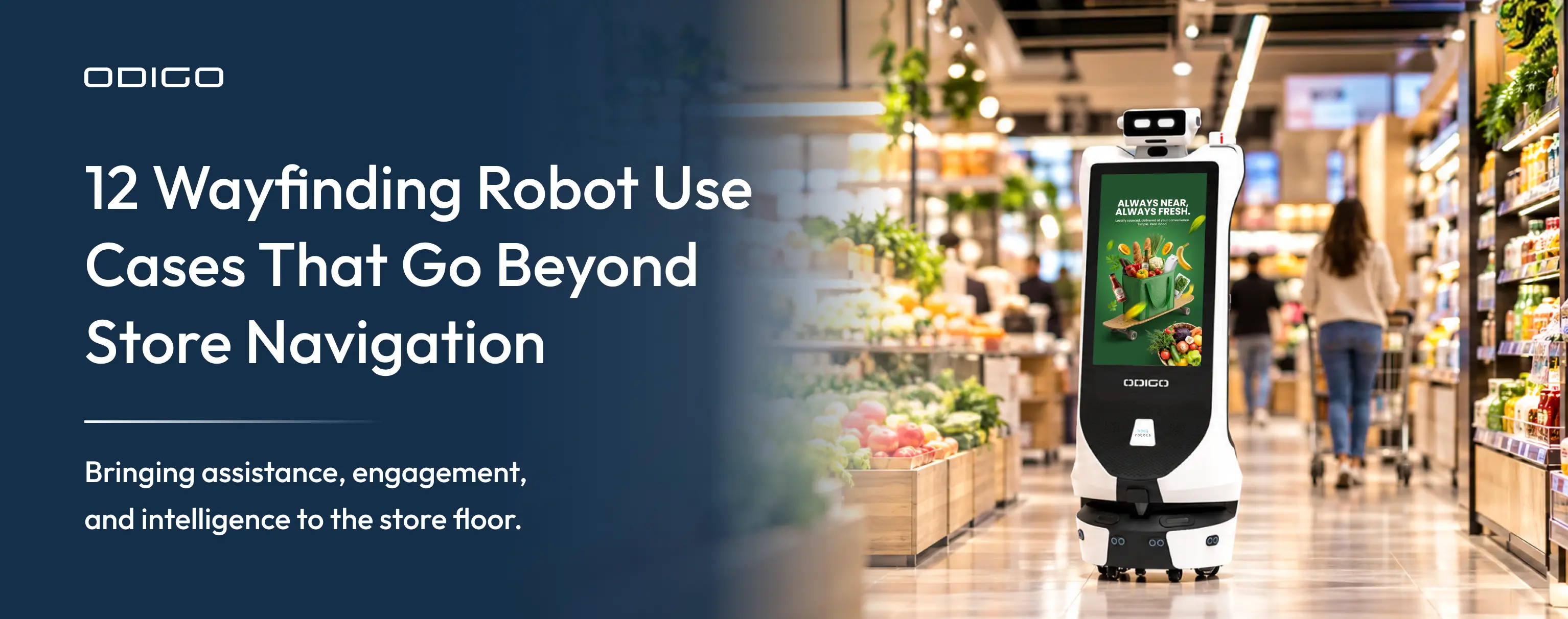
A wayfinding robot can guide shoppers to products and key store destinations, answer questions, deliver relevant promotions, support interactive brand experiences, and provide useful insights from shopper interactions.
Odigo is an autonomous robotic assistant designed to navigate supermarket environments and support shoppers across the sales floor. A supermarket can use Odigo for wayfinding, shopper assistance, promotions, and engagement across different areas of the store. The value comes from connecting those capabilities with specific shopper needs and business priorities.
The following 12 practical use cases explore how supermarkets can put Odigo to work beyond wayfinding, from product discovery and shopper assistance to promotions, engagement, and store intelligence.
Beyond Wayfinding: What Can Odigo Do in a Supermarket?
A supermarket visit involves far more than finding the right aisle. Shoppers look for products, ask questions, seek assistance from team members, discover offers, and interact with brands throughout their journey. Each of these moments presents an opportunity to make shopping more convenient while creating value for the supermarket. Understanding what is a wayfinding robot provides a useful context for how autonomous technology can support these interactions.
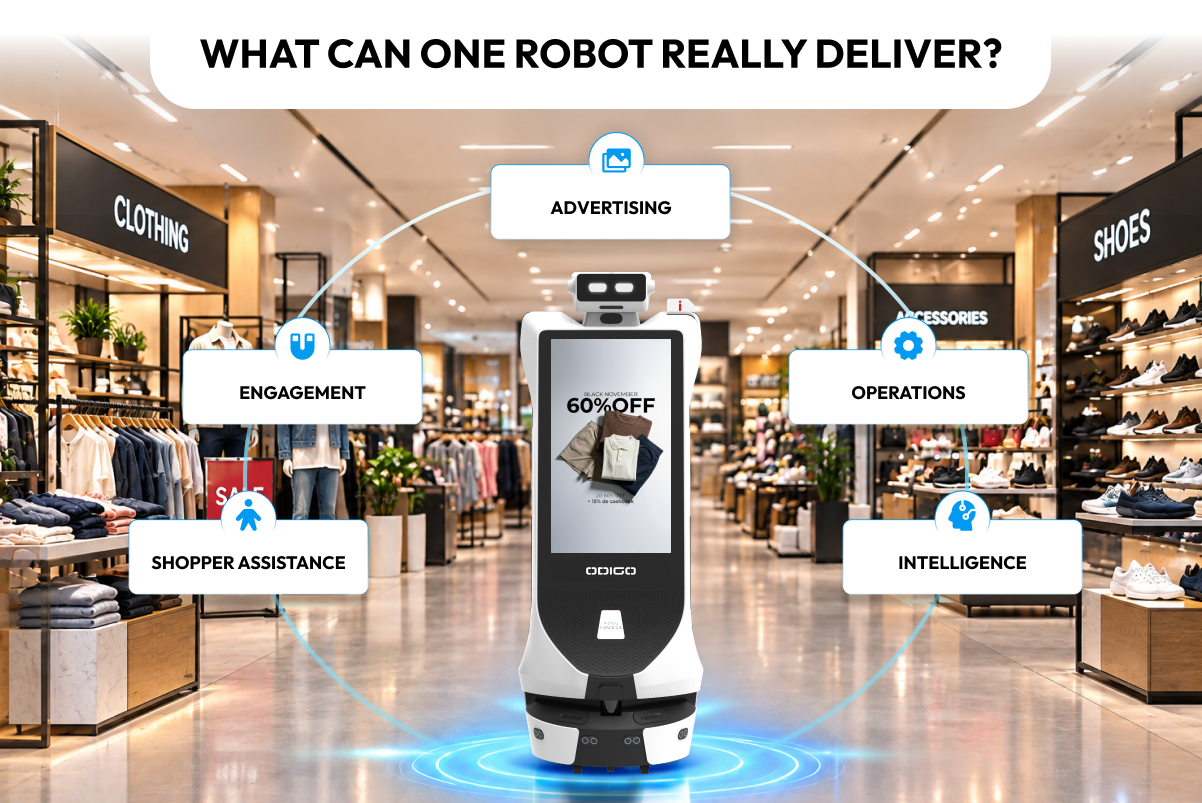
Odigo brings together interactive screens, autonomous navigation, voice and touch assistance, advertising capabilities, and analytics to support these moments. As it moves across different supermarket zones, Odigo can respond to shopper needs and deliver relevant ads based on the deployment. This gives supermarkets the flexibility to apply a wayfinding robot across multiple customer-facing and operational requirements.
Understanding how AI robot assistants work helps put these capabilities into context. The following wayfinding robot use cases show how supermarkets can apply these capabilities to practical needs across the shopper journey, extending the role of Odigo beyond navigation.
12 AI Wayfinding Robot Use Cases in Supermarkets
A wayfinding robot does more than help shoppers reach an aisle in your supermarket. The same autonomous robot can assist shoppers with product discovery, answer common queries, show offers and ads, support brand interactions, monitor activity, and generate insights from shopper interactions.
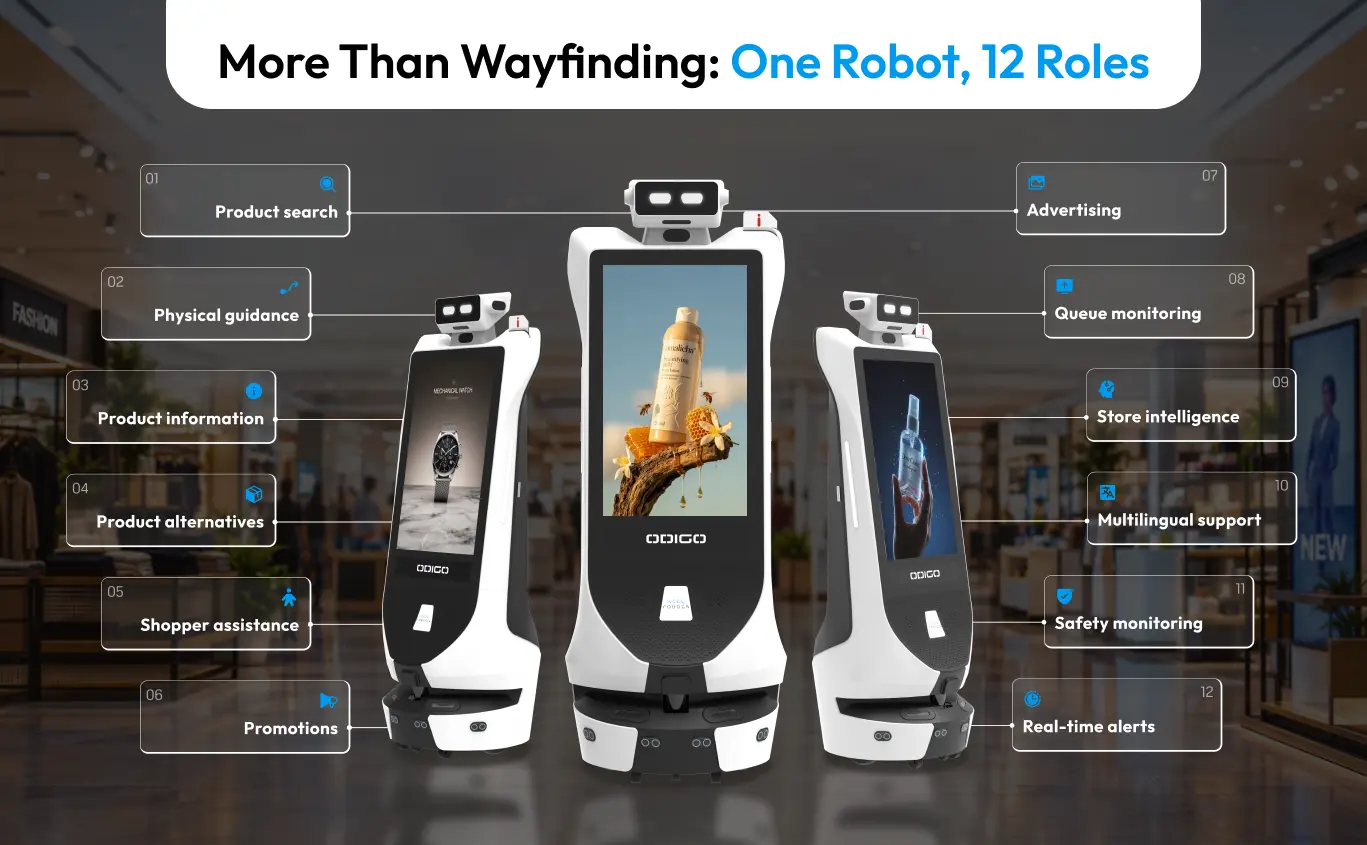
Here are 12 practical ways supermarkets can put Odigo to work across the shopper journey.
1. Making Products and Store Destinations Easier to Find
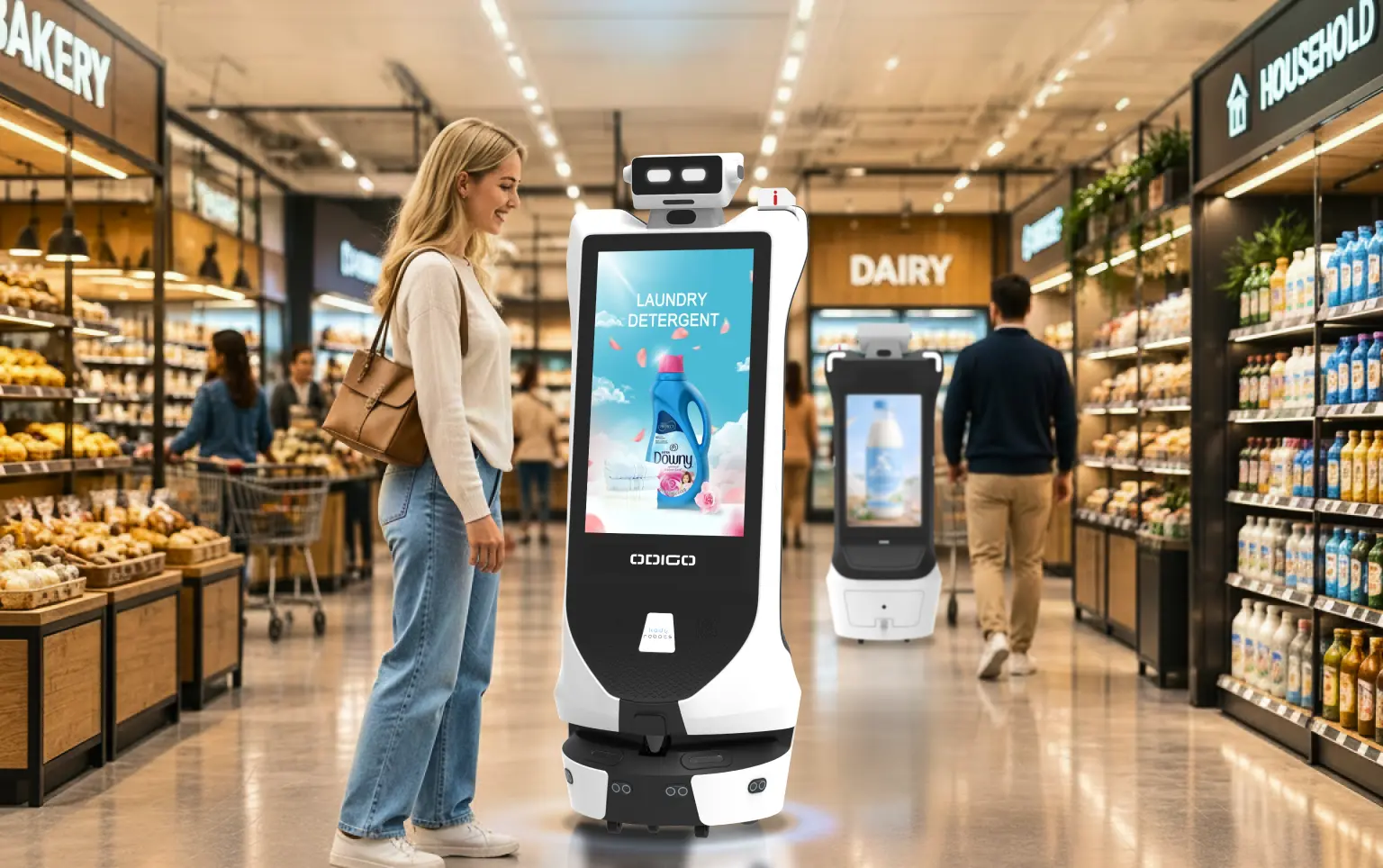
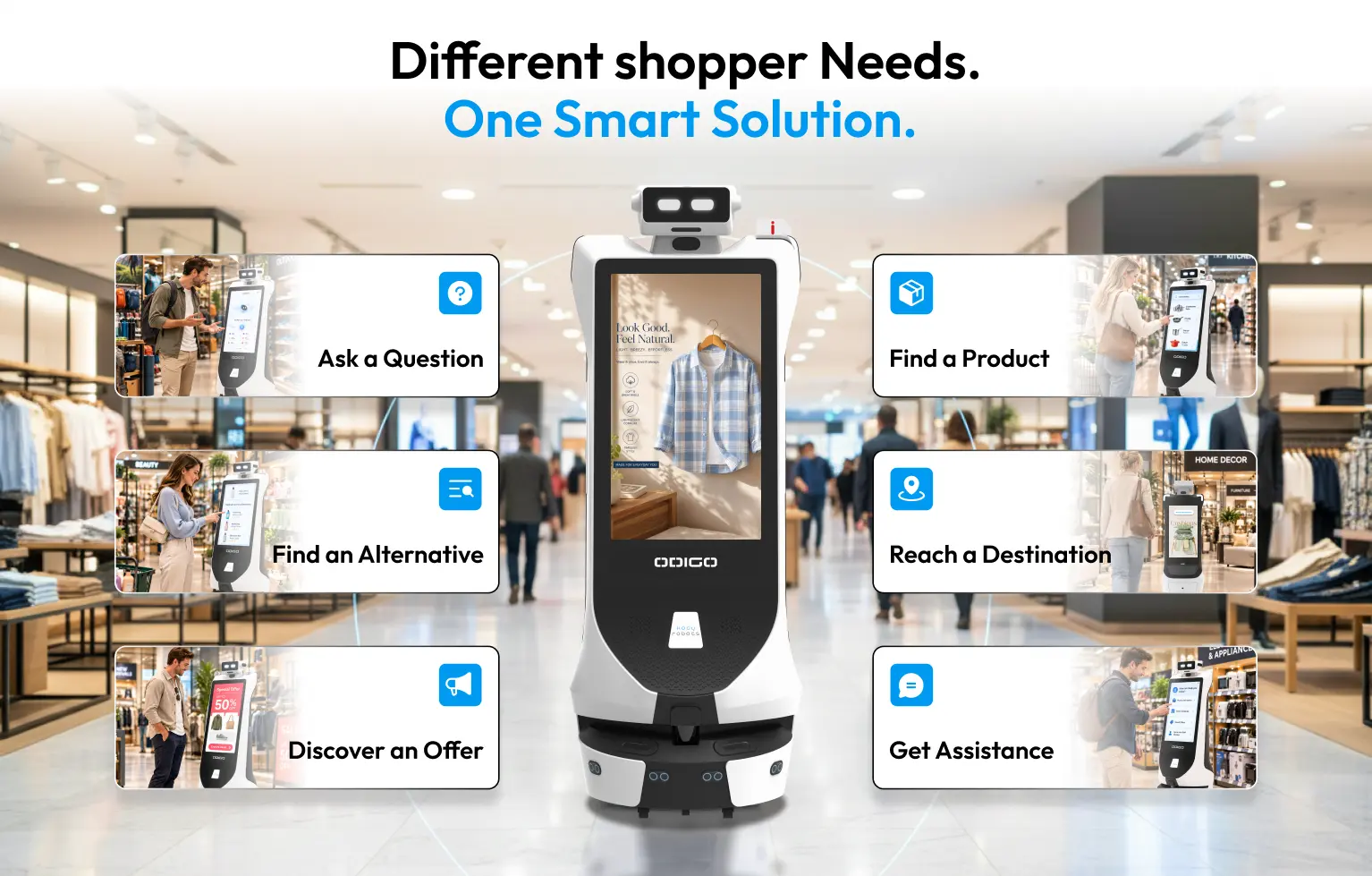
At a supermarket, shoppers can ask Odigo to take them to a specific location or find a product using a multilingual voice or an interactive screen.
- Odigo can easily identify the aisle or supermarket zone where a product is located.
- Smart robots can handle multiple product requests with optimized routing, depending on deployment.
- Odigo can guide shoppers to products and destinations across the supermarket.
- Wayfinding robots provide a “You are here” view to help shoppers understand their location.
For supermarket owners, the value goes beyond navigation. Odigo can reduce routine wayfinding requests, make product discovery easier, and create another opportunity to engage shoppers while they move through the store.
2. Guiding Shoppers to Products, Departments, and Services
Odigo can physically escort shoppers in a supermarket to requested locations, including departments, products, and essential services.
- Guided access to key destinations — Odigo can take shoppers to order pickup areas, checkout areas, pharmacies, service desks, and exits.
- Digital wayfinding across store zones — Odigo can support guided routes across different supermarket areas, helping shoppers reach destinations without navigating the store alone.
- Obstacle-aware movement — Odigo can adjust its speed and navigate around obstacles while escorting shoppers between aisles.
- Multi-stop guidance — Where configured, Odigo can support journeys that include multiple destinations.
The result is a more hands-on wayfinding experience. Instead of receiving directions and continuing alone, shoppers can follow Odigo to their destination, making store navigation easier while reducing routine escort requests for associates.
3. Helping Shoppers Make Informed Product Decisions
Reaching the right aisle does not always answer the shopper’s next question. Odigo can present product information through its interactive touchscreen, giving shoppers relevant details while they are considering a purchase.
- Clear product details — Shoppers can review information such as nutritional facts and configured attributes, including vegan or cruelty-free options.
- Pricing and offers — When connected to supermarket systems, Odigo can display current prices and promotional offers.
- Pack-size comparisons — Shoppers can compare unit prices across different pack sizes when the required product data is available.
- Interactive product discovery — The touchscreen gives shoppers a direct way to explore product information without searching for an associate.
The opportunity is to bring useful product information closer to the shelf and the purchase decision, helping shoppers evaluate their options at the moment they need it.
4. Helping Shoppers Find the Next Best Available Option
A shopper who cannot find a preferred product may leave the aisle without buying anything. Odigo can use connected supermarket data to help shoppers explore available alternatives instead of ending the search.
- Find available options — Odigo can check connected inventory data to determine whether the requested product is available elsewhere in the supermarket.
- Surface nearby alternatives — When the preferred item is unavailable, Odigo can present suitable substitutes that shoppers can consider.
- Keep the purchase moving — Product alternatives can help shoppers make a decision without starting a new search or waiting for an associate.
- Make choices easier — Shoppers can review relevant information about available alternatives before selecting a replacement.
For retailers, the opportunity is simple. When the first-choice product is unavailable, the shopper still has a clear path to another purchase.
5. Helping Shoppers Access Information in Supported Languages
A shopper should not have to struggle with language before getting help inside a supermarket. Odigo can support multilingual voice and touch interactions, helping shoppers ask questions, find information, and access configured assistance in their preferred language.
- More accessible assistance — Automatic spoken-language detection can help Odigo respond in the language a shopper uses.
- Easier product and store navigation — Shoppers can use language-based assistance for product searches, directions, and other configured requests.
- Less dependence on staff availability — Common questions can be handled through Odigo, reducing the need to find an associate who speaks the shopper’s preferred language.
- A more inclusive store experience — Multilingual support can make assistance easier to access for shoppers with different language preferences.
For supermarkets, multilingual assistance can help serve more shoppers consistently while making everyday interactions easier across the sales floor.
6. Helping Shoppers Get Quick Answers and Assistance
Shoppers often need quick answers during a store visit, whether they are looking for an aisle, checking a service, or asking about a store policy. Odigo can handle configured questions and direct shoppers to the right information or service.
- Quick answers to common questions — Odigo can provide configured information about store hours, policies, product locations, services, and offers.
- Easy access to store information — A digital directory can help shoppers find products, services, and amenities without searching the store or approaching the service desk.
- Clear direction when human help is needed — Odigo can direct shoppers to the appropriate service or channel when a request requires staff assistance.
- Fewer interruptions for associates — Handling routine questions through Odigo can give store teams more time for requests that require personal attention.
Routine shopper questions can be handled at scale, reducing repetitive demands on store associates, and allowing staff to spend more time on higher-value customer interactions.
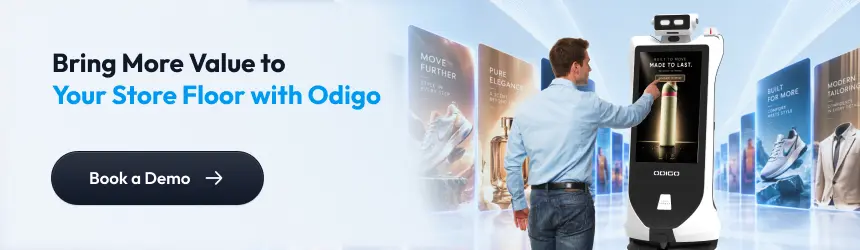
7. Putting Promotions Closer to the Point of Purchase
Odigo can deliver promotions based on where it operates within the supermarket, making supermarket wayfinding robot applications useful beyond navigation. Retailers can use the robot movement through different store zones to bring relevant offers into the shopper’s path.
- Promote nearby offers — Odigo can display “Deals Near You” based on its current location.
- Target campaigns by context — Supermarkets can schedule ads according to the day, time, and supermarket zone.
- Match promotions to store areas — Offers can be assigned to specific sections or configured routes.
- Keep promotions moving with shoppers — Odigo can display relevant promotional content as it moves through different areas of the supermarket.
Location-based advertising gives retailers more control over where and when promotions appear, creating opportunities to connect paid campaigns with relevant products, store areas, and shopper activity.
8. Keeping Supermarket Advertising Relevant as Campaigns Change
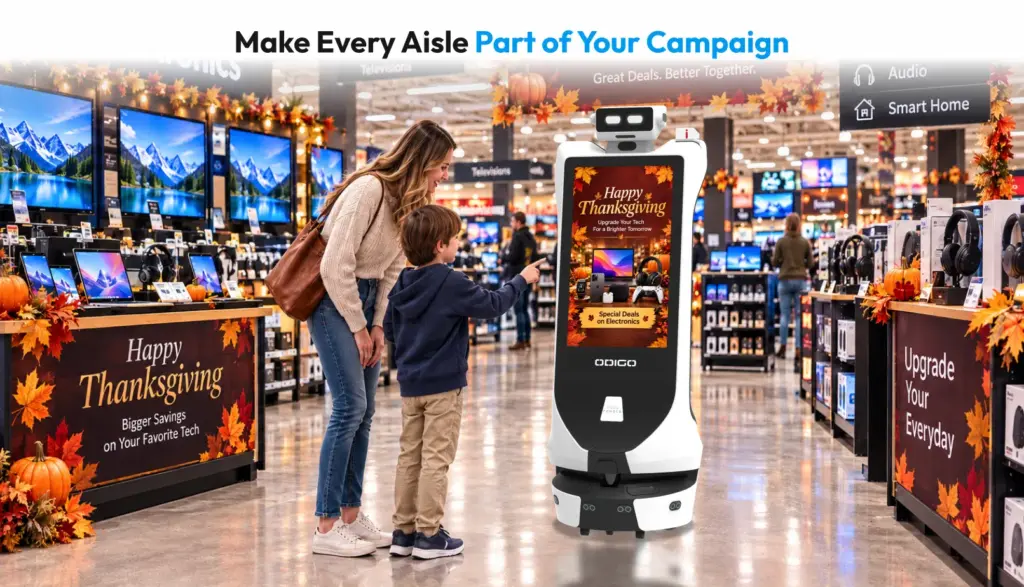
Supermarket promotions change throughout the year, from weekly deals and clearance events to seasonal campaigns. Odigo gives retailers a mobile advertising surface that can carry those campaigns across different areas of the store.
- Support changing campaigns — Promote daily offers, clearance events, seasonal promotions, and service announcements.
- Target specific store areas — Campaigns can be planned around location, day, and time to reach shoppers in relevant areas.
- Update content remotely — Teams can manage and update advertising content without relying on physical signage changes.
- Extend campaign reach — A mobile advertising platform can bring promotional content beyond the fixed locations used for traditional signage.
For retailers comparing best advertising robots for US supermarkets, the key value is flexibility. Odigo can help teams adapt promotional content as campaigns change while creating additional opportunities to monetize and manage advertising space across the store.
9. Giving Teams Better Visibility During Busy Periods
Long queues can affect the shopping experience, particularly around checkout areas and busy service counters. Odigo can help supermarket teams monitor queue conditions as it moves through these areas.
- Detect queue depth at checkout and service counters.
- Identify when queues reach a level that may require attention.
- Signal a manager to open an additional checkout lane where configured.
- Provide another source of real-time visibility into customer flow around service areas.
This helps supermarket teams respond to changing queue conditions and manage busy periods more proactively.
10. Turning Shopper Interactions into Useful Store Insights
Everyday interactions with Odigo can generate useful information about what shoppers are searching for, their interest in specific products, and where they need assistance.
- Track top-searched products and categories.
- Identify popular destinations and services.
- Analyze navigation requests, including completed and failed requests.
- Monitor peak usage periods and language selection.
- Measure the time between a request and arrival at the destination.
Supermarket teams can use these insights to understand recurring shopper needs and activity patterns across the store, helping them identify opportunities to improve sales and service.
11. Extending Visibility Across the Sales Floor
Odigo can patrol configured supermarket areas while providing mobile monitoring during regular store operations. AI wayfinding robot use cases can extend beyond shopper navigation, with mobile monitoring bringing visibility into different areas of the sales floor.
- Mobile coverage across configured areas — Odigo can patrol designated sections and support monitoring as it moves through the store.
- AI-based detection — Odigo can support configured recognition and detection requirements for people and potential incidents.
- Coverage beyond fixed camera locations — Mobile monitoring can provide visibility in areas where fixed cameras may have limited coverage.
- Support for store safety operations — Configured incidents and threat detection can help teams identify situations that may require attention.
For supermarket operators, mobile monitoring can add another layer of store-floor visibility while supporting existing safety processes and site-specific requirements.
12. Bringing Multiple Shopper Touchpoints into One Experience
A shopper may start with a simple product search, but the interaction can continue through navigation, product information, promotions, and assistance. Odigo can connect these touchpoints within one deployment.
- Start with product discovery — Shoppers can search for a product and receive directions to its location.
- Support the purchase decision — Product information, pricing, or inventory details can be presented through the interactive display when connected to the required supermarket systems.
- Keep promotions relevant — Promotional content can be delivered during the shopper journey based on configured campaigns.
- Turn interactions into insights — Shopper interactions can contribute to analytics and reporting, giving supermarket teams useful information about engagement and recurring needs.
The business value comes from connecting assistance, advertising, and shopper insights within the same deployment. Instead of treating each function as a separate initiative, supermarkets can build more value around the interactions already happening on the sales floor.
These 12-wayfinding robot use cases show how Odigo can support different shopper needs and supermarket priorities through one autonomous platform. By applying the right use cases across relevant zones, supermarkets can make product discovery easier, improve access to assistance, deliver timely promotions, and gain useful visibility into store activity. This makes a supermarket robot a practical solution for creating value across multiple parts of the supermarket.
How Supermarkets Can Prioritize Wayfinding Robot Applications
Not every supermarket needs the same combination of wayfinding robot applications. The right starting point depends on where shoppers face friction and where teams see the greatest opportunity to improve the experience or operations.
When evaluating supermarket wayfinding robot applications, you should consider:
Start With Frequent Shopper Requests
Identify questions associates answer repeatedly, such as product locations, service desks, pharmacies, or order pickup areas.
Identify High-Friction Zones
Look at large product sections, complex layouts, and destinations that shoppers often struggle to locate. These areas may benefit most from navigation and physical escort.
Find Product Information Gaps
Identify where shoppers need product details, pricing, promotions, inventory information, or alternatives before making a purchase.
Assess Promotional Requirements
Consider whether different sections, times, or seasons require targeted promotional ads that can be scheduled and managed remotely.
Consider Language Accessibility
Review the languages commonly used by shoppers and prioritize multilingual assistance where it can improve access to information and services.
Decide What to Measure
Determine which interactions can provide useful insights, such as product searches, popular destinations, navigation requests, queue conditions, and demand patterns.
Check Existing Systems
Review the supermarket systems available for integration, including inventory, pricing, promotions, booking, queue, loyalty, and ticketing systems.
Understanding how supermarkets use wayfinding robots starts with a clear business or shopper needs. From there, supermarkets can select the applications that address their priorities and build a more focused deployment. Comparing wayfinding robots vs wayfinding kiosks can also help supermarkets determine which type of solution fits their store layout, shopper needs, and operational requirements.
Where Odigo Fits into the Supermarket Environment
Odigo can be deployed across different supermarket zones, with its role configured according to what shoppers and teams need in each area. A single unit can support different applications as it moves through the floor, while specific zones can be assigned dedicated functions.
- Entrances: Greet shoppers, provide store information, highlight current offers, and direct visitors to products or services.
- Main aisles: Support product search, wayfinding, physical escort, and location-based promotions.
- Product areas: Provide interactive product information, pricing, promotions, and available alternatives where connected systems support them.
- Service areas: Guide shoppers to pharmacies, order pickup, service desks, and other amenities while supporting service-related assistance.
- Checkout zones: Monitor queue conditions and provide visibility into checkout activity.
- Promotional areas: Deliver scheduled campaigns, brand experiences, and location-specific advertising.
This zone-based approach allows supermarkets to assign the right applications to the places where they can create the most value. The same approach can be applied across larger retail environments, where autonomous robots for superstore can support different zones, shopper needs, and operational requirements.
What Makes These Wayfinding Robot Use Cases Possible?
The real-world wayfinding robot use cases in supermarkets rely on several core capabilities working together. For a robot to navigate, interact with shoppers, deliver ads, and generate useful insights, it needs reliable movement, sensing, communication, and centralized control.
- LiDAR and sensing: Multiple sensors help Odigo understand its surroundings, detect obstacles, and navigate safely through busy areas.
- Autonomous navigation: Odigo can move through mapped supermarket environments and navigate between assigned destinations.
- Interactive displays: Touchscreens provide the interface for product information, promotions, searches, forms, and shopper assistance.
- Centralized ads and fleet management: Teams can manage maps, routes, advertisements, offers, devices, and multiple units from a central dashboard.
- Voice interaction: Shoppers can communicate with Odigo through voice, including multilingual interaction and configured conversational functions.
- Analytics and reporting: Interaction, navigation, advertising, and operational data can be tracked and reported for analysis.
- Autonomous charging: Odigo can return to its charging dock and resume operation, supporting extended deployment across the trading day.
Together, these capabilities enable Kody Robots to build Odigo as an autonomous platform that can adapt to different supermarket needs, bringing shopper assistance, engagement, advertising, and operational intelligence into one mobile robot.
Wayfinding Robot Beyond Navigation: Turning Mobility into Store Value
A wayfinding robot becomes more valuable when its capabilities are connected to the real needs of a supermarket. The key is how well those capabilities address everyday shopper needs and operational priorities. By assigning the right applications to the right areas, supermarkets can turn one autonomous platform into a practical part of the shopping experience and store operations.
If you are evaluating where a robot assistant could fit within your supermarket, explore how Odigo can be configured for your specific requirements.
Wayfinding Robot Use Cases – General FAQs
Explore practical answers to common questions about wayfinding robot use cases, including store navigation, shopper assistance, deployment, and everyday operation.
1. What are the main wayfinding robot use cases in supermarkets?
The main wayfinding robot use cases in supermarkets include product search, aisle navigation, physical shopper escort, interactive product information, product alternatives, multilingual assistance, routine customer support, location-based promotions, mobile advertising, queue monitoring, store-floor intelligence, and safety monitoring. For example, retailers such as Publix and Aldi could apply these uses of wayfinding robots in supermarkets to support product discovery, shopper assistance, and in-store promotions.
2. How do supermarkets use wayfinding robots beyond navigation?
Supermarkets use wayfinding robots beyond navigation to provide product information, answer shopper questions, support multilingual assistance, deliver promotions and advertising, monitor checkout queues, and generate insights from shopper interactions. These supermarket wayfinding robot use cases allow retailers to apply autonomous robots across different parts of the shopper journey.
3. Can a wayfinding robot guide shoppers to specific aisles and departments?
Yes. A wayfinding robot can identify a product’s aisle or a requested department and guide shoppers to the appropriate location. Odigo can provide a “You are here” view, support voice and touchscreen requests, and navigate across mapped supermarket zones.
4. Can wayfinding robots physically escort shoppers to products?
Yes. A wayfinding robot can physically escort shoppers through supermarket aisles to products, departments, pharmacies, service desks, order pickup areas, checkout zones, and other destinations. It can adjust its speed, avoid obstacles, and support multi-zone or multi-stop journeys based on the deployment.
5. Can a wayfinding robot help shoppers find multiple products in one trip?
Yes. A wayfinding robot can support multi-stop journeys by sequencing several requested destinations and guiding shoppers through them. This can be useful when a shopper needs products from different aisles or wants to visit multiple supermarket services during one trip.
6. How can wayfinding robots support customer assistance in supermarkets?
Wayfinding robots can support customer assistance by answering configured FAQs, providing store directories, sharing product and service information, helping with order pickup or membership-related requests, and creating help tickets when additional support is needed. Multilingual voice and touchscreen interaction can also make assistance accessible to more shoppers.
7. Can wayfinding robots promote products and offers while moving through a store?
Yes. Wayfinding robots can display location-based promotions, daily deals, seasonal campaigns, clearance offers, and brand advertising while moving through the supermarket. For example, a retailer such as Best Buy, or Aldi could use a mobile robot to promote specific products, services, or seasonal campaigns in relevant store zones. ads can be scheduled by time, route, or supermarket zone and updated remotely through centralized management.
8. Can wayfinding robots monitor checkout and service queues?
Yes. Wayfinding robots can detect queue depth around checkout areas and service counters and signal supermarket teams when conditions require attention. This can provide additional visibility into customer flow during busy periods.
9. What shopper data can wayfinding robots collect in supermarkets?
Depending on the configured deployment and applicable policies, wayfinding robots can provide insights into product searches, navigation requests, popular destinations, language selection, usage patterns, and other shopper interactions. These wayfinding robot applications in supermarkets can help teams identify recurring shopper needs and demand patterns.
10. Can supermarkets manage multiple wayfinding robots across different store locations?
Yes. A centralized fleet management system can allow supermarket teams to manage multiple robots, including maps, routes, advertisements, devices, and operational settings. This makes it possible to coordinate deployments across different stores and supermarket zones from a central system.
11. What is the ROI of using a wayfinding robot in a supermarket?
The ROI of a wayfinding robot depends on how the supermarket deploys and measures it. Retailers can evaluate value across employee time saved on repetitive assistance, shopper utilization, promotional engagement, queue management, advertising opportunities, and insights generated from store activity. A useful ROI analysis should compare these measurable outcomes with the robot’s total cost of ownership.
12. Can a wayfinding robot help supermarkets increase revenue?
A wayfinding robot can create revenue opportunities by promoting products, delivering location-based offers, supporting brand advertising, and directing shoppers toward relevant products or services. The revenue impact depends on factors such as shopper engagement, campaign performance, product category, advertising partnerships, and how the robot is integrated into the supermarket’s retail strategy.
13. How can supermarkets measure the business value of a wayfinding robot?
Supermarkets can measure business value using metrics such as robot utilization, product searches, assisted journeys, promotional interactions, QR or touchscreen engagement, advertising performance, queue conditions, and employee time allocated to repetitive shopper requests. Comparing these metrics against deployment and operating costs can provide a clearer view of the solution’s business value.
14. What should supermarkets consider when calculating wayfinding robot ROI?
Supermarkets should consider total cost of ownership, employee time, customer utilization, store-level business value, and additional use cases when calculating ROI. Retailers can also assess integration requirements, deployment coverage, promotional opportunities, and the number of applications supported by the same robot.