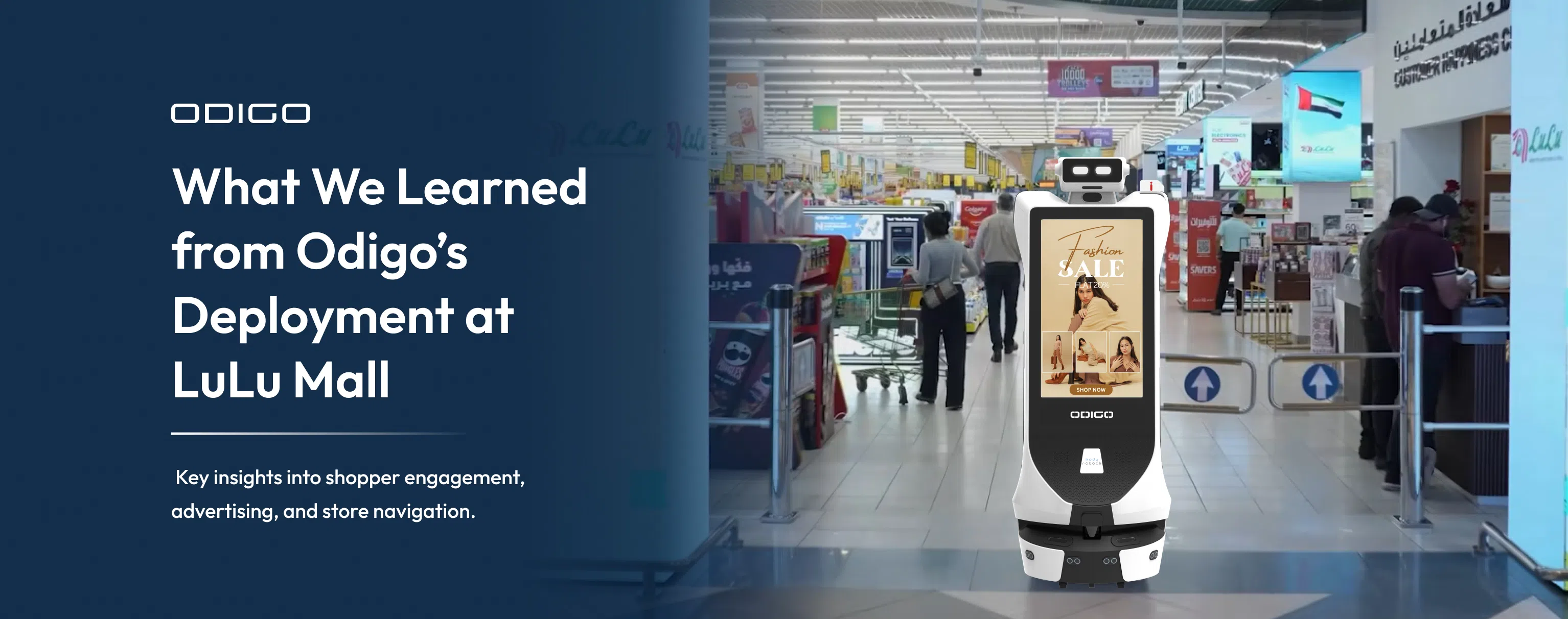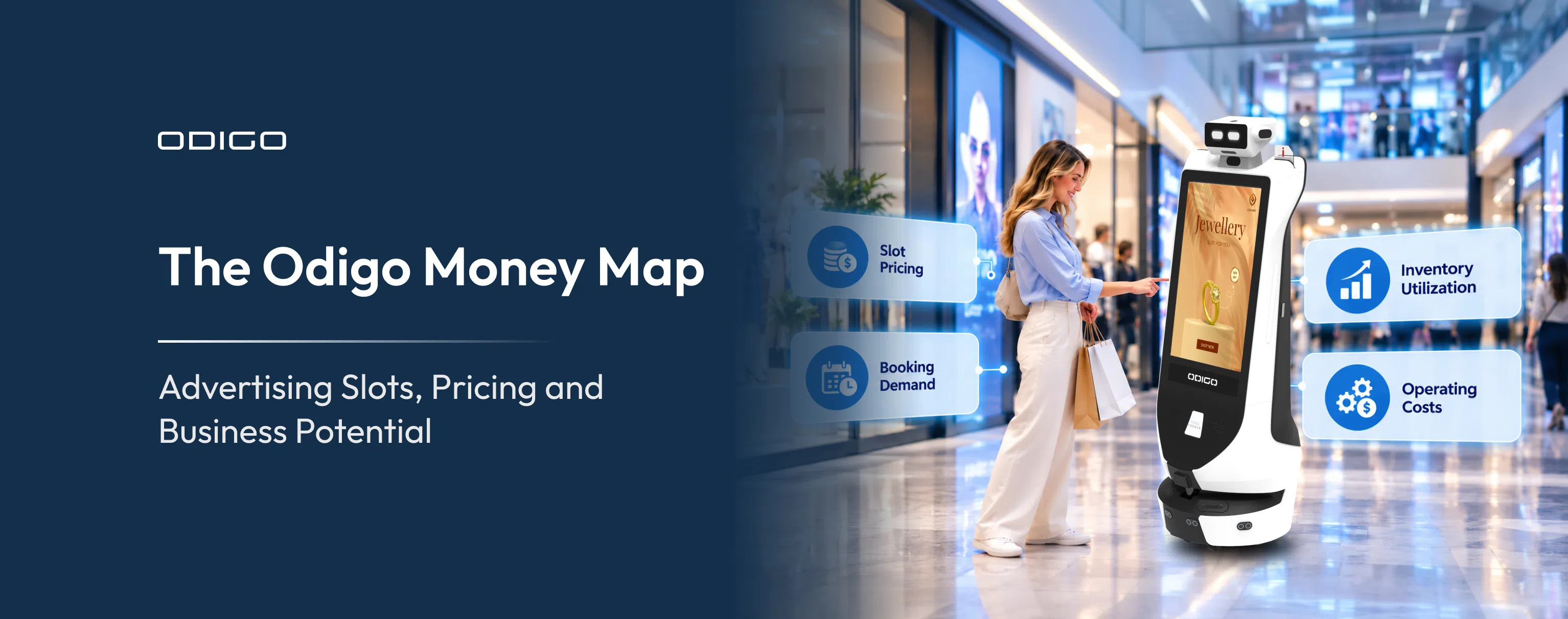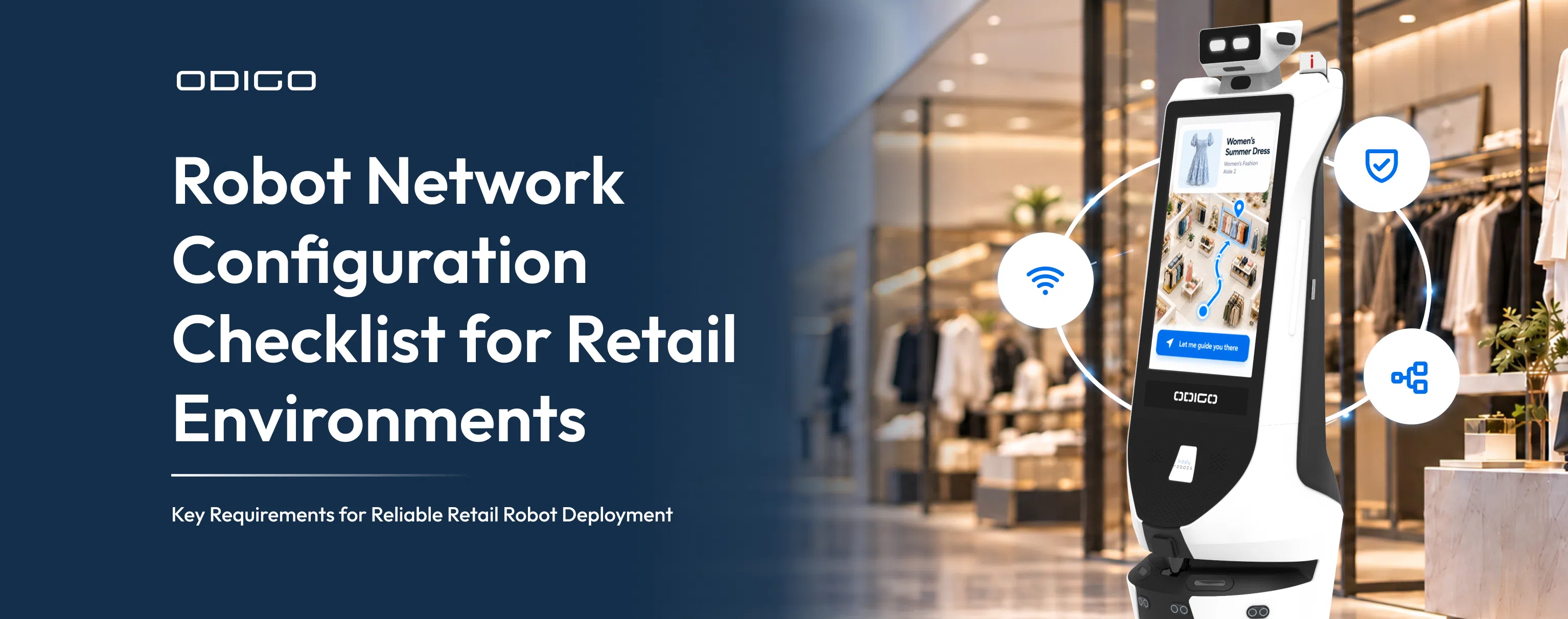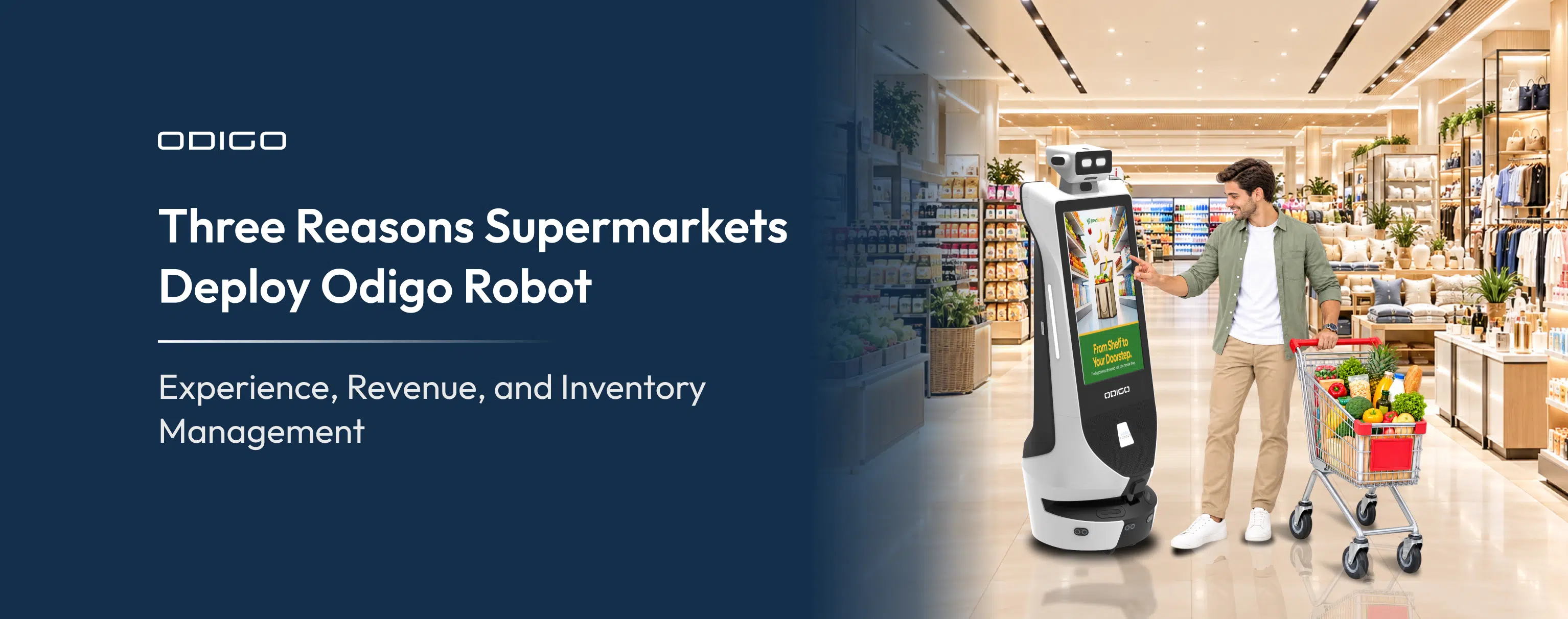


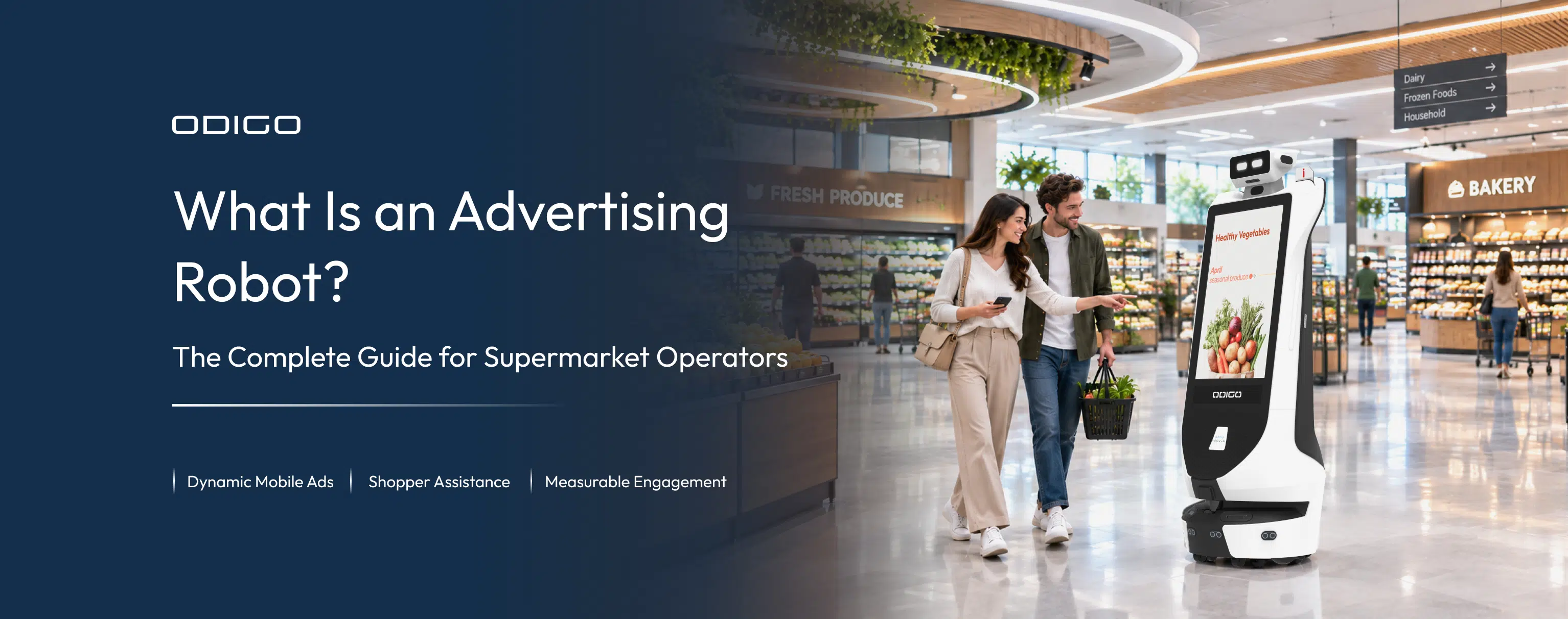

Quick Summary: An advertising robot is a self-driving screen that moves through the store carrying advertisements and promotions, instead of sitting in one place waiting for shoppers to pass by, and that mobility helps brands gain visibility and drive revenue. The guide explains what is an advertising robot, how advertising robots work in supermarkets, and how supermarket operators use them to deliver in-store promotions and support retail media. As a supermarket operator, you’ll get detailed answers here on the robot’s business value and deployment.
Key Takeaways
- An advertising robot turns your store aisles into mobile ad inventory.
- The advertising robot moves through the store and toward shoppers rather than waiting for them, increasing brand visibility and creating more conversion opportunities.
- One robot can run multiple campaigns based on your requirements. Location, day, and time can determine what the screen displays.
- The same smart assistant that runs a promotion can answer questions or guide shoppers to products.
- Additionally, it keeps your supermarket safe through its safety surveillance and is operationally efficient with retail intelligence.
- Every ad play, tap, and QR scan becomes a record, which gives brands the proof that fixed displays rarely deliver.
- Shelf gaps, misplaced items, and busy zones surface as alerts, turning routine patrol into merchandising insight.
- Sales attribution connects robot-generated shopper interactions with purchase data, allowing brands to measure the sales impact of their campaigns.
A Complete Advertising Robot Guide for Supermarket Operators
What Is an Advertising Robot, and Why Does It Matter to Supermarket Operators? An advertising robot is a self-driving digital display that moves through a supermarket, bringing promotions directly to shoppers instead of keeping them in one fixed location. Because it can move throughout the store, the robot gives brands more opportunities to stay visible as shoppers move from one area to another and potentially influence purchase decisions along the way.
That opportunity becomes even more interesting when you consider where most retail spending still happens. More than 80% of U.S. retail sales take place in physical stores, yet in-store formats accounted for just 3.3% of remaining retail media spend in 2025, according to (EMARKETER). The gap suggests that supermarkets still have significant room to connect advertising with shoppers at the point where they are browsing, comparing products, and making purchase decisions.
Advertising robots can help bridge that gap by moving through store zones, delivering promotions, engaging shoppers, and collecting interaction data. The advertising robot guide for supermarket operators focuses on the business value, practical use cases, measurement, and deployment decisions that matter before launching the robot assistant. If you want the technology explained first, see how AI robot assistants work.
What Is an Advertising Robot?
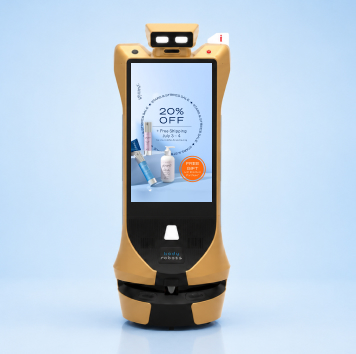
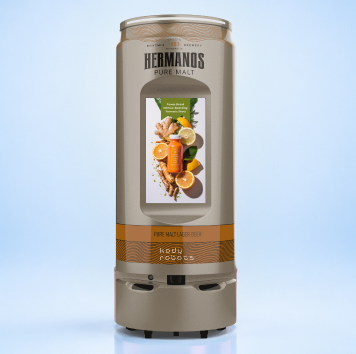
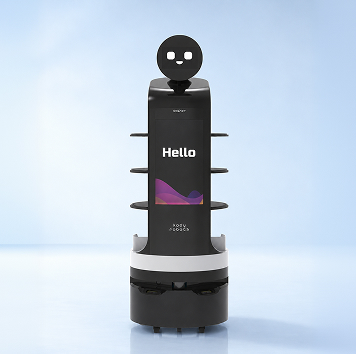
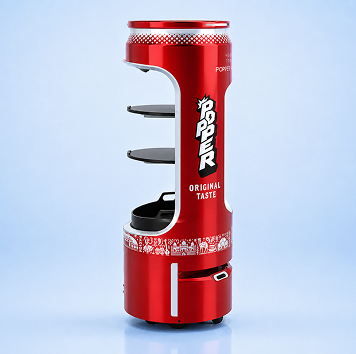
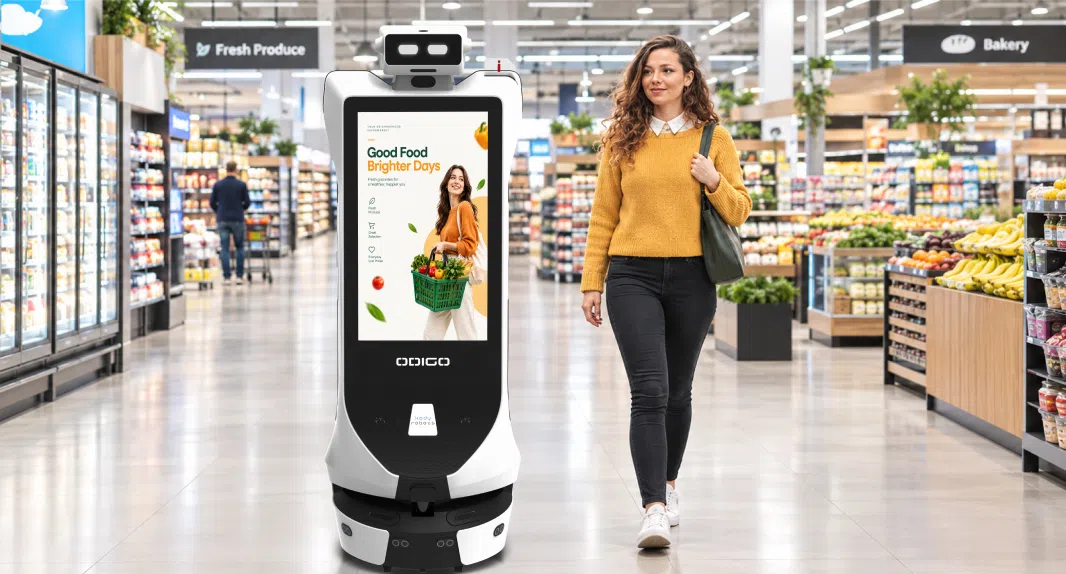
If you are asking, “What is an advertising robot?”, think of it as a mobile digital platform. An advertising robot like Odigo built by Kody Robots is an autonomous mobile platform or system that displays digital advertising while moving through a physical space. The platform combines promotional screens, touch interaction, self-guided navigation, and campaign reporting in one remotely managed unit.
What makes an advertising robot different is that it does not depend on a fixed location. A traditional kiosk, for example, can only reach shoppers who pass the end of a specific aisle. Its visibility and advertising value are therefore limited by the traffic around that location.
An advertising robot removes that limitation by bringing the screen to different areas of the store. The same unit can promote a campaign in one section in the morning and support another promotion in a different section later in the day.
Its mobility also allows supermarkets to combine several functions on one platform. Along with advertising, the robot can support wayfinding, customer service, and store reporting. This combination gives operators a more flexible way to engage shoppers while using the same system for multiple in-store needs.
What Makes an Advertising Robot Different?
Five characteristics define the category, and each one addresses a limitation of fixed in-store media.
Mobility
The unit patrols defined zones and routes instead of holding one position all day.
Dual advertising surfaces
Odigo carries two 32-inch Full HD capacitive touchscreens, front and back, giving each unit two advertising faces.
Interaction
The same screen that plays a promotion accepts a tap, a search, or a spoken question.
Contextual delivery
Content can be scheduled by day, time, zone, route, and individual point of interest.
Measurement
Each play and each tap produces a record, so campaigns generate proof rather than estimates.
| Format | Where it sits | What it can do | What it cannot do |
| Digital signage | Fixed wall or ceiling mount | Plays scheduled creative to passing traffic | Move, or respond to a shopper |
| Interactive kiosk | Fixed floor position | Accepts touch, search, and service flows | Reach the shopper who never approaches it |
| Static promotional display | Fixed shelf or end cap | Holds attention at the point of purchase | Change creative without a store visit |
| Mobile advertising cart | Pushed or towed by staff | Moves creative around the floor | Operate without a person behind it |
| Advertising robot | Anywhere on a mapped floor | Moves, displays, interacts, and reports | Work outdoors, or on carpet and slopes |
Read the table as a spectrum rather than a ranking. Each format solves a real problem. The mobile unit simply removes the position constraint that limits the others. So, what is an advertising robot, stripped to a single line? A promotional screen that travels to the shopper. Kody Robots built Odigo around exactly that gap on the US grocery floor.
What Is an Advertising Robot for Supermarkets?
An advertising robot for supermarkets is a mobile promotional unit built for grocery aisles. It patrols store sections while displaying offers based on its location and shopper activity. As it moves, the same unit can answer shoppers’ questions, report what was played, and capture what happened after each interaction.
That mobility matters because of how advertising robots work in supermarkets. Long dwell times, frequent repeat visits, and dozens of shopper decision points create many opportunities to engage shoppers. Yet thousands of promoted products compete for attention across the store, while traditional media remains tied to fixed locations.
For supermarket operators, an advertising robot creates a more flexible way to deliver in-store promotions. Instead of waiting for shoppers to reach one display, it can bring campaigns into different store sections and engage shoppers throughout their in-store journey.
Mobile Promotional Visibility
The unit patrols assigned areas while running campaigns. Promotional reach therefore follows real store traffic, not a floor plan drawn last quarter.
- Continuous display of daily offers, clearance, and seasonal campaigns.
- Coverage of sections that never justify a permanent screen.
- Reach into aisles where shoppers browse slowly and compare options.
Location-Relevant Advertising
Because the platform knows its own location, the creative can match the section. Odigo’s “Deals Near You” feature drives section-specific offers from the unit’s current patrol position.
- Bakery offers in the bakery, not on a screen near the entrance.
- Different messages by day, time of day, and zone.
- Campaigns scheduled to specific points of interest inside a section.
Interactive Advertising
The advertising surface doubles as an interaction point, which converts a passive impression into a measurable action.
- Shoppers can tap offer cards to view more details.
- QR flows can provide coupons, brochures, and loyalty enrollment.
- Product and service information is served on request.
Advertising Plus Assistance
Grocery deployments add another layer to advertising because shoppers often need help while they are already engaging with a promotion. A shopper who stops to view an offer can immediately ask where the product is located. The robot can handle that routine question, giving associates more time to focus on complex requests. This connects advertising with assistance in the same interaction, so the promotion does more than capture attention. It can also help the shopper take the next step.
How Do Advertising Robots Work in Supermarkets?
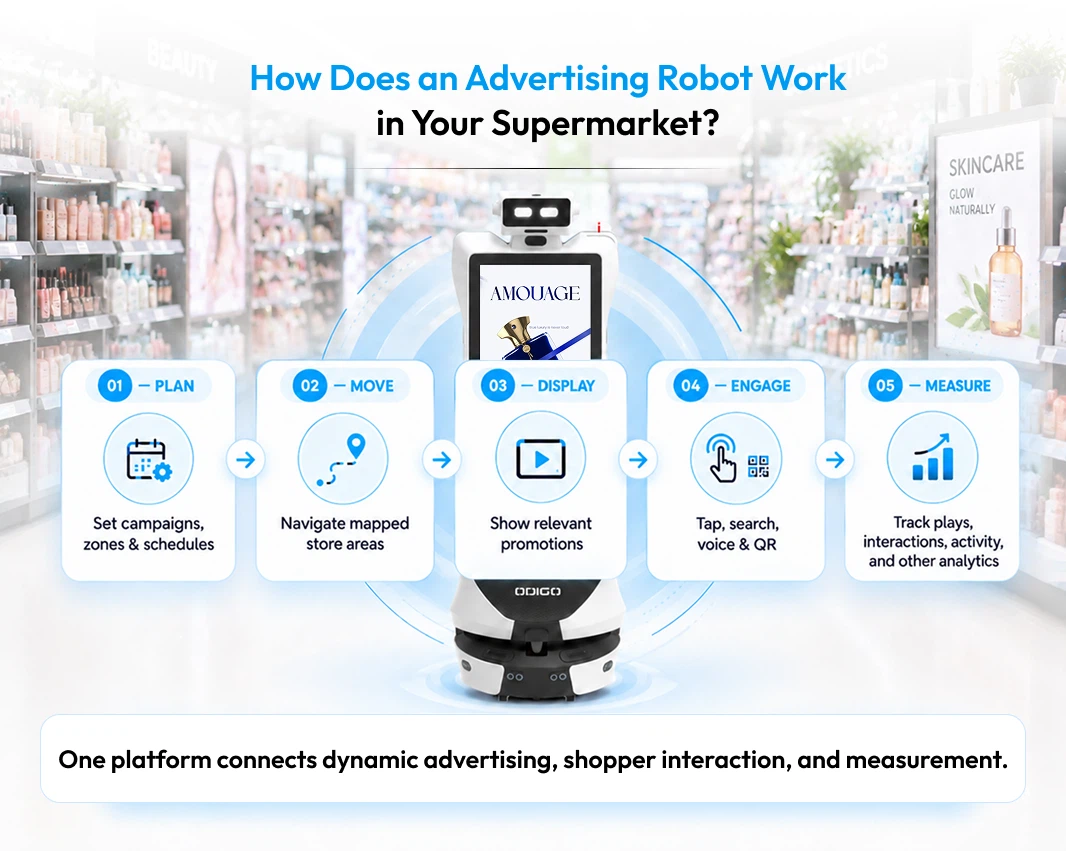
Advertising robots work in supermarkets through five connected layers. Content is scheduled centrally, navigation moves the unit through mapped zones, and the display handles shopper interactions. A control platform manages the fleet, while each interaction generates data that operators can report on.
Knowing what an advertising robot is one thing. Knowing how a unit operates on a live trading floor is another. To understand how advertising robots work in supermarkets, it helps to look at what the operator actually controls rather than the robotics behind it. Operators do not need to understand how the mapping algorithm works. They need to know who can change a campaign on Tuesday, where that campaign appears, and how its results are recorded. The flow below follows a single promotion from the marketing dashboard to the shopper and back again as measurable data.
What Each Layer Actually Does
| Layer | Purpose | What operators control |
| Advertising and content | Holds creative and decides what plays where | Campaigns, rotation, zones, routes, dayparts |
| Navigation | Moves the unit safely through the store | Maps, patrol routes, virtual walls, speed |
| Interaction | Handles touch, voice, search, and QR flows | Menus, directories, languages, service flows |
| Control | Governs units, users, and permissions | Fleet settings, access roles, remote overrides |
| Measurement | Converts activity into reportable records | Filters, exports, reporting periods |
Two details make the model practical on a live floor. Content pushes reach every unit instantly, with no on-site visit. Creative also keeps playing from local storage if the network drops. A campaign therefore survives the Wi-Fi outage that would blank a connected wall screen.
How Advertising Robots Deliver In-Store Promotions
Advertising robots deliver in-store promotions by matching creative to place and time. Campaigns run continuously during patrol and change automatically by zone and daypart. They invite interaction on the same screen and update remotely without reprogramming.
The delivery model deserves attention, because operators are really buying that model. A screen becomes inventory only when someone can fill the slot, schedule the run, and prove the play. The table below maps the main campaign types against what triggers them.
| Campaign type | What triggers the change | Practical example |
| Always-on advertising | Continuous patrol activity | Weekly offers and clearance running all trading day |
| Geo-contextual | The zone the unit is patrolling | Breakfast items promoted while the unit works cereal |
| Time-based | Day and daypart | Meal-solution creative from late afternoon onward |
| Zone-based placement | Section assignment per unit | Two units running different brands in different aisles |
| Sponsored interactive | A shopper taps at a set location | A brand quiz or coupon triggered in its own category |
Always-On Advertising
The unit runs promotional content continuously during patrol, independent of any shopper interaction. That baseline keeps the inventory productive even in quiet trading hours.
- Daily and weekly offers.
- Clearance and markdown campaigns.
- Seasonal and holiday promotions.
- Store service highlights.
Geo-Contextual and Time-Based Campaigns
Two variables do most of the work here: the unit’s location and the time of day. Together, those variables let one screen carry many messages without a single manual change.
- Section-specific offers driven by patrol position.
- Different messages in different aisles at the same moment.
- Dayparted creative that follows the shopping rhythm of the store.
- Scheduling down to individual points of interest.
Sponsored Interactive Experiences
A campaign can become an action rather than a view. Brands can trigger an experience at the exact spot where the product sits. No wall screen can be arranged for that.
- Tap-through offer cards.
- QR coupons and sampling prompts.
- Loyalty and membership enrolment prompts.
- On-screen quizzes, ratings, and preference capture.
Remote Campaign Management
Creative changes should not require a truck to roll. Marketing teams update artwork and schedules from one dashboard. A single action then pushes the change to every unit across the estate. Offline playback then protects the schedule through any network interruption.
How Supermarket Operators Use Advertising Robots
Supermarket operators use advertising robots to promote products and run seasonal or brand campaigns. The units also clear excess stock, direct shoppers toward specific areas, highlight store services, and assist shoppers directly.
Use cases matter more than features during evaluation.
Seven Practical Use Cases
The list below reflects how the unit earns its place on a trading floor.
1: Promote featured products
Push priority SKUs, categories, or supplier campaigns into the aisles where those products sell.
2: Support seasonal campaigns
Holiday, back-to-school, and summer programs run without printing or installing anything.
3: Support brand campaigns
Suppliers gain a physical placement inside the store, sold by zone or daypart.
4: Promote clearance and offers
Time-sensitive markdowns reach shoppers in the right section while stock still moves.
5: Drive traffic toward specific areas
Promotion and physical escort together route footfall past a demonstration or a new category.
6: Promote store services
Order pickup, membership, and customer service get visibility beyond the front desk.
7: Combine advertising with assistance
Promotion and help share one interface, which is where the format separates from every fixed alternative.
Together, these use cases show how advertising robots can serve both marketing and day-to-day store operations. The value comes from combining promotions, guidance, and assistance directly into the shopping environment. For operators, the combination of advertising, navigation, safety surveillance, and shopper assistance makes the robot a flexible tool for supporting business goals.
Why the Assistance Pairing Changes the Economics
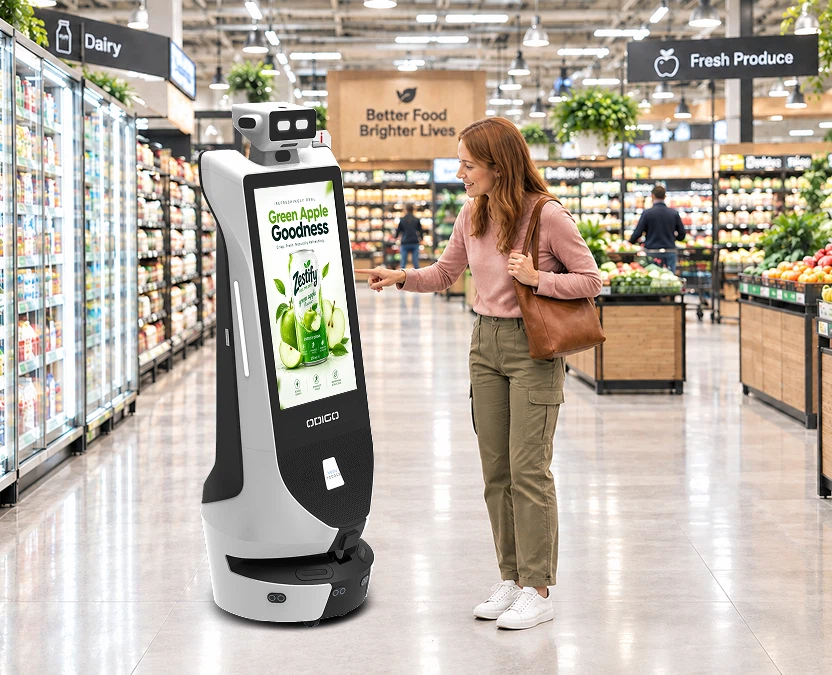
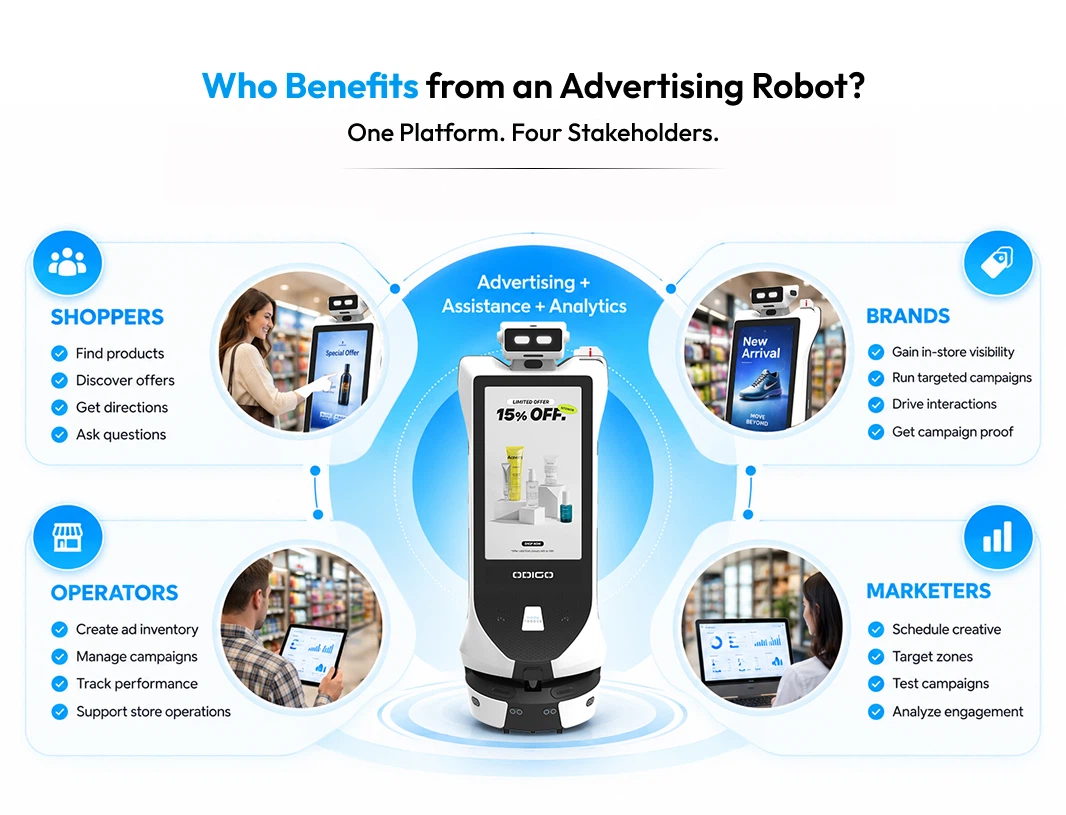
A shopper who taps a promotion may have a follow-up question, but a fixed display cannot respond to it. A mobile robot assistant can answer that question directly through its interactive display. Odigo’s AI Concierge can provide store information, help shoppers find products, and guide them to specific locations without requiring an app download or account.
- Shoppers can locate a promoted item and receive directions to the product within the same interaction.
- Shoppers can get answers to common store questions on the robot instead of visiting the service desk.
- Multilingual voice and touch interaction allows the robot to assist shoppers who prefer different ways of communicating.
- Live inventory and price information can be provided when the robot is connected to the store’s relevant systems.
The value comes from combining these functions in one shopper interaction. The advertisement gives shoppers a reason to stop and engage with the robot, while the assistance features give them a practical reason to continue. Instead of serving only as a moving advertising display, the robot can promote an offer, answer a question, and help the shopper reach the product in the same interaction.
How Advertising Robots Support Supermarket Retail Media
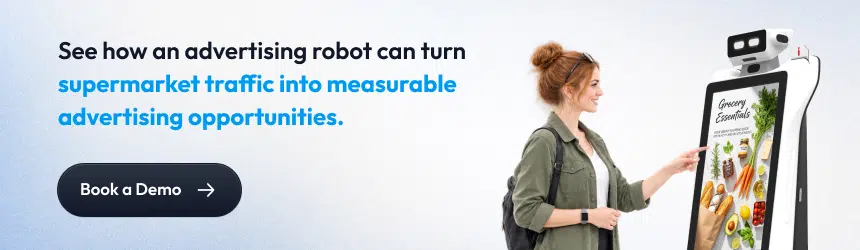
Advertising robots support supermarket retail media by creating mobile ad inventory inside the store. Brands can buy placement by aisle, zone, route, and daypart, and campaign activity returns as auditable records for measurement.
Retail media, in plain terms, is a retailer selling advertising access to its own shoppers. Grocery chains have built that business online first, on websites and apps. The store floor has stayed the harder half. Most physical placements are difficult to schedule, difficult to change, and difficult to prove.
The Physical Retail Media Layer
The bottom layer is the one most grocery networks cannot yet sell.
What the Format Adds to a Retail Media Offer
That layer also sits closest to the purchase decision.
1: New inventory
Each unit creates two advertising faces that travel across many store zones.
2: Packageable placement
Campaigns can be sold by aisle, zone, route, point of interest, or daypart.
3: Engagement signals
Taps and QR events give brands evidence a fixed placement cannot produce.
4: Auditable delivery
Proof-of-play logging records what played, where, and when.
5: Partner accounting
A partner and wallet module tracks performance, exposure, and earnings per advertising partner.
6: Attribution feeds
Campaign telemetry can post back into the retailer’s own measurement stack. *
Sales attribution deserves one honest caveat. The unit measures its own delivery and engagement exactly. Connecting that to basket outcomes requires integration with your existing systems. Scope that work during implementation rather than assuming the connection on day one.
How Advertising Robots Support Retail Intelligence in Supermarkets
Advertising robots support retail intelligence in supermarkets by collecting operational signals during normal patrol and while guiding the customers. Shopper searches, zone traffic, dwell patterns, and shelf conditions all become reportable data. Nobody has to walk the floor to gather it.
Floor intelligence is the quiet second return on the investment. The unit is already moving through every mapped section for advertising reasons, so the observation costs nothing extra. The value sits in what those observations reveal about demand and execution.
Shopper Demand Signals
What shoppers ask for is among the cleanest demand indicators a store can collect. Those requests capture intent before any purchase happens.
- Top searched items and categories
- Search volume trends over time
- Popular destinations and navigation requests
- Language selection distribution
- Peak usage windows by day and hour
Store Traffic and Zone Activity
Passive footfall and dwell analytics are captured across all patrol activity, independent of any shopper interaction.
- Zone traffic and demand hotspot mapping
- High-intent zone identification
- Route performance analysis
- Queue depth at checkout and service counters
Shelf and Merchandising Signals
These capabilities are scoped and calibrated per store, and they turn patrol into a continuous execution check.
- Shelf availability and out-of-stock detection across scoped aisles*
- Misplaced product detection*
- Wrong SKU and incorrect facing indicators*
- Promotional and price label presence checks*
The practical benefit is exception handling. Rather than inspecting every aisle, the team receives the aisles that need attention. Those hours then go toward gaps that genuinely exist.
What Technology Powers an Advertising Robot?
An advertising robot Odigo Manufactured by Kody Robots runs on four technology groups: autonomous navigation, environmental sensing, display and interaction hardware, and remote fleet management. Together, those groups let the unit move safely through a trading store while serving and reporting on campaigns.
Operators do not need an engineering briefing. They do need enough detail to judge whether the platform survives a real Saturday. Each capability below is explained first in plain terms, with the Odigo specification underneath.
| What smart assistant does, in plain terms | The specification behind it |
| Finds its own way around the store without floor markers or rails | AI-powered dual SLAM combining laser and visual sensing, with Cartographer mapping and AMCL navigation |
| Sees people, carts, pallets, and low or glass obstacles while moving | 2D LiDAR at 270 degrees and up to 25 meters, 3D depth cameras, and ultrasonic sensors |
| Slows down and steers around a crowd instead of stopping dead | Smart multi-sensor obstacle avoidance, speed configurable from 0.1 to 1.0 m/s |
| Stays out of stockrooms, loading bays, and level changes | Software-defined virtual walls, restricted zones, and anti-fall sensing at stair edges and docks |
| Shows ads and takes shopper input on the same surface | Two 32-inch Full HD capacitive touchscreens, plus a 7.9-inch top display for ambient branding |
| Hears and answers in a noisy aisle | Four-microphone array with integrated speakers and amplifier |
| Runs a full trading day and charges itself | 10+ hours of continuous operation, with autonomous docking and resumption |
| Updates and reports without local technical staff | Wi-Fi and Bluetooth connectivity, remote monitoring, and over-the-air updates |
One architectural point is worth noting. Odigo separates its navigation system from its interactive one. Ubuntu 22.04 runs AI navigation, while Android 11 runs the shopper-facing layer. Core navigation runs locally, so the unit keeps working on the floor when connectivity drops.
Advertising Robot vs Interactive Kiosk vs Digital Signage
Understanding what is an advertising robot also means understanding how the smart assistant differs from traditional in-store advertising formats. An advertising robot moves through the store, an interactive kiosk serves shoppers from a fixed location, and digital signage delivers content from a fixed screen. Each format supports a different objective, whether a store needs greater reach, direct interaction, or consistent coverage in specific areas.
After understanding what is an advertising robot, buyers also need to know how it differs from the screens and interactive displays already installed in their stores.
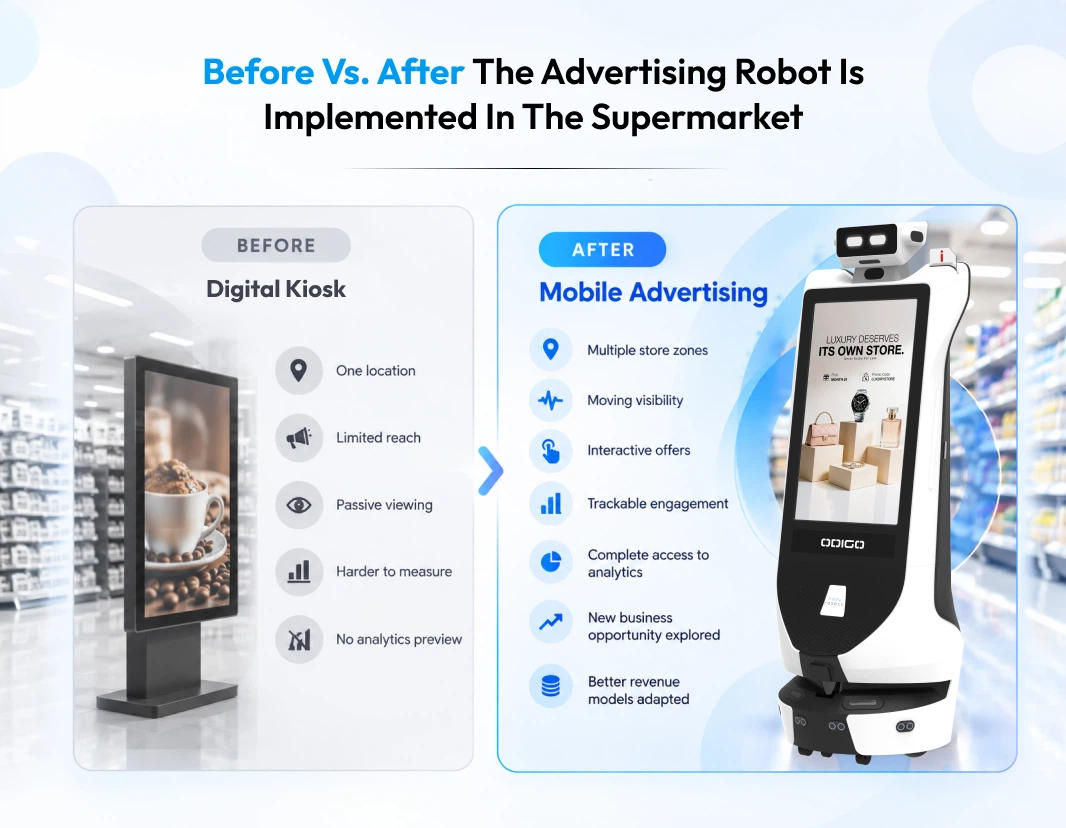
The comparison below looks at how each format delivers content, where shoppers interact with it, and how each one fits into the in-store experience. Reviewing these capabilities side by side gives supermarket operators a clearer basis for evaluating which format best fits their goals before discussing budget and deployment.
| Capability | Advertising robot | Interactive kiosk | Digital signage |
| Fixed location | No | Yes | Yes |
| Moves through the store | Yes | No | No |
| Touch interaction | Yes | Yes | Usually limited |
| Autonomous navigation | Yes | No | No |
| Location-based content delivery | Yes | Limited | Limited |
| Shopper wayfinding | Yes | Possible | Limited |
| Interactive promotions | Yes | Yes | Limited |
| Proof-of-play records | Yes | Depends | Depends |
| Physical escort to a product | Yes | No | No |
When Each Format Makes Sense
- Digital signage works best for broad, repeated messaging at entrances, checkouts, and high-traffic chokepoints.
- Interactive kiosks suit a known, stationary task, such as an order desk, a returns point, or a store directory.
- Advertising robots like Odigo by Kody Robots suit stores that need coverage across many sections, contextual creativity, and interaction combined with movement for better revenue.
Most chains will end up running more than one. The useful question is not which format wins, but which one covers the gap the others leave. Our breakdown of advertising robot vs interactive kiosk vs digital signage works through that decision in more depth. For a closer comparison, read static screens vs advertising robot in supermarkets before deciding which format fits your store.
How Do You Measure Advertising Robot Performance?
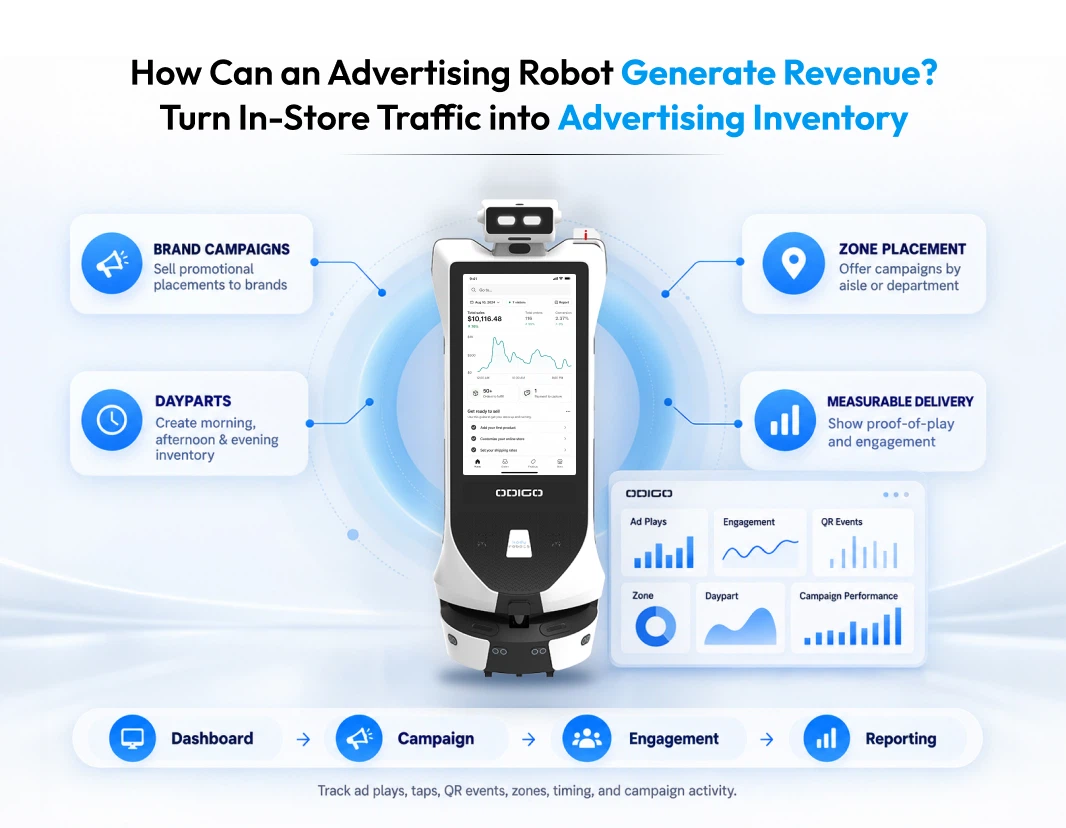
Advertising robot performance is measured across four groups: advertising delivery, shopper engagement, assistance activity, and operational reliability. All four come from the platform’s own logs. Reporting therefore depends on no external system.
That last point carries real weight for a retail media conversation. Brands increasingly ask for proof rather than estimates, and delivery evidence should not require a separate measurement vendor.
| Metric group | What gets reported | What it tells you |
| Advertising | Ad plays by zone, section, and time; proof-of-play exports | Whether the campaign ran as sold |
| Engagement | Offer-card taps, QR events, touch and voice sessions | Whether shoppers acted on it |
| Assistance | Item searches, navigation requests, escort taps, top destinations | What shoppers wanted and could not find |
| Operational | Uptime, runtime, route completion, patrol coverage, ticket volume | Whether the unit delivered its scheduled hours |
Dashboards filter by unit, site, destination, category, month, and year, and filtered records export for downstream analysis.
On Measuring Sales Impact
Activity data is not sales attribution, and treating activity data that way will damage credibility with a brand partner. Linking exposure to basket outcomes requires connection to inventory, point-of-sale, loyalty, or retail media systems*. Scope that integration deliberately and set the expectation with advertisers early.
What Should Supermarket Operators Consider Before Deploying Advertising Robot?
Several factors can affect how well an advertising robot performs in a supermarket. The store needs a suitable operating environment, an accurate map, a clear advertising strategy, a shopper-friendly deployment plan, and the right safety and control measures.
Key Factors to Review Before Deployment
These factors should be reviewed before purchasing an advertising robot and before planning its deployment. Addressing them early helps operators determine whether the store is ready for the robot and what needs to be configured before it begins operating.
1: Store environment
Odigo performs the best on a flat, solid indoor surface.
2: Store mapping
Aisle layout, zones, restricted areas, stockrooms, loading bays, and any multi-floor arrangement all need to be defined.
3: Advertising strategy
Decide which campaigns run, in which zones, during which dayparts, and how creative rotates.
4: Shopper experience
The unit should add value without obstructing normal movement at peak trading hours.
5: Safety and control
Confirm obstacle avoidance behavior, anti-fall sensing, emergency stop, restricted zones, and operator access.
Together, the above considerations help operators assess store that is fully adapted to the advertising robot, define the right deployment approach, and configure the advertising robot for safe and effective operation. Reviewing the considerations early also helps prevent avoidable changes during implementation.
Privacy and Data Governance
Privacy requirements should be considered during deployment planning, especially when the robot uses detection or data-capture functions. These functions can be configured for each site, with customer-controlled permissions, retention periods, and infrastructure. Operators can decide which functions to enable and should align the configuration with their privacy policy and applicable requirements before launch.
How to Deploy an Advertising Robot in a Supermarket
Deployment follows a repeatable sequence. Define the objective, map the store, and build the content plan. Then configure the unit, connect systems, pilot in one location, and scale. Most programs fail by skipping the pilot.
The nine steps below reflect a realistic path from first conversation to multi-site rollout.
1: Define the objective
Advertising revenue, shopper assistance, retail media inventory, or store operations, pick your primary objective.
2: Identify high-value zones
Find the sections where movement, dwell, and promotion overlap.
3: Build the store map
Set routes, points of interest, restricted zones, and virtual walls.
4: Build the content strategy
Agree campaigns, creative, rotation, schedules, and zone assignments.
5: Configure the unit
Set navigation behavior, speed, interaction menus, languages, and operating hours.
6: Connect required systems
Scope any point-of-sale, inventory, loyalty, ticketing, booking, or retail media integrations*
7: Run a pilot
Start with one store, one zone, or one campaign, and hold the pilot long enough to produce trends.
8: Measure and optimize
Use platform analytics to compare zones, dayparts, and creative before committing further.
9: Scale
Expand through centralized fleet management, with maps, content, and permissions governed from one console.
Treat steps six and seven as the gate. Integrations take longer than expected, and a pilot that runs without those integrations still proves the advertising case.
Is an Advertising Robot Right for Your Supermarket?
An advertising robot works well for some supermarket objectives but may not be the best fit for others. Review the following criteria before starting the procurement process. Consider an advertising robot if you want to:
- Create mobile in-store advertising inventory across multiple store sections
- Add interactive promotional experiences while shoppers are deciding what to buy
- Support retail media campaigns with measurable delivery and engagement data
- Improve shopper navigation and reduce routine service desk questions
- Combine advertising with practical shopper assistance
- Measure in-store engagement instead of relying on estimates
- Manage multiple units and locations from a single console
A different format may be more suitable when the objective is limited to a fixed location or a single service function. Digital signage works better when a store needs continuous messaging at one high-traffic location. A kiosk is more suitable when shoppers need to complete a stationary service task. Stores with carpeted floors, slopes, or outdoor operating areas may also fall outside the robot’s operating requirements.
Where Advertising Robots Fit in Your Supermarket
We opened by asking “what is an advertising robot,” and the simple and honest answer is that Odigo is an advertising robot and a smart assistant that combines mobility, advertising delivery, shopper interaction, navigation, and measurement in one managed system. The combination creates a new in-store media layer rather than another physical display to be added in the supermarket.
For grocery operators, mobile advertising addresses a specific gap in retail media. Shoppers still make many purchase decisions inside physical stores, while in-store media remains less developed than other retail media channels. Mobile advertising inventory gives retailers another way to reach shoppers during the shopping journey. Odigo also allows shoppers to interact with the same robot when they need directions, product information, or routine assistance.
Odigo by Kody Robots brings advertising, assistance, navigation, and analytics together on a single platform, purpose-built for high-footfall retail floors.
Ready to see how it works on your floor? Explore the AI Robot Assistant for supermarket to review the capabilities in detail. Or talk to our team about a single-store pilot.
What Is an Advertising Robot – General FAQs
If our guide helped you understand “what is an advertising robot” and “how the smart assistant can help your supermarket business in the USA,” we would be glad. The below FAQ will resolve the slightest doubt you might have; if not, we are just a call away.
1: How do advertising robots work in supermarkets?
The advertising robot displays ads and runs scheduled campaigns centrally, then navigates mapped zones using sensors while patrolling across the supermarket. Screens display and accept interaction, and all activities are returned to the centralized dashboard in real-time.
2: Can advertising robots interact with shoppers?
Yes, shoppers can use touch, voice, on-screen search, digital directories, and QR flows, with no app download and no account required. Shoppers can also choose their desired language to navigate or interact with the robot to get answers.
3: Can advertising robots show different promotions in different aisles?
Yes, creative changes by zone, route, point of interest, day, and daypart. One unit therefore carries several campaigns across a single shift.
4: Can an advertising robot support retail media?
Yes, the robot smart assistant unit creates mobile ad inventory that brands buy by zone and daypart. Proof-of-play and engagement records support measurement.
5: Can an advertising robot also help shoppers find products?
Yes, the robot assistant helps shoppers navigate the supermarket and find products, as the smart assistant can escort a shopper to the destination rather than only giving directions.
6: What data can an advertising robot provide?
The advertising robot offers complete analytics requested when it is integrated with your CRM. You can preview analytics like Ad plays, proof-of-play, taps, QR events, item searches, navigation requests, popular destinations, footfall, dwell time, zone traffic, uptime, and route completion.
7: Are advertising robots safe to use in supermarkets?
Yes, advertising robots are safe to use in supermarkets as they use multi-sensor obstacle avoidance, anti-fall sensing, configurable speed limits, and virtual walls. The robot assistant also has an emergency stop button that halts all functions immediately in emergency cases.
8: Can an advertising robot create a new revenue stream for a supermarket?
Yes, supermarkets can package mobile ad inventory by zone, route, point of interest, or daypart. The revenue will rely on the ad slots you play on the robot assistant for each brand. Operators can use proof-of-play, taps, and QR events to report campaign delivery and engagement. The dependable revenue parameters would be the retailer’s media strategy, advertiser demand, pricing, and campaign volume.
9: How can supermarket operators measure the business value of an advertising robot?
Operators can track ad plays, proof-of-play, taps, QR scans, item searches, navigation requests, zone traffic, dwell time, uptime, and route completion. Operators can filter and export these records to measure the sales impact. So it is important to know how supermarket operators use advertising robots so that you can maximize the business value.
10: Can brands be charged based on where and when their ads run?
Yes, when you play a brand’s ad, you can charge them based on how many slots they want to run. The platform can support campaign placement by aisle, zone, route, point of interest, and daypart. Commercial pricing is a retailer or media-partner decision, so operators can structure packages around the inventory they choose to sell.
11: Can an advertising robot help supermarket teams save time?
Yes, the advertising robot can handle shopper questions, direction requests, and selected store-assistance tasks. This assistance can reduce repetitive requests for associates and let teams focus on more complex customer needs. Actual time savings depend on store layout, shopper volume, and the assistance flows deployed.
12: How should a supermarket calculate ROI before deploying an advertising robot?
The ROI depends on various factors such as the number of slots run, the increased dwell time, and other assistant requests to the Odigo. For a clearer answer you can simply compare the total deployment and operating cost with defined outcomes such as advertising revenue, staff time redirected, engagement, service capacity, and other measurable business goals. A controlled pilot, planned with our Robot Assistant Deployment Guide, can help establish realistic benchmarks before a wider rollout.
13: Does Odigo support large supermarkets like Walmart and Trader Joe’s?
Yes, Odigo supports supermarkets like Walmart, Costco, Trader Joe’s, and more. Odigo provides smart assistance layers to supermarkets in the USA and gives you complete access to your analytics and centralized dashboard, with multiple other features like AI safety surveillance and AI concierge.
14: How do you book a demo of the advertising robot for supermarkets?
If you want to book the advertising robot for supermarkets in the USA, you can contact Kody Robots, and our experts will book the demo at your convenience.
15: What Should Supermarket Operators Consider When Comparing Buy or Lease Advertising Robot Options?
When comparing Buy or Lease Advertising Robot options, supermarket operators should consider their budget, expected deployment length, rollout plans, and need for flexibility. Buying may suit a long term deployment, while leasing may be useful for a pilot or gradual rollout before a wider commitment.