
Quick Summary: Why retail robots fail comes down to three gaps: costs nobody can justify, workflows that never absorbed a robot, and performance that breaks on a live floor. You will see Walmart case study and what to test before you buy a retail store robot. You’ll also explore how to address these gaps and how Odigo performed at various high footfall environments including LuLu Mall Thiruvananthapuram and Jio World Drive Mumbai, so you can pilot with confidence.
Key Takeaways
- Three gaps sink most programs: unclear economics, weak workflow fit, and performance that cracks on a live floor. You can test for each one before you sign anything.
- Scale does not prove value. Walmart ran shelf-scanning robots in about 500 stores and still ended the program, so insist on measured results from day one.
- Seven questions expose a weak vendor early. Before you sign, ask what problem a robot solves, how you will measure success, whether it works in your store, whether it fits your workflows and systems, who handles exceptions, what it costs over the full deployment, and what a pilot must prove. Hold Odigo to the same list.
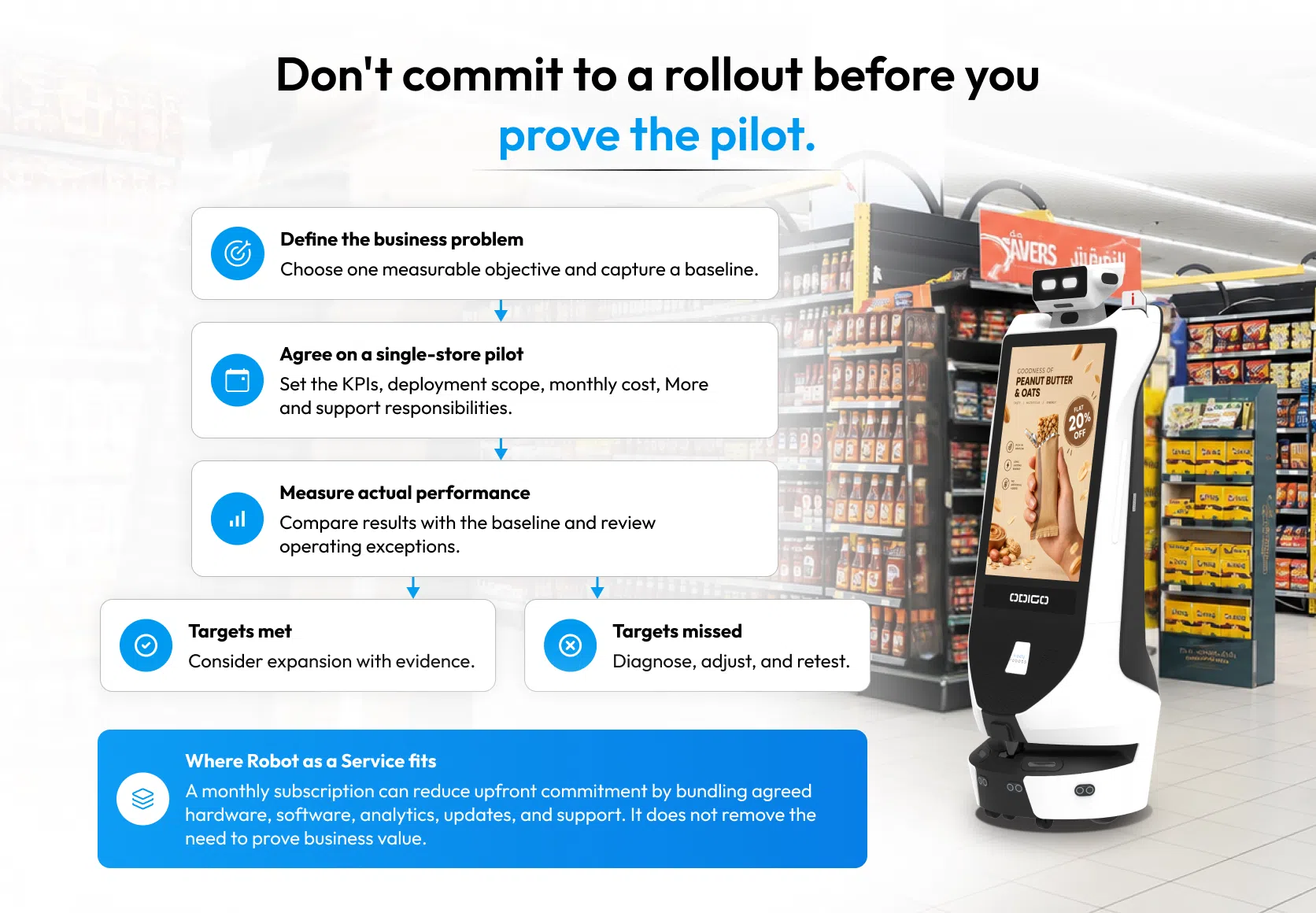
- A single-store pilot limits your commitment. Robot as a Service lets you start small and judge results against targets you set first.
- Odigo has logged full-month results on live mall floors, including 868 hours at LuLu Mall Thiruvananthapuram and 542.7 hours at Jio World Drive Mumbai. Check the numbers in the proof table.
- All the retail robot programs failed teach us one thing in common: your deployment can be a success if the major gaps are addressed and the blog offers that.
A retailer approves a robot expecting faster answers for shoppers and lighter routine work for associates. Six months later, the unit sits in a corner, charging. Why retail robots fail rarely comes down to the hardware alone.
A 2026 Coresight Research survey of 200 US retail decision makers found in-store inefficiencies now cost 6.4% of gross sales, up from 4.5% in 2024, even as 60% scale store technology. Retail robot mistakes made before launch usually decide the result. (Source: Yahoo Finance)
Our team has watched the same three problems repeat: economics nobody can defend, workflows that never absorbed a robot, and performance that cracks under real aisles and real crowds. A retail store robot earns its place only when economics, fit, and reliability hold together.
Why Retail Robots Fail: The Three Gaps Behind Most Stalled Programs
Retail robot challenges vary from store to store, but the reasons behind them repeat. Understanding why retail robot deployments fail starts with spotting that pattern. Each cause is predictable, which makes each one avoidable when a retailer addresses it before purchase instead of after launch.
Store teams, finance leads, and operations heads each see a different symptom, so the pattern stays hidden until a program has already stalled.
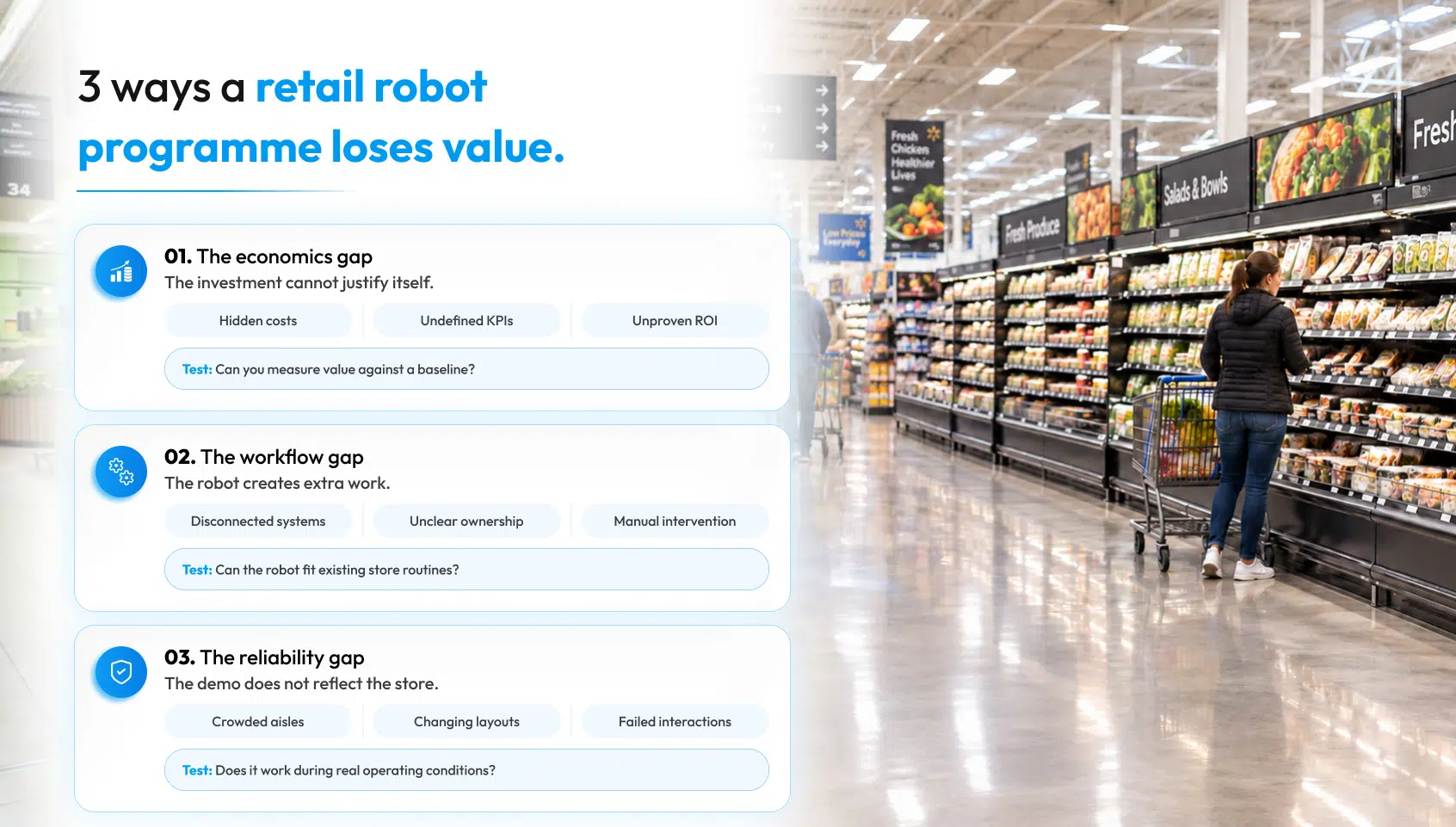
1. Why Retail Robots Fail on Cost: Unclear Return on Investment
Most programs start with a hardware quote and nothing else. Maintenance, software licenses, support, updates, and network upgrades arrive later as separate line items, and the finance team watches the number grow.
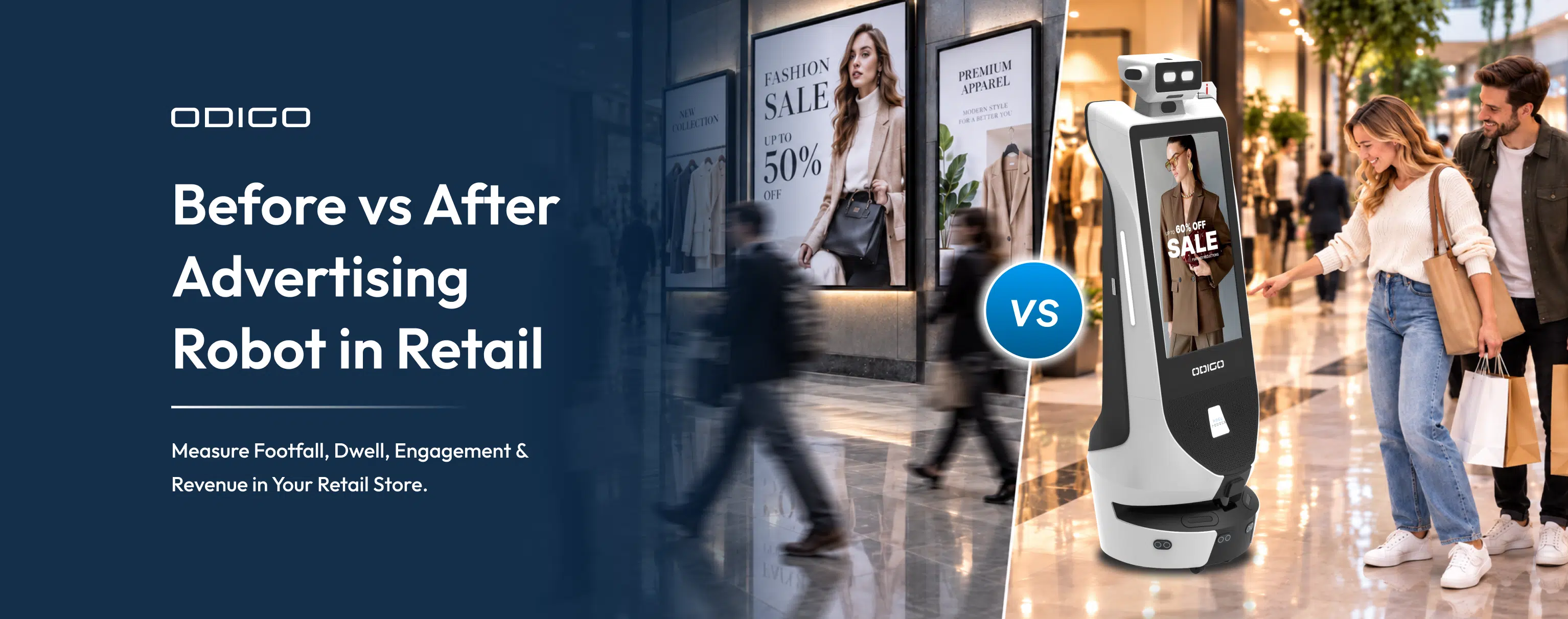
Meanwhile nobody has defined success, so return on investment (ROI) can be neither proven nor disproven. A pilot, with written success criteria fixes the problem. One store, one defined problem, and a baseline captured before launch let a retailer run a proper before vs after advertising robot in retail comparison of footfall, dwell, and engagement.
Evidence, not opinion, then justifies expansion, and a missed target becomes a fixable finding instead of a verdict on the whole program.
2. Poor Integration with Store Operations
Why retail robots fail in this area has little to do with hardware. A robot must fit the store’s existing processes and support employees instead of creating extra tasks for them. Associates who never learned when to step in, which questions a robot handles, or how to clear an exception start treating the unit as an obstacle.
Managers then run it manually, and manual intervention erodes the value that justified the purchase. Disconnected systems make matters worse. A robot that cannot see inventory, pricing, or ticketing answers shoppers with stale information, and stale answers cost trust faster than silence. Training, escalation paths, and system links belong in the plan before arrival day, and the robot assistant deployment guide lays out the rollout steps in order.
3. Technical Limitations and Unreliable Performance
A polished demo runs on a cleared floor with a tidy layout and a technician nearby. A live store has pallets in the aisle, seasonal displays that move every few weeks, and a crowd at noon on Saturday. Navigation that handled the demo can stall in a packed aisle, and shelf data drifts out of date when layouts change.
Customer interactions fail when a robot misreads a question or sends a shopper to the wrong aisle, and one bad exchange teaches shoppers to walk past. Retail robot deployment mistakes of this kind come from testing in conditions that flatter the product. Live-store testing, with real traffic and real layout changes, matters more than any successful demonstration.
Case Study: What 500 Walmart Stores Taught Retailers About Robot Deployment
Walmart deployed shelf-scanning robots, built to find out-of-stock and misplaced products, in about 500 stores through a partnership with one of the top robotics companies. In January 2020, they announced plans to add 650 more stores.
By November 2020, Walmart had ended the relationship. The wall street journal reported, citing unnamed sources, that Walmart found human workers could deliver similar results and that shopper reaction raised concern. (Source: WSJ)
Walmart’s own statement said five years of work taught the company how technology can assist associates. The public record offers no full post-mortem, so the table maps only what press reports said.
| Reported detail | What it signals for retailers |
| About 500 stores, five years of work | A large footprint did not settle the question of value. |
| Human workers could deliver similar results | Return on investment stays unclear until a robot effectively works on the store floor and delivers a measured result. |
| Concern about shopper reaction | Customer experience gets tested on a live floor, and a demo never tests it. |
The technology company partnered with Walmart, focused on shelf scanning, which resolves a crucial issue. Whereas Odigo combines shopper services, advertising, and store intelligence in one unit, so the comparison concerns program design. Define the result a robot must deliver beyond the manual method, test it in a live store, and expand only when the numbers hold.
What Retailers Should Evaluate Before Choosing a Robot
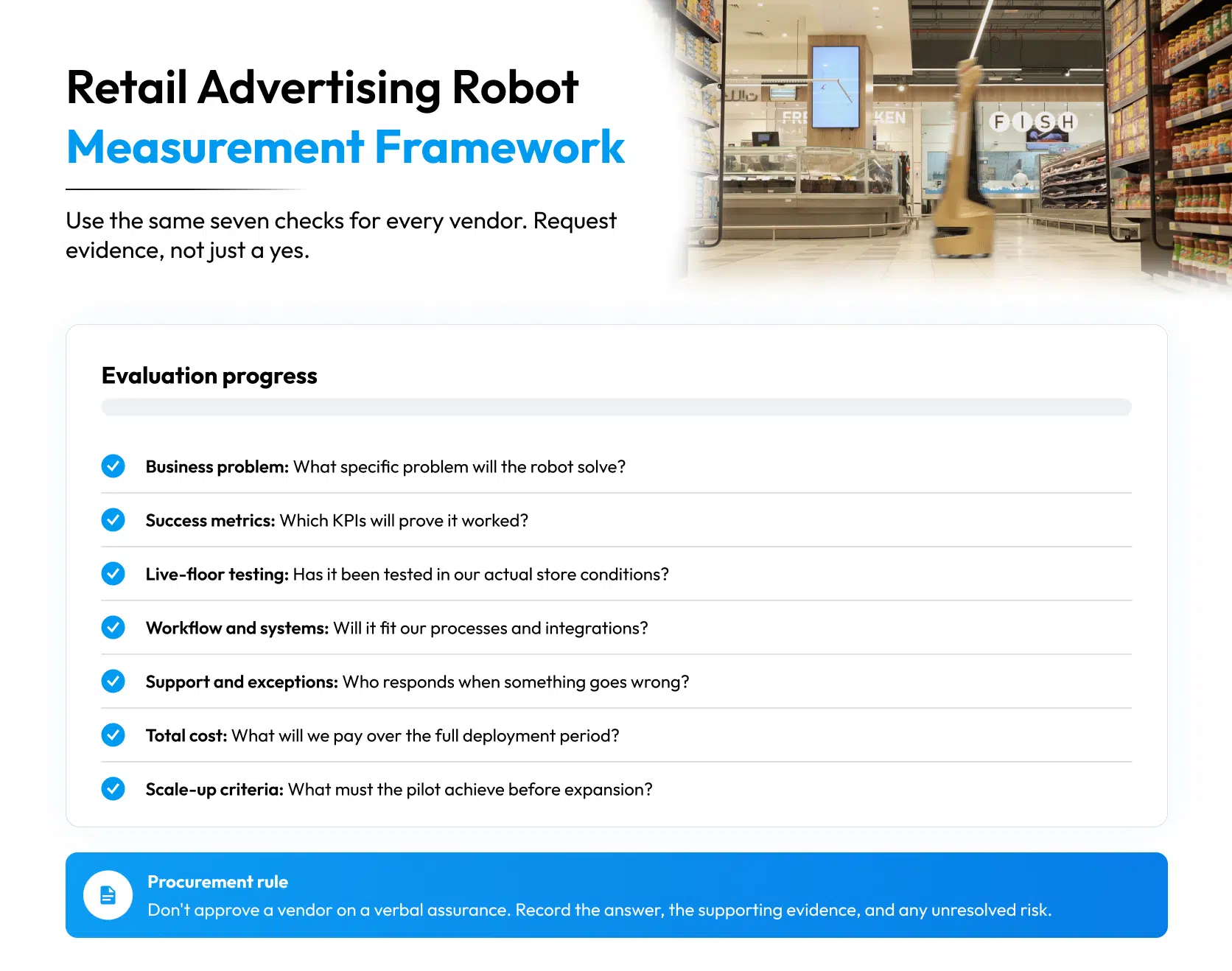
Why retail robots fail is easier to answer before purchase than after. Seven questions expose the gaps early, and a robot assistant comparison works best when every vendor answers the same seven in writing.
- What specific business problem should a robot solve?
- How will the retailer measure success?
- Can a robot operate in the actual store environment?
- Will it fit existing workflows and systems?
- Who handles exceptions, maintenance, and staff escalation?
- What is the total cost over the intended deployment period?
- What results must a pilot demonstrate before expansion?
A vendor that cannot name the exceptions its robot still cannot handle has not tested in a live store. Retailers should also ask who responds when a unit stops mid-aisle, how quickly, and under which support terms. Vague answers at this stage turn into disputes after launch.
Ask for named store references, the exact scope covered by the monthly price, and the training each associate receives before go-live. A retailer who collects these answers in writing can compare vendors on facts and decide with confidence.
A Smarter Approach to Retail Robotics with Odigo
More than a decade in robotics taught our team the same lesson in store after store: retailers need one robot that works on a live floor, not five pilots that never connect.
Odigo is that robot, a connected AI service robot that combines customer-facing services, store intelligence, mobile advertising, security monitoring, and fleet management in one unit, with a single console for every unit across a site or estate.
Odigo’s centralized fleet management console lets operations teams monitor robot activity, campaign performance, and service issues across locations, making it easier to identify underperforming units and address problems before they affect store operations.
The differentiator is the combination of capabilities and the deployment model behind them, not a robot parked on the sales floor. Retailers curious about the advertising side can read what is an advertising robot for the full picture.
How Odigo Addresses the Three Challenges
Each of the retail robot challenges above pairs with an Odigo capability, the problem it addresses, and the evidence you should review during a pilot. Operational metrics, such as uptime, navigation completions, and ad plays, show whether Odigo runs reliably.
Business outcomes, such as cost against your current method and shopper engagement, show whether the deployment pays off. Capabilities marked with an asterisk need integration or configuration first, so confirm them before the pilot starts.
1. Reduce Upfront Commitment with Robot as a Service
Robot as a Service (RaaS) bundles Odigo’s hardware, software platform, advertising capabilities, analytics, updates, and support into a monthly subscription, according to the agreed deployment scope. Retailers start with a predictable monthly commitment instead of a large upfront purchase plus separate line items.
A single-store pilot lets a retailer measure performance against agreed targets before expanding. The advertising capabilities also let a store plan its retail media inventory across zones and dayparts, so the unit works for the business while it serves shoppers. Monthly pricing also gives finance one clear line to budget against, which answers the cost question before the pilot starts.
2. Fit Odigo into Existing Store Operations
Four capabilities handle fit, and each one supports associates instead of adding work for them.
AI Concierge
Odigo answers routine shopper questions about hours, returns, policy, and aisle locations in the shopper’s own language, with no app and no sign-in, so associates stay free for the question that needs their expertise.
Wayfinding & Escort
Odigo walks the shopper to the destination instead of pointing, so no associate leaves the floor to lead someone to aisle 14.
Central Command & Fleet Management
One console gives managers control of content, routes, permissions, and every unit in the estate.
Integration & Custom Development
Odigo connects to inventory, point-of-sale (POS), pricing, loyalty, and ticketing systems*, built to each engagement and scoped before go-live, so store teams know which systems Odigo connects to.
As a robot assistant on the floor, Odigo adds capacity to the team and hands exceptions to staff through help tickets delivered by WhatsApp, email, or an existing ticketing tool*.
3. Improve Visibility and Monitor Performance
Four capabilities show retailers how Odigo and the store perform.
Autonomous Navigation
Odigo moves through configured environments using laser and visual mapping, with no floor markers, rails, or beacons, and virtual walls keep Odigo clear of stockrooms and loading areas.
Analytics & Reporting
Dashboards show navigation requests, completed versus failed, uptime, patrol coverage, shopper interactions, and ad plays with proof-of-play records for retail advertising campaigns. Every one of those metrics comes from Odigo’s own logs and needs nothing from the retailer’s systems, which answers the question “how would we prove it worked?” without a data project.
AI Surveillance & Security
Odigo adds configured hazard and security detection, live alerts, and time-stamped incident records. Retailers stay in control: each detection class switches on or off per site, retention windows are configurable, permissions govern who views recordings, and recordings can sit on retailer-controlled infrastructure*.
Retail Intelligence
Operations and merchandising teams get store-calibrated shelf checks* covering availability, misplaced product, wrong SKU and facing indicators, and price and promotion labels. Footfall, dwell, traffic hotspots, queue conditions, and recurring shopper requests sit alongside them.
Together, these give retailers more visibility into how Odigo and the store perform, so teams find issues sooner and decide with better evidence. Odigo will not erase every problem on a store floor. Odigo gives teams the records to find problems and fix them, while staff stay in the loop for exceptions and escalations.
* Capabilities marked with an asterisk require integration with the customer’s existing systems, or configuration during deployment.
Odigo Proven on Live Mall Floors Including LuLu Mall Thiruvananthapuram and Jio World Drive Mumbai
With over 200+ live deployments in different real-world environments. Kody Robots have serverd various industries with the most effective robotics solutions and brought impact to the business.
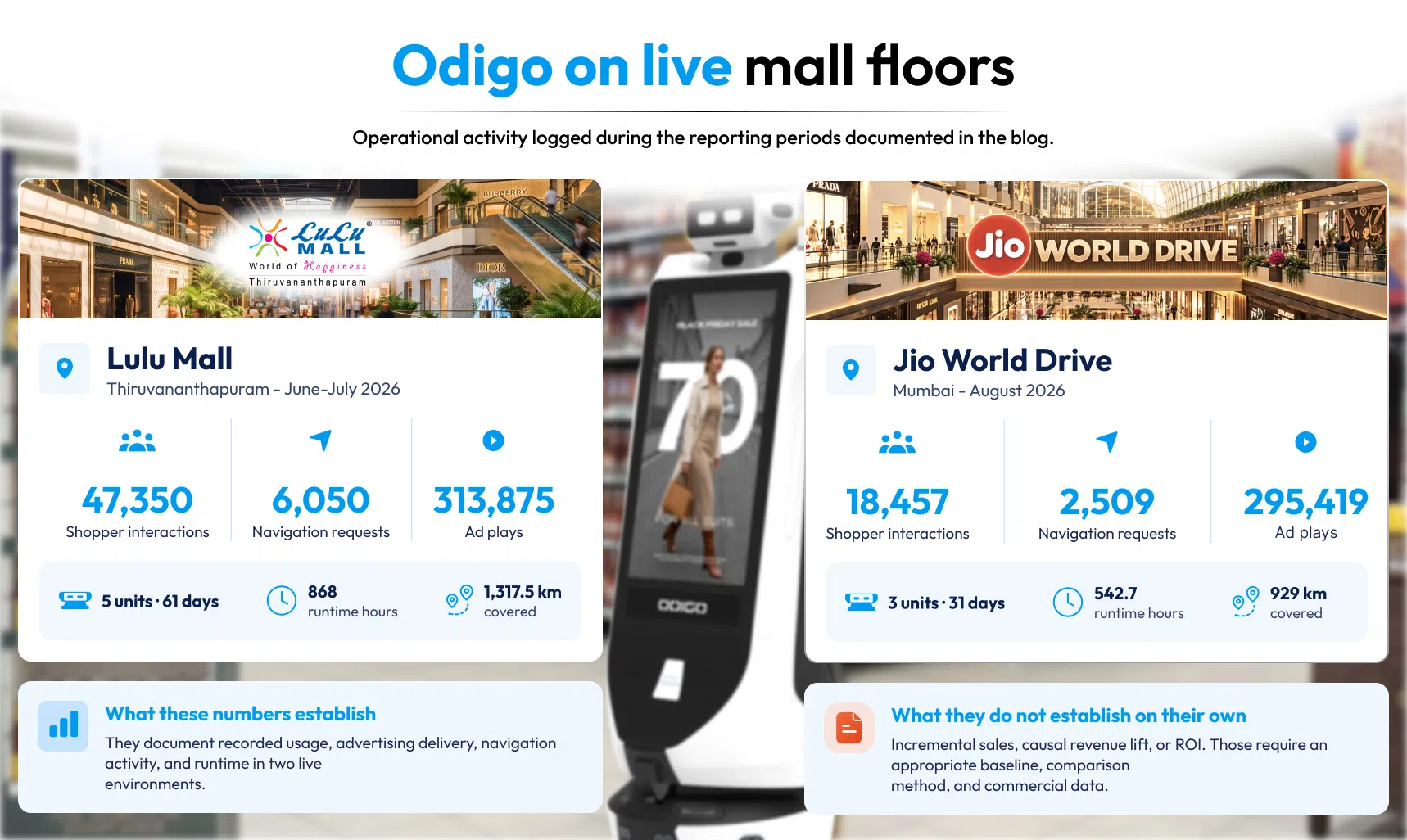
Trust in retail robotics comes from numbers logged on live floors, not from demonstrations. Odigo has operated in various real-world environments including the two high-footfall malls in India. Every figure below comes from Odigo’s own dashboard logs.
| Metric | LuLu Mall Thiruvananthapuram (Jun to Jul 2026) | Jio World Drive Mumbai (Aug 2026) |
| Reporting period | 61 days | 31 days |
| Odigo units deployed | 5 (3 ground floor, 2 first floor) | 3 (1 per floor) |
| Operating hours | 10 am to 10 pm | 10 am to 10 pm |
| Shopper interactions | 47,350 | 18,457 |
| Store navigation requests | 6,050 (12.8% of interactions) | 2,509 (13.6% of interactions) |
| Ad plays | 313,875 | 295,419 |
| Total runtime | 868 hours | 542.7 hours |
| Distance covered | 1,317.5 km | 929 km |
Shoppers used Odigo for real destinations and high footfall environments. LuLu Mall Thiruvananthapuram drew 2,541 navigation requests at the mall, and the two Apple store listings drew 494 at Jio World Drive Mumbai. Weekends at LuLu Mall Thiruvananthapuram lifted interactions to 476.1 per floor-day against 171.3 on weekdays, and Odigo recorded that peak across both floors.
| Challenge | Evidence from the live deployments |
| High costs and unclear return on investment | Odigo logs interactions, navigations, ad plays, runtime, and distance itself, giving retailers a measurable record of results. |
| Poor integration with store operations | Shoppers used Odigo as a working directory, with 6,050 navigation requests at LuLu Mall Thiruvananthapuram and 2,509 at Jio World Drive Mumbai. |
| Unreliable performance | Odigo logged 868 hours across 61 days at LuLu Mall Thiruvananthapuram and 542.7 hours across 31 days at Jio World Drive Mumbai, covering 1,317.5 km and 929 km of live floor. |
Every mall differs, so these results show how Odigo behaves in two real environments, not a promise for yours. A single-store pilot with agreed targets remains the right first step.
How to Make an Informed Retail Robot Investment
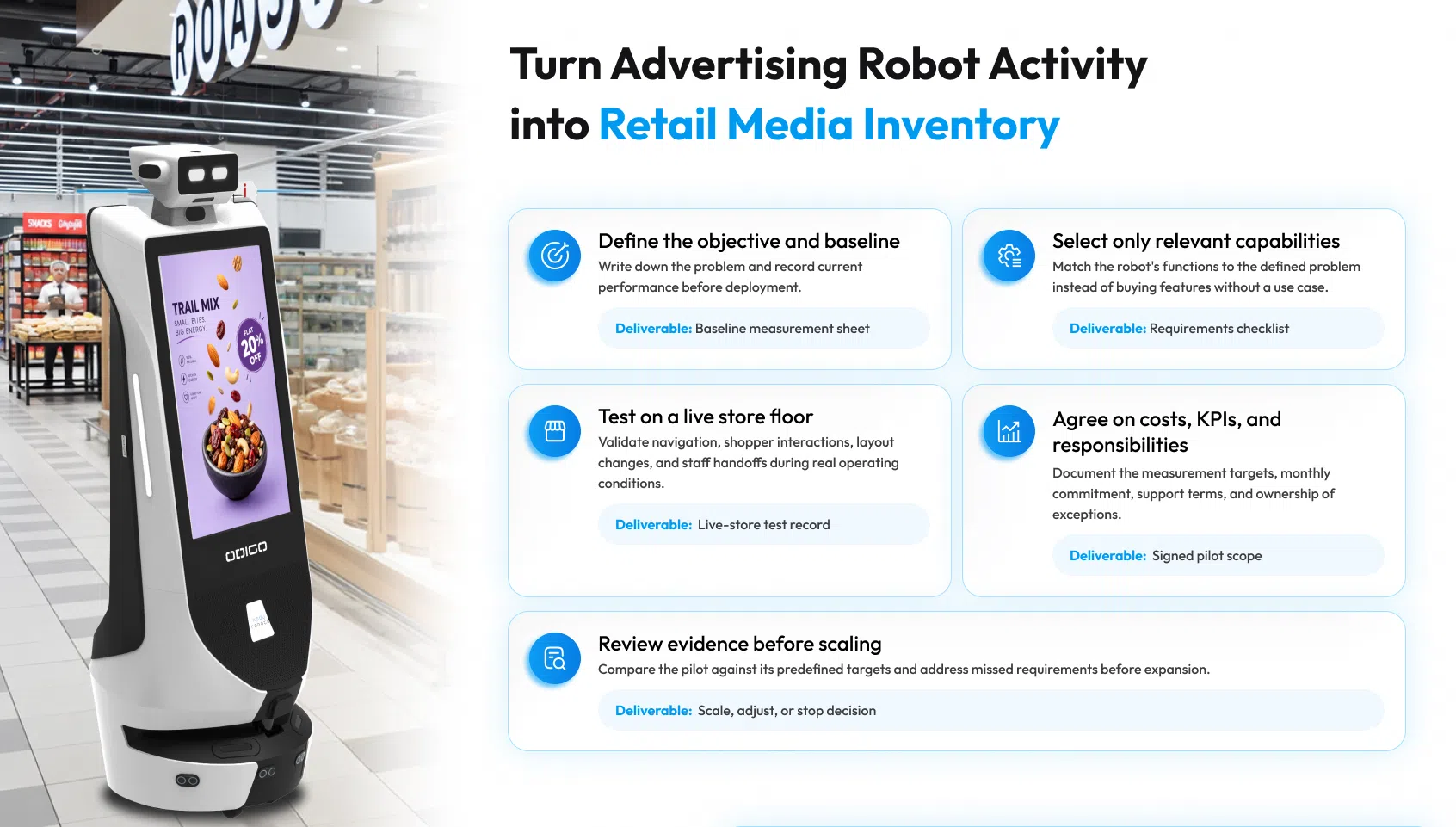
Retailers asking how to avoid retail robot failure can follow five steps in order. Skipping a step brings back the pattern behind why retail robots fail, and each step closes one of the retail robot mistakes described above.
- Define the business objective and baseline. Name one problem, such as unanswered shopper questions, and engagement.
- Select the capabilities that support that objective. Match features to the problem and leave the rest for a later phase.
- Validate navigation, customer interactions, and workflow fit in a live store. Test on a busy day with real crowds and real staff.
- Agree on KPIs, costs, responsibilities, and support terms. Write down the key performance indicators (KPIs), who owns exceptions, and what the monthly commitment covers.
- Review pilot results against predefined targets before scaling. Expand only when the numbers meet the targets set in step one.
Retailers can apply the same five steps to Odigo and to any alternative. Supermarket operators can start with best advertising robots for US supermarket to see how the options compare in a grocery setting.
Build a Retail Robot Program Around Measurable Results
Why retail robots fail is no mystery, and retailers who plan are planning to deploy live retail robots hold a great advantage. Viable economics, operational fit, and reliable live-floor performance decide the outcome, and a pilot with defined targets tests all three before expansion begins.
The retailers who win here will not be the ones who buy first. The ones who measure first and expand on evidence will lead. Request an Odigo demo, or talk through a single-store pilot with the team at Kody Robots.
Why Retail Robots Fail – General FAQs
If this blog has answered your query regarding why retail robots fail, we are sure these questions with help you figure out how to make your retail robot programme a success.
1: Why do retail robots fail?
Why retail robots fail comes down to three recurring causes: costs and ROI nobody defined, poor fit with store workflows, and performance that breaks in live aisles. Weak planning, not weak hardware, usually starts each one.
2: Is Robot as a Service better than purchasing a retail robot?
RaaS suits retailers who want a lower upfront commitment with support, updates, and analytics bundled in, plus the option to start in one store. Compare total cost over the full deployment period before deciding.
3: How can retailers measure the ROI of a retail robot?
Capture a baseline before launch, set targets in advance, and track them during a pilot: shopper interactions, navigation requests, footfall, dwell, queue conditions, and ad plays. Odigo’s analytics come from its own logs.
4: Can a retail robot integrate with existing store systems?
Yes, retail robots can integrate with existing store systems, depending on the robot’s capabilities and the retailer’s technical requirements. Odigo can support integrations with systems such as inventory, point of sale (POS), pricing, loyalty, and ticketing, subject to project scope and system compatibility. Some integrations may require custom development and approval under the retailer’s IT policies. Confirm integration requirements before starting a pilot.
5: How should retailers test a robot before deploying it across multiple stores?
Run a single-store pilot with agreed KPIs, live crowds, and layout changes. Knowing why retail robots fail also means testing the exception path: who responds when a unit stops, and how fast.
6: How long will it take to get Odigo live in my store?
Getting Odigo live in your first store usually takes around 20 to 25 days from order confirmation. Delivery accounts for 15 to 17 days, and on-site mapping and testing take another 5 to 7. Your store stays open during mapping and testing, and we schedule the work away from your busiest hours where possible.
7: What happens when I reset a section or change my planogram?
You do not need to remap your entire store. Odigo uses incremental mapping, so only the areas you changed get updated, which takes roughly 30 to 45 minutes per floor. Your team can reset sections as your merchandising plan changes without starting the mapping from scratch.
8: Can Odigo operate around forklifts and pallet jacks in my store?
Yes, with operating controls you define. You can use virtual walls to keep Odigo out of your backrooms, receiving areas, and freight corridors, and moving equipment always has the right of way. One limit to plan around: low-profile equipment below 25 cm (9.8 in) may fall outside Odigo’s detection range, so factor that into how you set up Odigo’s routes.
9: How does staff training affect whether my team adopts a retail robot?
Training decides whether your team sees Odigo as support or as an obstacle. Associates who never learned what a robot handles start working around it, and adoption stalls. Train every shift on which questions Odigo built by Kody Robots, answers, when your staff step in, and who clears an exception, and your team will know exactly where Odigo helps and where they take over.
10: Will weak Wi-Fi in my store stop a retail robot from working?
Not entirely. Core navigation and on-site functions run locally on Odigo, but remote dashboard access and connected services need a connection, so weak coverage will limit those. Before go-live, you provide Wi-Fi access, a standard 120V outlet, a 2 ft by 2 ft charging area, and your current floor plans.